


Teachers and school staff face a massive problem today, and finding a solution like Jupiter Ed is often the only way out. You spend hours each week managing grades, tracking student progress, and trying to communicate with parents.
Paperwork piles up, and important emails get lost.
It feels overwhelming.
This software solves this messy situation completely. Over 4 million students across the US use this learning management system every single day. The platform brings everything a school needs into one place, so grades, attendance, and messages all live in the same system.
I am going to walk you through exactly how it works. Grab a cup of coffee, and let us explore the details together.
What is Jupiter Ed?
Jupiter Ed is a software company that provides a platform combining everything schools need to run smoothly. It merges a learning management system, a student information system for K-12, and school-to-home communication tools.
David Hundsness, a former teacher from Silicon Valley, created this student management system. He started with SnapGrades, a web-based gradebook, back in 2004. In 2013, he expanded the platform and rebranded it as Jupiter Ed, Inc. The company built everything from scratch, which means the platform works beautifully as a single system without messy, broken integrations.
In 2018, the company modernised the entire interface and back-end systems to make everything faster. Jupiter Ed handles over 100,000 students at once, making it powerful enough for large school districts in places like Philadelphia, PA, and New York City.
Schools realise that using separate, disconnected tools just creates more work. In fact, modern education leadership demands better, unified technology.
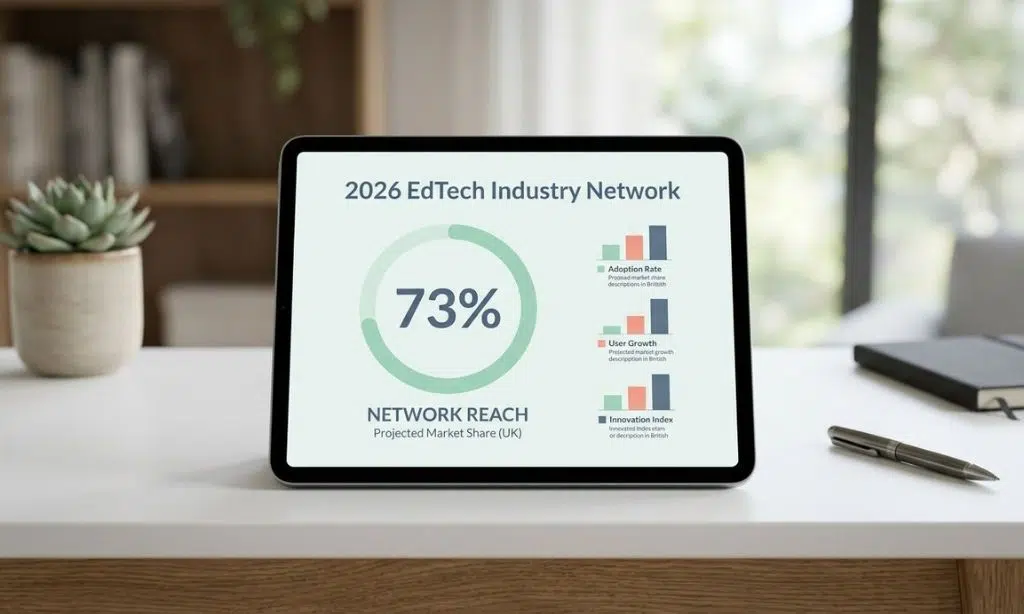
A 2026 report from the EdTech Industry Network shows that over 73% of US K-12 districts now use a combined student information and learning management system to reduce administrative waste.
Key Features of Jupiter Ed
Jupiter Ed packs powerful tools that K-12 education professionals use every day. Teachers, parents, and administrators all work together through the system. I will break down the three main areas that make it so effective.
Learning Management System (LMS)
The learning management system is the core feature of Jupiter Ed. It delivers interactive content that helps students learn in fresh, engaging ways. Teachers can easily upload lessons, design a programme of study, and share resources.
What makes it truly special are features like Juno Pods. These are built-in, interactive modules that allow your child to practice and receive feedback instantly. You also get incredible flexibility with third-party apps.
If your school already uses other tools, Jupiter Ed integrates perfectly with systems like Google Classroom. A great insider tip from teacher forums is to use the specific Respondus lockdown browser integration. This prevents students from opening other tabs during online tests, which stops AI cheating and secures the fairness of your exams.
Here are the standout LMS features you should know about:
- Juno Pods: Create interactive, self-grading exercises that give students immediate feedback.
- Google Classroom Sync: Automatically import assignment scores without typing them in twice.
- Lockdown Browser: Keep online assessments secure by restricting web access during tests.
- Text-to-Speech: Support students with IEPs by letting the system read lessons aloud.
Gradebook and Student Information System (SIS)
Jupiter Ed’s Gradebook cuts down on paperwork significantly. Teachers track assignments, tests, and report cards in a single location. The SIS manages attendance, behaviour tracking, and scheduling to give you a complete picture of student progress.
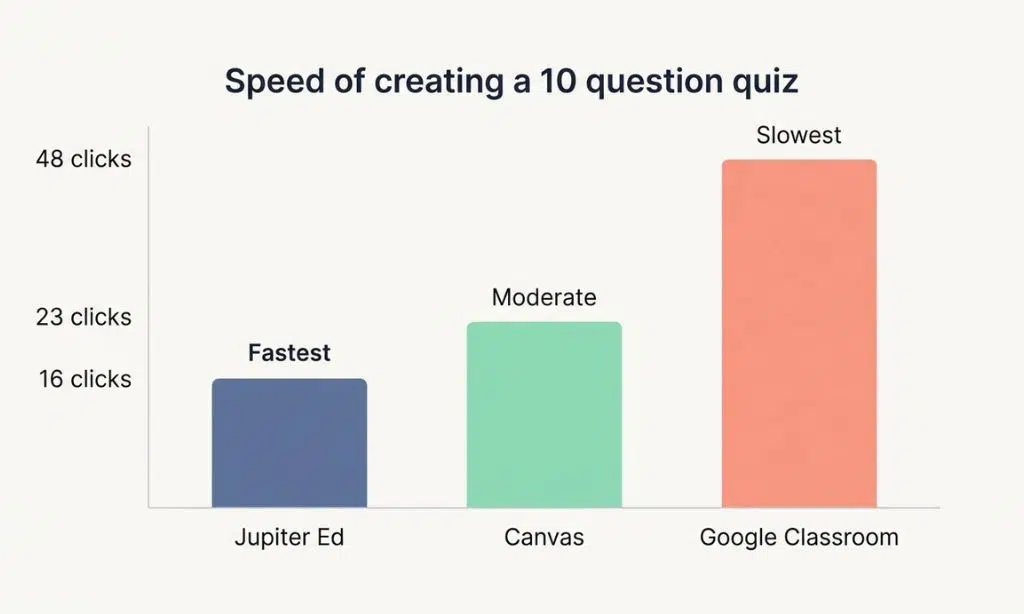
One of the biggest advantages is sheer speed. Teachers make thousands of clicks every week, and those seconds add up. When comparing tasks like creating a 10-question quiz, Jupiter is remarkably efficient.
| Platform | Clicks Required to Create a Quiz | Speed Rank |
|---|---|---|
| Jupiter Ed | 16 clicks | Fastest |
| Canvas | 23 clicks | Moderate |
| Google Classroom | 48 clicks | Slowest |
Schools using faster applications save around 58 minutes of work weekly, as staff reduce their daily clicks from 1,500 down to 800. That means teachers spend less time clicking and more time teaching. The system also supports standards-based grading, which is vital for modern competency-based education models.
School-to-Home Communication Tools
These tools keep families in the loop about what happens at school. The messaging platform offers email, text alerts, and calendars that work together seamlessly. Parents receive real-time updates about their child’s progress, behaviour, and upcoming events.
This level of transparency prevents unexpected report card surprises at the end of the term. Because parents see grades updating in real time, they can step in and help exactly when their child needs it. Jennifer Williams, a parent from San Diego County, stresses how vital this real-time communication is for family engagement.
Here is how the communications tools make life easier:
- Automated Text Alerts: Send instant notifications straight to parents’ mobile phones.
- Discussion Forums: Steven Rubenstein appreciates these spaces for sparking active student engagement.
- Customer Support: Mike Harms praises the excellent customer service and ease of use.
- Daily Reliability: Tom Saunders expresses strong approval of how well the platform performs day after day.
How Jupiter Ed Works
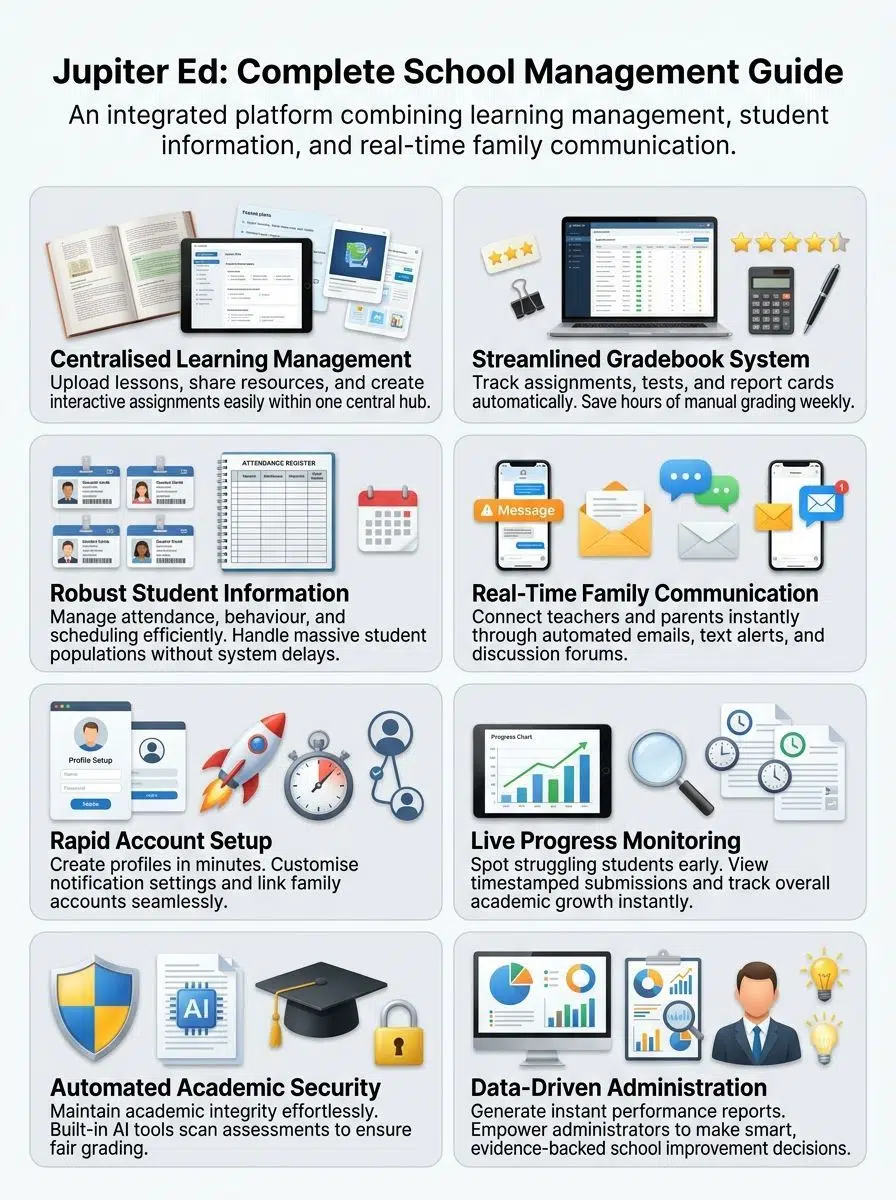
Jupiter Ed operates through three main steps that make school management simple. First, you set up your account. Next, you track progress. Finally, you connect with families. Read on to see exactly how each step unfolds in this digital transformation.
Account Creation and Setup
Setting up your account takes just a few minutes. You will get started quickly without needing technical help from your IT team.
Pricing is customised for the size of your school. While they do not list public per-student prices, individual teacher accounts start at $500 a year. You can also request a demo on jupitered.com to see it in action.
A crucial tip for US schools is that if you integrate Google Workspace, you must have your IT department approve Jupiter as a trusted app first. Also, be aware that Google Family Link accounts for children under 13 sometimes block these connections due to strict privacy rules, even though Jupiter is fully FERPA compliant.
Follow these key steps to get your classroom running:
- Verify Your Role: Secure your login and select whether you are a teacher, student, parent, or substitute teacher.
- Link Third-Party Apps: Connect your Google Drive or Dropbox accounts through the Setup menu.
- Configure Billing: If your school uses the payments module, parents can link a card for tuition or lunch fees.
- Adjust Notifications: Choose how often you want to receive emails or text alerts regarding school policies.
Tracking Grades, Assignments, and Progress
Teachers manage assignments, tests, and report cards effortlessly. Students track their homework across fewer applications, which reduces confusion and boosts learning.
The Gradebook calculates final grades automatically. This saves teachers hours of manual computation each week. You can even design unique assessments effortlessly. For instance, if you teach a science class, you can ask a short-answer question about how water vapor behaves in the atmosphere of Earth, and the automatic grading system will instantly score the text response.
Here are the smartest ways to track student data:
- Customise Your Marks: Unlike basic tools that only accept percentages, you can create custom marks for excused or late work.
- Apply Flexible Formatting: Use the built-in tools for math equations or chemistry notation.
- Monitor Missing Work: The system instantly flags missing assignments so parents can see them immediately.
- Manage Enrollments: Track every new enrollment and schedule efficiently across the entire district.
Real-Time Communication and Reporting
Instant reporting means administrators get data right away. This helps them make quick decisions about what students need. Progress tracking happens in real time, so parents watch their child’s score update as soon as you enter it.
Rachel Brown commends the platform’s valuable upgrades for making communication better for everyone in K-12 education. Timely updates about assignments keep parents informed, so they can help their children manage their schoolwork without stress.
Here is how you can maximise your daily communication:
- Schedule Parent Reminders: Use the calendar tool to send automatic reminders for big projects.
- Share Timestamped Submissions: Show parents exactly when a piece of homework arrived in the system.
- Generate Progress Reports: Export clean, easy-to-read reports perfect for parent-teacher conferences.
- Log Behaviour Privately: Keep a running record of student behaviour that only admins and parents can see.
Final Words
Teachers and school leaders save time every single day by using this platform. With grades, assignments, and student records all in one place, staff members cut their workload significantly.
Parents get real updates about their children’s progress, which builds trust between home and school. Schools across all fifty states have relied on Jupiter Ed for over twenty years, and that track record speaks volumes.
Start using it today, and watch your school run smoother than ever before.
Frequently Asked Questions (FAQs) on Jupiter Ed
1. What is Jupiter Ed and who uses it?
Jupiter Ed, developed by Jupiter Ed, Inc. in Philadelphia, PA, is a student management system designed for K-12 education. Schools across the US use it to handle everything from behaviour tracking and billing to parent communications.
2. How do I log in to Jupitered.com?
To log in, visit jupitered.com and enter your username and password. If you’re new to the platform, there’s a free demo available that walks you through the login process and main features step by step.
3. Can Jupiter Ed support remote learning and prevent cheating?
Yes, Jupiter Ed supports remote learning with built-in tools like a lockdown browser that prevents AI cheating during online assessments. The edtech platform allows teachers to monitor student activity in real time during tests.
4. What features does Jupiter Ed offer for administration and communication?
The system helps school administration manage payments, attendance policies, and communications with parents and students. It also includes a video gallery feature for sharing recorded lessons, announcements, and updates with the school community.
5. Is my data safe on Jupiter Ed?
Absolutely. The platform follows FERPA (Family Educational Rights and Privacy Act) guidelines to ensure your information stays private and secure whilst using their services.
6. Does Jupiter Ed work well with other e-learning providers or training centres?
Yes, Jupiter Ed’s flexible architecture works well with various e-learning providers and training centres across the US. Institutions like the Centre for Integrated Training & Education use its supportive features to manage K-12 classes, and schools such as CAST A Middle School integrate it into their specialised curriculum programmes.






















