


With the quickening pace of the digital world, businesses have always tried to find new and interesting ways to convey a message to their audiences. Here, digital signage can be a more interesting option, attracting current information. So, if you need something to embrace this technology but cannot afford it, then free digital sign software is the best answer. It is very easy to set up, and this guide covers the step-by-step setup of such software in less than 30 minutes so you can switch to digital communication right away.
Understanding Digital Sign Software
Before moving on to the setup, it is essential to understand what free digital sign software is. This particular software is used for content management and for displaying it on screens. From product promotions to updates and even interactive content, digital signage takes static messaging and turns it into moving visuals. Free plans usually have sufficient features to satisfy the needs of a business, thus making them an economical option for beginners.
Selecting the Best Software
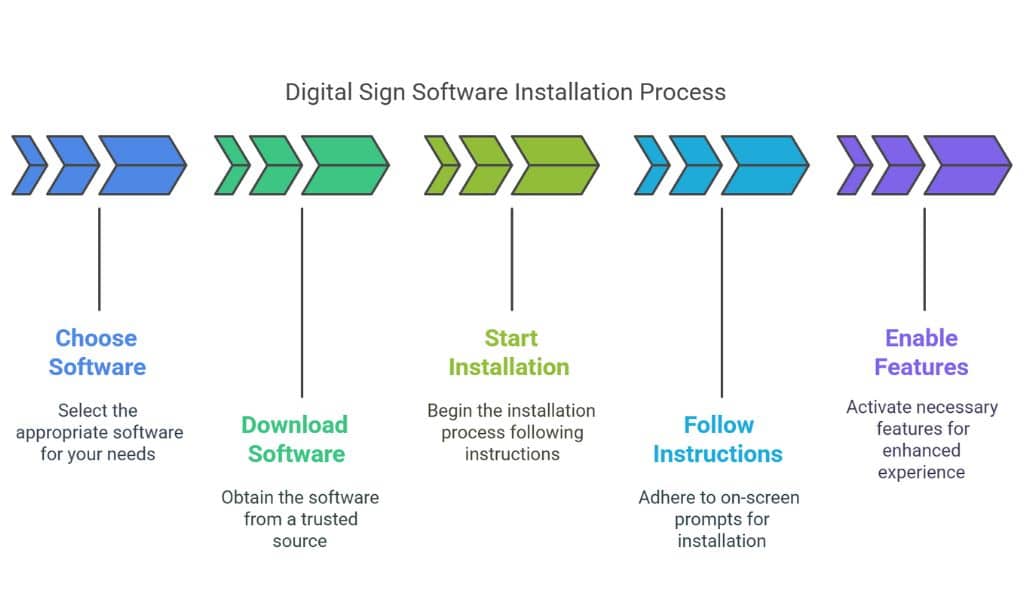
The needed output depends on an appropriate software selection. There are different free software programs; each one comes with different features to meet the needs. Focus on software that matches specific needs while still being compatible and supportive of existing devices. Gain insights through comparing functionality and reading reviews. Always choose the best user interface for easy navigation and management.
Getting Ready for the Installation
Preliminary preparation makes installation quick and easy. Get the right hardware—monitors or TV screens that work with the software selected. High-speed internet is among the most important requirements for streaming content flawlessly. Besides that, you should have some reserved space for the digital signage setup, keeping visibility and accessibility in mind. Having these things in place ensures that there will not be any hiccups while installing.
Downloading and Installation of Software
With everything in place, go ahead and download the software you just chose. Download it from its official site or trusted sites to stay safe. Start the installation by following the on-screen instructions after downloading it. The best software makes this process seamless with clear instructions, reducing the ambiguity involved. Look out for any features you might have to turn on yourself to cement that extra user experience.
Some Initial Configurations
Setting up the initial settings after installation is a must to utilize the tool’s performance perfectly. First, the software is linked with the selected display devices. Often, this includes connecting the software to the internet and making it compatible with screens. Change the scaling to take the full dimensions of the screen, ensuring sharp and clean visuals. For continuity, apply branding to interface elements [logo, colors, etc.].
Creating Engaging Content
You had the technical stuff in order; now, it is time to be the creator. Engaging visuals are the lifeblood of digital signage. Use built-in or customized templates for objective-specific content. Use a combination of words, images, videos, and animations for variety. Update content periodically to ensure that it stays current and relevant and restore continuity in audience interaction.
Content Display and Scheduling
Scheduling effectively ensures that digital signage has the most impact. Most tools have built-in scheduling features that allow users to schedule when and where they want the content to be. You can customize content based on the time of day or audience segments. Traffic updates could be especially beneficial to morning commuters, while promotions could appeal to retail shoppers. Revisit the schedule regularly to make sure it fits what we want to accomplish now.
Monitoring & Maintenance
Constant monitoring and maintenance are then needed once the system is live. Always check for software updates to take advantage of new features or updates for increased security. Tracking performance guarantees that the content appears as it should, and if there is a technical problem, it will be fixed sooner rather than later. Viewers provide feedback, which is a perfect chance to gain insight into effectiveness, allowing you to adjust the content strategy.
Takeaways
Free digital sign-up software should never be a difficult process to set up. When done with proper planning, businesses can adopt this contemporary mode of communication in 30 minutes or even less. Above all, starting with the right set of software and designing storytelling content matters; failing on any of these points could result in incomplete accomplishment. Leveraging this approach, organizations will be able to make messaging more impactful, as audiences will be able to see much more than just simple imagery swipes —instead, dynamic and interactive slides. Digital signage provides numerous avenues, so those ready to improve their communication processes should invest in it.

























