Companies have been using PDF to create promotional presentations and business content for centuries, despite it has restrictions. Because it’s easy to share, maintains high quality, and opens on any device, many prefer it for catalogs, magazines, presentations, and portfolios.
Now you can make your flat PDF even more eye-catching by adding hyperlinks, clickable images and fillable forms, etc. They are called interactive elements that immediately grab the reader’s attention and generate greater engagement.
To make a PDF more attractive and to increase the effectiveness of presentation, you can use the visual elements, such as photos, graphics and many others.
Multimedia Presentation
Rich media presentation is a frequently-used and popular interactive form of conveying PDFs.
More specificly, a popular way to deal with PDF annoyance is with video clips. People love to watch videos, and they are especially interested in local ones. Another way to make your PDF more interactive and attractive is to add clickable images. They can be enlarged by clicking so you can add more product images. You can even create entire image galleries in a PDF file.
In addition to incorporating multimedia into your document, you can also use animated PDFs and videos. They can engage your readers and keep them reading longer. However, remember not to overdo it with multimedia. The focus should be on the appearance of the interactive PDF. Make sure it looks good and is easy to navigate.
Graphical & Charts
An interactive PDF consists of sheets containing graphical charts and other sheet objects that allow the user to interact with and analyze the data. There are programs allow you to design and create your own, readable interactive charts and other sheet objects and position them on the sheets of the PDF.
You can use many types of tables and charts to create a document, such as bar charts, pie charts, and gauges. Adding and customizing tables and charts is very easy. Interactive features such as drilling and filtering come directly from the way Excel works, which automatically highlights items related to user-created selections. Thus the interactivity can be further enhanced by using the special features of each chart type.
Form Fields
The most important part of an interactive PDF is the form fields. These are places where users can add information and sign the document. They are protected but still allow users to input information.
Unlike static PDFs, interactive PDFs are attractive to readers. They can contain links, audio, video, images, GIFs, and even fillable forms. This makes them great for presentations and can be a great way to organize different types of content into a single document. Teachers and manual designers also prefer interactive PDFs because they can preview the final product before publishing, allowing them to make last-minute changes and corrections to their PDFs.
SwifDoo PDF
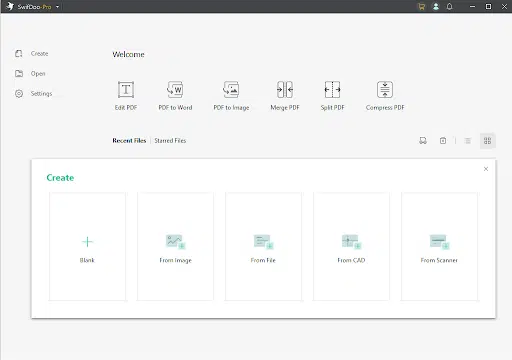
Now that you’ve prepared your interactive PDF, you’re ready to create it.
If you have the right software, you can easily add interactive elements to a PDF using hyperlinks. SwifDoo PDF offers tools for creating interactive PDFs. The program also allows you to attach audio, video and photo galleries.
You can embed large text boxes in the document for detailed feedback, attach checkboxes to the questionnaire, and add action buttons.
You can also import pre-designed files and overlay them with interactive elements to create an interactive PDF with SwifDoo PDF.
It is extremely easy to use and provides beginner-friendly interactive PDF creation.
Here are its basic features.
- Characteristics
- Checkbox, hyperlink and paragraph.
- Clickable calls to action.
- Annotation and basic edition.
- Create flat PDF files.
- Sharing option.
- Password protection.
SwifDoo PDF provides a 15-day completely free trial. Unfortunately, like most tools of this kind, the free version can quickly become too limited for you. SwifDoo PDF has several premium versions and provide extra discounts for educational institutions and non-profits.
For the occasional creation of quizzes or surveys during meetings, both stationary and live, the program would be suitable. The investment in SwifDoo PDF Pro pays off when you need to copy slides between different versions of a presentation, use very diverse interactions or analyze responses and session results. This app is great for that, especially when integrated with other tools you already use.
Final Words
While using the Microsoft Word application is quite easy, the downside of saving it as a DOC form becomes a dilemma due to its format. Since DOC files are indeed editable, the format may vary from user to user. The computer may become deformed upon receipt and may affect the layout, alignment, and overall appearance. This will also create confusion for the receiver, giving them a hard time to complete the form sent. So creating a PDF file with interactive elements with a dedicated program such as SwifDoo PDF is a better way to create a filled mold.
Interactive PDF offers an efficient and cost-effective way to design engaging promotional publications and create fillable forms for quick feedback. You can use them to improve the reader experience and comparably get better results.