


How to Build a Smart Home without giving up privacy starts with a few deliberate choices: choose devices that collect only the data their jobs require, secure your Wi-Fi and accounts, and switch off features you do not need. Smart lights and leak sensors can be useful, but cameras and voice assistants may handle more sensitive information about your home and routines.
Before buying, check each product’s update support, privacy controls, and local versus cloud features. Then add devices gradually and review who can access them. This practical approach works for homeowners and renters alike, without complicating the setup unnecessarily.
Start with a privacy goal
Before buying anything, name the task you want a device to handle. “Make the house smarter” is vague. “Turn on a lamp at sunset” or “alert me if the basement detects water” gives you a reason to compare products.
A connected plug can switch a lamp on a schedule without a camera, microphone, or location access. A door sensor may tell you whether a door is open without recording video. A sensible plan for how to build a smart home starts with the simplest device that does the job.
Begin with one or two devices and see how they work in your home. During setup, note what information the app requests and whether the feature you want depends on an account or cloud service. Before buying, ask:
- What task should the device handle?
- Does it need a camera, microphone, location data, or cloud account?
- Which features work locally, and which require the manufacturer’s service?
- Does the maker explain how to install updates and contact it about security issues?
- Can you delete recordings or account data if you stop using it?
If the company makes these basics hard to find, consider a different product.
Choose devices with support and clear privacy controls
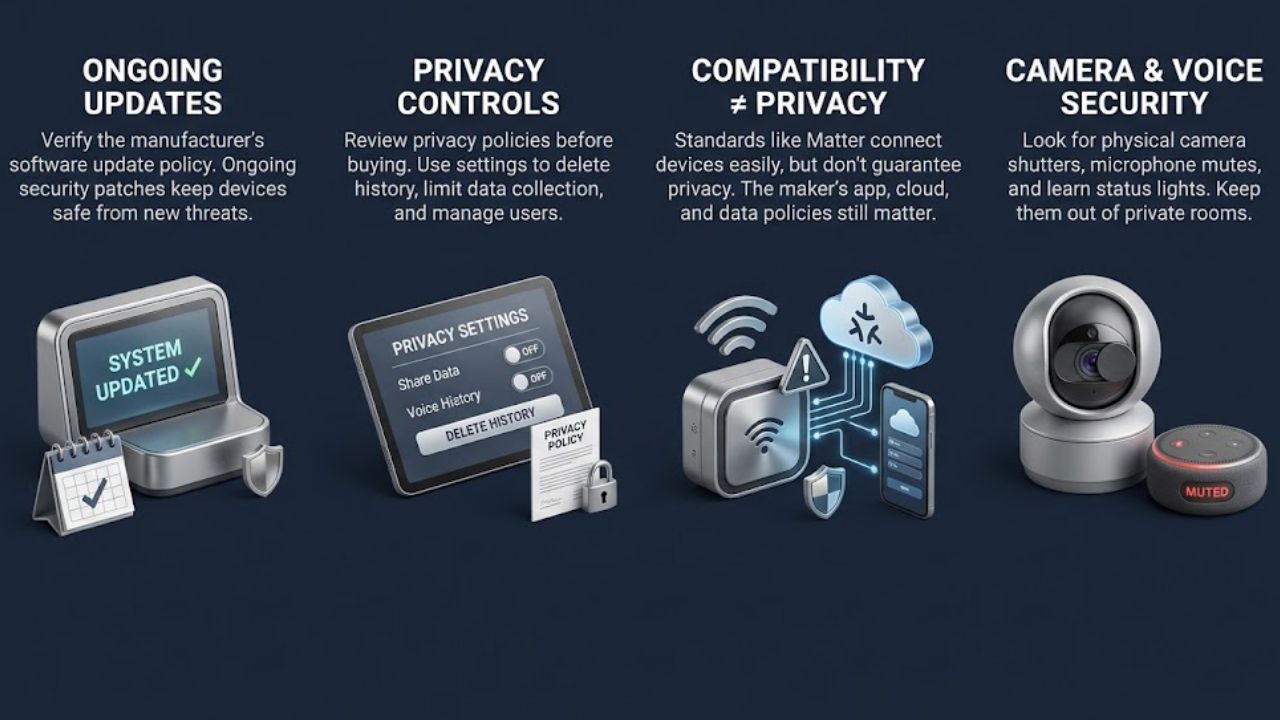
A device’s cost includes the time you’ll spend maintaining it. If the manufacturer stops providing security updates, you may have fewer ways to address newly discovered problems. Look for an update policy and a clear way to install updates. NIST’s consumer IoT guidance includes software update capability and manufacturer support among the factors relevant to device cybersecurity.
Review privacy controls before you buy. Look for ways to limit data collection, delete voice or video history, manage sharing, and remove users. The privacy policy should explain what the company collects and how it uses that information. This check is a practical part of how to build a smart home without signing up for data practices you’re uncomfortable with.
Standards such as Matter can make it easier for compatible devices to work across supported platforms. But compatibility is not a privacy guarantee. The maker’s app, account, cloud service, and data practices still matter.
Take extra care with cameras and voice assistants. Ask whether they need to be in a private room. If you install one, learn what its status lights mean and whether it has a physical microphone mute or camera shutter.
Secure your home network first
Your router connects smart devices to each other and to the internet, so secure it before adding more equipment. Change the administrator password if it’s still the default or easy to guess, and use a different password for Wi-Fi. The FTC recommends WPA3 Personal when available, or WPA2 Personal when WPA3 isn’t supported.
Install router updates, and enable automatic updates if the option is available and works reliably. Review features you don’t use, such as remote administration. The FTC also advises reviewing WPS and UPnP settings. Before disabling one, check whether a device or service you rely on needs it.
A separate network for smart devices may help keep them apart from computers and phones. But don’t assume that a guest network is always the right choice: some hubs and protocols need devices to communicate on the same local network. Check your router and device instructions, then test the functions you use after changing network settings. This detail matters when working out how to build a smart home that stays both secure and usable.
Protect accounts and sign-ins
A smart-home account may control several devices. If someone gets into it, they could change settings, view recordings, or control equipment. Use a unique password for each manufacturer account and turn on multifactor authentication when offered. The FTC recommends both steps for connected devices.
If the service supports individual household users, set up separate access instead of sharing the main password. Remove people who no longer need access. Keep account-recovery details current, too, and protect the email account used to manage your devices. These may seem like ordinary account habits, but they’re part of how to build a smart home that other people can’t casually control.
Limit what devices collect
An app may request permissions for features you don’t plan to use. A lighting app might ask for location access to run an “away” routine. A camera app may need microphone access for two-way audio. Decide whether you want those features before granting permission.
Turn off options you won’t use, such as voice purchasing, location-based routines, or recording when no one is home. Settings vary by product, so check both the device and account menus.
For voice assistants, find out whether recordings are saved and whether you can review or delete them. Use the physical mute control when available if you want the microphone off. For cameras and doorbells, set recording areas carefully. Privacy or motion zones can limit what a camera captures, but check the product instructions to see how those controls work.
Some cameras offer local storage as well as cloud storage. Local recording can reduce what is sent to a provider; cloud features may offer remote viewing or backup. Neither option removes the need to secure the device and its account. When deciding how to build a smart home, weigh the specific features you need against the data the device handles.
Consider local control
Some devices respond to commands within your home network. Others rely on the manufacturer’s cloud service for control or remote access. Local control can reduce reliance on an outside service and may let some functions continue during an internet outage.
It doesn’t make a device automatically private or secure. You still need to protect its account and network and install updates. Some products require a cloud account for setup or certain features, even when basic controls work locally. Check what works without an internet connection before you buy. That’s a useful way to decide how to build a smart home that remains useful when a service is unavailable.
Set up each device carefully
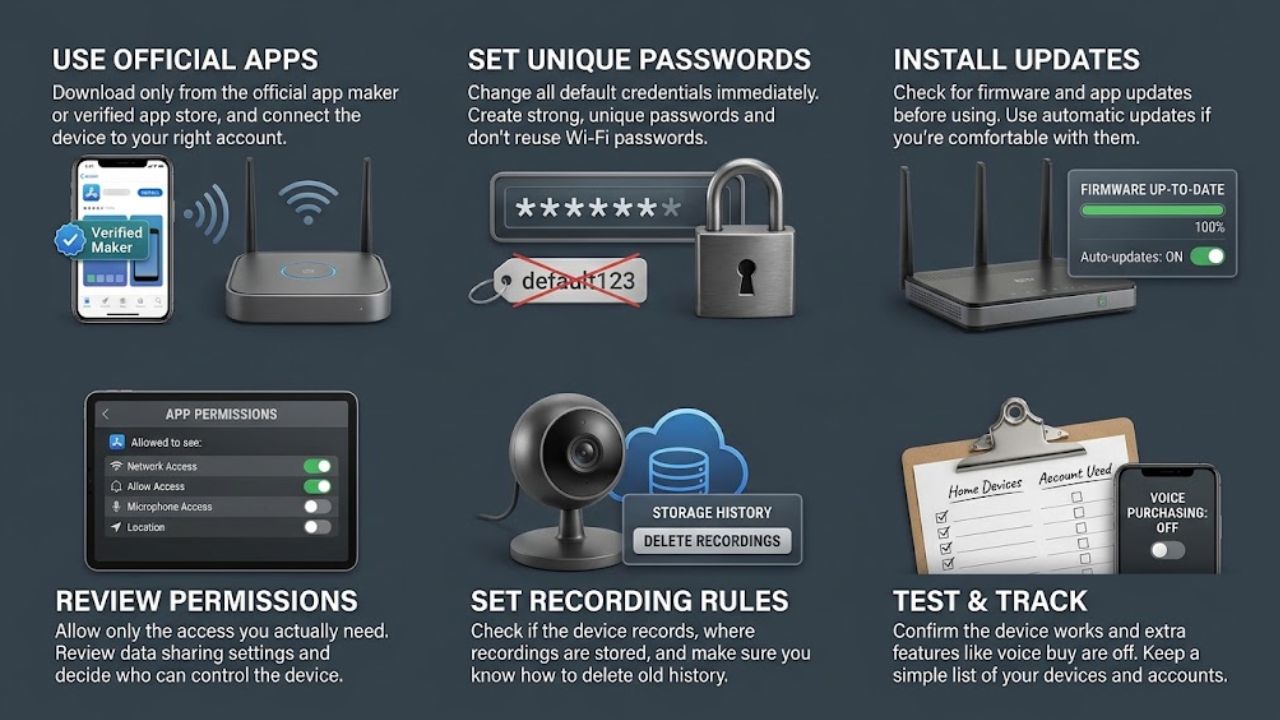
A few deliberate steps during setup can prevent avoidable problems:
- Use the official app: Download it from the device maker or an official app store, and connect the intended device to the right account.
- Set a unique password: Change default credentials if the device allows it. Don’t reuse your Wi-Fi password.
- Install updates: Check for firmware and app updates before relying on the device. Use automatic updates if you’re comfortable with how they’re applied.
- Review permissions and sharing: Allow only the access you need, and decide who can control the device.
- Set recording rules: Check whether the device records, where recordings are stored, and how to delete them.
- Test the setup: Confirm the device does its intended task and that features you don’t want, such as voice purchasing, are off.
Keep a simple list of your devices and the accounts they use. It can also remind you where to find privacy settings later. That small record helps as you add devices and refine how to build a smart home around your household.
Review the setup as your home changes
Smart-home privacy needs occasional attention. Devices can receive new features, change settings after an update, or stop receiving security support. Every few months, check for updates, review account access, and revisit recording and data-retention settings.
When you move, sell a home, or give away a device, remove it from your account and reset it as the manufacturer directs. Remove shared users and linked services where possible. The FTC also recommends resetting connected devices when a home changes owners.
If a device no longer receives updates, is no longer supported, or has an account you can’t secure, consider disconnecting it. An unused device still connected to the network may create avoidable exposure.
Final Thoughts
You can build a smart home without giving every device broad access to your data. Choose products for a specific purpose, secure the router and accounts, and turn off features you don’t need.
Start with the device that solves a real problem, not the one with the longest feature list. Before connecting it, check its permissions, update policy, and local-control options. Those checks make how to build a smart home a manageable series of decisions instead of a whole-house project.
Frequently Asked Questions (FAQs) About How to Build a Smart Home
Are smart-home devices always listening?
Voice assistants handle audio differently. Check the product’s settings and documentation to see whether recordings are saved and how to delete them. If available, use a physical mute switch when you want the microphone off.
Is a guest Wi-Fi network safer for smart devices?
Not always. Guest networks may block the local communication that a hub or device needs. Check the router and device instructions, and test the features you rely on after moving devices.
Can smart-home devices work without cloud services?
Some offer local control for certain functions; others depend on cloud services for setup, remote access, or automation. Check which features work without an internet connection before buying.























