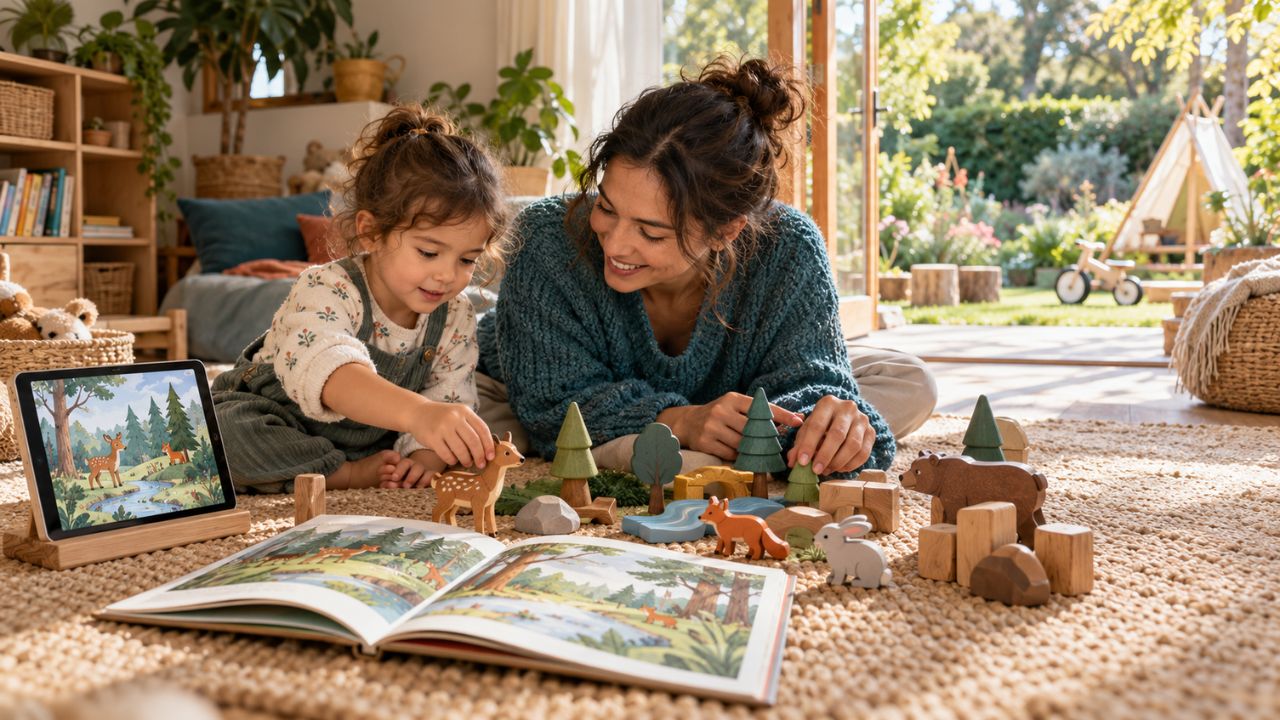
When my nephew was a preschooler, we did not completely remove screens from his routine. We allowed him some screen time, but we tried to keep it as one small part of the day. Real-world play, conversations, reading, and storytime received much more attention.
The routine was not exactly the same every day. Some days naturally included more screen time than others. What mattered was that screens did not become his main source of play, comfort, or interaction.
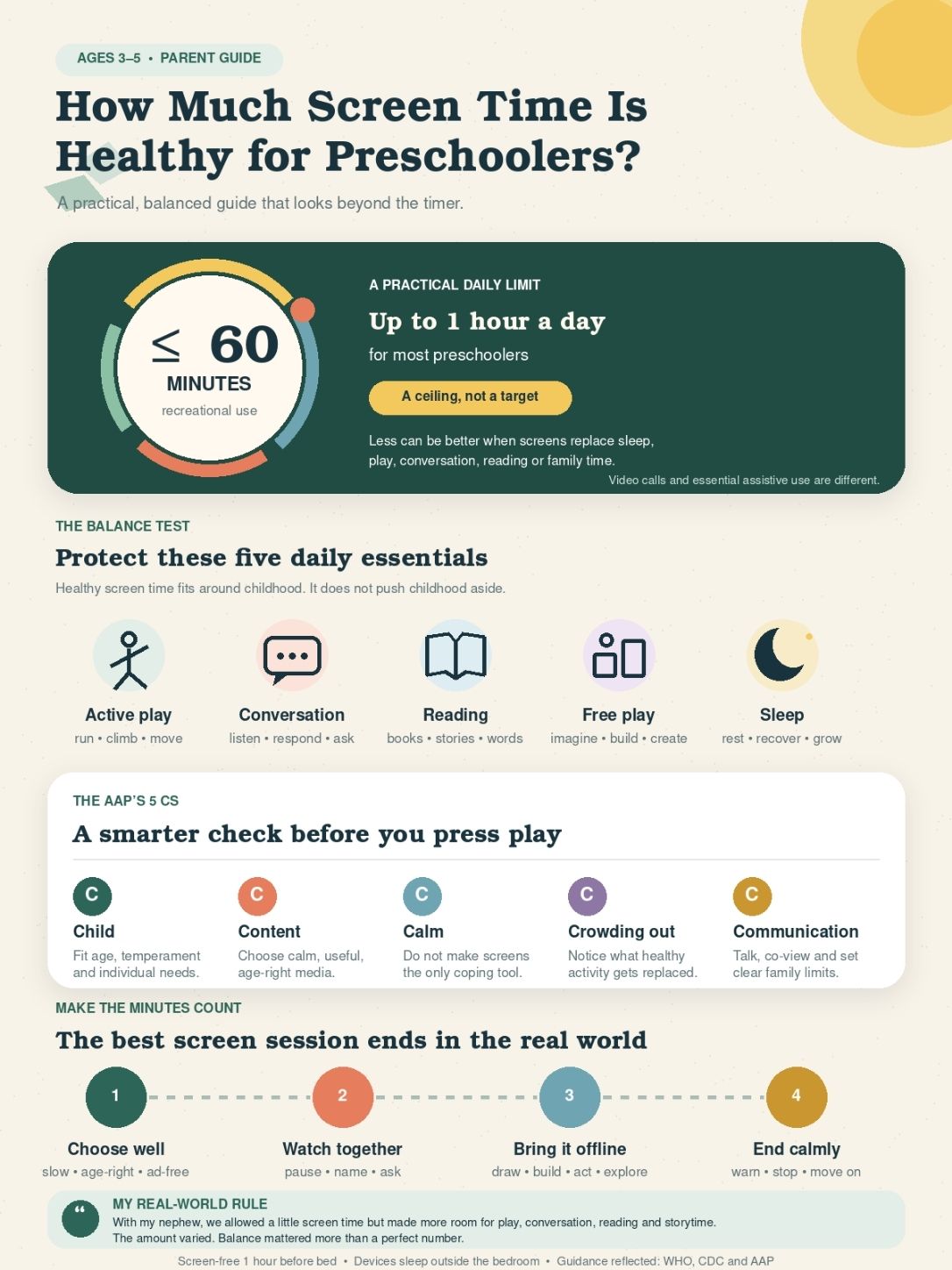
So, how much screen time is healthy for preschoolers? For most children ages 3 to 5, about one hour or less of routine sedentary screen time per day is a sensible target. However, the number alone cannot tell whether the experience is healthy. Content, timing, adult involvement, and what the screen replaces matter just as much.
How Much Screen Time Is Healthy for Preschoolers by Age?
The World Health Organization recommends no more than one hour of sedentary screen time for children ages 3 to 4, with less being better. The CDC recommends no more than one hour of quality programming for preschoolers ages 3 to 5.
The American Academy of Pediatrics takes a broader approach. It still supports reasonable time boundaries, but it also asks families to consider the quality, purpose, and context of screen use.
Here is a practical way to apply the guidance:
| Age | Suggested Daily Target | Main Priority |
| 3 years | About 1 hour or less | Short sessions and active adult involvement |
| 4 years | About 1 hour or less | High-quality content and predictable limits |
| 5 years | Start with about 1 hour | Consider screen use at school and the child’s full routine |
One hour is a planning target, not a medical danger line. Going several minutes over it does not suddenly make the experience harmful. An occasional screen-heavy day during travel, illness, or a difficult family situation is also different from a daily pattern.
Children do not need to reach the full hour, either. If a preschooler is happy playing, talking, reading, or exploring without a screen, there is no developmental reason to add more digital media.
What Counts as Screen Time?
Screen time includes more than watching television. When estimating a preschooler’s daily use, include time spent with:
- Televisions and streaming services
- Smartphones and tablets
- Computers and laptops
- Video games
- Entertainment apps
- Educational apps and digital books
- Online videos and short-form content
- Screens used at preschool or child care
- Television playing in the background
Educational screen time still counts. Good content may make the time more useful, but it does not make the clock irrelevant.
Some screen-based activities should be considered separately because they serve a different purpose.
Video Calls
A video call with a grandparent or another caring adult is more interactive than passive viewing. The child can respond, sing, show toys, and participate in a real conversation.
I would track video calls separately from entertainment rather than treating them as equal experiences.
Assistive Technology
Some children use screen-based augmentative and alternative communication tools, or AAC, to communicate. This is functional support, not recreational screen time.
Families should not reduce necessary communication technology simply to meet a general entertainment limit. A pediatrician, speech-language pathologist, or therapist can help create an individualized plan.
Learn more about assistive technology in early learning.
Active and Creative Use
A child may follow a movement video, draw with an app, create music, or use a nature app while exploring outside. These activities still involve a screen, but they are different from sitting passively and watching an endless stream of videos.
Why the One-Hour Limit Does Not Tell the Whole Story
When my nephew was a preschooler, we did not use a stopwatch for every minute. The wider routine mattered more to us.
If he had some screen time, we made sure there was still room for conversation, books, storytime, and physical play. Some days looked different, but screens were not allowed to push those experiences out of his life.
This approach reflects the AAP’s 5 Cs of media use:
Child
Every child responds to digital media differently.
Some preschoolers can stop watching after a simple reminder. Others become deeply absorbed and find transitions difficult. Temperament, development, and family routine can affect what limits work best.
Content
Age-appropriate content is not automatically high quality.
Age-appropriate usually means the content does not contain obvious violence, mature themes, or unsuitable language. High-quality content goes further. It should support learning, positive behavior, creativity, or healthy social skills.
Calm
Parents understandably use screens when they need to prepare food, finish work, travel, or manage a stressful moment. Occasional use is not the main concern.
Problems may develop when a device becomes the automatic response to every moment of boredom, frustration, waiting, or sadness. Preschoolers need opportunities to practice managing uncomfortable feelings with adult support.
Crowding Out
A useful question is not only, “How many minutes did my child watch?” It is also, “What did those minutes replace?”
Screen use becomes more concerning when it regularly replaces:
- Sleep
- Outdoor play
- Physical movement
- Conversations
- Pretend play
- Books and storytelling
- Drawing, building, and crafts
- Time with caregivers and other children
Communication
Young children often understand digital content better when an adult watches or plays with them.
The adult can explain unfamiliar words, ask questions, discuss a character’s behavior, or connect an on-screen idea with something in the child’s life.
Read about co-play vs independent play and how parents can change the learning experience.
What Research Says About Preschool Screen Time
Research does not support the idea that all screen use is harmful. It also does not support treating all children’s content as harmless.
A major 2024 review published in JAMA Pediatrics examined 100 studies involving more than 176,000 children younger than 6. It found that program viewing and background television were associated with less favorable cognitive outcomes. Age-inappropriate content and caregiver screen use during family routines were associated with poorer psychosocial outcomes.
The same review found that co-use with another person was associated with better cognitive outcomes.
These findings do not prove that a specific amount of screen time directly causes a developmental problem. Much of the evidence is observational. Family routines, sleep, content quality, caregiver involvement, income, and a child’s existing needs can also influence the results.
The safest approach is to use phrases such as “associated with” or “linked with” rather than claiming that screens directly cause every reported problem.
Language and Learning
Preschoolers can learn words, numbers, social skills, and healthy behaviors from well-designed media. Educational programming and co-viewing have been associated with stronger language outcomes.
However, a responsive conversation usually gives a child a richer learning experience. A person can notice confusion, change the explanation, answer questions, and follow the child’s interests.
The best digital learning continues after the screen is turned off. A program about animals becomes more valuable when the child later draws an animal, imitates its movement, finds it in a book, or talks about seeing one outside.
This is something I value from my experience with my nephew. Storytime and conversation gave us room to pause, answer questions, and let the topic move in whatever direction interested him.
Attention and Emotional Regulation
Some studies have found associations between higher screen exposure and difficulties involving attention, behavior, or executive function. However, the relationship is complex and can differ by child and content.
Researchers have also studied what happens when mobile devices are frequently used to calm upset children. The findings suggest that relying on a screen during every difficult feeling may reduce opportunities to practice emotional regulation.
This does not mean that using a tablet during a flight, medical appointment, or unusually difficult day will cause a problem. The concern is the repeated pattern, not the occasional exception.
Sleep
Preschoolers generally need 10 to 13 hours of sleep within 24 hours, including naps.
Screens can delay sleep in several ways. The child may become absorbed in the content, bedtime may be pushed back, or the program may leave the child mentally stimulated.
Screens should ideally stop at least one hour before bedtime. Devices should also remain outside the child’s bedroom overnight.
A calmer bedtime routine might include bathing, changing clothes, reading, storytelling, quiet conversation, or audio without a visible screen.
Movement and Physical Health
Children ages 3 to 4 should get at least 180 minutes of varied physical activity spread throughout the day. At least 60 minutes should involve more energetic movement.
Higher screen exposure has been associated with shorter sleep and an increased likelihood of excess weight. Possible reasons include reduced movement, eating while watching, exposure to food advertising, and later bedtimes.
It would still be inaccurate to say that screens directly cause weight gain. The child’s full routine matters.
Eye Strain and Headaches
Long periods of close viewing can contribute to dry eyes, headaches, temporary blurred vision, and eye fatigue. Children may blink less when concentrating on a screen.
A helpful approach is the 20-20-20 rule. After about 20 minutes of close viewing, encourage the child to look roughly 20 feet away for at least 20 seconds.
A larger screen viewed from a comfortable distance may also be easier on the eyes than a phone held close to the face.
Normal screen light has not been shown to permanently damage children’s eyes. Breaks, suitable viewing distance, appropriate room lighting, and outdoor time are more useful than relying on blue-light glasses.
Does Educational Screen Time Count?
Yes, educational screen time still counts when evaluating how much screen time is healthy for preschoolers.
However, that does not mean educational and entertainment media provide the same value. A carefully designed activity may help with early literacy, numbers, music, or creative thinking. A stream of random videos may mainly hold the child’s attention.
My experience with children’s learning apps has made me cautious about the word “educational.” I do not accept the label simply because it appears in an app store.
I look at what the child is actually being asked to do. Repeatedly tapping the same button is not the same as solving a problem, choosing between meaningful options, creating something, or explaining an answer. A good app should support the wider learning experience, not try to replace it.
Here are some signs to consider:
| Signs of High-Quality Content | Warning Signs |
| Simple goal the child can understand | Constant scene changes and loud effects |
| Requires thinking, choosing, or creating | Repetitive tapping with little thought |
| Connects with real life | No clear learning purpose |
| Allows adult participation | Designed mainly for solitary use |
| Limited or no advertising | Pop-ups and purchase pressure |
| Has a clear stopping point | Autoplay or an endless feed |
| Encourages off-screen activity | Tries to keep the child watching continuously |
I also check whether an app contains hidden advertisements, in-app purchases, open chat features, or confusing navigation. These details matter even when the learning activity itself looks suitable.
How to Make Screen Time More Valuable
Parents do not need to turn every cartoon into a lesson. A few small actions can make digital media more social and useful.
Watch or Play Together
Co-viewing means more than being in the same room. It involves noticing what the child is doing and joining the experience when appropriate.
Try asking:
- “What do you think will happen next?”
- “Why is the character feeling sad?”
- “Can you find something here with the same color?”
- “How could we try that without the screen?”
Connect the Screen With Real Life
If a program teaches shapes, look for those shapes around the home. If it shows animals, imitate their movements. If an app introduces letters, find those letters in a book.
This is similar to the approach we used with my nephew. Screen time did not have to end with the screen. Conversation, reading, and storytime could continue the subject in a more personal way.
A shared family device is easier to supervise than a personal tablet that a young child can access at any time.
A television or propped-up tablet may also be easier to view together than a phone held close to the child’s face.
Turn Off Attention-Grabbing Features
Disable autoplay, notifications, open content feeds, chat functions, and in-app purchases. These features can prolong use and make stopping more difficult.
Preview the Content
I prefer to open an app or watch part of a program before giving it to a child. A few minutes of checking can reveal advertising, rapid pacing, confusing navigation, or content that does not match its description.
How to Build a Healthy Preschool Screen-Time Routine
A predictable routine is usually easier for a preschooler to understand than limits that change every day.
1. Track a Few Ordinary Days
Record television, phone, tablet, app, and child-care use for three normal days.
The purpose is not to judge the family. It is to identify when and why screens are being used. Several short sessions can add up to much more than expected.
2. Ask About Screen Use Outside the Home
Before allowing a full hour at home, ask how much screen use already happens at preschool, child care, or another caregiver’s home.
The full day matters more than one location.
3. Protect Sleep First
Remove devices from the bedroom and stop screen use at least one hour before bed. This is often the most useful first change for families trying to improve their routine.
4. Choose Predictable Viewing Times
A child may request screens less often when screen time happens during a familiar window.
For example, the family might allow one planned program after afternoon play instead of offering a device whenever the child says they are bored.
5. Give a Clear Warning
Tell the child when five minutes remain. A timer, the end of one episode, or the completion of one activity can provide a clear stopping point.
6. Prepare the Next Activity
Ending becomes easier when the child knows what comes next.
Possible transitions include:
- Coloring
- Blocks
- A snack at the table
- Bath time
- Music
- Outdoor play
- A book
- Helping with a simple household task
7. Model the Same Boundaries
Children notice when adults ask them to put away a tablet while continuing to check their own phones.
Screen-free meals, playtime, and bedtime routines should include adults whenever possible.
A Flexible One-Hour Example
This is only an example. Families can adjust it to match the child’s routine.
| Time | Screen Activity | Duration |
| Mid-morning or early afternoon | Educational, creative, or movement activity | 20 minutes |
| Later in the afternoon | High-quality program with an adult nearby | 25 minutes |
| Early evening | Short creative or learning activity | 15 minutes |
| Total | 60 minutes |
The last session should finish at least one hour before bedtime. If the child already uses screens at preschool, the home portion can be reduced.
I would not expect every day to follow this schedule perfectly. Our experience with my nephew also varied. The goal was to protect the important parts of his day, not make the entire family anxious about a few extra minutes.
Signs a Preschooler May Be Getting Too Much Screen Time
The clock is not the only indicator. A routine may need attention when:
- Screens regularly delay bedtime or reduce sleep
- The child needs a device during every meal or car ride
- Every moment of boredom or distress leads to screen use
- The child is losing interest in toys, books, movement, or social play
- Stopping almost always causes prolonged distress or aggression
- The child has unrestricted access to open video platforms
- Background television remains on for much of the day
- Screens regularly interrupt conversations with caregivers
- The child experiences headaches, eye pain, or blurred vision
- Caregivers have concerns about language, attention, or development
A preschooler may still protest when a favorite program ends. One tantrum does not prove that the child is addicted to screens. Children this age are still learning how to manage disappointment and transitions.
Most Asked Questions about How Much Screen Time is Healthy for Preschoolers
How Much Screen Time Should a 3-Year-Old Have?
A 3-year-old should generally have about one hour or less of routine sedentary screen time per day. Choose simple, high-quality content and watch or play together when possible.
How Much Screen Time Should a 5-Year-Old Have?
The CDC’s preschool guidance recommends no more than one hour of quality programming for children ages 3 to 5. Families should also consider screen use at school and the child’s individual needs.
Is Two Hours of Screen Time Too Much for a Preschooler?
Two hours every day is above the usual one-hour recommendation. It does not mean immediate harm has occurred, but it is worth reviewing what the child watches, when the viewing happens, and what activities it replaces.
Does Educational Screen Time Count?
Yes. Educational screen time still occupies part of the child’s day. It may provide more value than passive entertainment, but it should not replace sleep, movement, reading, conversation, or hands-on learning.
Does FaceTime Count as Screen Time?
Video calling uses a screen, but responsive conversation differs from passive viewing. It can help children maintain relationships with caring adults. It can be tracked separately while still protecting sleep and active play.
Should Preschoolers Use Screens Before Bed?
Preschoolers should ideally stop using screens at least one hour before bedtime. Devices should also remain outside the bedroom overnight.
Balance Matters More Than a Perfect Stopwatch
The clearest answer to how much screen time is healthy for preschoolers is about one hour or less on a typical day. Still, the number is only one part of a healthy routine.
My experience with my nephew taught me that some screen time can fit into preschool life without becoming the center of it. Our approach was flexible, but real-world play, conversations, reading, and storytime remained the priority.
Healthy screen use should have a purpose and a stopping point. It should leave enough room for the experiences preschoolers need most: sleep, movement, relationships, imagination, and the freedom to explore the world beyond a screen.