

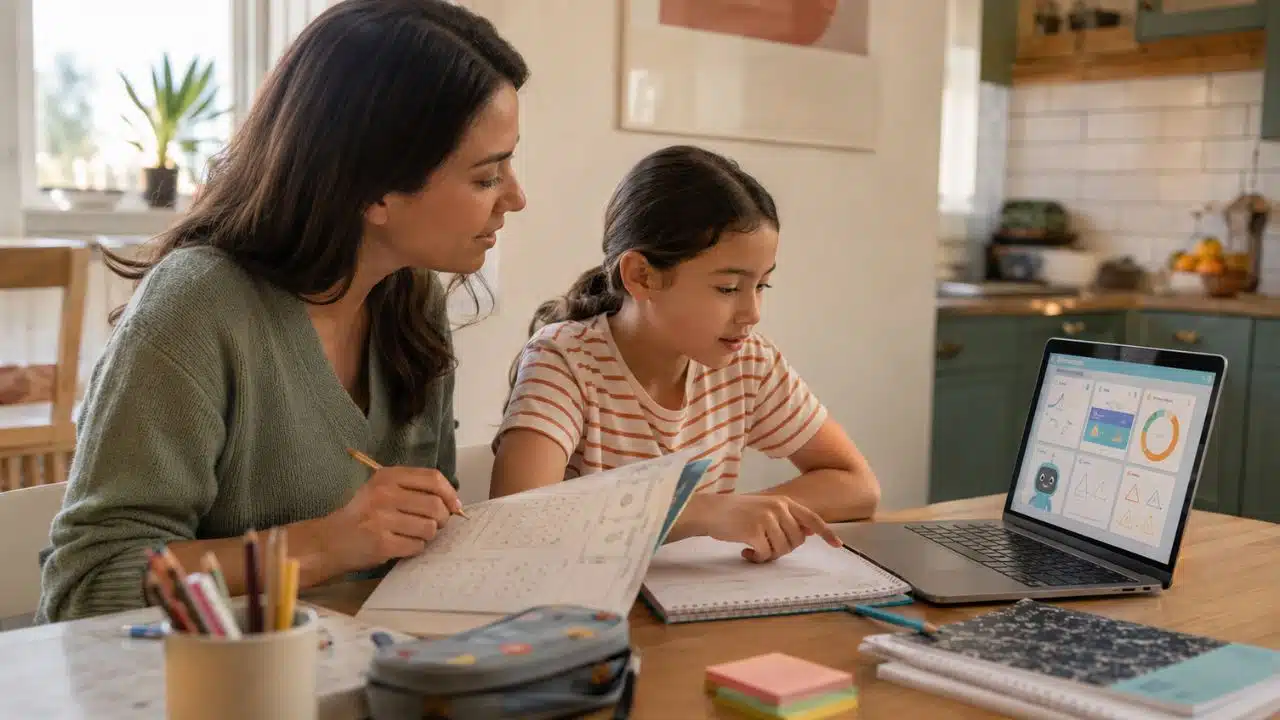
Most “AI-powered” claims on kids’ learning apps are marketing. That is worth saying up front, because you are about to install one. How AI learning apps are changing parenting is a questionable query these days.
The honest version is narrower and more useful. A good learning app watches which letters your child keeps getting wrong and serves those letters more often. It does not know your kid. It does not replace you. What it does well is take one repetitive job off your plate for twenty minutes so you can cook dinner without guilt.
I write about this from two sides. I edit technology coverage at Editorialge, and our company also builds and ships kids’ learning games on Google Play. Two of them are live right now. Building those apps taught me more about what parents actually need than three years of reading product launches did, and some of it was uncomfortable.
Here is what these tools genuinely change about a parent’s day, where they fall over, and how to pick one without wasting a Saturday.
What “AI” Means Inside a Kids’ App
Strip away the branding and you usually find one of three things.
The first is adaptive difficulty. The app tracks correct and incorrect answers, then adjusts what comes next. Duolingo does this. So does Khan Academy. If your child nails counting to ten but stumbles on teen numbers, the app quietly loops back. This is old technology dressed in new language, and it works.
The second is recognition. Photomath reads a handwritten equation through your camera. Tracing apps check whether a finger followed the stroke path. This is computer vision doing a narrow job well.
The third is generation, which is the newest and the most oversold. A chatbot that explains fractions in three different ways is genuinely useful for a ten-year-old. The same chatbot writing your eight-year-old’s book report is a problem you will be dealing with for years.
Everything else marketed as AI in this space tends to be a decision tree with a good animation budget. That is not an insult. Decision trees are reliable, they run offline, and they do not hallucinate.
Where Personalized Learning Actually Helps
The gap it fills is repetition. No parent can sit through the letter B forty times with the same energy on the fortieth try. An app can.
Quizlet handles spaced flashcards. BrainPOP builds curiosity through short video and quiz loops. Prodigy wraps arithmetic drills inside a game world so the drilling feels like something else. Osmo bridges physical tiles and screen play, which matters more than it sounds for kids under six who still need to hold things.
What none of them do is understand context. The app does not know your daughter got a bad night’s sleep or that your son shuts down when he fails twice in a row. It sees a wrong answer and serves another question. You see a kid about to cry.
That is the split. The app handles volume. You handle everything else.
Case Study One: What Shipping an Alphabet App Taught Us
Alphabet Magic Trace and Phonics went live on Google Play under our Edutorial imprint. It is rated for ages three and up, sits at 5 stars, and has passed 5,000 downloads. Eight mini games cover uppercase tracing, lowercase tracing, letter matching, phonics connection, and a spelling module.
We built it around a simple idea: a preschooler should be able to open it and start playing without reading a single instruction. No menus to parse. No account. Tap and go.
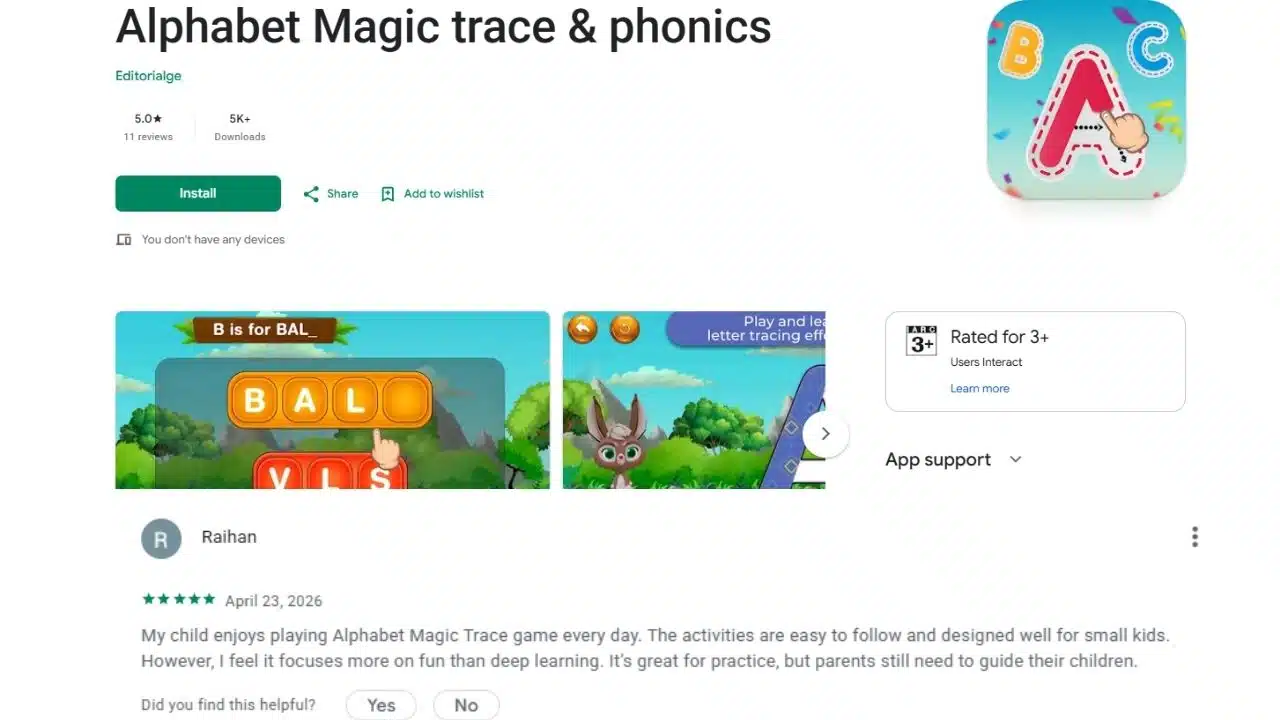
The review that taught us the most was not a five-star one. A parent named Raihan wrote that his child plays it daily and the activities suit small kids but added that it “focuses more on fun than deep learning” and that parents still need to guide their children.
He is right, and we left the review up because he is right. A tracing app builds letter formation and recognition. It does not build reading comprehension. Anyone selling you a phonics game as a complete literacy program is selling you something.
The other lesson was about friction. Our early builds had a progress dashboard for parents. Almost nobody opened it. What parents wanted was to hand over the phone and know the next twenty minutes were safe. Reports came a distant second to that.
Case Study Two: Twelve Games and a Bunny
The second app, 123 Magic Number Fun, took the same approach into math. It covers ages two to eight, which is a wide span, so we split it into twelve separate mini-games rather than one escalating difficulty curve.
Number tracing runs one to fifty. Balloon popping tests listening and number recognition together, because a child hears the number before finding it. There is a memory tile match, a dot-to-dot art module, a crossword-style math puzzle, and a car race where solving addition problems makes the car go faster. A submarine level teaches number sequence by making kids collect digits in order.
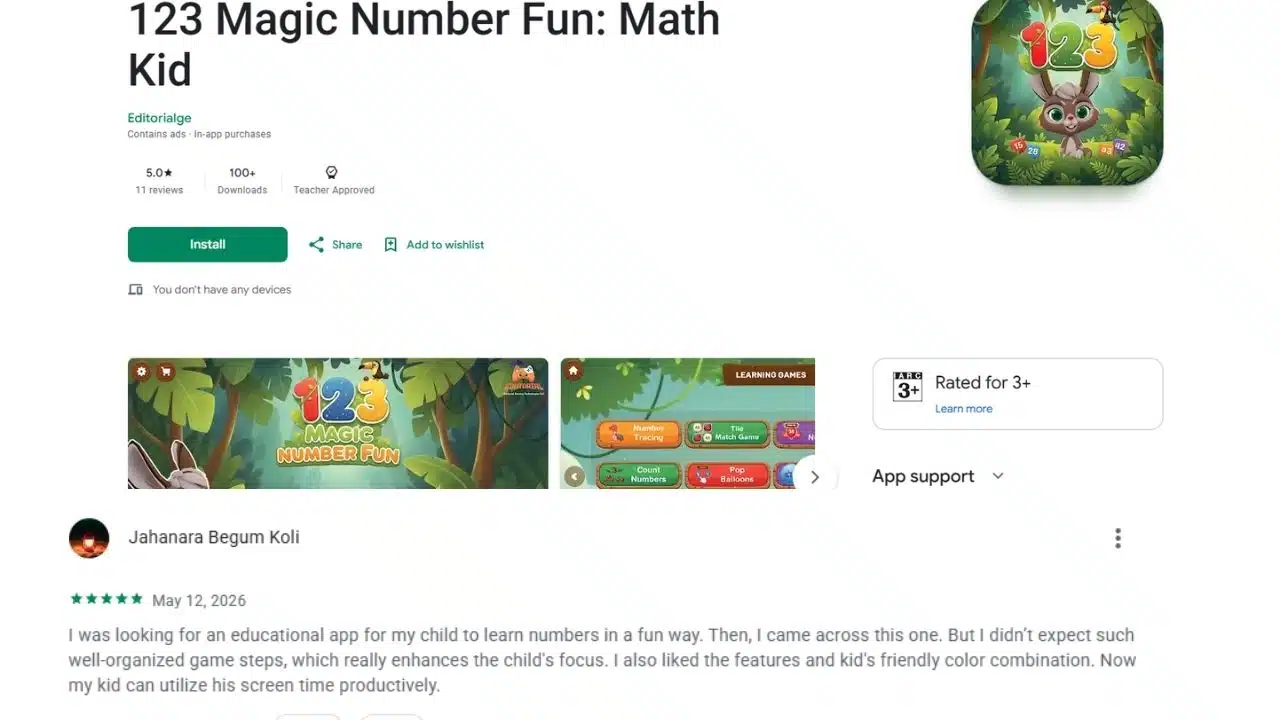
A 3D animated bunny guides the whole thing. That decision generated more internal argument than any technical feature, and it turned out to matter. Young children stay in an activity longer when something is waiting for them on the other side of it.
The app earned Google Play’s Teacher Approved badge, which is assessed by external teachers rather than by us. It holds 5.0 stars across its early reviews. Downloads have only just passed a hundred, which is worth stating plainly rather than dressing up. A new app with a good rating and a small audience is exactly that.
One parent, Jahanara, wrote that her child can now use screen time productively. That phrase stuck with me, because it names the thing parents are really buying. Not education. Permission to stop feeling bad about the tablet.
The Apps that Manage You, Not Your Child
The second category of AI in family life gets far less attention and probably saves more hours.
Voice assistants take calendar entries while your hands are full. Cozi syncs school runs and sports fixtures across two parents’ phones. Mealime and AnyList turn a week of meals into one ordered shopping list, sorted by aisle. PlateJoy handles recipes around allergies and budget. Rocket Money finds the subscription you forgot about in 2023.
None of this is education. All of it is mental load, and mental load is what actually exhausts parents. An app that stops you holding forty small facts in your head at once does more for your evening than any tutoring tool.
Start here if you are new to this. The wins are immediate and nothing depends on your child cooperating.
Screen Time Rules Worth Following
The American Academy of Pediatrics guidance is clearer than most parents realize, and it is not a ban.
For children under 18 months, avoid screen media other than video chatting. Between 18 and 24 months, if you introduce digital media, choose high-quality content and watch it alongside your child rather than handing the device over. For ages two to five, limit non-educational screen use to about one hour per weekday.
Beyond age six, the AAP stopped issuing hard hour limits and moved to a family media plan approach. Their free tool at healthychildren.org lets you set device-free times and locations as a household rather than policing minutes.
The rules that hold up in practice are boundaries about place and time, not stopwatches. Chargers live outside bedrooms. Meals are device-free for everyone, adults included. Screens go off an hour before bed. These work because they apply to the whole family, which removes the argument about fairness before it starts.
How to Read a Data Safety Label
This is the skill worth ten minutes of your time.
Every Google Play listing has a Data Safety section. Open it before you install anything your child will use. You are looking for four things: what the app collects, whether it shares that data with third parties, whether it is encrypted in transit, and whether you can request deletion.
Look for a commitment to the Play Families policy. That flags an app built under Google’s rules for children’s content, which restricts advertising and data handling.
Check whether the app says “contains ads.” Free kids’ apps monetize somehow, and ads are the most common route. Some are handled well. Some serve interstitials that a four-year-old will tap by accident.
Our own two apps illustrate why you should check rather than trust a brand. 123 Magic Number Fun declares no third-party data sharing and encryption in transit. The alphabet app’s label is older and less strict. Same publisher, different answers. Read the label on the specific app every time.
Where this Genuinely Goes Wrong
Four failure modes, and I have watched all of them.
Outsourced thinking. A child who reaches for the app before attempting the problem is learning to retrieve answers, not solve them. The fix is a rule, not a setting: try it yourself first, then check.
Homework laundering. Generative AI can produce a passable paragraph on anything. If your child is old enough to use it, they are old enough for a conversation about what counts as their own work. Have that conversation before the school does.
Emotional substitution. Some apps market mood tracking and chatbot support for children. Treat those claims carefully. A tool that helps a child name a feeling is fine. A tool positioned as a confidant is not, and no app should be where your child processes a hard day.
Passive consumption. The difference between a child tracing letters and a child watching an animation of letters is the difference between learning and entertainment. Both have a place. Only one should count toward the educational column in your head.
What is Coming
Expect three shifts over the next couple of years. Smart toys with adaptive learning built in, moving the software off the screen and into physical objects. This is good news for under fives, where hands matter.
Better developmental tracking, with apps flagging speech or motor delays earlier. This carries real promise and real risk. Early intervention changes outcomes. A false flag from an app can also put a family through months of unnecessary worry, and no consumer app is a diagnosis.
More free tiers, driven by competition. Paid subscriptions in this category are getting harder to justify when the free options are decent.
Final Words
AI learning apps have not changed parenting nearly as much as the marketing suggests. They have changed one narrow slice of it, which is the repetitive drilling of letters, numbers, and vocabulary that used to eat your evenings.
Take that win. Use the calendar and meal planning tools too, because those hand back real-time. Keep your expectations low on anything claiming to teach emotional skills, and keep reading the data safety labels.
The parent in that review had it right. These tools focus on fun, and children still need guidance. Ours included.
Frequently Asked Questions (FAQs) on AI Apps and Parenting Changes
1. What counts as an AI learning app?
Any app that changes what it shows your child based on how they are doing. Most adjust difficulty after tracking right and wrong answers. Some read handwriting or speech. A smaller number use chatbots to explain concepts in different ways.
2. Do these apps replace tutoring?
For drilling, largely yes. For anything requiring a person to notice your child is stuck for reasons unrelated to the maths, no. Apps are good at volume and bad at context.
3. What age should a child start?
The AAP suggests avoiding screen media before 18 months except video chat. Most tracing and counting apps, ours included, are built for age three and up. Two to eight is a realistic range for number and letter games.
4. Are free kids’ apps safe?
Some are. Check the Data Safety section on the Play listing, look for a Play Families policy commitment, and check whether the app contains ads. Free apps earn money somewhere, and it is worth knowing where.
5. How do I stop my child using AI to do homework?
Set the rule before it becomes a problem. Attempt first, check second. Ask them to explain their answer out loud. If they cannot walk you through it, they did not do it.
6. Does my child need a paid subscription?
Usually not at the preschool level. Free apps cover letters, numbers, phonics, and early math perfectly well. Paid tiers make more sense from around age eight, when content depth starts to matter.






















