

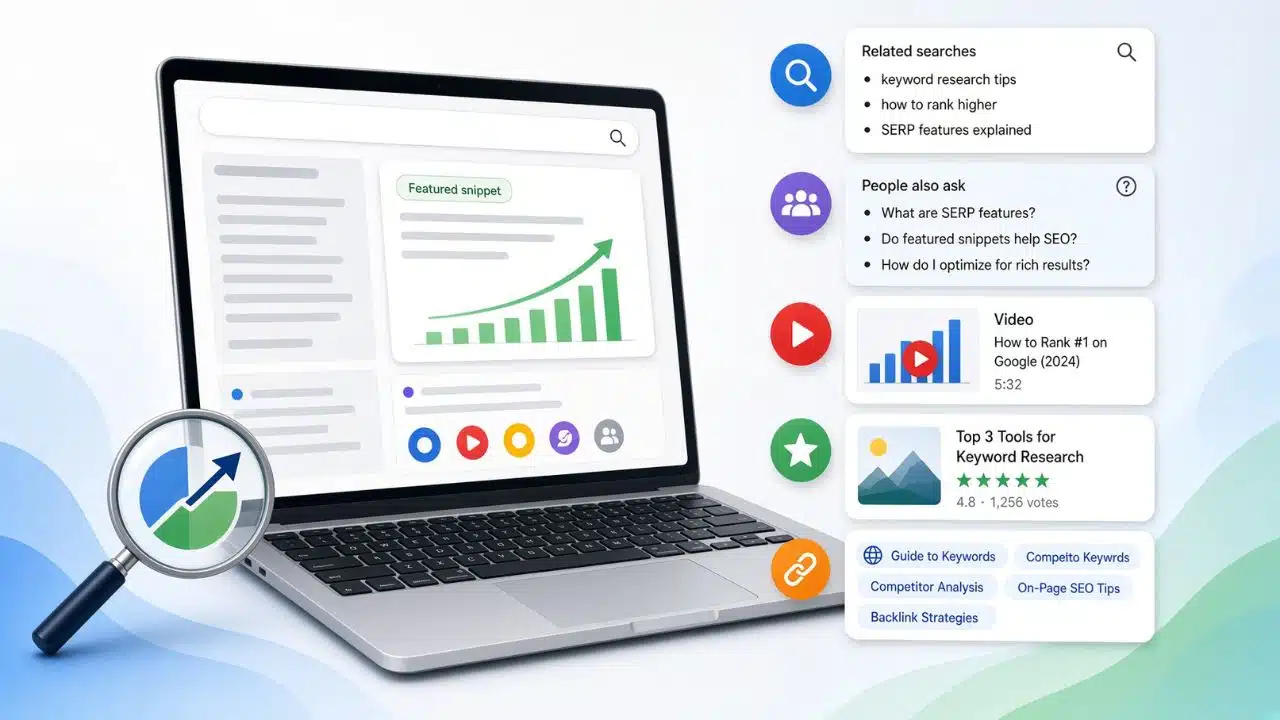
Search volume and difficulty scores sit at the top of every keyword tool, and neither one tells you whether a page can earn a click. A term can look easy, rank fourth, and send almost nothing, because the answer is already sitting above the first blue link before anyone scrolls.
That gap is why I stopped choosing targets from a spreadsheet alone. Checking SERP features for best keyword strategy calls takes about two minutes per term, and it changes what I write, what format I write it in, and whether I write it at all. These are the seven that shift my decisions most often.
1. AI Overviews Tell You What the Page Has to Beat
This is the feature I look at first, and the intent pattern behind it is consistent. The large majority of keywords that trigger an AI overview carry informational intent, so the “what is,” “how does,” and “why” terms in your plan are the exposed ones. Comparison and transactional terms are usually safer.
I still don’t drop a keyword just because an overview appears. Two things stop me. Sources cited inside Overviews often come from outside the top ten, with a substantial share sitting between positions 11 and 20, so citation isn’t reserved for whoever ranks first. And Google now reports this separately: The Search Generative AI performance reports arrived in Search Console in June 2026 and finished rolling out worldwide on August 31, 2026. You get impressions for AI Overviews and AI Mode broken down by page, country, and device. You do not get clicks.
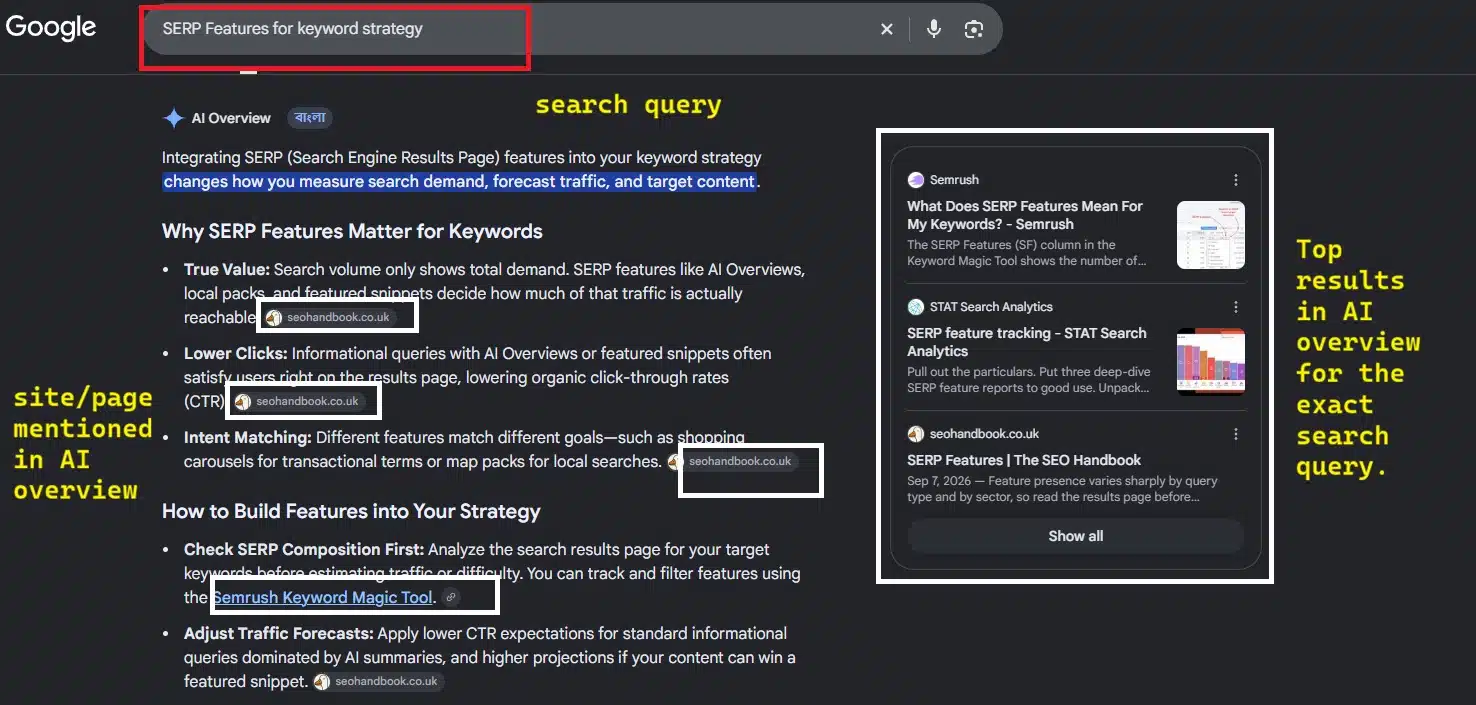
Plan for that gap before it surfaces in a monthly review. Rising impressions against flat clicks is now the normal shape of a page doing well on AI surfaces, and it reads like failure to anyone who wasn’t warned. For the layout side of this, SERP layout and organic clicks cover where the clicks actually end up.
The practical move is to give the page something a summary can’t generate on its own. Original numbers, a documented process, a real screenshot, and a stated position.
2. People Also Ask is Where Most of the AI Answers Actually Live
If you only watch the Overview panel, you’re watching a minority of Google’s AI answers. Across the first half of 2026, roughly six in ten AI answer placements surfaced inside People Also Ask, against about a quarter in the standalone Overview panel. Most PAA results are AI-generated now.
For research, that makes PAA the cheapest source of real subtopics on the page. Using SERP features to find top keywords starts here for me. I expand three or four questions, note the phrasing Google chose, and write those as H2s in the reader’s words rather than the tool’s. There are more sources like this in places to find keywords outside keyword tools.
One mistake to avoid: the box keeps generating new questions as you expand it. Harvest forty and turn each into a heading, and you get a bloated page that answers nothing well. I stop at the questions a real reader would ask in sequence.
3. Featured Snippets Reward Format More than Effort
Snippets show on roughly a fifth of queries, and the format already on the page is the instruction. A list snippet means write a numbered list. A table snippet means build a table. A paragraph snippet means answer in about forty words directly under the heading, then expand underneath.
This is the one place where using SERP features to rank keywords gets close to mechanical. Match the format, put the answer first, and keep the section clean. Long preambles lose snippets to shorter pages that get to the point faster.
4. Discussions and Forums Mean the Query Wants a Person
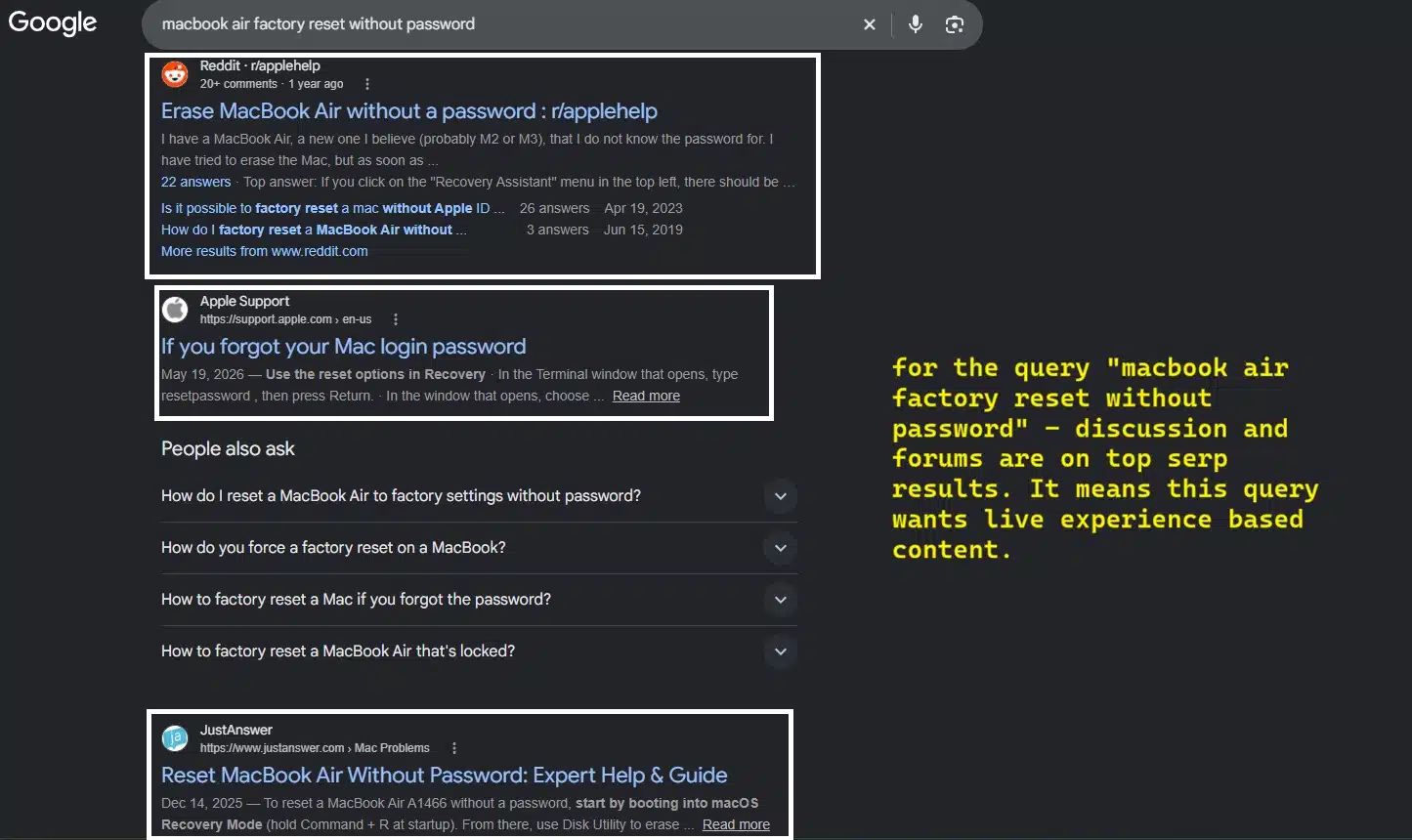
When forum threads take the top block, Google has decided the query wants lived experience rather than a guide. I treat that as a redirect. Either the page carries genuine first-hand detail, or the keyword belongs to someone else. A polished overview competing against a wall of people describing what actually happened to them is a slow way to lose.
5. Video Carousels Change the Deliverable, Not the Wording
Video carousels expanded sharply on desktop between 2025 and 2026, from a base close to zero. When one sits above the organic results, a text-only page is starting behind, and no amount of on-page work closes that.
If the keyword still matters, plan an embed and mark it up with the VideoObject schema. If a video isn’t realistic for your team, spend the budget on a term where it isn’t required.
6. Local Packs Quietly Disqualify National Content
A local pack usually means the searcher wants somewhere nearby, and a national explainer won’t satisfy that no matter how good it is. I check this on anything with a service shape or a “near me” pattern, then move the effort to terms a national page can actually win. Most of those terms come out of niche keyword research.
7. Shopping Carousels Compress Everything Below Them
On commercial queries, features can take 60 to 80 percent of the space above the fold, leaving standard organic results with roughly a fifth of what’s visible before a scroll. Shopping carousels and merchant listings are the biggest reason.
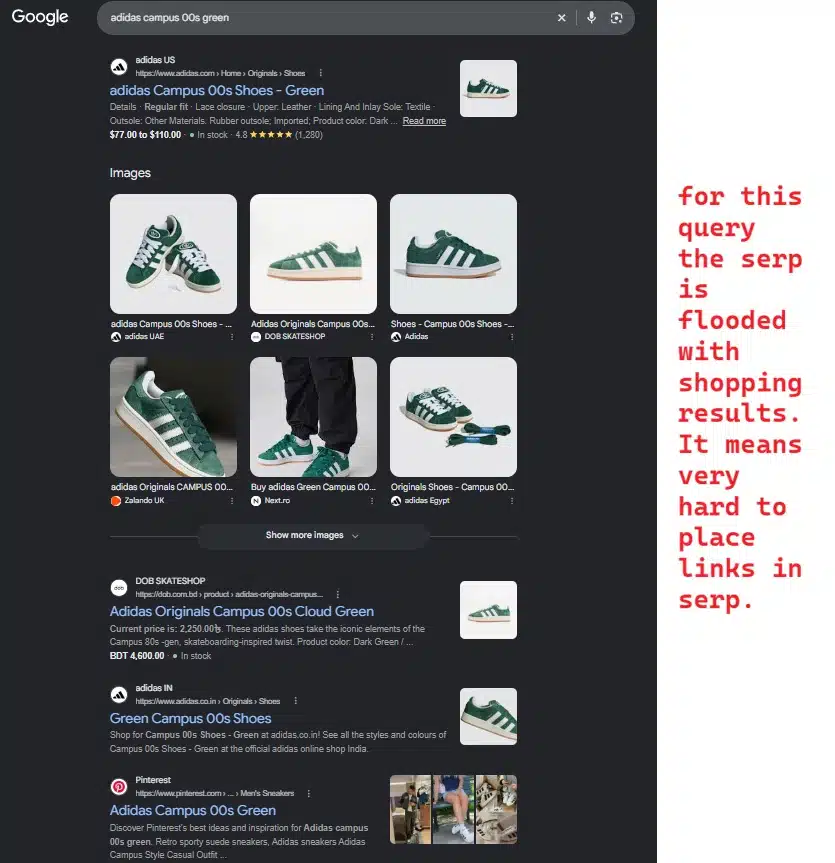
For a roundup or affiliate page, that means the click has to be earned by something the carousel doesn’t offer. A real comparison, a clear recommendation, a reason to trust the pick.
How I Read SERP Features for Best Keyword Strategy Decisions
Most of my SERP features for the best keyword strategy routine fit inside two minutes. Search the term in a clean browser session, note which feature sits highest, note who’s being cited inside it, and then decide the format before writing a word.
The tracking side changed too. Google disabled the num=100 URL parameter in September 2025, a feature it had never officially supported. Impression counts fell and average positions improved across most sites almost overnight. One analysis of several hundred properties found the large majority saw impressions drop and lost unique ranking terms. Very little of that was real movement. It was bot-generated noise leaving the data. I now track a smaller keyword set at the cluster level and treat Search Console as the only first-party number in the stack.
Final Thoughts
Using SERP features for best keyword strategy work is less about chasing placements and more about knowing what you’re walking into before you commit a writer’s day to it. Open the SERP for your next ten planned articles and count how many are already answered above the fold. Those pages may still be worth publishing, but they need a different reason to exist than the one your keyword tool gave you.
Frequently Asked Questions (FAQs)
1. Should I block my content from appearing in AI features?
Google shipped a control that lets publishers keep content out of AI surfaces, so it’s a real option. For most sites it’s the wrong one. AI Overviews and AI Mode both reach audiences in the billions monthly, and opting out trades away exposure at that scale for clicks you may not recover anyway. The case is different for subscription publishers who can show the summaries cannibalize signups.
2. How often should I recheck the features on a keyword?
Less often than most trackers suggest. The mix shifts by query, device, location, and whatever Google is testing that day, so weekly checks mostly produce noise. I look again when I’m about to refresh a page or when Search Console shows impressions and clicks moving in opposite directions.
3. Do SERP features look the same on mobile and desktop?
No, and the difference matters for AI overviews in particular, since a large share of the searches that trigger them happen on mobile connections. Checking only a desktop browser gives you a partial picture of what your readers see.

























