

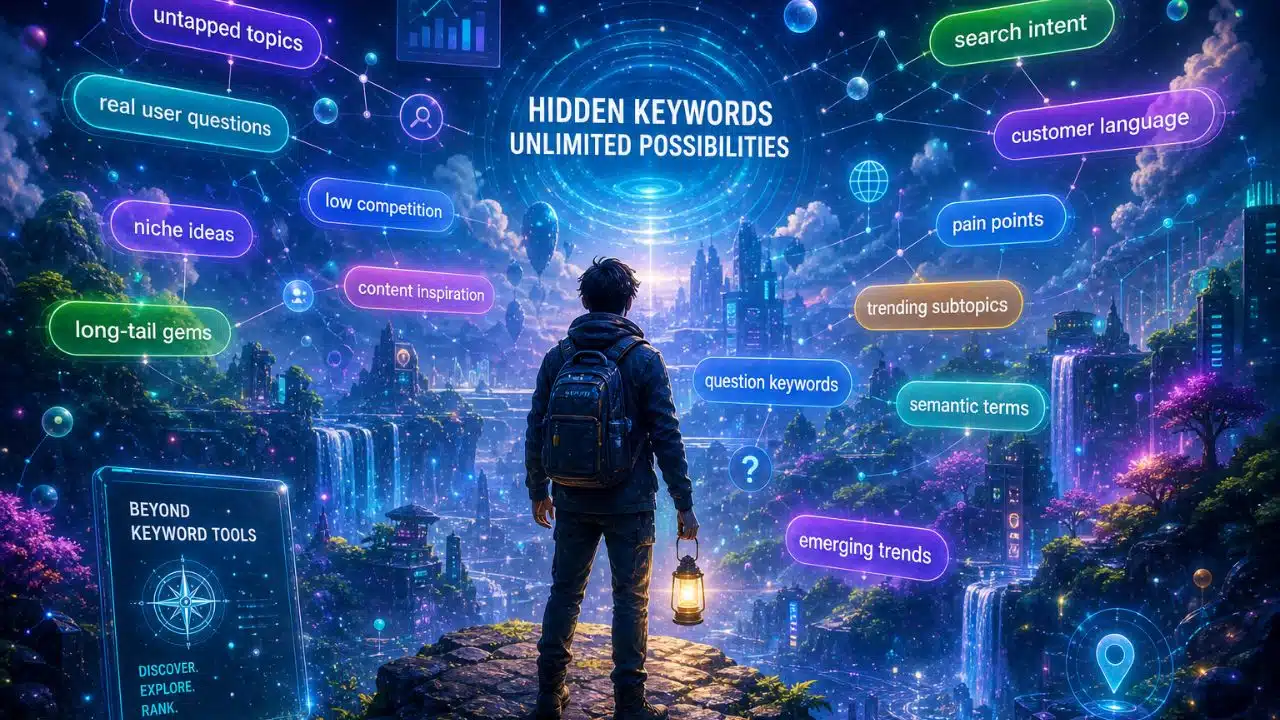
I still pay for a keyword tool. I just don’t open it first anymore. That shift happened slowly, then all at once. I’ve done keyword research for clients in B2B SaaS, health, entertainment, gaming, home improvement, and tech, and I now run editorial at Editorialge.
Across all of it, the same problem kept showing up. I’d export a list of 400 keywords, and maybe 30 of them described something a real person would actually type. The rest were phantom terms—scraped fragments, machine-mashed phrases, and search strings that carry a volume number but no human behind them.
The subscription cost annoyed me. The irrelevance is what actually made me change how I work. So this piece is a list of the places to find keywords outside keyword tools that I go to instead, in roughly the order I use them.
Why I Stopped Starting With a Keyword Tool
Volume estimates come from third-party models, not from Google. They always did. That was tolerable when the search was mostly ten blue links and a query either existed or didn’t.
It’s less tolerable now. Google’s Search Console generative AI reports, which rolled out in June 2026, show impressions from AI Overviews and AI Mode broken down by page, country, device, and date with no click, CTR, or query data. So Google itself is not telling you which prompts triggered your page. A third-party tool cannot know either. Anyone selling you an “AI search volume” number in 2026 is modelling a guess on top of a guess.
Meanwhile, the underlying keyword research fundamentals haven’t changed at all. Find out what people want to know. Write the best available answer. Tools were only ever a shortcut to the first half of that, and the shortcut has gotten noisy. Most of the keyword research mistakes I see in audits trace back to trusting an export instead of reading a sentence a human wrote.
1. Google’s own search page
The cheapest research tool is the search box.
Type your topic and stop before you hit enter. Autocomplete gives you the queries Google has actually seen enough of to suggest. Then hit enter and read the People Also Ask box. It’s still there, still fed by content extraction rather than markup, unlike FAQ-rich results, which Google fully deprecated as of May 7, 2026. Then scroll to the bottom for related searches.
Three passes on one SERP usually give me more usable angles than a filtered export. Add a letter after your seed term, “keyword research b,” then “c,” then “d” — and autocomplete will keep going. This is where most of my long-tail keyword patterns come from now.
2. Search Console: Especially Positions 8 to 25
This is the only keyword data I fully trust, because it’s yours and it’s real. Someone typed it, saw your page, and either clicked or didn’t.
Sort by position and look at the band between 8 and 25. Those are queries where Google already thinks you’re relevant but not quite good enough. Half of them will be things you never targeted. That’s the point—Google is telling you what your page is actually about.
There’s a newer reason to read this report closely. Fragments of AI conversations have started appearing in the performance report as ordinary queries: follow-up replies, conversational strings, and whole pasted prompts. Those are not keywords in the old sense. They’re a window into how people phrase things when they’re talking to a machine instead of a search bar, and no tool sells that data.
3. Reddit and Niche Forums
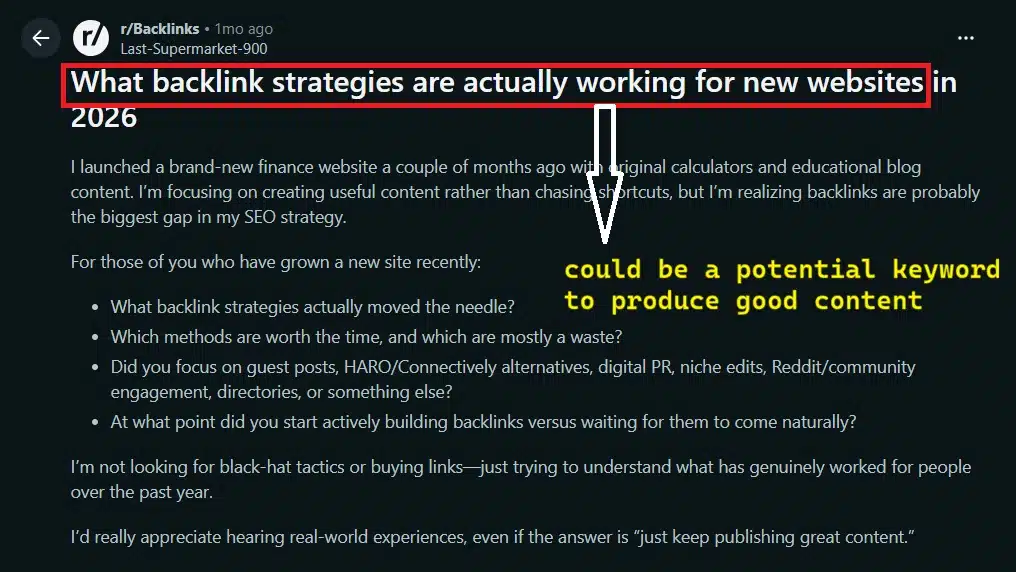
Reddit is where people describe a problem before they know the vocabulary for it.
I don’t search Reddit for keywords. I search it for confusion. When someone writes a 200-word post explaining a situation and ends with “Am I overthinking this?” that post is a content brief. The thread title is often a bad keyword and a great H2.
Niche forums are better than Reddit for narrow topics. Home improvement especially—the specialist forums for flooring, HVAC, and roofing have twenty years of archived questions written in the exact words homeowners use. That’s the raw material for real niche keyword research, and none of it shows up in a volume database.
4. YouTube’s Search Bar and Comment Sections
YouTube autocomplete runs on a different index than Google’s, and it skews toward how-to and troubleshooting language.
The comments are the better half, though. Find a popular video in your topic, sort comments by newest, and read fifty of them. You’ll see the same three or four questions the video failed to answer. Those gaps are yours to fill. Gaming and tech work particularly well here, because the audience is vocal and specific.
5. Q&A Sites and Private Communities
Quora, Stack Exchange, Facebook groups, and Discord servers all serve the same purpose: they show you questions in their natural form.
Stack Exchange is the strongest for technical topics because answers get voted on, so you can see which framing of a question the community considers correct. Facebook groups and Discord are messier but more current—a Discord server for a game or a SaaS product will surface a problem weeks before anyone writes an article about it.
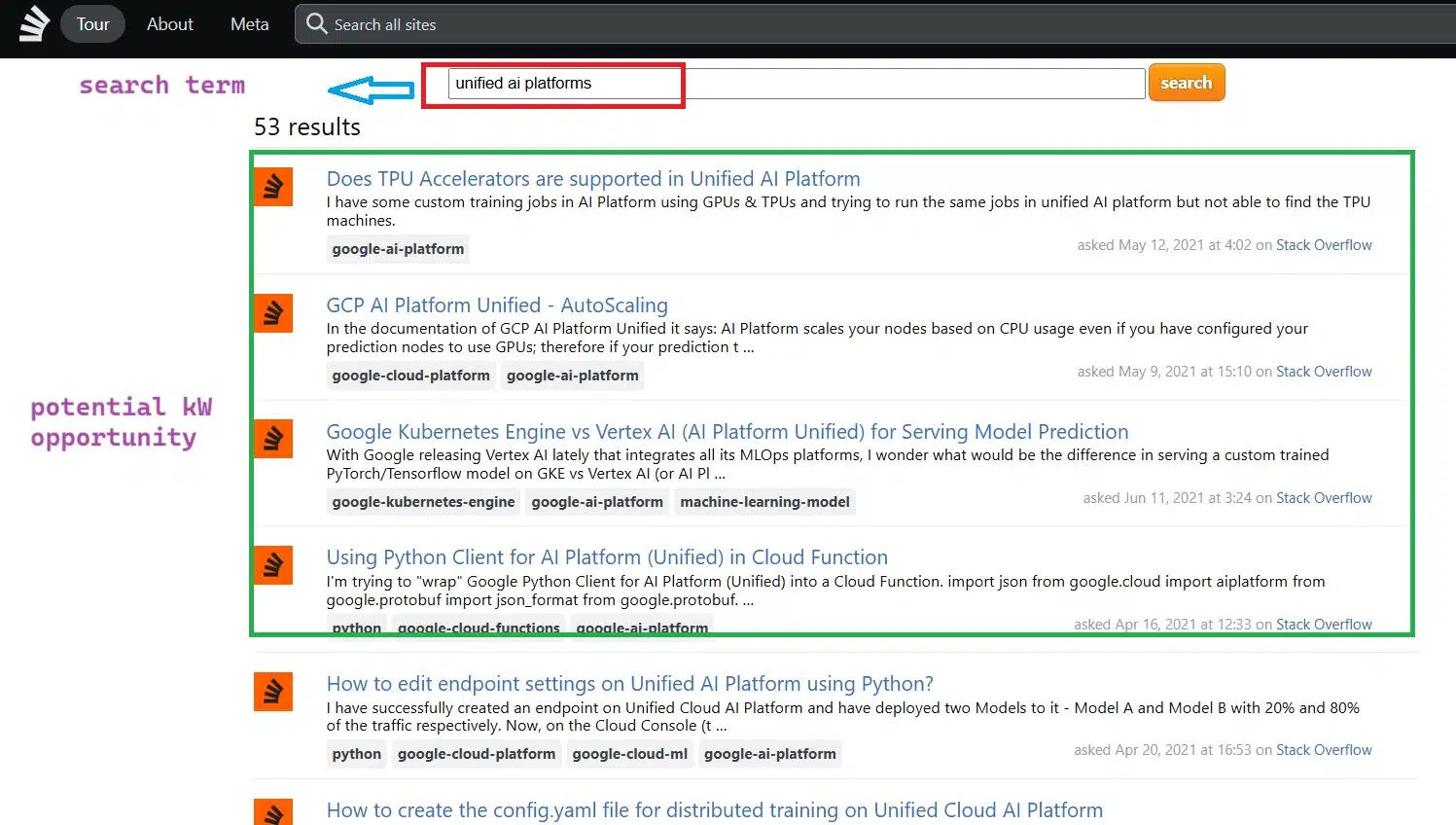
The trade-off is that none of this is indexed the way a forum thread is. You’re reading it for signal, not for search volume that doesn’t exist anyway. I’ve collected a lot of the best keyword research questions this way.
6. Comments Under Articles Including Your Competitors’
Scroll to the bottom of a well-ranking article in your niche. If comments are open, read them. The pattern to watch for is a comment that starts with “this was helpful, but…” Whatever follows the “but” is a keyword the ranking page didn’t cover. You can write that page.
7. LinkedIn Posts and Comments
LinkedIn is underrated for B2B work, and it’s the one source on this list that gets better the more senior your audience.
Practitioners post about problems they’re solving that week. The comment threads under those posts are full of people saying “we tried this and it broke” in language no tool would ever generate. For SaaS clients, I’ve pulled more usable angles from a single busy LinkedIn thread than from a whole afternoon of filtering exports.
Search the platform for your topic, filter to posts from the last month, and read the comments rather than the posts. The posts are performances. The comments are honest.
8. Medium Tags and Responses
Medium’s tag pages show you what independent writers think is worth covering right now, without an SEO team deciding it first.
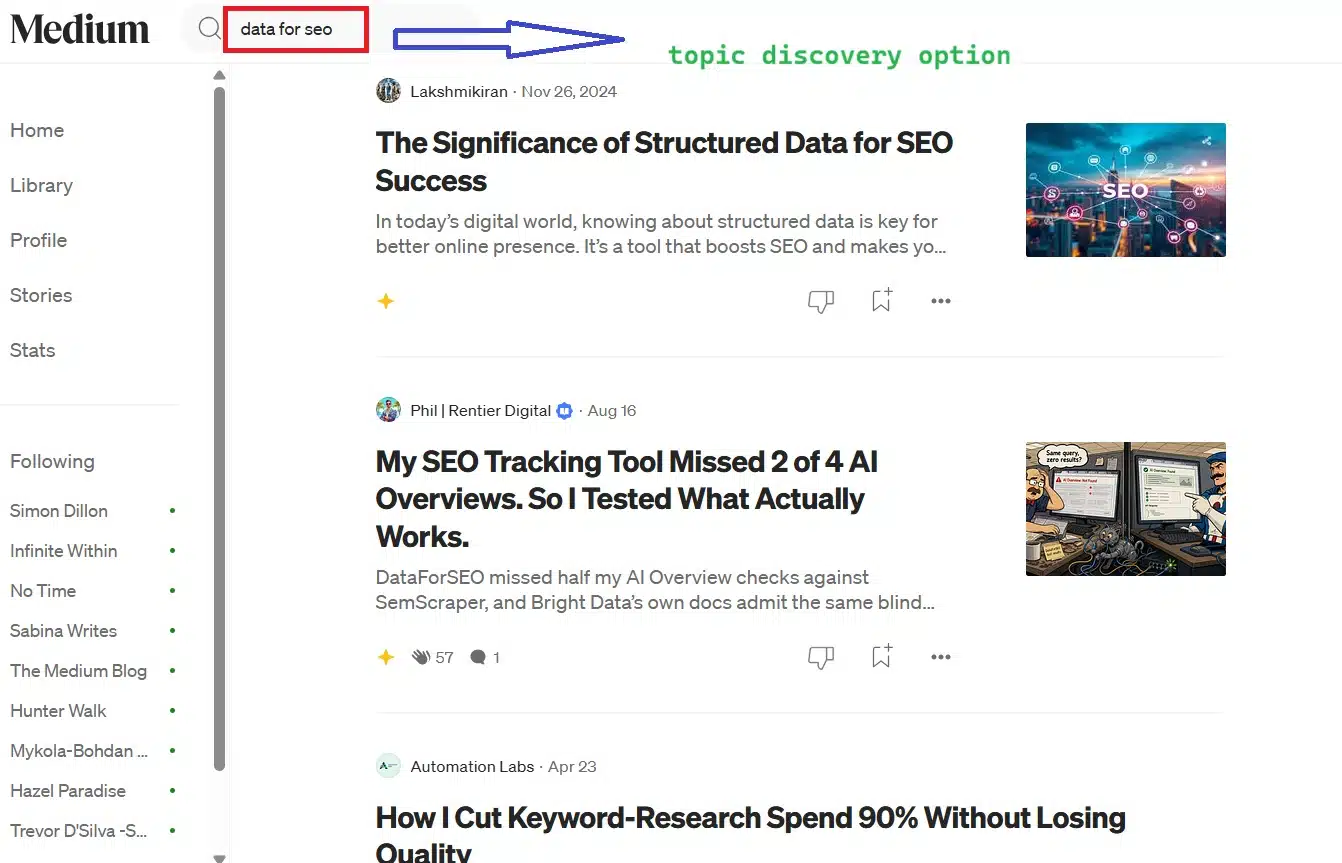
I mostly use it as a temperature check. If four people wrote about the same narrow subject in three weeks, something is happening. The responses under those pieces sometimes contain a sharper framing than the article itself.
9. Job Listings and Freelance Briefs
This one surprises people, so I’ll spend a moment on it.
Job descriptions are written by companies trying to describe a problem precisely enough that a stranger can solve it. That makes them dense with the exact terminology a niche uses internally. A job listing for a “revenue operations analyst” will name six tools, four processes, and two metrics, and each of those is a topic someone is searching for.
Freelance briefs on Upwork and similar platforms work the same way, at a smaller scale. If forty people are paying for the same task, there’s an audience for the article explaining it. This is also a fast way to learn a client’s vocabulary before you’ve written a word for them.
10. TikTok, Instagram, and Pinterest Search Bars
These are worth ten minutes, not an hour.
Their autocomplete reflects a younger and more visual audience, and the phrasing is often blunter than Google’s. Pinterest is genuinely useful for home improvement and anything with a strong before-and-after component. TikTok’s suggestions move fast, which makes them a decent early warning for trends but a poor foundation for evergreen work.
What I Do After I Find One
Here’s where I part ways with most advice: I don’t check the volume.
I used to. Now I think a volume number is a vague figure produced by a third party, and treating it as fact is a way to let a tool vendor shape your SERP strategy for you. A keyword with “0 searches” that appears in a Reddit thread, a Search Console export, and a job listing in the same week is real. A keyword with 2,400 estimated monthly searches that no human phrase resembles is not.
So the test I apply is simpler. Can I picture the person typing it, and do I know something useful to tell them? If both are yes, it goes on the list.
I still keep tools around for competitor and backlink work—that’s what the best SEO tools for keyword research are genuinely good at, and there’s a case for the paid ones if you’re managing scale. Free keyword tools cover most of what a smaller site needs. I also use AI for clustering and grouping once I’ve gathered raw phrases, which is a different job from AI-assisted keyword research that starts from a prompt and invents the list.
Where this Approach Falls Short
It’s slower. Reading forty comments takes longer than downloading a CSV, and there are weeks when I don’t have that time.
It’s also harder to justify to a client who expects a spreadsheet with numbers in it. I’ve had to build the habit of showing the source—a screenshot of the thread, the actual job listing—because “I found this on Reddit” sounds flimsy until you show what you found.
And it doesn’t scale cleanly. If you need 500 keywords by Friday, you’ll want a tool, and you should compare the best keyword research tools for 2026 rather than pretend otherwise. This method is for depth, not volume.
Final Thoughts
The tools aren’t broken. They’re answering a question that matters less every quarter.
What matters now is whether you understand the person asking, and every one of these places to find keywords outside keyword tools puts you closer to that person’s actual words. Pick two from this list; I’d start with Search Console and one community where your readers already gather—and spend a month using them before you open an export. You’ll notice your outlines get more specific.
That’s the direction things are moving anyway. If you want the longer argument, I’ve written more about the future of keywords in AI-driven search, but the short version is this: the words people use are still findable. They’re just not for sale.























