

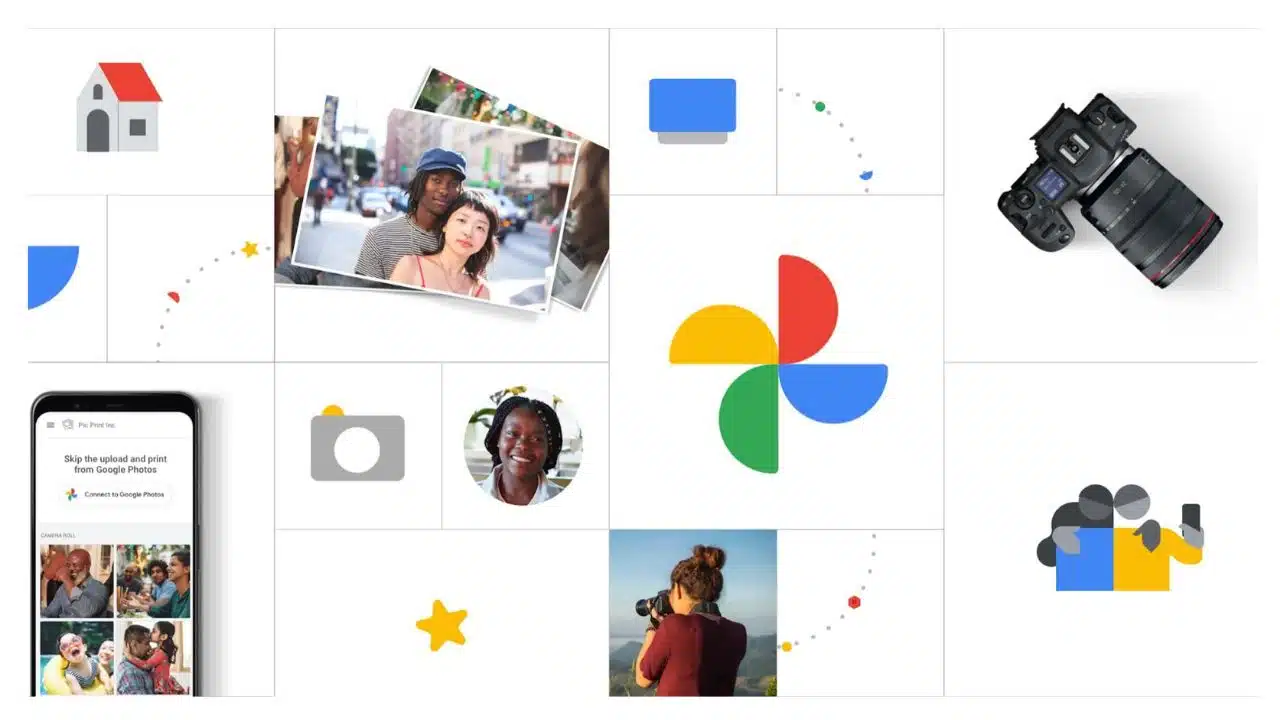
Google Photos is the Perfect Way to Keep Your Memories Safe and Organized

Google Photos Update

Google Photos, a favorite of over a billion people globally, is leveling up its much-loved “Memories” feature. Today’s new update makes it feel more like flipping through an old-school scrapbook, but with a touch of AI magic.

Remember the struggle of having photos scattered across multiple devices? Google Photos launched in 2015 to solve that very problem, making it easier to have all our pictures in one place. By 2019, thanks to its seamless integration with existing Google accounts, the platform had skyrocketed to a billion users. Yet, a problem emerged: despite having massive libraries of photos, most users didn’t frequently revisit their stored memories.

To tackle this, Google introduced Memories in 2019. This feature, inspired by the popular Stories format from Snapchat and similar to a feature in Apple Photos, uses AI to craft video montages from users’ photo libraries. These montages not only offered users a nostalgic trip down memory lane but also kept them engaged, often more than they’d like, with the app.

With the latest update, Google’s aim is to make memories more interactive and nostalgic. Instead of the previous format, where users would be surprised by random video montages, the redesigned “Memories” tab will now present a visual timeline of users’ lives. You’ll find mini albums containing videos curated by Google, along with all the related photos under each video. Yael Marzan, the director of product management at Google Photos, believes this change reflects the way people perceive life: as a series of significant moments rather than a continuous stream of pictures.

Google’s also given the design a makeover. Now, memories will be displayed as a collection of AI-titled thumbnails with added design elements that evoke the feeling of a scrapbook. Some of these thumbnails will be generously rounded or have a crafty, cut-out look. The whole vibe is meant to be less technical and more emotional, says Carolina Amiguet, the lead UX designer and researcher at Google Photos.

In a fun twist, you can now co-edit memories with friends. So, if you’ve taken a trip together, the app will recognize this using geotags and suggest photos from both parties to be included in the memory. Moreover, if you’re not in the mood to title a memory, Google’s generative AI can suggest headlines for you. Though it’s not perfect yet (like mistaking an Easter dinner for just another dinner night), it’s a handy tool.

When asked about the possibility of more advanced AI-driven features, like crafting memories based on specific verbal requests, Marzan confirmed that they are indeed exploring these avenues.

This update represents Google’s ambition to make Photos not just a storage hub, but a tool to help users relive and cherish their most treasured moments. It’s a step forward, but there’s a long road ahead if Google wants to truly redefine how we interact with our digital memories.



Subscribe to Our Newsletter

Related Articles

Top Trending

girls in STEM strategies with visible results
Encouraging Girls in STEM: Strategies That Work and Build Real Confidence!
Best Online Courses to Learn Advanced SEO Metrics
From GA4 to AI Search: Best Courses to Upgrade Your SEO Skills
Green Hydrogen Fuel
The Rise Of Green Hydrogen As A Clean Fuel Source
energy-efficient LED lights and appliances
Benefits of Using Energy-Efficient LED Lights and Appliances
Check Your Real Internet Speed
How to Check Your Real Internet Speed and Detect ISP Throttling

Fintech & Finance

HONOR 600 Pro vs HONOR 600 Lite 5G
HONOR 600 Pro vs HONOR 600 Lite 5G: Full Comparison with Expected India Pricing
How to Dispute a Credit Card Charge Successfully
How To Dispute A Credit Card Charge Successfully
How to Protect Yourself from Financial Scams
Financial Scam Prevention Tips to Protect Your Money
The Truth About Buy Now Pay Later Services
best UK current accounts 2026
9 Best UK Current Accounts with the Highest Interest and Best Perks in 2026

Sustainability & Living

Green Hydrogen Fuel
The Rise Of Green Hydrogen As A Clean Fuel Source
energy-efficient LED lights and appliances
Benefits of Using Energy-Efficient LED Lights and Appliances
Wind Power Global Energy Markets
How Wind Power Is Reshaping Global Energy Markets
Circular Economy Basics
Circular Economy Explained: Why Waste Is A Design Flaw
Eco-Friendly Bathroom Plan
Eco-Friendly Bathroom: My 30-day Conversion Plan With Products [Join the Challenge]

GAMING

Custom Mechanical Keyboard
DIY: Build a Custom Mechanical Keyboard That Feels Like Yours
open-world games done right
The 9 Best Open-World Games Done Absolutely Right
best couch co-op games
10 Best Couch Co-Op Games Worth Playing Together With Family and Friends
best story driven games
13 Best Story-Driven Games That Stay With You In Your Memories
multiplayer games worth playing
The 8 Best Multiplayer Games Worth Playing With Friends

Business & Marketing

The Truth About Buy Now Pay Later Services
Guest Posting In 2026
Guest Posting In 2026: Is It Worth It? And How To Do It Right
New Zealand social media marketing
13 Critical Facts About How New Zealand's Small Market Forces Brands to Be Creative on Social Media
Cold Email in 2026
Cold Email In 2026: What Works, Lands In Spam, And What Converts
Entrepreneurial Spirit Promotes Social Change

Technology & AI

Check Your Real Internet Speed
How to Check Your Real Internet Speed and Detect ISP Throttling
Custom Mechanical Keyboard
DIY: Build a Custom Mechanical Keyboard That Feels Like Yours
My Image Search Techniques
Mastering Image Search Techniques: Your Ultimate Guide To Reverse Image Search
AI in modern classrooms
How AI in Modern Classrooms Is Transforming Learning
Tikcotech
The Power of Tikcotech: Your All-in-One Solution For TikTok Success

Fitness & Wellness

beginner home workouts
9 Beginner Home Workouts to Try for Real Results: Start Your Fitness Journey!
setting realistic fitness goals
Setting Realistic Fitness Goals: A Beginner’s Practical Guide That Actually Works
best home workouts guide
39 Home Workout Routines for Every Fitness Level to Get Fit Without a Gym
beginners fitness guide
Beginner’s Complete Fitness Guide: A Practical Beginners Fitness Guide for Real Life
DIY Ergonomic Home Office Setup
How I Changed My Home Office After Three Spine Surgeries





















