
Caring for a parent or spouse often means juggling pills, doctor visits, bills, and worried relatives, all from your phone. The right digital tools for family caregivers can turn that chaos into one clear plan. This guide covers 10 tools that help you track medicine, share tasks, watch for falls and scams, and find local help, plus what each one costs.
You are far from alone. A 2025 report from AARP and the National Alliance for Caregiving found that 63 million Americans now provide ongoing care, up 20 million since 2015. Nearly one in four give 40 or more hours of care each week.
Why Caregivers Need Better Organization
Most family caregivers never get training. The AARP report found that more than half manage medical tasks like medicine, shots, or wound care, yet only about one in five has formal training. Nearly one in three is also raising children.
When notes live on sticky pads and group texts, things slip. A dose gets missed. Two siblings drive to the same appointment. A bill goes unpaid. Good digital tools for family caregivers fix this by putting schedules, health records, and alerts in one place everyone can see.
One warning before you start: some apps on older lists are gone. Walmart retired its Wellness app, which replaced CareZone, in January 2023. Every tool below was active and checked as of October 2026.
10 Digital Tools That Help Family Caregivers Stay Organized
You do not need all ten. Pick the digital tools for family caregivers that fix your hardest problem first, then add more as needs grow.
Cozi puts appointments, to-do lists, and shopping lists in one calendar the whole family can see on any phone. When your brother adds “Mom’s eye doctor, Tuesday at 2,” everyone sees it right away. Among digital tools for family caregivers, a shared calendar is the base that stops double booking.
The free plan covers the calendar and lists. Cozi Gold costs $39 a year for the whole family and adds alerts when an event changes, up to three reminders per event, and no ads.
Best for: families with several helpers.
2. CaringBridge: Best for Updates and Asking for Help
Answering the same “How is Dad doing?” text 20 times wears you out. CaringBridge gives you a private page where you post one update that everyone reads. Its Planner tool lets you list needs like rides, meals, or pet care, and friends sign up for each task.
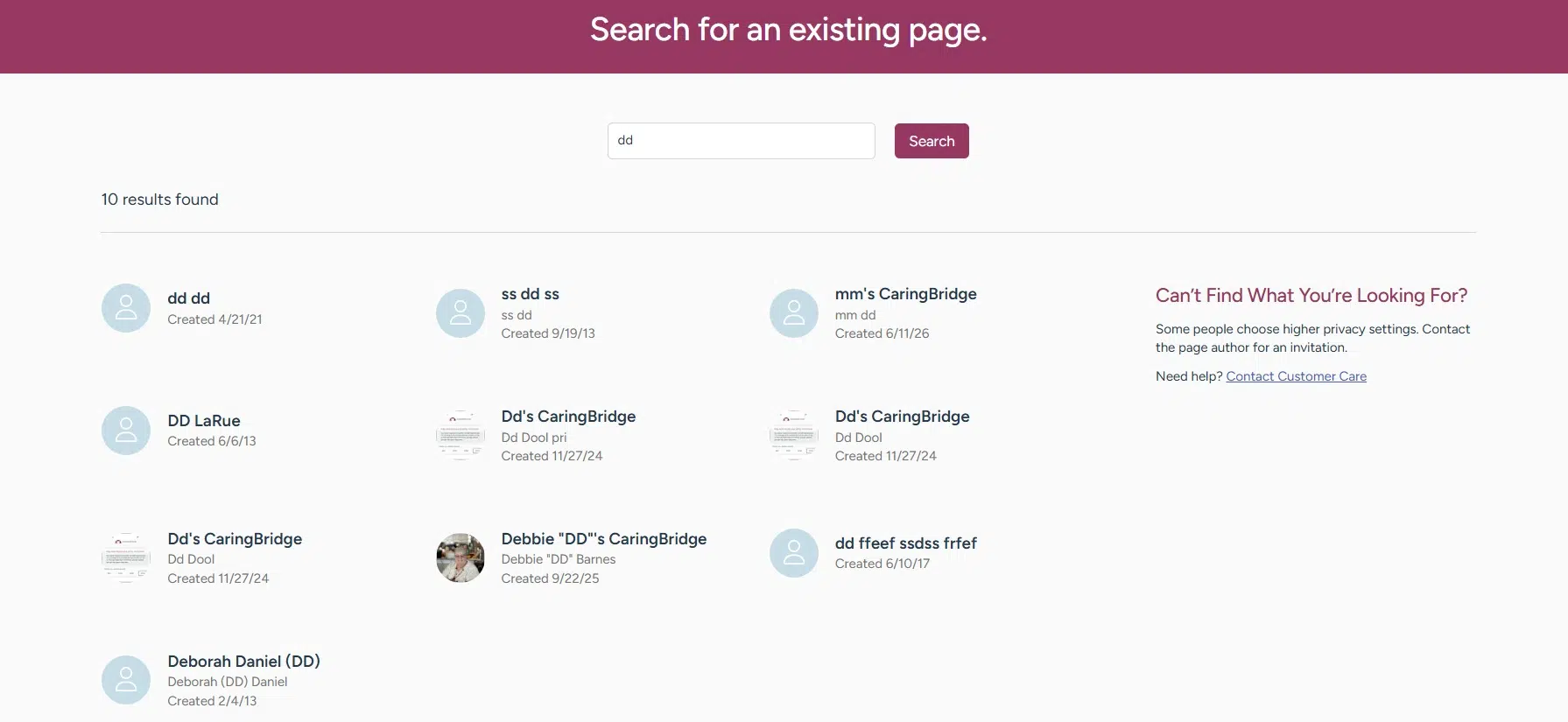
CaringBridge is free and has no ads. In its own survey, 53% of patients and caregivers said they could use help with food, chores, or rides but rarely asked. Of all the digital tools for family caregivers, this one makes asking easier.
Best for: large circles of friends and relatives who want to help.
3. Medisafe: Best for Medicine Reminders
Medisafe reminds your loved one when to take each pill. Its Medfriend feature alerts you if a dose is missed, so you can call and check. That makes it one of the most useful digital tools for family caregivers who live far away.
Note the price change. Medisafe moved to a paid model on January 1, 2026. The free version now tracks only two medicines, and the paid plan runs about $4.99 a month or $39.99 a year, according to a competitor’s review. If your loved one has an iPhone, the free Medications feature in Apple’s Health app is a simple backup.
Best for: people taking several daily medicines.
4. MyChart Proxy Access: Best for Health Records
Most large health systems use a patient portal called MyChart. With proxy access, you can log in under your own name to see test results, message doctors, and book visits for your loved one. Johns Hopkins, for example, offers full access or a scheduling-only option.
Your loved one must approve it while able. If they can no longer decide, a legal representative can apply with papers like a court order. Ask the clinic’s front desk to start. It is one of the free digital tools for family caregivers that many families never use.
Best for: caregivers who handle doctor visits.
5. Google Drive and a Password Manager: Best Document Vault
In an emergency, you need insurance cards, a medicine list, power of attorney papers, and passwords fast. Scan them into a shared Google Drive or iCloud folder. Store logins in a family password manager like 1Password or Bitwarden, both of which offer family plans.
These simple digital tools for family caregivers mean any sibling can find a document at 2 a.m. without calling you. Turn on two-step login to keep the folder safe.
Best for: every caregiving family.
6. Apple Watch Fall Detection: Best for Fall Alerts
Falls are a top worry for older adults living alone. Apple Watch can sense a hard fall. If the wearer does not move for about a minute, it starts a 30-second countdown, then calls emergency services and texts your emergency contacts with the location.
Fall detection turns on by itself when the wearer’s age is set to 55 or older. It works on Apple Watch SE, Series 4, and newer models. As digital tools for family caregivers go, a watch feels less like a medical device, so many parents wear it more willingly. Tools like this also help seniors stay safe at home longer. See our guide to quality care options for seniors aging in place.
Best for: active seniors who already use an iPhone.
7. Life360: Best for Location Sharing
If your loved one still drives or has memory loss, Life360 shows where they are on a shared family map. You can get an alert when they arrive at or leave a saved place, like home or the clinic.
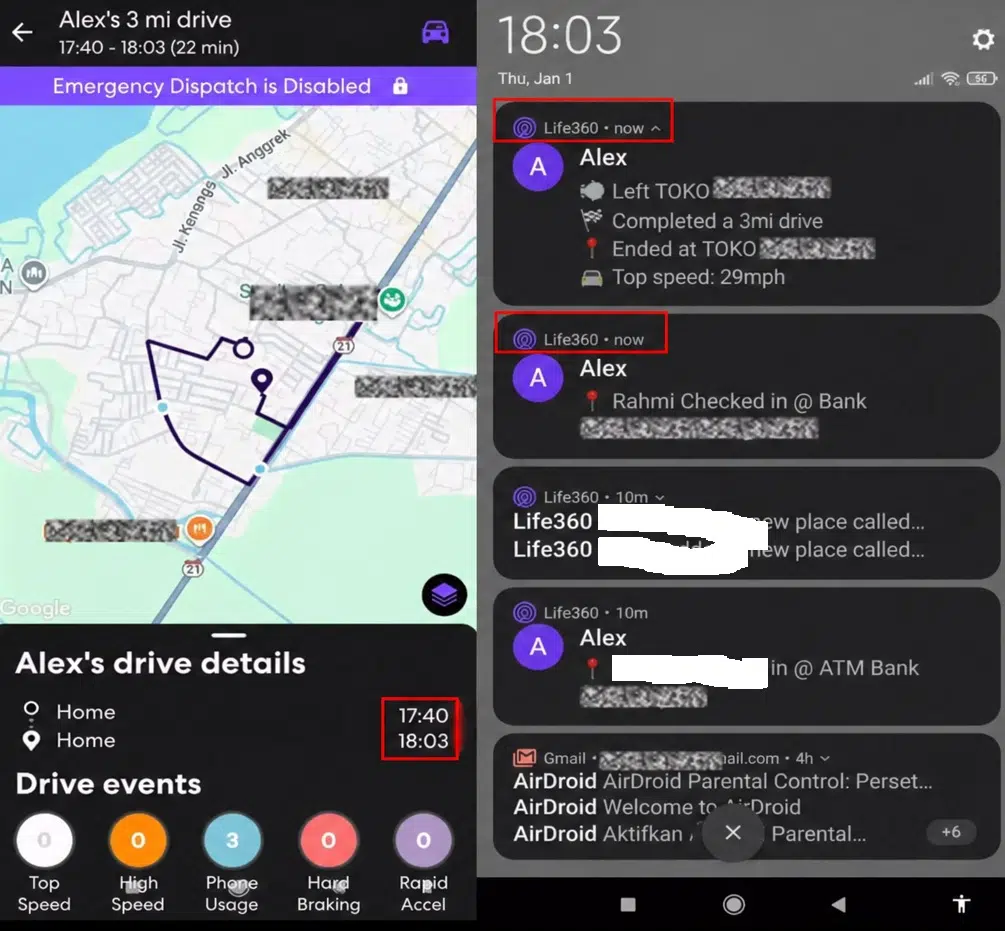
The free plan includes two saved places and two days of location history. Paid plans start at $7.99 a month for the whole circle. Talk with your parent first. Among digital tools for family caregivers, location sharing works best when your parent agrees to it.
Best for: early memory loss or wandering risk.
8. Snug Safety: Best Daily Check In
Some seniors do not want a watch or a tracker. Snug Safety is a simple app where your loved one taps a button once a day. If they miss the check-in, the app alerts their emergency contacts.
It has a free plan, with paid extras. This is one of the gentlest digital tools for family caregivers because it gives peace of mind without watching every move. Your loved one does need a smartphone.
Best for: independent seniors who live alone.
9. Bank Alerts and Carefull: Best for Spotting Scams
Money scams hit older adults hard. The FBI’s 2025 report counted more than 201,000 complaints from people 60 and older, with losses above $7.7 billion. Investment scams caused the biggest losses.
Start with free bank alerts for large withdrawals. Then ask the bank or brokerage to list you as a trusted contact. For closer watch, Carefull monitors accounts and flags odd charges to trusted family members for a monthly fee. These digital tools for family caregivers can catch fraud before the money is gone.
Best for: caregivers who help manage a parent’s money.
10. Eldercare Locator: Best for Finding Local Help
Apps cannot cook a meal or give you a break. The Eldercare Locator, a free government service, connects you to local help like meal delivery, rides, adult day programs, and respite care. Call 1 800 677 1116 on weekdays from 8 a.m. to 9 p.m. Eastern, or chat online.
If your loved one has dementia, ask about Medicare’s GUIDE program. It can pay up to $2,500 a year for respite care and offers a 24/7 support line through approved providers. Of all the digital tools for family caregivers, this one helps you rest.
Best for: caregivers close to burnout.
How to Pick the Right Tools
Start small. Here is a simple way to choose digital tools for family caregivers based on their biggest need.
| Your main problem | Start with | Cost |
|---|---|---|
| Family confusion | Cozi and CaringBridge | Free |
| Missed medicines | Medisafe or Apple Health | Free to about $40 a year |
| Safety at home | Apple Watch, Snug Safety, or Life360 | Free, plus the cost of the watch |
| Money worries | Bank alerts and trusted contact | Free |
| Burnout | Eldercare Locator and GUIDE | Free |
Before you add any app, check its privacy settings. The Family Caregiver Alliance warns against apps that show lots of ads or ask for more personal data than they need. Also, involve your loved one. People accept help more easily when they get a say.
When Tech Is Not Enough
No app replaces regular visits. Watch for sudden weight loss, new bruises, unpaid bills, or mood changes. If your loved one moves into a care home, read our tips to prevent nursing home abuse. The best digital tools for family caregivers support your judgment. They do not replace it.
Frequently Asked Questions (FAQs)
Here are quick answers to common questions about digital tools for family caregivers.
What is the best app for family caregivers?
There is no single best app. Most families do well with a shared calendar like Cozi, an update page like CaringBridge, and a medicine reminder like Medisafe. Choose digital tools for family caregivers based on your biggest daily problem.
Are there free apps for caregivers?
Yes. CaringBridge, the Eldercare Locator, MyChart proxy access, and Apple Watch fall detection cost nothing extra. Cozi, Life360, and Snug Safety have free plans. Many digital tools for family caregivers charge only for added features.
How can I keep track of my parent’s medications?
Use a reminder app like Medisafe or the Medications feature in Apple Health. Medisafe can alert you when a dose is missed. Keep a printed list too, since digital tools for family caregivers can fail when a phone dies.
How can I monitor an elderly parent living alone?
Choose the lightest option your parent accepts. A daily check-in app like Snug Safety is the least intrusive. An Apple Watch adds fall alerts, and Life360 adds location. These digital tools for family caregivers work best when your parent agrees to them.
Can Medicare help family caregivers?
Sometimes. Medicare’s GUIDE program helps people with dementia and their caregivers, with up to $2,500 a year for respite care through approved providers. Ask your loved one’s doctor if they take part. Pair it with the free digital tools for family caregivers listed above.
Final Thoughts
The best digital tools for family caregivers are the ones your family will actually use. Start with a shared calendar and a medicine reminder this week. Add safety and money alerts next. Then call the Eldercare Locator to find real hands to help, because caring for yourself is part of caring for them.