


Running a solo business sounds free and flexible until your leads, invoices, client notes, project tasks, and follow-ups start living in five different places. That is where a good CRM For Solopreneurs becomes useful. I have tried managing contacts with spreadsheets. I have also tried the “I’ll remember it later” system, which is not a system at all. It works fine when you have three leads. It falls apart when you have fifteen conversations, four proposals, two delayed payments, and one client who only replies after disappearing for nine business days.
The need is real. A 2026 Gusto analysis using Census nonemployer business data estimated about 30.4 million US nonemployer firms with aggregate revenue of $1.75 trillion. The same report also noted that many solopreneurs rely on contractor networks rather than traditional employees, which means solo does not always mean simple.
For this comparison, I looked at HubSpot Free, Notion, and Airtable from the angle of a one-person business owner. Not an enterprise team. Not a VC-backed startup. Just a solo operator who needs to track clients, follow-ups, projects, and revenue without spending the whole day inside software.
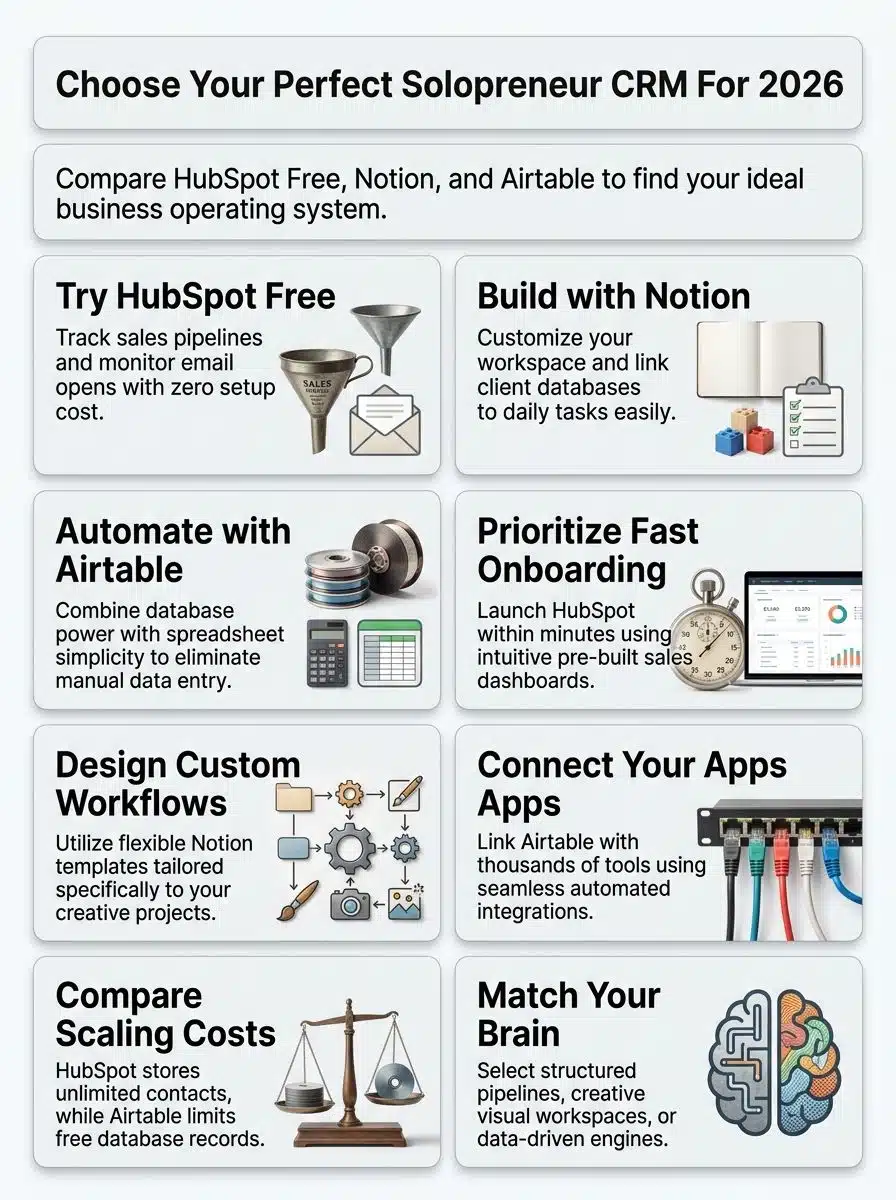
My Testing Approach to CRM For Solopreneurs
Before comparing the tools, I set one simple rule: the best CRM is not the one with the longest feature list. It is the one a solopreneur will actually update every day. So I tested each platform around a realistic solo business workflow:
- Contact management
- Lead and deal tracking
- Follow-up reminders
- Client notes
- Project visibility
- Ease of setup
- Free plan limits
- Upgrade pressure
- Daily usability
I also checked the current plan limits and pricing against official product pages because CRM articles become outdated very quickly. The result is simple: HubSpot Free, Notion, and Airtable can all work, but they are not the same type of tool.
Quick Glance: Which CRM Should Solopreneurs Choose?
| Solopreneur Type | Best Choice | Why |
| Consultant, coach, agency owner, freelancer with sales calls | HubSpot Free | Best ready-made CRM structure |
| Writer, designer, creator, strategist, project-heavy freelancer | Notion | Best flexible workspace for client work |
| Data-heavy operator, ecommerce seller, operations-focused freelancer | Airtable | Best database-style system |
| Beginner who wants a fast setup | HubSpot Free | Least setup friction |
| Visual planner who wants full control | Notion | Most customizable |
| Automation-heavy user | Airtable | Strongest database automation options |
My personal verdict is this: HubSpot Free is the safest starting point for most solopreneurs who mainly need sales tracking. Notion is better if your CRM is tied closely to projects and notes. Airtable is best if your business runs on structured data, forms, and automations.
Why A CRM Matters More For Solopreneurs In 2026
Solopreneurs do not usually lose clients because they lack talent. They lose opportunities because things slip.
- A lead asks for pricing, but you forget to follow up.
- A past client could rehire you, but you never check in.
- A proposal sits unanswered, but you do not have a reminder.
- A project expands, but your notes are buried in WhatsApp, Gmail, and Google Docs.
That is why a CRM matters. A 2026 Branch and Mastercard report surveyed more than 1,400 solopreneurs across North America and found that 71% prefer to adopt new technologies only after they are proven reliable. That is exactly how most solo operators think. They do not want shiny software. They want stable tools that save time.
A good CRM For Solopreneurs should do five things well:
- Keep all contacts in one place
- Show where every lead stands
- Remind you when to follow up
- Store client context
- Reduce mental clutter
The tricky part is choosing the right system for your work style.
HubSpot Free CRM: Best For Sales-Focused Solopreneurs
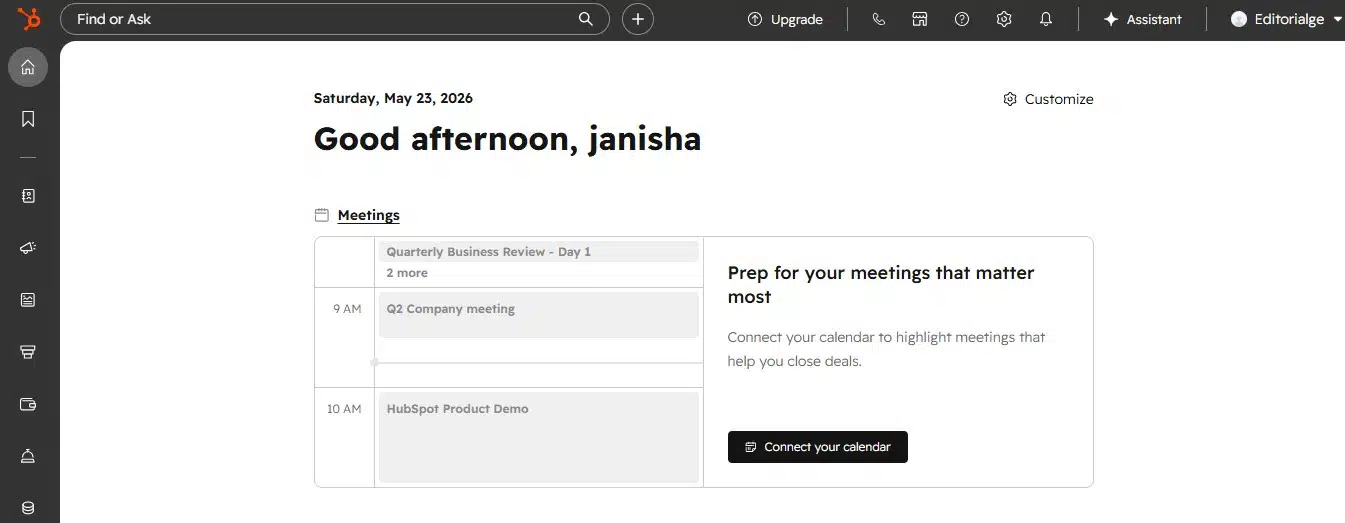
HubSpot Free feels like a real CRM from the moment you open it. That is its biggest advantage. You do not need to build a database from scratch. You do not need to design your own dashboard. You get contacts, companies, deals, tasks, email tracking, meeting scheduling, live chat, quotes, and a reporting dashboard inside one structured system.
HubSpot’s official CRM page says the free CRM includes contact, deal, and task management, email tracking, templates, scheduling, document sharing, meeting scheduling, live chat, and sales quotes. That matters if your solo business depends on calls, proposals, consultations, and follow-ups.
My First-Hand Take On HubSpot Free
HubSpot was the fastest tool to understand. The contact page made sense immediately. The deal pipeline felt clean. Adding a lead, moving it through stages, and creating a follow-up task took very little thinking. That is important because solopreneurs do not have time to become part-time CRM administrators.
The biggest benefit was clarity. I could open the dashboard and see who needed attention, which deals were active, and what follow-up tasks were waiting.
This is where HubSpot beats Notion and Airtable for traditional sales work. It already thinks like a CRM.
What HubSpot Free Gives You
HubSpot says its free CRM can be used at no cost with up to two users and 1,000 contacts, with no expiration date. For many solopreneurs, that is enough to start.
| HubSpot Free Feature | Why It Helps Solopreneurs |
| Contact management | Keeps leads, clients, and prospects organized |
| Deal pipelines | Shows where each opportunity stands |
| Tasks and activities | Helps you remember follow-ups |
| Email tracking | Shows when prospects open emails |
| Email templates | Speeds up repeated outreach |
| Meeting scheduling | Reduces back-and-forth booking messages |
| Reporting dashboard | Gives a basic view of pipeline activity |
| App marketplace | Connects HubSpot with other tools |
HubSpot also says its free CRM connects with more than 2,000 business apps through its marketplace.
Where HubSpot Free Falls Short
The biggest correction from many online CRM comparisons is this: HubSpot Free does not give you full sales automation.
HubSpot’s sequences tool, which sends timed email templates and follow-up tasks, is available with Sales Hub Professional or Enterprise and Service Hub Professional or Enterprise. HubSpot also states that an assigned Sales or Service seat is required to use sequences.
So do not tell readers they can build a fully automated multi-step sales sequence in HubSpot Free. That would be misleading. HubSpot Free is great for manual follow-up systems, email tracking, templates, and pipeline visibility. But serious automation requires a paid upgrade.
Who Should Choose HubSpot Free?
HubSpot Free is best for:
- Consultants
- Coaches
- Solo agencies
- Freelance service providers
- B2B writers
- Real estate agents
- Sales-focused solopreneurs
- Anyone managing proposals, calls, and follow-ups
Choose HubSpot if your main problem is not project management. Choose it if your main problem is keeping leads warm and deals moving.
Notion CRM: Best For Creative And Project-Based Solopreneurs
Notion is not a traditional CRM. That is important. It is a flexible workspace that can become a CRM if you build it properly. You can create contact databases, project boards, client portals, task trackers, content calendars, proposal hubs, and knowledge bases in one connected system. This is why many creative solopreneurs like it.
My First-Hand Take On Notion
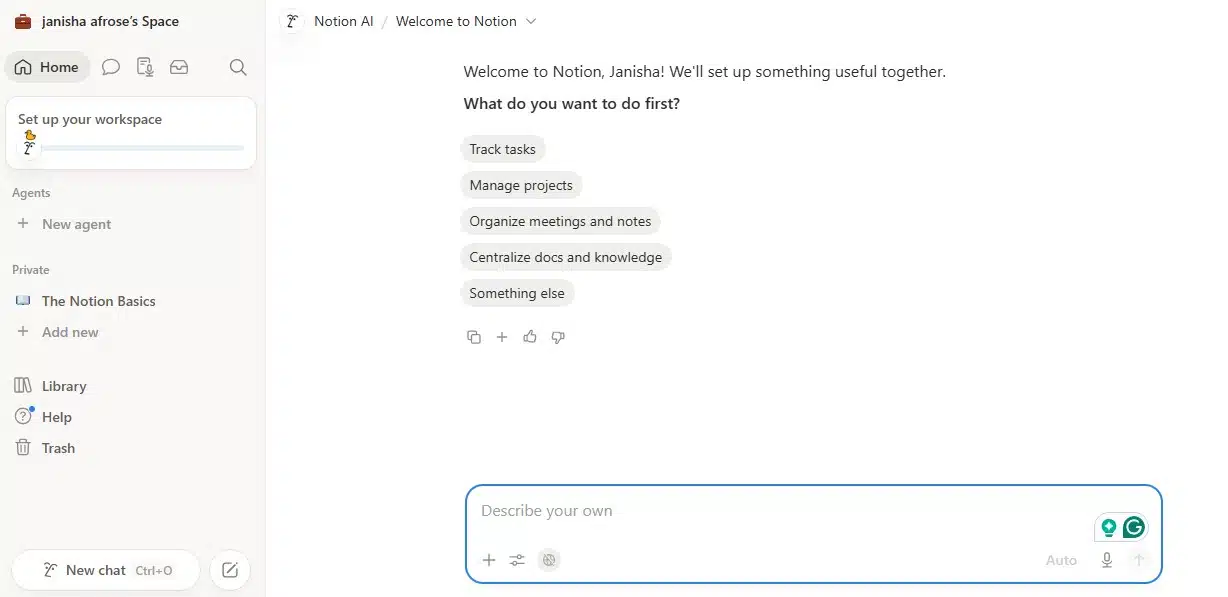
Notion felt the most personal. HubSpot told me how to manage clients. Notion lets me design the system around how I actually think. That is both good and bad.
If you enjoy building custom dashboards, Notion is excellent. You can connect a client database to a project tracker. You can create views for active leads, current clients, waiting-for-reply contacts, and completed projects. You can add notes, files, meeting summaries, and content ideas inside one workspace.
But if you want a plug-and-play CRM, Notion can slow you down. The blank page is powerful, but it can also become a trap. I spent more time adjusting views and fields than I expected.
What Notion Gives Solopreneurs
Notion’s current pricing page lists the Free plan at $0, Plus at $10 per member/month, and Business at $20 per member/month. The Free plan gives unlimited pages and blocks for individuals, but file uploads are limited to 5 MB per file.
That 5 MB file limit matters. If you work with large design files, video files, PDFs, or client assets, you may feel the upgrade pressure quickly.
| Notion Feature | Why It Helps Solopreneurs |
| Custom databases | Build your own CRM layout |
| Kanban views | Track leads or projects visually |
| Calendar views | Manage deadlines and follow-ups |
| Linked databases | Connect clients, projects, tasks, and invoices |
| Templates | Start faster without building everything manually |
| Client pages | Share selected pages with clients |
| Notes and docs | Keep meeting notes and project details together |
Notion’s free plan also allows up to 10 external guests, while paid plans allow unlimited guests.
Where Notion Falls Short
Notion’s biggest weakness is that it is not naturally sales-focused. You can build a pipeline, but it will not feel as native as HubSpot. You can create reminders, but the CRM follow-up experience is not as smooth. You can track deals, but you must design the structure yourself.
Notion is also easy to overbuild. A solopreneur can spend two days designing the perfect dashboard and still forget to follow up with a lead. That defeats the purpose.
Who Should Choose Notion?
Notion is best for:
- Writers
- Designers
- Creators
- Content strategists
- Coaches with resources and client notes
- Freelancers managing project-heavy work
- Solopreneurs who want a CRM plus workspace
- People who prefer visual and flexible systems
Choose Notion if your client relationship does not end with a sale. Choose it if you need to connect contacts, deliverables, content, tasks, notes, and project timelines.
Airtable CRM: Best For Data-Heavy Solopreneurs
Airtable sits between a spreadsheet and a database. It looks familiar because the grid view feels like a spreadsheet. But under the surface, it is much more powerful. You can link records, create forms, build filtered views, automate updates, and manage different types of business data in one base.
Airtable is not as simple as HubSpot. It is not as free-form as Notion. But for structured information, it is very strong.
My First-Hand Take On Airtable
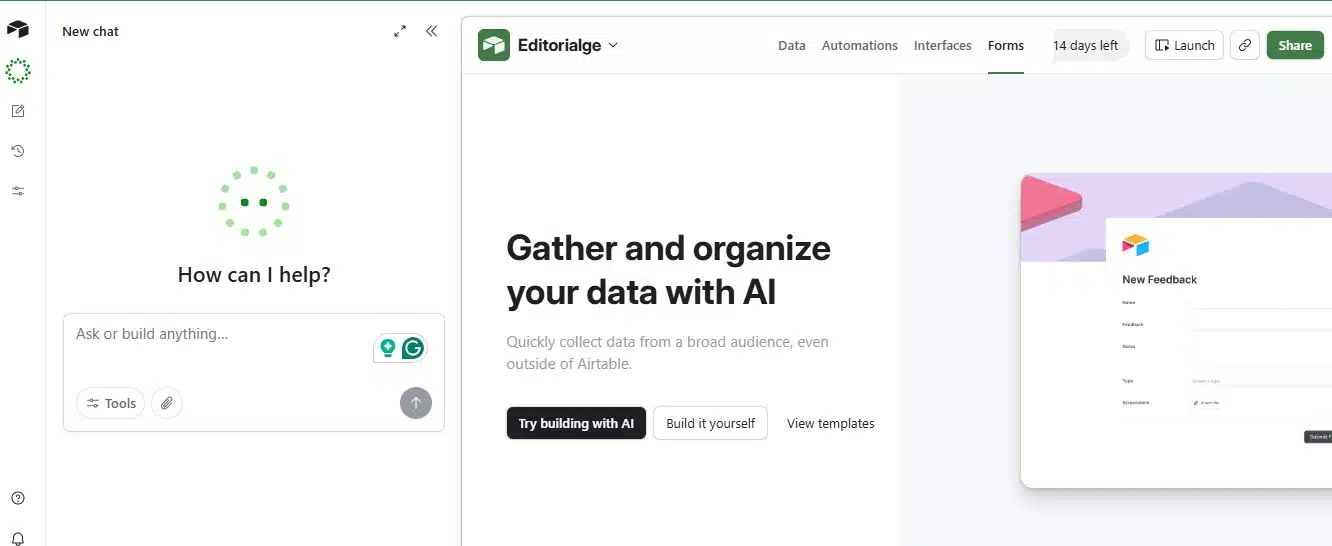
Airtable felt the most organized once the structure was built. It worked especially well when I treated contacts, projects, invoices, content ideas, and forms as connected data instead of separate lists.
For example, one client record could connect to multiple projects. A project could connect to invoices. A form submission could become a new lead. A status change could trigger a notification. That is where Airtable shines.
The downside is that Airtable can feel heavier than needed if you only want a simple client list and follow-up reminders.
What Airtable Gives Solopreneurs
Airtable’s official plan overview says the Free plan includes 1,000 records per base, 1,000 API calls per workspace per month, 1 GB of attachment storage per base, and two weeks of revision and snapshot history. It also limits Free workspaces to five collaborators with Editor or Creator permissions.
Airtable’s Team plan costs $20 per collaborator/month when billed annually, while the Business plan costs $45 per collaborator/month when billed annually.
| Airtable Feature | Why It Helps Solopreneurs |
| Grid view | Feels familiar for spreadsheet users |
| Linked records | Connect contacts, projects, products, and payments |
| Forms | Collect leads or client intake details |
| Views | Filter by pipeline stage, priority, niche, or status |
| Automations | Trigger updates, notifications, and reminders |
| Attachments | Store client files and references |
| Interfaces | Build cleaner dashboards from raw data |
Airtable Automation Limits
Airtable’s automation limits are important for solopreneurs. The Free plan includes 100 automation runs per month. Team includes 25,000 runs. Business includes 100,000 runs. Enterprise Scale includes 500,000 runs. Airtable also states that each automation run counts when the trigger is invoked, whether the action runs properly or not.
That means a messy automation can burn through runs faster than expected. Also, Airtable’s Free plan has a key email limitation: send-email automations can only email verified collaborators in the base, not arbitrary external recipients.
So Airtable Free is useful for internal reminders and lightweight automation, but it is not a full email outreach tool.
Who Should Choose Airtable?
Airtable is best for:
- E-commerce solopreneurs
- Data-heavy freelancers
- Operators managing many records
- Content businesses with large editorial databases
- Service providers using intake forms
- Solopreneurs who love spreadsheets
- People who want automations without building custom software
Choose Airtable if your CRM is part of a larger operating system.
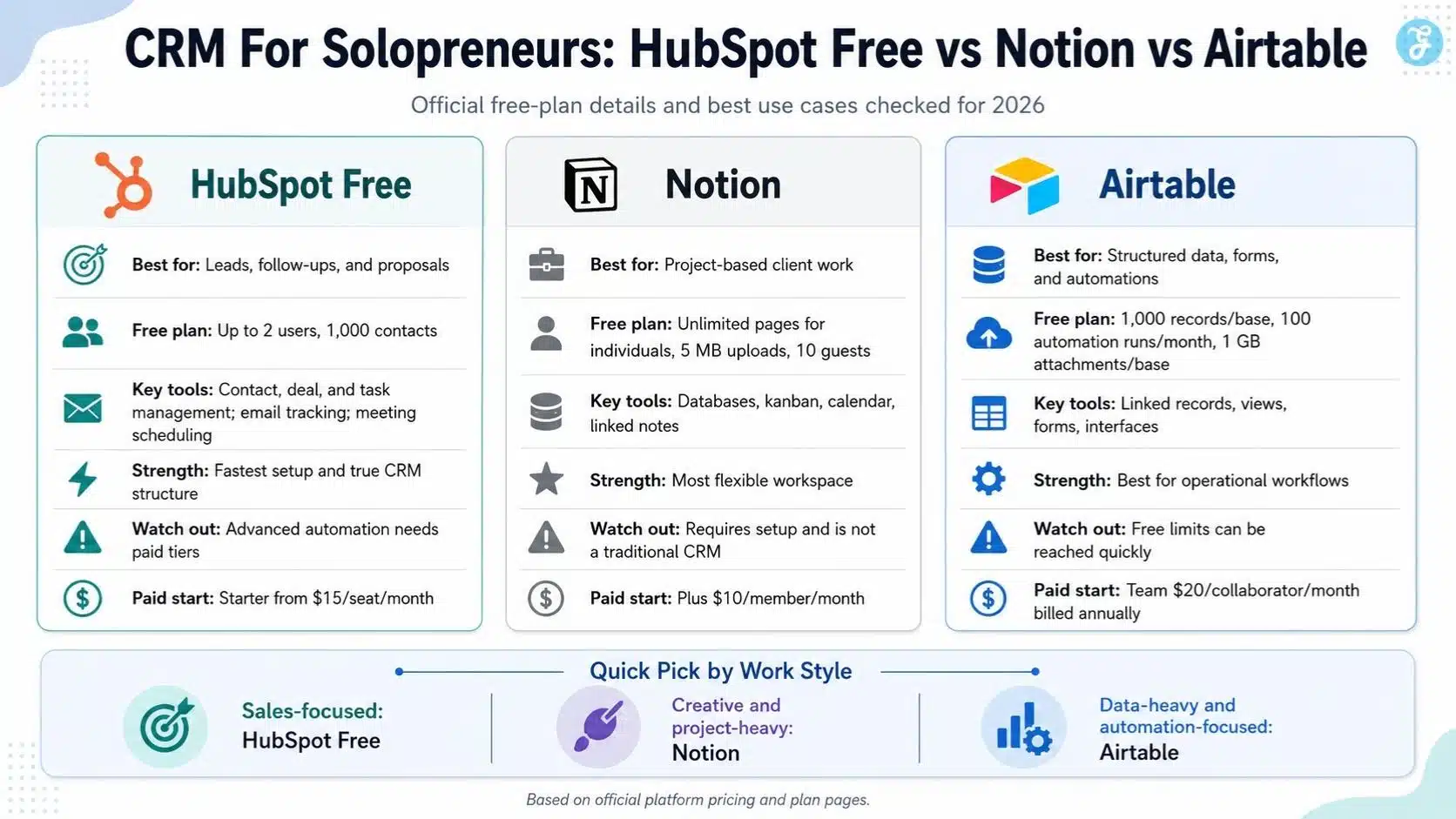
HubSpot Free Vs Notion Vs Airtable: Feature Comparison
| Feature | HubSpot Free | Notion | Airtable |
| Traditional CRM structure | Excellent | Manual setup needed | Manual setup needed |
| Contact management | Strong | Customizable | Strong if structured well |
| Deal pipeline | Built in | Can be built | Can be built |
| Project management | Basic | Strong | Strong |
| Notes and docs | Basic | Excellent | Moderate |
| Forms | Available through HubSpot tools | Basic/custom depending on plan | Strong |
| Email tracking | Strong | Not native CRM-style tracking | Not native CRM-style tracking |
| Automation | Limited on free | Basic/custom by plan | Strong but capped |
| Setup speed | Fastest | Medium | Medium |
| Customization | Moderate | Very high | High |
| Best use case | Sales pipeline | Projects and notes | Structured data and operations |
Pricing And Free Plan Limits In 2026
| Platform | Free Plan Limits | Paid Plan Starting Point | Important Note |
| HubSpot Free | Up to 2 users and 1,000 contacts | CRM Starter listed from $15/month per seat | Advanced automation needs paid tiers |
| Notion | Free for individuals, 10 guest limit, 5 MB file upload limit | Plus at $10/member/month | Business is $20/member/month |
| Airtable | 1,000 records per base, 100 automation runs/month, 1 GB attachments/base | Team at $20/collaborator/month annually | Business is $45/collaborator/month annually |
The main thing to watch is not the starting price. It is the upgrade trigger.
HubSpot may push you toward paid plans when you need deeper automation or more advanced CRM features. Notion may push you toward Plus when the 5 MB file upload limit becomes annoying. Airtable may push you toward Team when you hit record, automation, attachment, or collaboration limits.
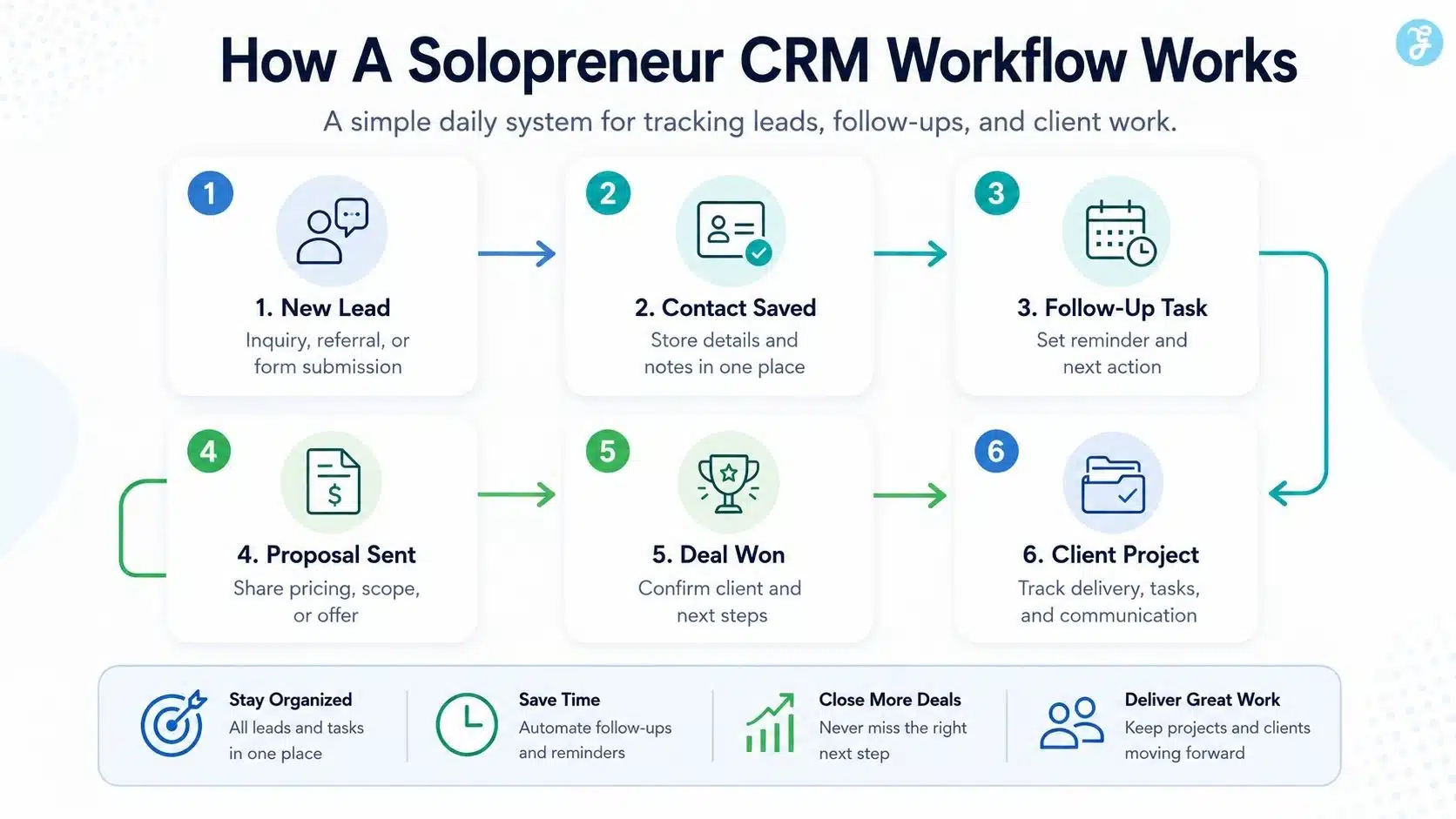
Which CRM Is Easiest To Use?
HubSpot is easiest if you want a CRM. Notion is easiest if you already live inside Notion. Airtable is easiest if you think in spreadsheets and databases. That distinction matters.
HubSpot gives you the clearest path: add contacts, create deals, set tasks, and follow up. Notion gives you creative freedom, but you must design the workflow. Airtable gives you structure and power, but it asks you to think carefully about records, tables, views, and automations.
For most beginners, HubSpot wins on speed. For most creative solopreneurs, Notion feels more natural. For most operations-heavy users, Airtable becomes more powerful over time.
Which CRM Is Best For Follow-Ups?
HubSpot wins for follow-ups. The combination of tasks, deal stages, contact records, email tracking, templates, and meeting scheduling makes it easier to stay on top of prospects. Even without full sequence automation on the free plan, HubSpot still gives solopreneurs a cleaner sales follow-up workflow than Notion or Airtable.
- Notion can handle follow-ups, but you must build your own reminder system.
- Airtable can handle follow-ups through views and automations, but it takes more setup.
Which CRM Is Best For Client Projects?
Notion wins for client projects. A solopreneur can create one client page that includes:
- Contact details
- Meeting notes
- Project scope
- Deliverables
- Timeline
- Tasks
- Files
- Feedback
- Final links
That is harder to do elegantly in HubSpot Free. Airtable can do it, but it feels more database-like than workspace-like. If your business is less about closing deals and more about delivering deep client work, Notion is probably the better daily system.
Which CRM Is Best For Automation?
Airtable wins for flexible automation. The free plan is limited, but the platform is built for structured workflows. If you want a form submission to create a lead, assign a status, notify you, and move through a workflow, Airtable handles that well.
- HubSpot has stronger sales automation when you upgrade, but the free version is limited.
- Notion has useful database automations, but it is still not as strong as Airtable for structured operational workflows.
The Hidden Problem: Free Plans Are Not Always Free Forever In Practice
All three tools have useful free plans. But “free” does not mean “no limitations.”
- HubSpot Free is generous for basic CRM work, but automation and advanced features live behind paid tiers.
- Notion Free is excellent for solo use, but the 5 MB upload limit can become frustrating if you store client assets.
- Airtable Free is powerful for testing, but 1,000 records per base and 100 automation runs per month can feel tight if your system grows.
This is why I recommend starting with the free plan, but choosing based on the paid plan you would be willing to use later.
My Final Recommendation
If I had to choose one CRM For Solopreneurs in 2026, I would choose based on the business model, not the tool’s popularity.
- Choose HubSpot Free if your business depends on leads, calls, proposals, and sales follow-ups. It is the best real CRM in this comparison.
- Choose Notion if your client relationships are deeply connected to projects, notes, tasks, resources, and creative workflows. It feels less like a CRM and more like a personal business operating system.
- Choose Airtable if your business runs on structured data, forms, automations, product lists, content calendars, or operational workflows. It is the best option when a spreadsheet is too basic but custom software is too much.
My practical advice is simple: do not chase the most powerful CRM. Choose the one you will actually open every morning.
- For most sales-focused solopreneurs, start with HubSpot Free.
- For most creative solopreneurs, start with Notion.
- For most data-heavy solopreneurs, start with Airtable.
That is the cleanest way to avoid software confusion.
Frequently Asked Questions About CRM For Solopreneurs
1. What Is The Best CRM For Solopreneurs In 2026?
The best CRM depends on how you work. HubSpot Free is best for traditional sales tracking, Notion is best for project-based client work, and Airtable is best for structured data and automation-heavy workflows.
2. Is HubSpot Free Really Free For Solopreneurs?
Yes, HubSpot’s free CRM has no expiration date and supports up to two users and 1,000 contacts. However, advanced automation, deeper reporting, and premium CRM features require paid plans.
3. Can Notion Work As A CRM?
Yes, Notion can work as a CRM if you build or use a proper template. It is best for solopreneurs who want to connect client notes, projects, tasks, and documents in one flexible workspace.
4. Is Airtable Better Than Notion For CRM?
Airtable is better if your CRM needs structured records, forms, filters, linked databases, and automations. Notion is better if you want a more visual workspace for notes, projects, and client collaboration.
5. Should A Solopreneur Pay For A CRM?
Start for free first. Pay only when the CRM saves enough time, improves follow-ups, or supports enough revenue to justify the cost. A paid tool is worth it only when it removes real business friction.






















