


Moving from HubSpot to Salesforce can bring changes for companies aiming to simplify their workflow processes. Switching platforms comes with its own set of hurdles that many businesses encounter along the way. Organizations can better navigate the Salesforce migration journey by being aware of these challenges. This handbook will delve into tactics to steer clear of typical errors, enhancing the transition process for a smoother and more manageable experience.
Exploring the Concept of Data Mapping
Mapping data is essential during any migration process, such as HubSpot to salesforce migration. It helps prevent inconsistencies and potential data loss that may occur due to misalignment between systems like HubSpot and Salesforce. Thorough data auditing is crucial to avoid problems and ensure information transfer between systems during migration processes like HubSpot to Salesforce integration.
Getting Data Ready for the Move
Data accuracy is crucial in data management processes, as inaccurate information can cause issues during data migration processes. Before transferring data to a system or platform, it is important to clean the data by removing duplicates and validating the correctness of the information to ensure that only accurate and relevant data is moved. Another essential step is standardizing data formats across systems, which helps in ensuring consistency and compatibility.
Testing the Process of Migration
One important but sometimes forgotten stage during the migration is examining the procedure thoroughly before proceeding to avoid any glitches. Conducting a trial migration aids in pinpointing any concerns in advance before committing to the switch over to the new system. Testing enables teams to tackle any problems effectively and guarantee a migration process.
Securing Training for the Team
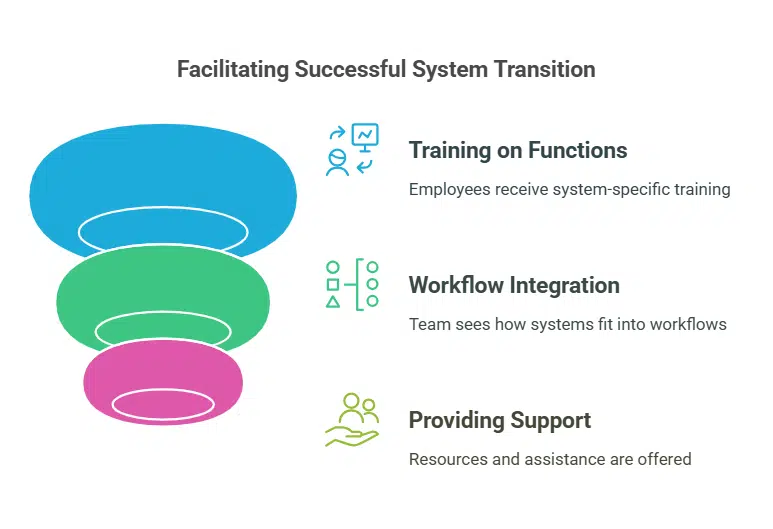
Moving data from one system to another involves more than just technology. People’s attitudes and behaviors are also factors in the process’s success. It’s crucial for team members to grasp how both systems work to ensure a transition. Giving employees training on Salesforce functions enables them to adjust rapidly. Knowing how the new system fits into workflows helps reduce any interruptions. Offering assistance and tools builds trust and enhances productivity within the team.
Checking the Status After Relocation
Moving to a different system demands focus and care. Checking for problems after the migration helps tackle any issues that come up. Keeping an eye on data accuracy regularly guarantees transitions. Spotting points in system performance aids in making improvements promptly. Getting input from team members offers perspectives for refining procedures and boosting efficiency.
Giving Preference to Personalization
Tailoring Salesforce to fit business requirements is commonly done. Going too far with customization can cause issues to arise. Achieving harmony between customization and user-friendliness is crucial. Focus on implementing customizations that improve efficiency without making the system overly complex. Seek advice from professionals with Salesforce to ensure that your customizations effectively support your business goals.
Guiding Stakeholder Expectations
It’s really important to communicate with everyone involved during the migration process to make things go smoothly and successfully. Having expectations can cause disappointment. Setting out the timeline for migration and any possible issues upfront can help manage expectations. Keeping everyone updated on how things are going builds trust and openness.
Leveraging Professional Skills
Having professionals with migration expertise on board can be incredibly beneficial in navigating transitions and minimizing potential errors along the way. Engaging well-versed consultants in both HubSpot and Migration systems can help you comprehend the platforms. Help organizations navigate the process effectively. Their knowledge and guidance can offer reassurance. Increase the chances of achieving outcomes for businesses undergoing such transitions.
Focus On Documentation
Documentation is essential, as it helps troubleshoot and serves as a valuable resource for upcoming migrations. By keeping detailed records of the migration process, such as data mapping and testing procedures, while noting lessons learned from it all, this information proves invaluable for new team members and ensures consistency in future projects.
Wrapping Up
Moving from HubSpot to Salesforce requires planning and precise implementation to ensure a smooth transition for businesses. Companies can guarantee a shift by being aware of challenges and effectively implementing strategies to address them. Tasks like mapping and cleaning data and conducting tests and training are crucial for a seamless migration process. Engaging with specialists to manage expectations appropriately and giving importance to documentation also play roles in improving the procedure. By following these approaches, businesses can fully utilize Salesforce’s capabilities to enhance growth and operational efficiency.



























