


In today’s digital age, video content reigns supreme. Whether you’re an influencer, a small business owner, or a marketing professional, creating engaging videos is one of the best ways to connect with your audience. But making a great video isn’t just about capturing high-quality footage. It’s about ensuring that your content is optimized for accessibility, engagement, and discoverability.
To help you maximize your video impact, we’ve rounded up five essential tools that every content creator should have in their toolkit. These tools will help you streamline your production process, reach a broader audience, and elevate your content to the next level.
1. Video Editing Software: The Backbone of Your Content
When it comes to video creation, your editing software is your best friend. Whether you’re putting together a vlog, a product demo, or a social media ad, video editing is where the magic happens. It’s not enough to simply shoot a great video—editing is where you add personality, clarity, and polish.
With the right video editing software, you can trim clips, add transitions, fine-tune the audio, and insert text or graphics. Most importantly, it allows you to piece together your content in a way that flows seamlessly, keeping your viewers engaged.
There are various video editing tools available, catering to all skill levels. From basic, beginner-friendly options to more advanced programs for professionals, there’s a solution for every creator. If you’re looking for a balance of simplicity and features, you can find several solid choices that are easy to use and provide all the essentials for high-quality editing.
Key Features to Look for in Video Editing Software:
- Ease of Use: An intuitive interface that makes it easy to get started.
- Variety of Effects: A wide range of transitions, effects, and text options to enhance your video.
- Audio Control: The ability to adjust and balance sound levels for voiceovers and background music.
- Export Options: Ensure the software can export videos in formats that fit your distribution platforms.
2. SEO Tools for Video Optimization
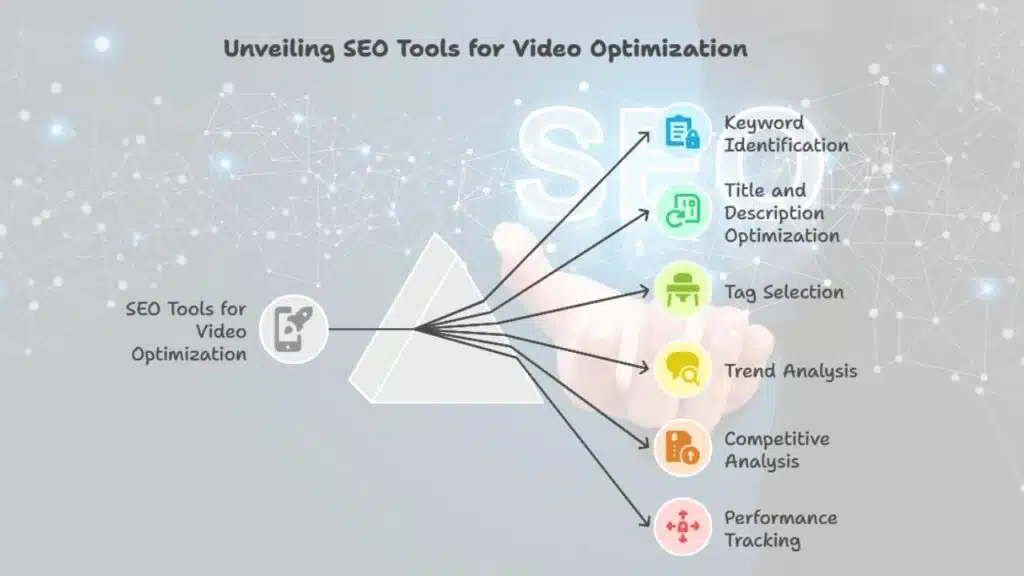
Great video content is only useful if people can find it. That’s where SEO (search engine optimization) comes in. To increase your video’s discoverability, you need to optimize it for search engines and platforms like social media or video hosting websites.
SEO tools can help you identify the best keywords, optimize your video title and description, and choose the right tags to ensure your video shows up in relevant searches. By understanding what keywords your target audience is searching for, you can tailor your video content and metadata to drive more organic traffic.
Several SEO tools are available that provide valuable insights into what’s trending and what your competition is doing. These tools can also help you track your video’s performance over time, allowing you to refine your strategy and make adjustments as needed.
SEO Tips for Video Optimization:
- Keyword Research: Use SEO tools to find high-ranking keywords for your video’s topic.
- Optimized Title and Description: Include keywords in your video title and description to help your content rank.
- Engaging Thumbnails: Create eye-catching thumbnails that compel viewers to click on your video.
3. Subtitle-Generating Software: Enhancing Accessibility and Engagement
Adding subtitles to your video isn’t just a nice touch—it’s a necessity. Subtitles not only make your content accessible to those who are deaf or hard of hearing, but they also allow your videos to reach a global audience by catering to different languages. Plus, many people watch videos on social media with the sound off, especially in public places or during work, so having subtitles can help your message resonate even without audio.
While manually adding subtitles can be time-consuming, a modern subtitle generator automates the process, saving you hours of work. These tools automatically generate captions, which you can then tweak for accuracy and timing. The result is a more polished, professional video that’s accessible to a wider audience.
Subtitle-generating tools are easy to use and can handle multiple languages, making them an essential tool for any content creator looking to maximize engagement. Subtitles can also improve your video’s SEO, as search engines can index the text, giving your content an additional boost in search results.
Benefits of Subtitles:
- Improved Accessibility: Makes videos accessible to people with hearing impairments.
- Increased Engagement: Viewers are more likely to watch videos to completion when subtitles are available.
- Global Reach: Subtitles can help you connect with a global audience by supporting multiple languages.
4. Social Media Scheduling Platforms: Posting with Purpose
Content creators know the struggle of trying to post consistently across multiple platforms while juggling a busy production schedule. This is where social media scheduling platforms come in. These tools allow you to plan, schedule, and automate your social media posts, freeing up your time for other tasks.
Scheduling platforms make it easy to queue up your video posts in advance, ensuring that your content goes live at optimal times. Whether it’s early in the morning or late at night, scheduling tools ensure your content reaches your audience when they’re most active, improving engagement rates.
Most social media scheduling platforms also provide detailed analytics, so you can track the performance of your videos and adjust your strategy accordingly.
Key Benefits of Social Media Scheduling:
- Time-Saving: Automates the posting process, allowing you to focus on content creation.
- Optimal Timing: Ensures your content is posted at times when your audience is most active.
- Comprehensive Analytics: Helps you track the performance of your content across multiple platforms.
5. Analytics Software: Measure and Improve Your Video Performance
Creating a video is only the first step. To truly maximize its impact, you need to understand how it’s performing. Analytics software allows you to track key metrics such as views, watch time, engagement, and audience demographics, giving you valuable insights into what’s working and what needs improvement.
Most video platforms and social media channels offer built-in analytics tools that provide comprehensive data about your video’s performance. By regularly reviewing your analytics, you can refine your content strategy, improve your video quality, and ensure you’re delivering what your audience wants.
For example, if you notice a drop-off in watch time at a certain point in the video, you can adjust your content to keep viewers engaged for longer in the future. The ability to assess the performance of your videos gives you the insights needed to optimize your content strategy.
Key Metrics to Track:
- View Count: Measures how many people have watched your video.
- Watch Time: Indicates how long viewers are watching your video.
- Engagement: Tracks likes, shares, and comments on your videos.
- Audience Demographics: Provides insights into who is watching your videos, including age, gender, and location.
Final Thoughts
In the ever-evolving world of video content creation, having the right tools can make all the difference. From editing and optimization to scheduling and analytics, the tools you choose to use will shape the success of your videos. Subtitle-generating software is one tool that can have a significant impact, but it’s most effective when used alongside other essential tools that enhance video quality, accessibility, and reach.
By incorporating these five tools into your content creation process, you’ll be well-equipped to produce videos that not only captivate your audience but also perform better across multiple platforms. Whether you’re looking to optimize your content for SEO, engage a global audience, or streamline your workflow, these tools will help you achieve your goals and take your video content to the next level.


























