

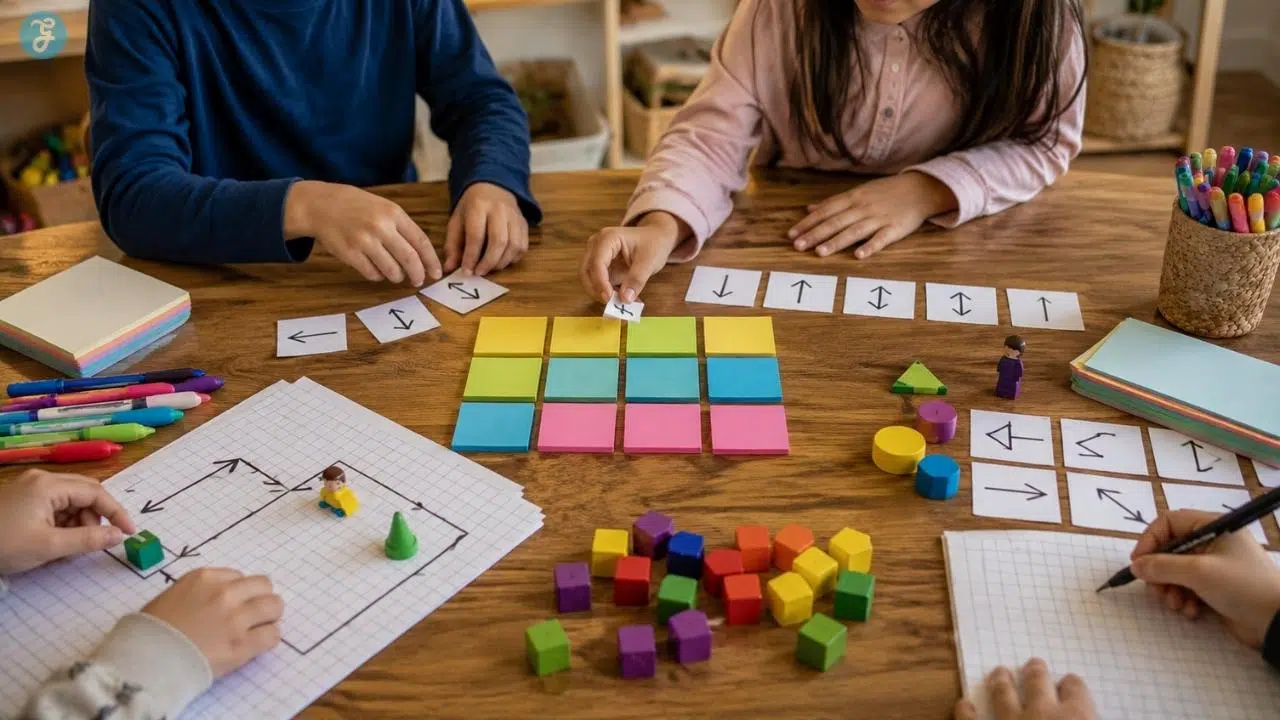
Teaching coding activities without screens sounds strange at first because most people picture coding as a child staring at a laptop, dragging blocks, or typing commands into a glowing editor. But kids do not need a screen to learn how programmers think.
Before a child writes real code, they need to understand instructions, patterns, order, logic, mistakes, testing, and problem-solving. Those ideas can be taught with paper, cards, toys, bodies, snacks, maps, blocks, and a little bit of chaos. Honestly, the chaos helps. Kids remember the robot that crashed into the sofa much faster than they remember a worksheet.
That is why unplugged coding is so useful for parents, teachers, homeschoolers, and after-school programs. It removes the pressure of devices and focuses on the thinking behind programming. Children learn that code is not magic. It is a set of clear instructions that must be planned, tested, fixed, and improved.
This list covers 11 screen-free coding activities that teach real programming concepts in simple, playful ways. Some work best for young kids. Some are better for older children. Most can be adapted for classrooms, living rooms, libraries, camps, or rainy afternoons when another hour of screen time feels like a terrible bargain.
Why Screen-Free Coding Helps Kids Learn Programming Logic
Coding without screens works because it teaches the thinking behind programming before children ever touch a keyboard. Kids learn that a computer program is not magic. It is a set of clear instructions arranged in the right order, tested, corrected, and improved.
That is why unplugged coding is especially useful for beginners. A child can act like a robot, follow paper arrows, fix silly instructions, sort objects, repeat movement patterns, or decode secret messages. Each activity turns an abstract coding idea into something they can see, touch, move, and explain.
These activities also reduce the pressure that sometimes comes with digital tools. Kids do not have to worry about typing, logging in, using a device, or clicking the wrong button. They can focus on the core skills: sequencing, loops, conditionals, debugging, algorithms, patterns, and problem-solving.
Screen-free coding is not meant to replace digital programming forever. It builds the foundation. Once children understand how instructions, logic, and mistakes work offline, they usually feel more confident when they later move into block coding, robotics, or beginner programming platforms.
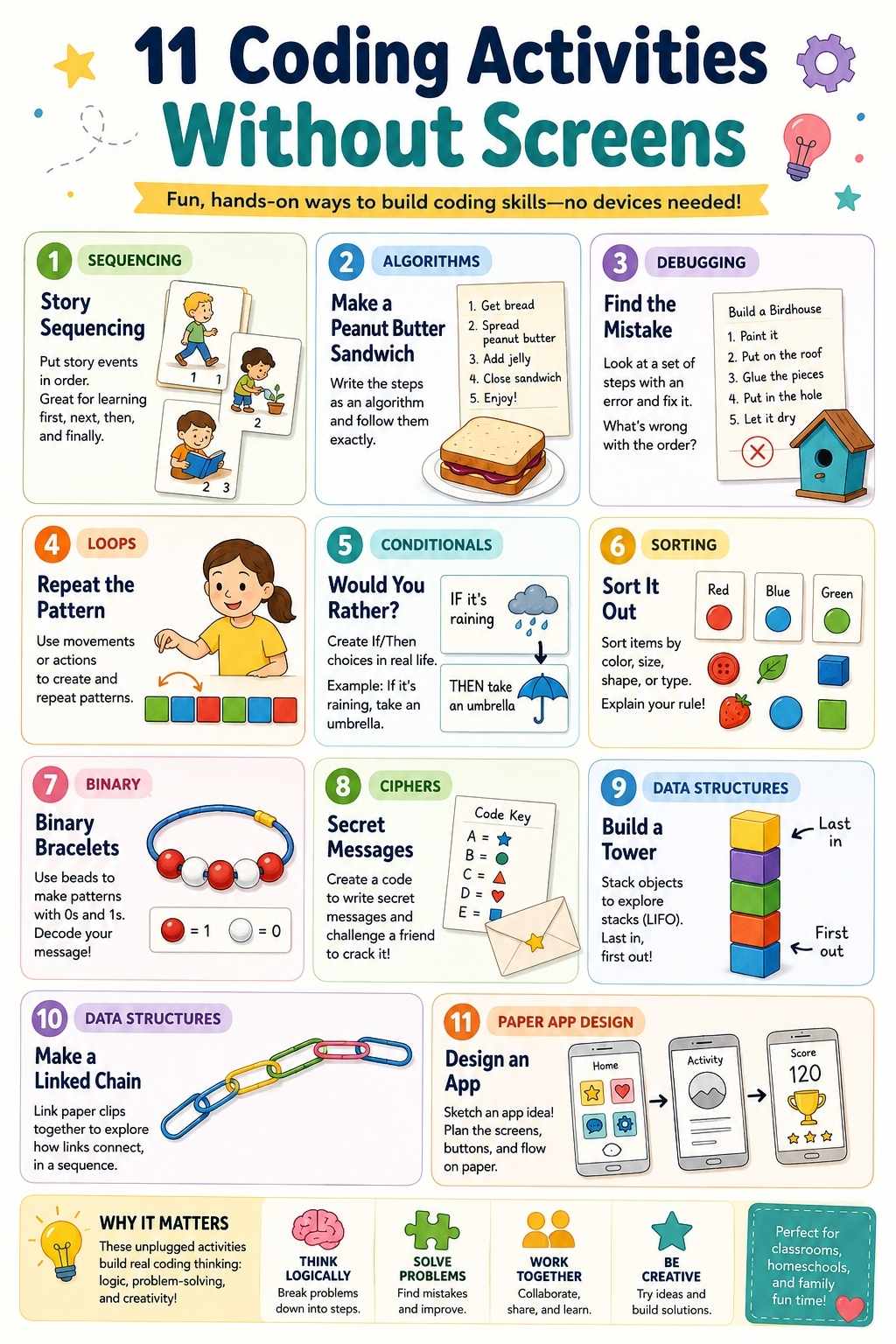
11 Coding Activities Without Screens for Kids
These activities can be done separately, but they work even better as a mini learning path. Start with instructions and sequencing, then move into loops, conditionals, debugging, data, and simple design thinking.
1. Human Robot Commands
This is one of the easiest ways to introduce coding without screens because kids immediately understand the joke: the “robot” only does exactly what the programmer says.
One child becomes the robot. Another child becomes a programmer. The programmer gives commands like “take one step forward,” “turn left,” “pick up the block,” or “move the cup to the table.” The robot must follow only the exact instructions, not what the programmer meant.
This activity teaches kids that computers are literal. If an instruction is unclear, missing, or out of order, the result can go wrong. For younger kids, keep the commands simple. For older kids, add obstacles, goals, and command limits.
What kids learn: Sequencing, clear instructions, step-by-step thinking, and precision.
Try it this way: Set a small goal, such as moving a toy from one side of the room to another. The programmer must guide the robot using only simple commands.
Make it harder: Add a rule that the programmer cannot point. They must use only spoken instructions.
2. Graph Paper Coding
Graph paper coding is a classic unplugged coding activity because it turns movement into visible instructions.
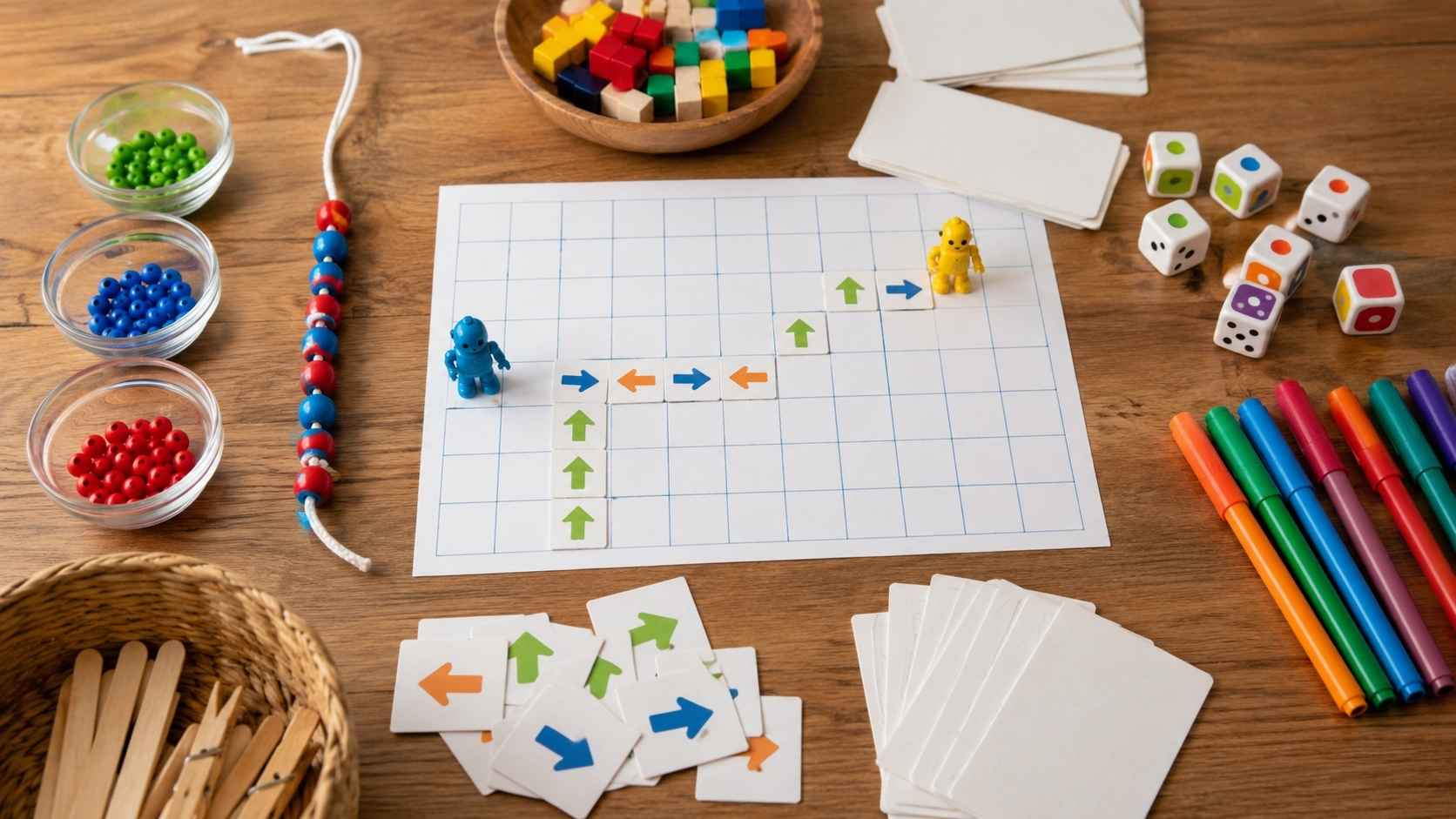
Give children a grid and a start point. Add a goal, such as reaching a star, drawing a simple shape, or moving from one square to another. Kids write directions using arrows: up, down, left, and right. Then another child follows the directions to see if the program works.
The best part is that mistakes become easy to see. If the path misses the goal, the child can debug it by finding the wrong arrow. This activity works well before kids use block-based coding platforms because it teaches directional logic in a physical, low-pressure way.
What kids learn: Algorithms, sequencing, directions, debugging, and spatial reasoning.
Materials: Graph paper, pencils, markers, and small stickers.
Good classroom use: Let one child write the “program” and another child “run” it by drawing the path.
3. Algorithm Recipe Cards
A recipe is basically an algorithm: a set of ordered steps that produces a result.
Ask children to write instructions for making a sandwich, brushing teeth, packing a school bag, building a paper airplane, or feeding a pet. Then test the instructions exactly as written. If the child says “put peanut butter on bread” but never says to open the jar, act confused. If they say “put the bread together” before adding filling, follow the order.
Kids usually laugh, then realize the lesson: instructions need detail and sequence. This is one of the most useful screen-free coding activities because it connects programming to daily life.
What kids learn: Algorithms, decomposition, sequence, and testing.
Best activity idea: Choose a funny everyday task and have kids write the steps. Then let someone act them out literally.
A helpful twist: Ask kids to improve the algorithm after testing it once.
4. Debug the Silly Instructions
Debugging is one of the most important coding skills, and kids can practice it without a computer. Write a set of instructions with mistakes on purpose. For example:
- Put on your shoes.
- Tie your laces.
- Find your socks.
- Put on your socks.
Ask kids to find what went wrong and fix the order. You can do this with morning routines, recipes, board-game rules, building-block instructions, or classroom procedures. The key is to make the bugs obvious at first, then gradually make them trickier. This helps kids see mistakes as part of the process, not proof that they are bad at coding.
What kids learn: Debugging, logical order, testing, and revision.
Use it for: Kids who get frustrated easily, because it normalizes mistakes.
Make it fun: Call the mistakes “bugs” and let kids become “bug detectives.”
5. Loop Dance Challenge
Loops are easier to understand when kids feel them in their bodies. Create a short dance pattern: clap, stomp, spin, jump. Then write it as a repeated instruction: “Repeat 4 times.” Kids perform the loop and count each repetition. Once they understand the basic idea, add nested loops. For example:
Repeat 3 times:
- Clap twice
- Stomp once
This turns an abstract programming concept into movement. It is especially good for younger children, energetic classrooms, and kids who do not love sitting still.
What kids learn: Loops, repetition, pattern recognition, and efficiency.
Best for: Preschool, early elementary, camps, and group activities.
Make it harder: Ask kids to turn a long dance sequence into a shorter loop-based instruction.
6. If-Then Action Game
Conditionals are the “if this happens, then do that” part of programming. Write action cards such as:
- If I clap, jump once.
- If I raise my hand, freeze.
- If I say “green,” take one step forward.
- If I say “red,” sit down.
Read the conditions aloud and let kids respond. Then let them create their own rules. This activity teaches decision-making logic. It also prepares kids for coding ideas like if-statements, game rules, and event-based programming.
What kids learn: Conditionals, logic, cause and effect, and rule-based thinking.
Simple version: Use colors or sounds as triggers.
Advanced version: Add “else” rules, such as “If I clap, jump. Else, stay still.”
7. Sorting Race
Sorting is a real computer science idea, but kids can learn it with cards, toys, books, or even shoes.
Give children a mixed set of objects and ask them to sort by size, color, number, alphabet, weight, or type. Then ask them to explain the rule they used. Older children can compare sorting strategies: Which method was fastest? Which had fewer mistakes? Which worked best for a large group of objects?
This activity introduces the idea that computers often organize data before using it. It also teaches kids to notice patterns and create rules.
What kids learn: Sorting algorithms, comparison, classification, data organization, and pattern recognition.
Materials: Number cards, colored blocks, books, toys, buttons, or classroom objects.
Good question to ask: “How did you decide what comes next?”
8. Binary Bead Bracelets
Binary can sound too advanced for kids, but it becomes much easier with beads. Explain that computers store information using two states, often shown as 0 and 1. Use two bead colors to represent 0 and 1. Then give kids simple binary codes for letters, initials, or short patterns.
They can create bracelets, keychains, or bead strings that represent data. This activity works best for older elementary and middle school kids because it introduces the idea that computers represent information in a coded form.
What kids learn: Binary, data representation, patterns, and abstraction.
Materials: Two colors of beads, string, and a simple binary key.
Make it meaningful: Let kids encode their initials or a short secret pattern.
9. Secret Message Cipher
A cipher activity teaches kids that messages can be transformed using rules. Start with a simple Caesar cipher. Each letter shifts by a set number. For example, A becomes D, B becomes E, and C becomes F if the shift is 3. Kids encode a short message, trade it with a partner, and decode it.
This is not advanced cybersecurity, of course. But it introduces the idea that information can be encoded, transformed, protected, and decoded using a system. It also builds patience and pattern recognition.
What kids learn: Algorithms, encryption basics, pattern rules, and logical decoding.
Best for: Older kids who enjoy puzzles and mystery games.
Make it harder: Let kids invent their own cipher rule and explain how to decode it.
10. Stack and Queue Line Game
Stacks and queues are data structures, but kids can understand them with real objects and bodies. For a queue, line up children or objects. The first one in is the first one out, like a lunch line.
For a stack, pile objects such as cards, cups, or blocks. The last one placed on top is the first one removed, like a stack of plates.
This activity helps kids understand how computers organize and retrieve information. It is especially useful for children who are ready to move beyond basic sequencing.
What kids learn: Data structures, order, systems thinking, and rules.
Simple example: Queue means first in, first out. Stack means last in, first out.
Good classroom version: Use students as “data” and have them act out both systems.
11. Paper App Prototype
This activity connects coding logic with design thinking. Ask children to design a simple app on paper. It could be a weather app, pet-care app, homework tracker, game menu, recipe finder, or habit tracker. They draw screens on index cards and use arrows to show what happens when someone taps a button.
The child does not need to build the app digitally. The goal is to think through the user flow: What happens first? What happens next? What if the user chooses a different option? This is great for older children because it blends screen-free coding with product thinking.
What kids learn: User flow, logic, interface design, sequencing, and problem decomposition.
Materials: Index cards, markers, sticky notes, and tape.
Make it stronger: Have another child “test” the paper app by tapping choices and following the arrows.
A Quick Overview of the Best Screen-Free Coding Activities
| Activity | Main Coding Concept | Best Age Range |
| Human Robot Commands | Sequencing and precision | 4-8 |
| Graph Paper Coding | Directional logic and algorithms | 5-10 |
| Algorithm Recipe Cards | Step-by-step instructions | 5-12 |
| Debug the Silly Instructions | Debugging and testing | 5-12 |
| Loop Dance Challenge | Loops and repetition | 4-10 |
| If-Then Action Game | Conditionals | 5-11 |
| Sorting Race | Sorting algorithms and comparison | 7-13 |
| Binary Bead Bracelets | Binary data and representation | 7-14 |
| Secret Message Cipher | Patterns and encryption basics | 8-14 |
| Stack and Queue Line Game | Data structures | 8-14 |
| Paper App Prototype | Interface logic and user flow | 9-15 |
Best Coding Without Screens Activities by Age
| Age Group | Best Activities |
| Ages 4-6 | Human Robot Commands, Loop Dance Challenge, If-Then Action Game |
| Ages 6-8 | Graph Paper Coding, Algorithm Recipe Cards, Debug the Silly Instructions |
| Ages 8-10 | Sorting Race, Secret Message Cipher, Paper App Prototype |
| Ages 10-12 | Binary Bead Bracelets, Stack and Queue Line Game, and advanced ciphers |
| Ages 12+ | Paper app prototypes, complex sorting challenges, encryption puzzles, data-structure games |
Age ranges are flexible. A younger child can try a harder activity with support, and an older child can enjoy a simpler activity if you add complexity.
What Kids Learn From Unplugged Coding
Unplugged coding teaches more than “coding basics.” It builds the thinking habits behind programming.
Children practice:
- Breaking big problems into smaller steps
- Writing clear instructions
- Following sequences
- Spotting patterns
- Testing ideas
- Finding and fixing mistakes
- Using logic rules
- Organizing information
- Explaining their thinking
- Collaborating with others
These are useful skills even if a child never becomes a software developer. They help with math, reading, science, problem-solving, games, writing, planning, and everyday decision-making.
How to Make Screen-Free Coding More Effective
The best unplugged coding activities have one thing in common: kids should explain their thinking.
Do not only ask, “Did it work?” Ask:
- Why did you choose that step?
- What happened when the instruction was missing?
- Where did the bug appear?
- How could you make the program shorter?
- What rule did you use?
- Can someone else follow your instructions?
- How would you improve this?
Those questions turn play into learning.
Also, keep the activities short. A 15-minute coding game that ends while kids are still interested is better than a 50-minute lesson that drains all the fun out of it.
Common Mistakes to Avoid
- Making unplugged coding too worksheet-heavy. Paper can help, but kids need movement, testing, and interaction.
- Correcting too quickly. Let children test their own instructions and discover mistakes. Debugging is part of the lesson.
- Using activities that are too advanced too soon. Binary and ciphers are great, but not before kids understand basic sequences and rules.
- Treating screen-free coding as “less real” than digital coding. These activities teach the mental model behind programming. That foundation matters.
- Removing all fun in the name of learning. If the robot bumps into the couch because the instructions were unclear, let everyone laugh. That is the moment the lesson lands.
Simple Materials for Offline Programming Kids Can Use
You do not need expensive STEM kits for most coding without screens activities.
Useful materials include:
- Graph paper
- Index cards
- Sticky notes
- Markers
- Tape
- Blocks
- Cups
- Beads
- String
- Toy figures
- Number cards
- Dice
- Buttons
- Paper arrows
- Small household objects
A good unplugged coding setup should feel easy to start, easy to clean up, and easy to repeat.
Final Thoughts
Coding without screens is not a backup plan for “real” coding. It is one of the best ways to teach the thinking that makes coding possible.
When kids guide a human robot, write a recipe algorithm, debug silly instructions, repeat a dance loop, sort objects, decode secret messages, or design a paper app, they are practicing real computational thinking. They are learning how to plan, test, fix, explain, and improve.
That is what programming is built on. Screens can come later. The logic starts here.
Frequently Asked Questions About Coding Without Screens
1. What is coding without screens?
Coding without screens means teaching programming concepts without using a computer, tablet, or phone. Kids learn ideas like sequencing, loops, conditionals, debugging, algorithms, and data through hands-on games, paper activities, movement, puzzles, and physical objects.
2. Is unplugged coding real coding?
Unplugged coding is not the same as typing code into a computer, but it teaches real coding thinking. Children practice planning instructions, testing logic, finding bugs, recognizing patterns, and solving problems. Those skills make digital coding easier later.
3. What age is best for screen-free coding?
Children as young as 4 or 5 can start with simple activities like robot commands, movement games, and if-then actions. Older kids can try graph paper coding, sorting races, binary bracelets, secret ciphers, data-structure games, and paper app prototypes.
4. What are the best unplugged coding activities for beginners?
The best beginner activities are Human Robot Commands, Graph Paper Coding, Algorithm Recipe Cards, Debug the Silly Instructions, Loop Dance Challenge, and If-Then Action Game. These teach the basic logic of programming in a simple and playful way.
5. Can kids learn programming without a computer?
Kids can learn many programming foundations without a computer, including sequencing, algorithms, debugging, logic, and pattern recognition. To become fluent in an actual programming language, they will eventually need screen-based practice, but unplugged activities are a strong first step.
6. How do I make offline programming fun for kids?
Keep it playful, short, and hands-on. Let kids move, build, act, test, make mistakes, and fix them. Use games, silly instructions, secret messages, treasure maps, and real-life tasks instead of long explanations.






















