
Claude interactive connectors bring supported workplace apps into the same screen as the AI conversation, giving people a way to work in a document, file, or other connected tool while Claude helps make changes. The move could make AI assistance more useful in everyday work—but the rollout, app permissions, and the quality of human review will determine how much that promise delivers.
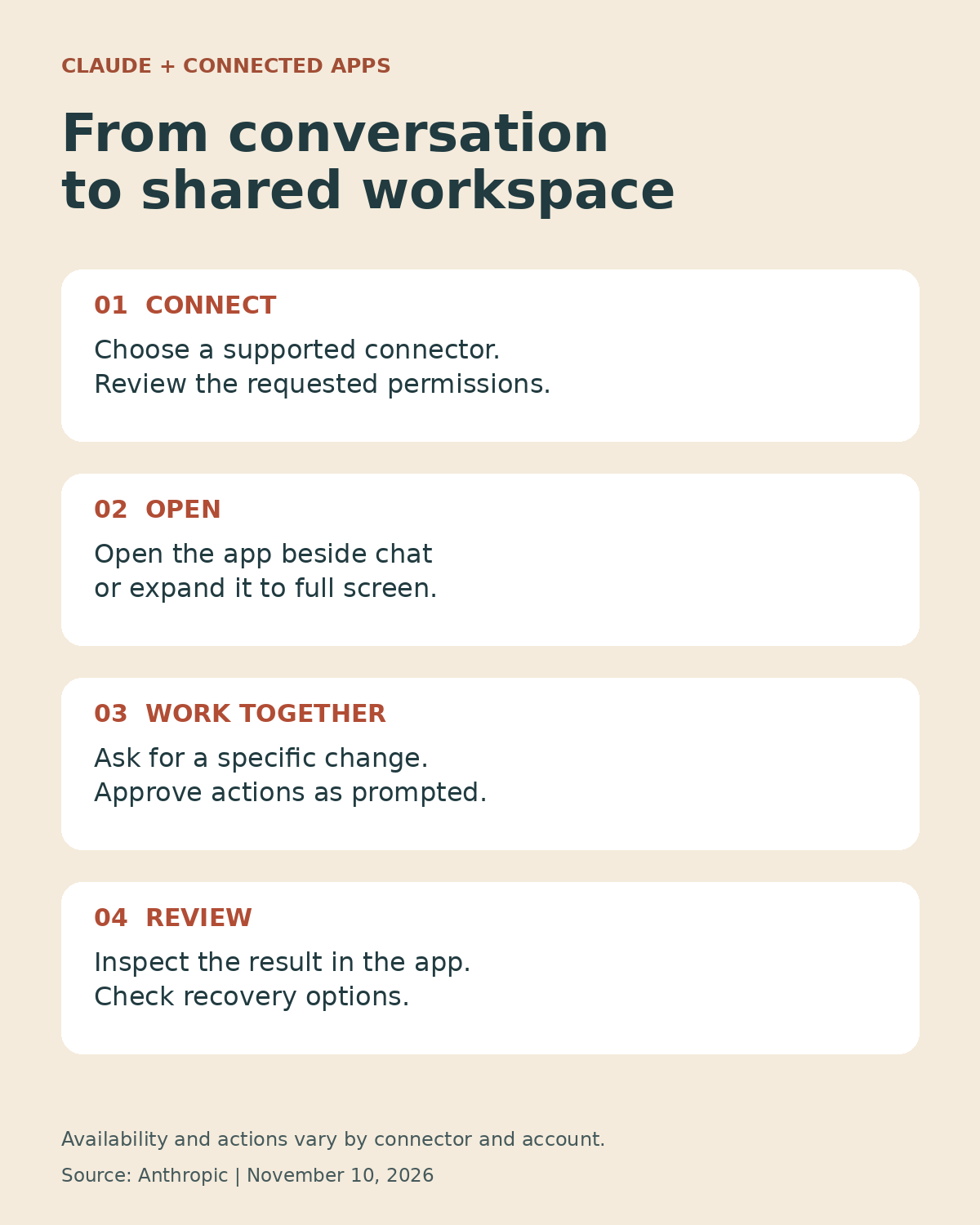
Announced on November 10, 2026, the expanded interactive connectors allow participating partners to embed more complete app experiences in Claude. Users can open a supported tool beside a conversation or expand it to full screen, then ask Claude to work on an open page, row, or file. Anthropic says actions are approved through the connector’s existing approval process, and changes appear in the tool as Claude makes them.
The feature is rolling out on the web and in the Claude desktop app across plans, but availability depends on the new Claude experience reaching an account or being enabled by an organization. Individual integrations also differ. That distinction matters: this is an expansion of supported connectors, not a promise that every app can now run inside Claude.
What Changed in Claude Interactive Connectors?
Claude already had interactive connectors that could bring smaller live views from outside tools into a conversation. The new development gives participating services room to show a fuller working interface. According to Anthropic’s announcement, users can open a tool directly, work with the chat alongside it, hide the chat, or expand the app when they need more space. Frequently used tools can also be pinned to the sidebar.
In Anthropic’s examples, a Confluence page can sit next to the conversation while Claude writes or edits it; a Box file can be revised with versions compared; and supported Adobe tools can be used for tasks involving photographs and PDFs. Notion is listed for creating documents or databases, while HubSpot is presented as a place to prioritize pipeline work and follow-ups.
These are examples described by the company, not a guarantee that every feature of those services is available in every account. The available actions depend on the integration, its permissions, and the rollout. Editorialge has not independently tested each workflow.
Which Apps Are Available—and Which Are Still Coming?
Anthropic names Asana, Canva, Carta, Dropbox, monday.com, Smartsheet, Vercel, and Webflow among the initial group in its directory. It also describes use cases for Adobe, Atlassian, Box, HubSpot, and Notion. Figma, Harvey, and Shopify, by contrast, are described as building integrations. Readers should check the connector directory for the current status rather than assuming those three are already available in the same form.
On a workplace account, an administrator’s settings can be just as important as the product announcement. Anthropic says existing permissions determine how a connector’s tools are controlled, and administrators can restrict them. The company says the new features appear as they roll out when an organization already allows all of a connector’s tools.
Why Keeping the App and Conversation Together Matters
Consider a project manager preparing a launch. The old routine might involve asking an assistant to rewrite a plan, copying the answer into a document, opening a task board, and checking whether dates and owners still match. Each handoff creates an opportunity to lose context—or paste an answer into the wrong place.
With a supported interactive connector, the relevant page or board can be visible beside the conversation. A person can ask for a revision, inspect what changes, and continue editing in the same working environment. That is a meaningful interface improvement even when the underlying task remains familiar.
It also changes the question users must ask. When an AI produces text in a chat, the user can decide whether to copy it. When an assistant can propose or make changes to a connected record, the consequences may reach shared documents, customer data, or a team’s operating workflow. The convenience is real, but so is the need to understand what is being changed.
How MCP Apps Fit Into the Picture
The update builds on MCP Apps, an extension to the Model Context Protocol. MCP is a way for AI applications to connect to outside tools and information; MCP Apps adds a way for a server to provide an interactive interface within a compatible AI application.
Anthropic says Claude now supports more of that extension, including app tools and embedded sites. The company describes these expanded developer capabilities as a public preview. An MCP App is not automatically tied to Claude: Anthropic says it can run in other AI applications that support the extension. In practice, portability still depends on the host’s implementation, the integration, authentication, and the features each host supports.
For software makers, this could create a new point of access to existing products. A user may encounter a service through an AI workspace rather than starting on its homepage. For the user, an open protocol can make a broader ecosystem possible, but it does not guarantee identical experiences, universal compatibility, or freedom from switching costs.
For background on the protocol’s wider adoption, see Editorialge’s coverage of the Agentic AI Foundation and MCP.
Anthropic’s Broader Workplace Push
The connector update arrives as Anthropic expands its ambitions beyond standalone chat. The company has been bringing chat and Cowork together, and it announced additional workplace tools around the same time. The Verge reported that the company also introduced Claude Meetings, Sheets, and Whiteboards, alongside the expanded partner integrations.
Those products should not be confused with the connectors themselves. A native Claude workspace feature and an embedded third-party application may have different availability, data handling, and administration rules. The common strategic direction is easier to see: Anthropic is trying to make Claude useful while work is happening, not only before or after it.
That puts Claude in a crowded market. Google, Microsoft, and OpenAI also offer AI features connected to workplace applications. Each takes a different route through its own products, partnerships, and permission systems. A meaningful comparison requires testing the specific apps and tasks a team actually uses; the existence of a connector alone does not establish which assistant performs best.
The Benefits for Businesses and Teams
For a small business, the attraction is fewer handoffs. A marketing team could review a document beside its conversation; a sales team could use supported HubSpot capabilities to organize follow-ups; a designer could work with an available editing integration. Those examples are starting points, not evidence of measured time savings.
Larger organizations may value the shared view for a different reason: it can make proposed work easier to inspect in context. A manager looking at the actual page can judge whether a change fits the surrounding document instead of evaluating a detached paragraph in chat.
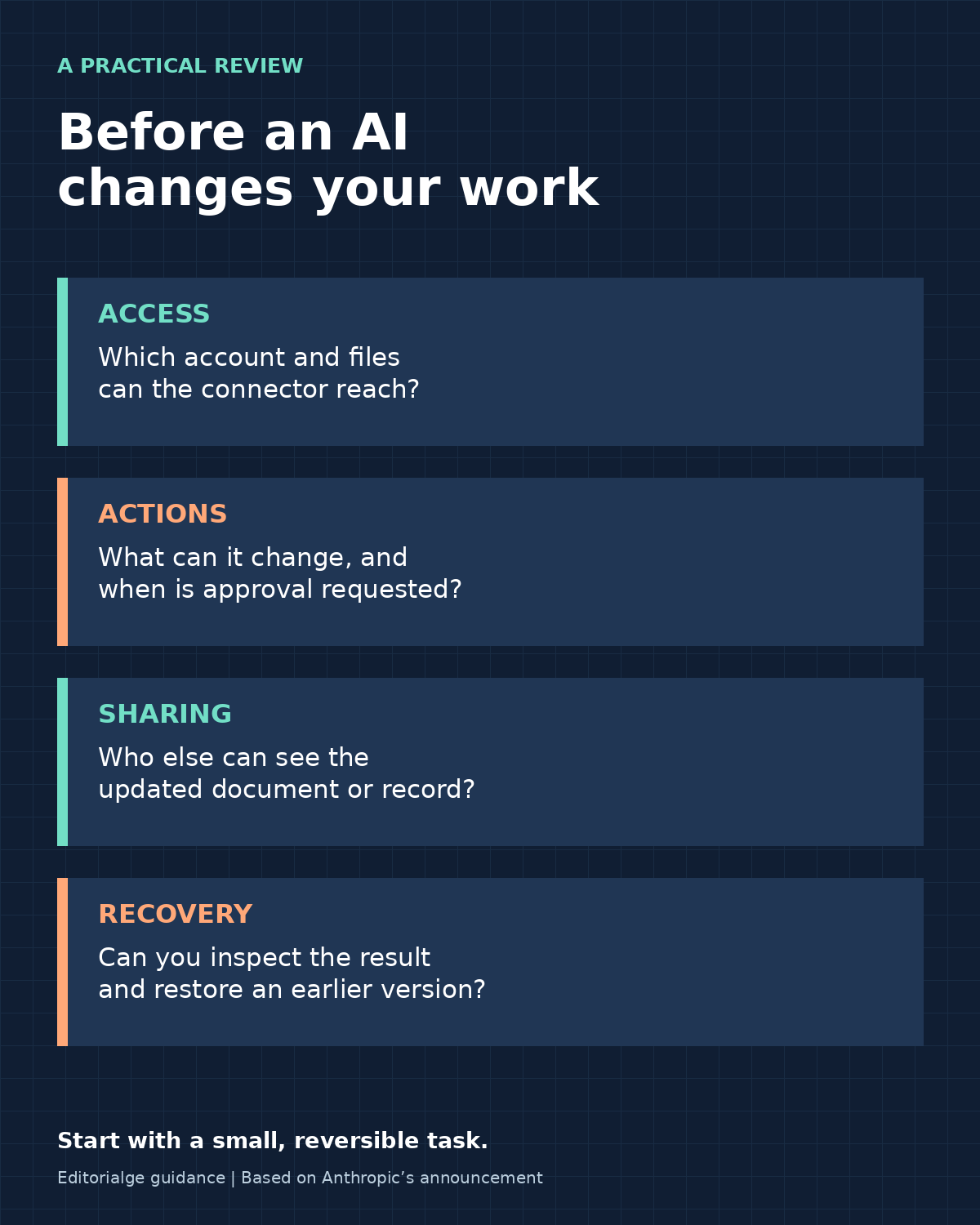
Yet a consolidated interface can introduce a different kind of complexity. Employees need to know which account they are using, whether a file is shared, which changes will be visible to colleagues, and who can undo them. A workflow that saves clicks but makes ownership unclear may not save time overall.
Privacy, Permissions, and the Cost of a Wrong Action
Connecting an app can give an assistant access to business information and, depending on permissions, the ability to act on it. The appropriate scope depends on the connector and the organization’s settings. Before enabling one, check what it can read, what it can change, and which account it uses. Do not assume that every integration has the same permissions or data-retention terms.
Review the connected provider’s terms alongside Anthropic’s applicable settings and your organization’s policies. Disconnecting a service may stop future access, but does not necessarily erase information already stored elsewhere. Editorialge’s guide to AI privacy settings explains why connection permissions deserve separate attention.
Approval is a useful control, but it is not a substitute for reading the proposed action. A request that sounds harmless—such as cleaning up duplicate customer records—can be consequential if the assistant selects the wrong rows or misunderstands the business rule. Start with a small, reversible task. Inspect the affected record, verify the result in the original service, and confirm how to restore an earlier version before using the workflow for sensitive material.
Teams should also consider prompt injection: instructions embedded in third-party content may try to influence an assistant’s behavior. Keep permissions narrow and treat content from outside sources as information to assess, not instructions to obey. No connector standard can eliminate every security or judgment problem by itself.
How to Try Claude’s Connected Apps
- Check whether the updated Claude experience has reached your web or desktop account. Workplace users may need an administrator to enable the experience or connector.
- Open Claude’s connector directory and choose a supported integration. Sign in to the intended account and review the requested permissions.
- Open the connected tool and select a low-risk document, page, or record. Ask for a specific change with clear boundaries.
- Review any approval prompt, watch the change in context, and check the saved result in the connected service.
- Use the app’s version history or recovery controls where available, and confirm the result with teammates before extending the workflow.
Buttons, supported actions, and account access can differ during rollout. If a connector is missing or a particular action is unavailable, the announcement alone does not mean the account has access to it.
What Happens Next?
The next test is depth rather than the length of the partner list. Can people move comfortably between conversation and application? Are permissions understandable? Do edits appear where expected, and can they be reviewed or reversed? Can a team manage the same workflows across different accounts without creating confusion?
Developers will also have to decide how much of their product belongs inside an AI host. A useful integration needs more than a window around an existing website: it needs reliable actions, appropriate permission boundaries, and an interface that tells the user what happened. The public preview leaves room for those details to evolve.
Our Take
Claude interactive connectors are a practical step toward a more integrated AI workspace. Their strongest idea is simple: let people see the work and the assistant’s contribution together, in the tool where the work belongs.
Whether that becomes a lasting advantage depends less on the announcement than on execution. Supported app coverage, meaningful review, transparent permissions, and reliable recovery will matter more than the number of tabs closed. For now, teams have a promising capability to evaluate carefully—not a reason to hand over important decisions without checking the result.