


Smart plugs are easy to underestimate. At first glance, they seem like remote-controlled switches. You plug one into an outlet, connect an appliance, and use an app or voice command to turn the power on and off. That is basically what they are.
A smart plug cannot press a digital start button, choose an appliance setting, refill a water tank, or make an unsafe device suitable for unattended operation. It controls electricity. Nothing more.
Yet that simple ability becomes genuinely useful when it is applied to the right jobs. The best uses for smart plugs involve devices that behave predictably, benefit from a schedule or remote control, and do not create a serious hazard if an automation fails.
I would not judge a smart plug routine by how futuristic it looks. I would judge it by whether it removes a small annoyance that keeps happening.
A forgotten lamp, awkward outlet, grow light, home-office setup, or decorative display is exactly the sort of problem a smart plug handles well.
What Makes a Device Suitable for a Smart Plug?
Before connecting an appliance, try a basic restart test. Turn the appliance on, unplug it from the wall, wait a few seconds, and plug it back in.
If it resumes safely in the same state, it may work with a smart plug. If it stays off, displays an error, or waits for another button press, supplying power will not fully automate it.
Then check four things:
- The electrical rating of the smart plug
- The maximum power draw of the connected device
- The manufacturer’s instructions on timers and unattended use
- What would happen if the appliance restarted unexpectedly
That last question matters most. A lamp turning on unexpectedly is annoying. A heating appliance, motor, pump, or cooking device restarting without supervision could be dangerous. With that filter in place, these are the smart plug ideas I consider genuinely useful.
Everyday Smart Plug Uses
These are the best starting points for someone adding smart plugs to a home for the first time.
1. Turn an Ordinary Lamp Into a Smart Light
A smart plug can add app, voice, schedule, and routine control to a conventional table lamp or floor lamp.
This works especially well with:
- Vintage fixtures
- Lamps using unusual bulbs
- Multi-bulb lamps
- Fixtures where a smart bulb would be impractical
- Decorative lamps you want to control as a group
The lamp needs a physical switch that can remain in the on position. Once that is set, the smart plug controls whether electricity reaches it.
Smart bulbs offer dimming and color control, but they are not always necessary. Sometimes the better solution is simply making the lamp you already own easier to use.
2. Create a Morning and Bedtime Lighting Routine
A bedside lamp can turn on shortly before your alarm instead of leaving you to wake up in a completely dark room. At night, the same plug can switch the lamp off at a set time or become part of a wider bedtime routine.
Modern smart-home systems can trigger accessories using time, location, sensor activity, or whether someone is home. Apple Home, for example, supports automations based on time of day, people arriving or leaving, and accessory activity.
I find this more useful than asking a voice assistant to turn the lamp on every morning. A good automation removes the command entirely.
3. Control an Outlet Hidden Behind Furniture
Some switches are inconvenient for no good reason. They sit behind sofas, bookcases, beds, cabinets, entertainment units, or desks that nobody wants to move twice a day. A smart plug makes those outlets accessible through an app, schedule, wall button, or voice command.
This is also a practical accessibility improvement. Someone who has difficulty bending, reaching, or moving furniture can control a lamp, fan, or other suitable low-power device without physically reaching the outlet. It is not a dramatic automation. It solves a real problem.
4. Start a Compatible Coffee Maker
A basic drip coffee maker with a mechanical switch may work with a morning smart plug schedule. The important word is compatible.
Many modern coffee machines use digital controls. After power is restored, they return to standby and wait for someone to press a button, choose a drink, or confirm a setting. A smart plug cannot perform those steps.
Run the restart test before building the routine. The machine must also be prepared correctly, kept clean, and approved by its manufacturer for the way you intend to use it. I would never assume that remote power control makes unattended brewing automatically safe.
5. Schedule a Basic Fan
A fan with a physical speed selector can run during specific hours or switch off automatically after bedtime.
This can work well in:
- Bedrooms
- Home offices
- Workshops
- Exercise spaces
- Covered indoor living areas
The fan must remain within the plug’s electrical rating and resume predictably after power is restored. A schedule alone does not make the fan temperature-aware. For that, you would need a compatible temperature sensor and an automation platform capable of linking the two.
6. Control a White-Noise Machine
White-noise machines, simple radios, and sleep sound devices often fit naturally into scheduled routines.
You could set one to:
- Start before bedtime
- Run for a limited period
- Stop in the morning
- Operate during a regular work session
- Turn off when nobody is home
These are usually simple, low-power devices, which makes them easier to automate than appliances involving heat, water, or heavy motors.
Lighting, Plants, and Seasonal Uses
Smart plugs are at their best when something needs a dependable schedule but does not need constant supervision.
7. Automate Holiday Decorations
Nobody enjoys crawling behind a Christmas tree or unplugging window lights late at night.
A smart plug can switch seasonal decorations on in the evening and off before bedtime. Some products also include an away mode that changes activation times to avoid following the exact same pattern each day. TP-Link’s current Kasa and Tapo guidance includes schedule, timer, and away-mode controls for supported smart plugs.
For outdoor decorations, use hardware specifically rated for outdoor conditions. Do not improvise weatherproofing around an indoor plug. Electrical Safety Foundation International guidance also stresses using equipment that is appropriate for its location and avoiding overloaded electrical connections.
8. Schedule Patio or Balcony Lights
Outdoor string lights and covered patio lamps are easy to forget because their switches are often outside or tucked behind furniture.
A useful routine might:
- Turn the lights on near sunset
- Switch them off at a reasonable evening hour
- Keep them off during daylight
- Allow temporary manual control when people stay outside longer
A sunset trigger is usually more practical than one fixed clock time because daylight changes throughout the year.
Again, the plug must be designed for outdoor use. An indoor smart plug does not become weather-resistant because it is placed under a chair or loosely wrapped in plastic.
9. Make the Home Look Occupied While You Are Away
Smart plugs can switch lamps on and off while the house is empty. Changing the timing slightly looks more natural than leaving one light on continuously. Away modes are designed to vary device activity within selected periods rather than repeat one rigid schedule.
This can support a broader home-security plan, but I would not oversell it. A lighting routine does not replace strong locks, entry sensors, alarms, cameras, or sensible travel precautions. It simply avoids advertising an obviously empty home through completely dark rooms night after night.
10. Put Grow Lights on a Consistent Schedule
Grow lights need regular timing, and people forget to turn them off. A smart plug can keep the lighting period consistent without requiring a separate mechanical timer. It also makes seasonal adjustments easier when plants need a different routine.
The plug does not decide how much light a plant requires. You still need to choose an appropriate duration, height, and intensity. Its job is repetition. That is enough to make it worthwhile.
11. Manage Aquarium Lighting
Aquarium lights can follow a steady daytime and nighttime schedule through a smart plug. This is useful because leaving the tank brightly lit all night can disrupt the intended routine and wastes energy. I would keep the automation limited to lighting unless the equipment manufacturer explicitly supports something more.
Filters, aerators, pumps, and heaters may be essential to animal health. An accidental shutdown caused by a mistaken schedule, disconnected plug, failed update, or network problem could do more harm than a forgotten light.
12. Control Decorative Displays
Display cabinets, illuminated shelves, model collections, decorative signs, and small indoor fountains do not need to operate around the clock.
A smart plug can turn them on during the hours when people are likely to see them and switch them off overnight. This is a better use than leaving a decorative device running simply because its switch is inconvenient.
For displays involving water, keep cords, outlets, and smart plugs away from moisture. The automation does not change the device’s normal placement and maintenance requirements.
Air Quality and Household Routines
Air purifiers and humidifiers can work with smart plugs, but they need more testing than lamps do.
13. Run a Compatible Air Purifier on a Schedule
Some air purifiers remember their previous setting and resume automatically after a power interruption. Others return to standby. Only the first type can be meaningfully controlled through a basic smart plug.
A schedule may run the purifier:
- Before people arrive home
- During working hours
- Overnight
- During cooking
- After a recurring dusty activity
Test the purifier’s restart behavior before relying on the automation. Repeatedly cutting power is not necessarily equivalent to using the purifier’s own controls, especially if it has sensors, filter reminders, or an internal shutdown process.
14. Automate a Simple Humidifier
A basic humidifier with a mechanical dial may resume its previous operation when power returns. That makes scheduled use possible, but the smart plug does not solve the parts of humidifier ownership that require attention.
Someone still needs to:
- Refill the tank
- Clean the unit
- Manage mineral buildup
- Watch for excess moisture
- Keep mist away from outlets and electronics
This is a good example of what smart plugs really do. They remove one repetitive action. They do not make the appliance self-managing.
Energy and Technology Uses
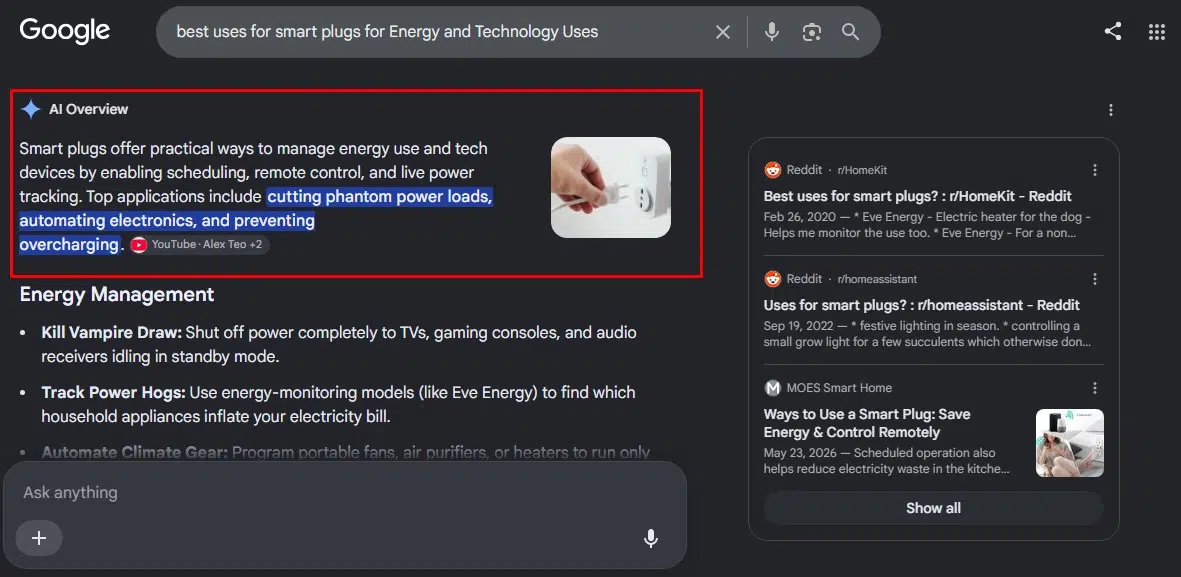
Energy monitoring can make smart plugs more valuable, but it also attracts exaggerated claims. A smart plug does not make an appliance more efficient. It can measure consumption, disconnect a load, or limit how long something remains powered. Whether that saves meaningful energy depends on the connected device.
15. Shut Down Home-Office Accessories
A smart plug or individually controlled smart power strip can turn off nonessential desk equipment after work.
Suitable candidates may include:
- Desk lamps
- Speakers
- Monitor backlights
- Decorative lighting
- Small chargers
- Simple accessories
Do not use one switch to abruptly cut power to a running desktop computer, external drive, printer performing maintenance, or device that requires a normal shutdown.
The better approach is to leave the main computer alone and automate the cluster of accessories around it.
16. Limit Charging Time for Low-Power Devices
A smart plug can stop supplying power to selected low-power chargers after a set period. This may be useful for rechargeable lights, basic accessories, hobby equipment, or devices that otherwise remain connected for days.
I would not make sweeping promises about battery health. Modern charging systems differ, and many devices already manage charging internally. The clearer benefit is control. The charger receives power when it is needed and stops remaining energized indefinitely.
Ordinary household smart plugs should not be treated as controllers for electric vehicles, large battery packs, e-bikes, mobility equipment, or specialist charging systems unless both manufacturers explicitly approve the setup.
17. Find Devices Using Standby Power
An energy-monitoring smart plug can show how much power a device uses while active and how much it continues drawing when it appears to be off. That is far more useful than guessing.
Smart Home Energy Management Systems criteria include plug-load devices such as smart plugs and smart power strips. Qualifying plug-load controls must be capable of reporting power or energy consumption, and the program also addresses the controller’s own standby use.
You may discover that a television setup, speaker system, or gaming station has a standby load worth controlling. You may also discover that a small charger consumes so little that adding an automation achieves almost nothing. Measure first. Decide afterward.
18. Disconnect a Media Setup After Proper Shutdown
Televisions, consoles, speakers, streaming boxes, and gaming accessories can create a noticeable group of standby loads. A smart plug may disconnect selected equipment after it has shut down correctly. The word after matters.
Modern entertainment devices may use standby mode for:
- Software updates
- Game downloads
- Cloud syncing
- Scheduled recordings
- Remote startup
- Maintenance processes
Cutting the power may interrupt those features or create more inconvenience than the saved energy justifies. Use an energy-monitoring plug to understand the real standby consumption. Then decide whether a scheduled cutoff is worthwhile.
19. Create Appliance-Finished Alerts
Some energy-monitoring plugs expose live power data to their apps or compatible automation platforms. That makes a useful advanced routine possible.
An appliance may draw substantial power while operating and fall to a much lower level when its cycle ends. A system that can use energy consumption as an automation trigger may then send a notification. The plug should normally monitor the appliance rather than cut its power unexpectedly.
This idea also depends heavily on the product. Energy reporting, historical graphs, automation triggers, and notification options vary between smart plugs and ecosystems. ENERGY STAR recognizes power and energy reporting as a specific capability rather than something every connected plug automatically provides.
20. Power-Cycle Frozen Network Equipment
A smart plug can restart a modem, router, bridge, hub, or other network device by briefly cutting power and restoring it. There is an obvious catch.
When the router loses power, a Wi-Fi smart plug connected through that router may also lose its network connection. It might turn the equipment off successfully and then become unreachable before it can turn it back on.
A workable setup needs at least one reliable recovery method, such as:
- A restart schedule stored on the plug
- Local hub control
- A built-in countdown timer
- An automatic power-on delay
- A device specifically designed for network recovery
TP-Link notes that the behavior of schedules, timers, and away modes without internet access varies by product and configuration, which is exactly why this should be tested before it is used remotely.
Restarting a router remotely is useful. Accidentally leaving it off until someone returns home is not.
Appliances I Would Not Put on a Standard Smart Plug
Some devices deserve a much more cautious answer than “check the wattage.”
I would not casually automate:
- Space heaters
- Electric blankets
- Irons
- Hair straighteners or curling irons
- Toasters and toaster ovens
- Hot plates
- Electric grills
- High-powered kettles
- Refrigerators and freezers
- Sump pumps
- Medical or life-support equipment
- Large air conditioners
- Washing machines
- Dryers
- Dishwashers
- Anything that could restart with dangerous heat or movement
Portable space heaters deserve an especially firm warning. Electrical Safety Foundation International guidance says they should be plugged directly into a wall outlet and never left operating unattended.
A remote switch does not make a risky appliance safe to start from another room, or another city. Specialist controls may exist for particular high-load appliances. Those are different from an ordinary plug-in smart outlet designed for lamps and common household electronics.
The Best Smart Plug Routines Are Usually Boring
That is not an insult. A useful smart plug turns off the lamp you always forget. It stops holiday lights running until morning. It makes an outlet behind the sofa accessible. It keeps grow lights on schedule. It reveals whether a media setup is wasting enough energy to care about.
These jobs are small, but they repeat. That is where automation earns its value. I would rather have ten simple routines that work every day than one impressive setup built on unsafe assumptions.
The best uses for smart plugs have three things in common:
- The connected device behaves predictably.
- The routine solves a recurring inconvenience.
- A failure would be inconvenient rather than dangerous.
Once those conditions are met, the humble smart plug becomes one of the most practical devices in a smart home.
Frequently Asked Questions on The Best Uses for Smart Plugs
1. What Is the Best Device to Use With a Smart Plug?
An ordinary lamp is usually the best starting point. It is easy to test, generally low-risk, and immediately benefits from schedules, remote access, and voice control.
2. Can a Smart Plug Control Any Appliance?
No. The appliance must remain within the plug’s electrical rating, restart safely when power returns, and be suitable for remote or unattended operation.
3. Can a Smart Plug Turn On a Coffee Maker?
It can control a basic coffee maker that uses a mechanical switch and resumes safely when power returns. Many digital coffee machines still require a separate button or touchscreen command.
4. Do Smart Plugs Reduce Electricity Bills?
They can reduce unnecessary operating or standby time, but the savings depend on the connected device. An energy-monitoring plug can show whether the load is large enough to justify an automation.
5. Will Smart Plug Schedules Work Without Internet?
It depends on the product and how the schedule is stored. Some routines continue locally, while cloud-dependent commands and remote access stop when internet service is unavailable. Matter can support local control through compatible ecosystems, but exact behavior still varies by device and controller.

























