

The best E-Ink tablet is not necessarily the one with the longest feature list. For focused work, additional apps, notifications and settings can become liabilities rather than advantages.
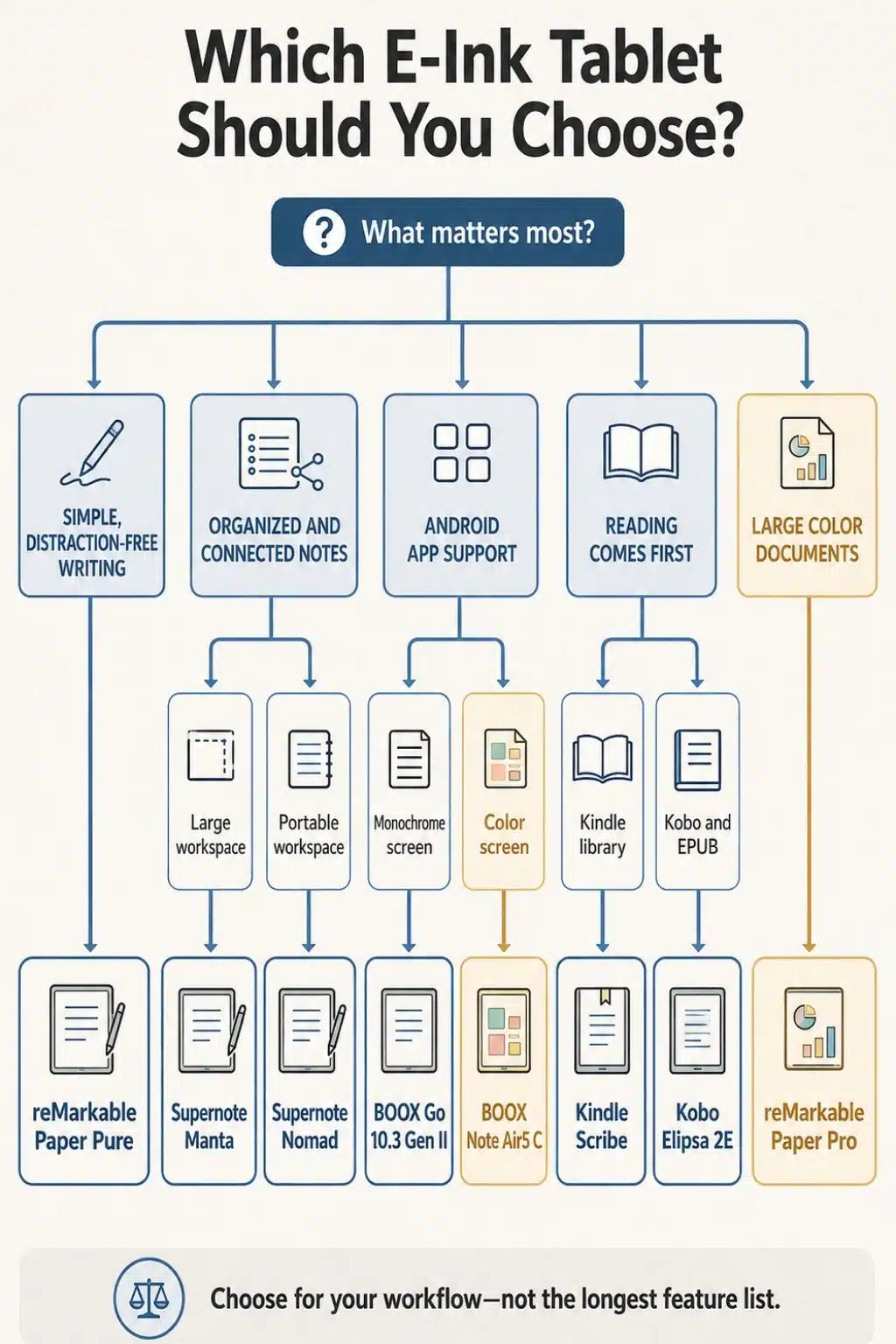
After comparing the current hardware, software, pricing, accessories and practical limitations of the leading models, I found that these tablets fall into two groups. ReMarkable, Supernote, Kindle and Kobo limit what users can do, making distraction-free work easier. BOOX tablets provide much greater flexibility, but they require more deliberate setup to stay focused.
This is not a hands-on review because I have not personally tested every tablet in the list. My recommendations reflect verified specifications, current pricing, independent evaluations and the type of work each product is designed to support. Prices were checked on August 23, 2026 and may change.
The Best E-Ink Tablets at a Glance
| E-Ink tablet | Best for | Display | Front light | Starting price |
| reMarkable Paper Pure | Focused everyday note-taking | 10.3-inch monochrome | No | $399 |
| Supernote Manta | Organizing and connecting notes | 10.7-inch monochrome | No | $505 in the US |
| BOOX Go 10.3 Gen II | Android apps and broad file support | 10.3-inch monochrome | Optional | $419.99 |
| Kindle Scribe | Reading, studying and occasional writing | 11-inch monochrome | Optional | $429.99 |
| reMarkable Paper Pro | Large documents and color notes | 11.8-inch color | Yes | $629 |
| BOOX Note Air5 C | Color documents and Android apps | 10.3-inch color | Yes | $499.99 |
| Supernote Nomad | Portable planning and structured notes | 7.8-inch monochrome | No | $329 in the US |
| Kobo Elipsa 2E | Kobo books, EPUBs and annotations | 10.3-inch monochrome | Yes | $399.99 |
Prices exclude taxes, shipping, import duties and optional accessories. The Supernote prices do not include a pen or folio.
1. reMarkable Paper Pure: Best Overall for Focused Work
If I were replacing a collection of paper notebooks with one digital device, the reMarkable Paper Pure would be my first choice.
Its 10.3-inch monochrome E-Ink Carta 1300 screen provides a quiet, uncluttered writing space. The tablet includes 32GB of storage and a standard Marker, weighs approximately 360 grams and offers up to three weeks of battery life based on one hour of daily note-taking.
The strongest reason to buy it is not a technical specification. It is the absence of competing demands. There is no conventional app store, social media feed or steady flow of notifications. Opening the device leads directly to notes and documents rather than another home screen full of choices.
The software covers the functions most people need: notebooks, templates, folders, tags, PDF annotation, handwriting conversion and selected cloud integrations. Core writing tools work without a subscription, although handwriting search, unlimited cloud synchronization and some newer workflow features require the optional Connect plan.
Paper Pure has two notable limitations. Its 226 ppi resolution is lower than the 300 ppi screens on several competitors, and it has no front light. Neither issue is serious for ordinary handwriting, but both matter when reading small text or working in a dim room.
This is the model I would recommend to students, writers and professionals who want a dependable digital notebook without turning note-taking into a technology project.
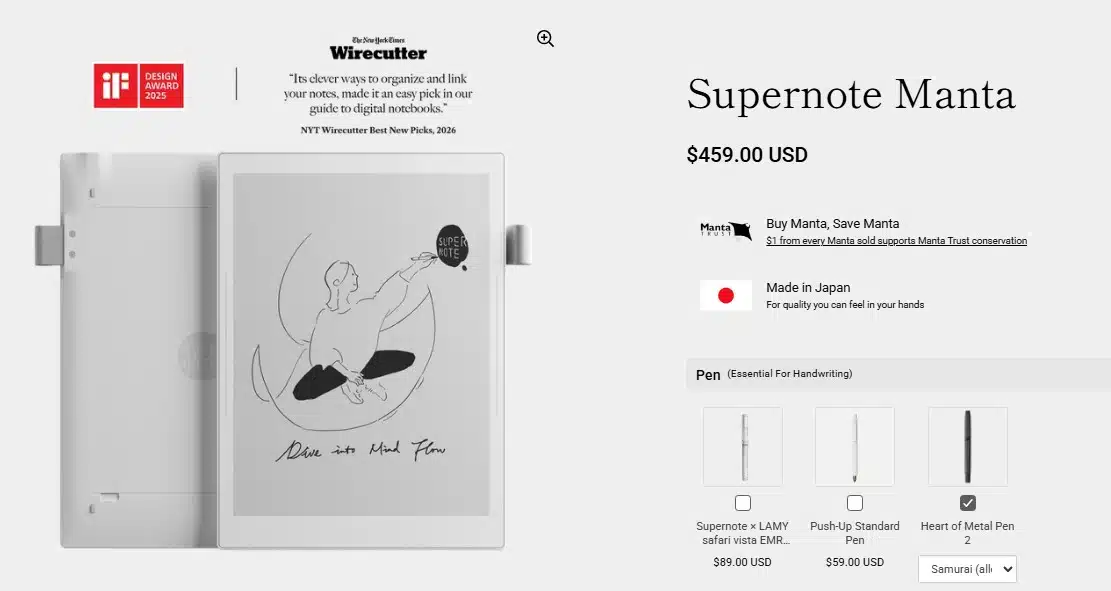
2. Supernote Manta: Best for Organizing Ideas
The Supernote Manta is more suitable for people who need to retrieve and connect their notes, not simply store them.
Its software allows users to create headings, assign keywords and link related pages. That can turn meeting records, research notes and project decisions into a navigable knowledge system. It is a meaningful advantage for anyone who has previously filled dozens of notebooks only to struggle to find an important idea later.
The 10.7-inch flexible E-Ink display has a sharp 300 ppi resolution. The device weighs approximately 375 grams and includes 32GB of storage, which can be expanded with a microSD card of up to 2TB.
Supernote has also made longevity part of the design. The battery is replaceable, the motherboard is designed to be upgradeable, and the ceramic pen nib does not need routine replacement. Software updates and note-management features do not require a subscription.
However, the purchase price needs careful calculation. The Manta currently starts at $505 in the US, but a pen and folio are separate purchases. The complete package therefore costs considerably more than the tablet alone.
It also has no front light. Supernote made that choice to reduce the distance between the pen nib and E-Ink surface, but it means users need suitable ambient lighting.
For research, long-running projects and knowledge management, I find the Manta more compelling than a basic digital notepad. For simple to-do lists and meeting notes, its advanced organization may be unnecessary.
3. BOOX Go 10.3 Gen II: Best for Android Flexibility
The BOOX Go 10.3 Gen II sits between a dedicated digital notebook and a conventional Android tablet.
It runs Android 15 and supports third-party applications through Google Play. That allows users to access different reading services, cloud-storage platforms, calendars and productivity apps without switching to a phone or laptop.
The 10.3-inch monochrome display offers a crisp 300 ppi resolution. Both versions have 4GB of RAM, 64GB of storage, a 3,700mAh battery and an included InkSense Plus stylus.
The standard version weighs approximately 350 grams and has no front light. The slightly heavier Lumi model adds an adjustable warm-and-cool front light.
BOOX also supports an unusually broad range of files, including PDF, EPUB, EPUB3, DOCX, PPTX, CBZ, MOBI and AZW3. This makes it useful for people whose work involves documents from several platforms.
That flexibility comes with a clear trade-off: the Go 10.3 Gen II is not distraction-free by default. Email, browsers and messaging apps can follow the user onto the device. I would install only essential applications and disable unnecessary notifications before treating it as a focused workspace.
Its interface also requires more patience than reMarkable or Kindle. Refresh modes, app optimization and display settings can be confusing until the user understands how E-Ink behaves.
This is the best option in the list for people who genuinely need Android applications. If those applications are not essential, a simpler tablet will create a calmer experience.
4. Kindle Scribe: Best for Reading and Writing Together
I consider the Kindle Scribe a large Kindle with a capable notebook attached, rather than a professional digital notebook with an ebook store attached.
The current third-generation model has an 11-inch, 300 ppi monochrome display and comes with a Premium Pen. It weighs approximately 400 grams and is available with 32GB or 64GB of storage.
The front-lit version starts at $499.99. Amazon also offers a $429.99 model without a front light.
For readers with an established Kindle library, the Scribe brings books, documents, annotations and handwritten notebooks together in one focused device. Amazon has expanded its notebook and document tools, but the organization system remains less advanced than Supernote’s headings, keywords and page links.
Amazon advertises up to 12 weeks of reading or three weeks of writing. Those estimates assume only 30 minutes of daily use, wireless turned off and a specific light setting. Frequent annotation, synchronization and longer writing sessions will reduce those figures.
The Kindle Scribe is the most natural choice for reading-heavy work, studying and reviewing documents. It is less convincing as the center of a complex research or project-management system.
5. reMarkable Paper Pro: Best for Large Color Documents
The reMarkable Paper Pro earns its place when color and screen space contribute directly to the work.
Its 11.8-inch E-Ink Gallery 3 color display provides enough room to review reports, presentations, diagrams and full-page PDFs without constant zooming. It includes 64GB of storage, an adjustable reading light and a standard Marker. The current starting price is $629.
Color is valuable for highlighting documents, separating ideas, reviewing visual work and organizing complicated notes. The optional Type Folio also allows users to combine handwriting and typing without introducing the distractions of a conventional laptop.
The trade-offs are size and cost. At approximately 525 grams, Paper Pro is noticeably heavier than Paper Pure, Supernote Manta or BOOX Go. Adding a folio or keyboard increases both the weight and the total price.
Its colors are intentionally softer than those on an LCD or OLED screen, and some screen updates can appear slow. This is still E-Ink, not a substitute for an iPad used for video, animation or color-critical creative work.
I would not pay the premium simply for occasional highlighting. Paper Pro makes sense when large documents, diagrams and color-coded annotations are part of someone’s regular workflow.
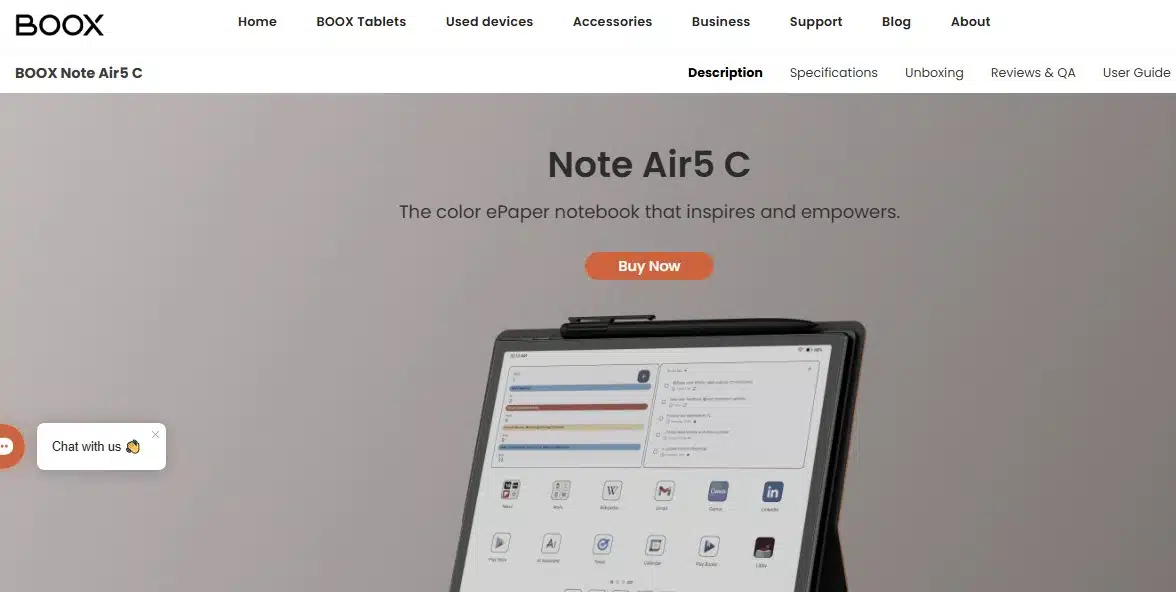
6. BOOX Note Air5 C: Best Color E-Ink Tablet with Android
The BOOX Note Air5 C is the most versatile tablet in this selection, but it demands the most setup and adjustment.
Its 10.3-inch Kaleido 3 display renders monochrome content at 300 ppi and color content at 150 ppi. It supports 4,096 colors, although they appear more muted than colors on a conventional tablet.
The device runs Android 15 with 6GB of RAM, 64GB of storage and microSD expansion. It also includes an adjustable front light, fingerprint reader and Pen3 stylus. The current price is $499.99.
The Note Air5 C can handle ebooks, PDFs, cloud services, web research, split-screen reading and third-party Android applications. An optional keyboard cover is available for light typing.
This capability brings compromises. The tablet weighs approximately 440 grams, and its interface is more complicated than those of single-purpose notebooks. Faster refresh modes can consume more power and may produce visible ghosting. Battery life can range from several days to longer periods depending on lighting, wireless use, refresh settings and installed applications.
The Note Air5 C is suitable for researchers and professionals who genuinely need color and several applications on one E-Ink device. Someone looking for a simple place to write may find it needlessly complex.
7. Supernote Nomad: Best Portable E-Ink Notebook
The Supernote Nomad brings much of the Manta’s note-management system to a smaller, lighter device.
It has a 7.8-inch monochrome display with a 300 ppi resolution and weighs approximately 266 grams. Its battery is user-replaceable, and storage can be expanded with a microSD card.
The same headings, keywords and internal links available on the Manta make the Nomad more useful than a basic digital notepad. It is well suited to daily planning, interviews, field notes, journaling and meetings.
The US device price starts at $329, but neither a pen nor a folio is included. Buyers should compare the cost of a complete setup rather than looking only at the tablet price.
Portability inevitably reduces the available writing space. The 7.8-inch display is comfortable for notes and ebooks but cramped for full-size PDFs, complex diagrams and documents with small text. It also lacks a front light.
The Nomad makes sense when a smaller device is more likely to be carried and used every day. For desk-based research or frequent PDF annotation, the larger Manta is the more practical choice.
8. Kobo Elipsa 2E: Best for Kobo and EPUB Readers
The Kobo Elipsa 2E is primarily a large e-reader, and it is best judged on that basis.
It has a 10.3-inch monochrome E-Ink Carta 1200 display, 32GB of storage and an adjustable ComfortLight Pro front light. The $399.99 package includes a Kobo Stylus 2, and the tablet weighs approximately 390 grams.
Elipsa 2E supports Kobo books, standard EPUB files and non-protected PDFs. Users can annotate compatible books, create handwritten notebooks and work with selected cloud-storage services.
For someone already invested in Kobo or frequently reading EPUB files, it provides a convenient combination of reading and annotation. It is also less closely tied to a single proprietary book format than Kindle.
Its notebook tools are not as sophisticated as Supernote’s, and performance can feel slower than that of newer competitors. It also lacks an official waterproof rating, so it should not be treated like Kobo’s waterproof Sage or Libra models.
The Elipsa 2E remains a sensible reading-first choice. For intensive handwriting, project notes or knowledge management, stronger alternatives are available.
Final Thoughts
For most people who want to replace paper notebooks and reduce digital distractions, the reMarkable Paper Pure offers the best balance of simplicity, portability and useful writing tools.
The Supernote Manta is the better investment for research and connected notes. Its headings, keywords and internal links make information easier to retrieve long after it was written.
The BOOX Go 10.3 Gen II is the practical choice when third-party applications are essential. Its flexibility is valuable, but users must create their own boundaries around apps and notifications.
Ultimately, the right tablet is not the one that can do everything. It is the one that removes the fewest necessary tools while creating the fewest new distractions.
Frequently Asked Questions on the Best E-Ink Tablet
1. What is the best E-Ink tablet for distraction-free work?
The reMarkable Paper Pure is the best overall choice for most people. Its limited operating system, clean interface and included writing tools make it easy to start working without managing apps or notifications.
2. Is an E-Ink tablet better for the eyes than an iPad?
E-Ink screens reflect ambient light instead of using the same type of bright, emissive display found in an iPad. Many people find them more comfortable for prolonged reading, particularly outdoors. However, an E-Ink screen cannot prevent every form of eye fatigue. Font size, room lighting, viewing distance and regular breaks still matter.
3. Is color E-Ink worth the extra cost?
Color is useful for highlighting, diagrams, document review and visual planning. For ordinary writing, meeting notes and journaling, a monochrome screen is generally sharper, lighter and less expensive.
4. Can an E-Ink tablet replace a laptop?
Not completely. E-Ink tablets are excellent for reading, handwriting, planning and document annotation. They are less suitable for video meetings, complicated spreadsheets, fast browsing and software that depends on frequent screen updates.
5. How long does an E-Ink tablet battery really last?
Simple monochrome notebooks can often run for weeks, while color Android models may need charging after several days of demanding use. Manufacturer estimates are difficult to compare because daily writing time, front-light brightness, Wi-Fi use and refresh settings vary considerably.






















