

Choosing among the best customer support tools for SaaS involves more than comparing ticketing features. The right platform should carry useful context from a customer’s first message through investigation, engineering escalation, resolution, and product feedback.
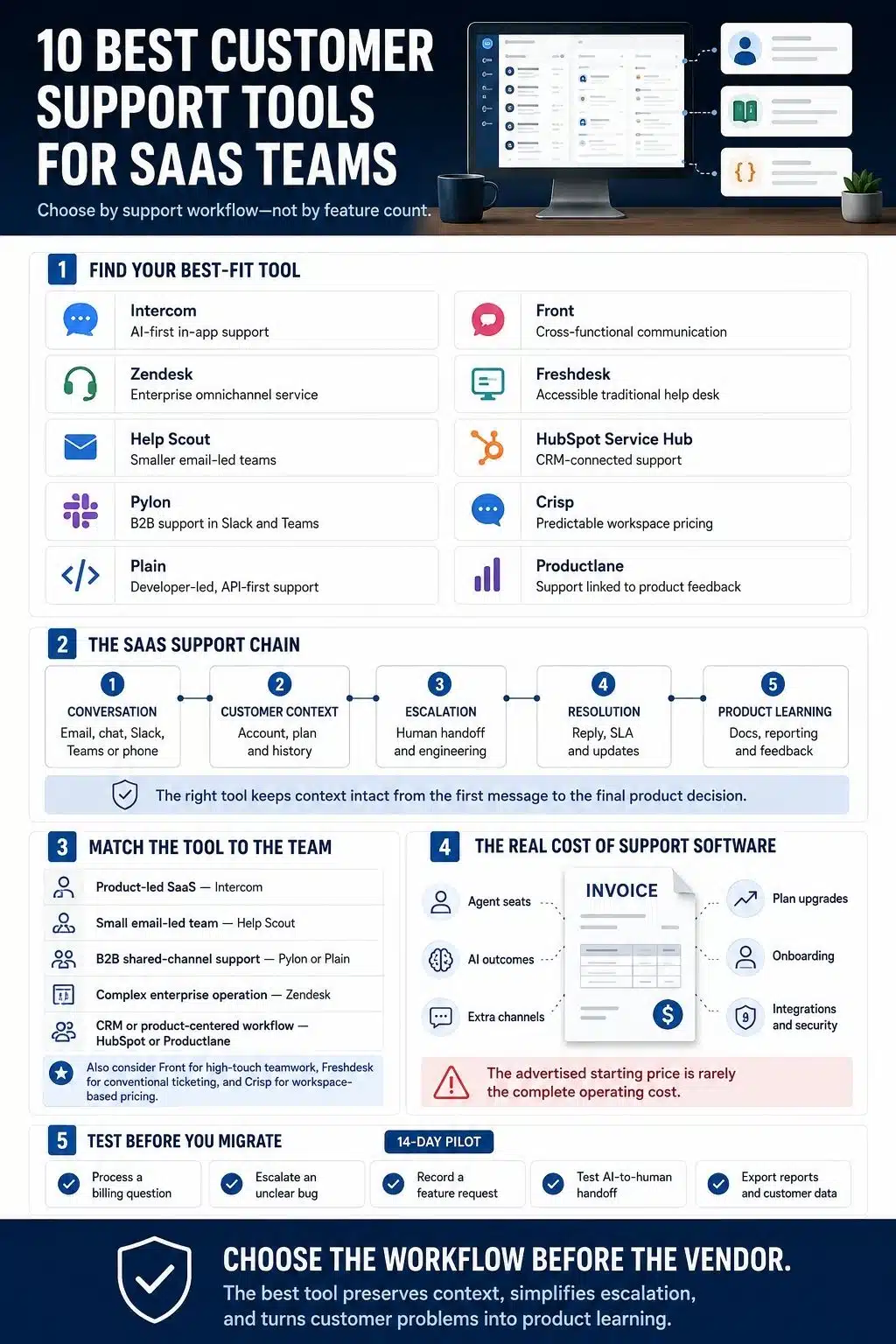
For most product-led SaaS companies, I would start with Intercom. Zendesk is better suited to complex omnichannel operations, while Help Scout is a more practical entry point for a smaller email-led team. Pylon and Plain deserve serious attention from B2B SaaS companies because they treat account context and engineering handoffs as central parts of support.
Prices and plan details below were checked on August 4, 2026. Vendors can change them, so confirm the final cost before buying.
What SaaS Teams Should Demand From a Support Platform
A shared inbox is only the beginning. Before choosing software, map how your team handles billing questions, bug reports, feature requests, incidents, and high-value accounts.
The platform should preserve customer and account history, support the channels customers genuinely use, and connect cleanly with your CRM and engineering tracker. It should also offer sensible permissions, reliable reporting, searchable knowledge, accessible exports, and a clear human handoff when AI cannot resolve a case.
Pay particular attention to escalation. If an agent has to copy a bug report into Linear or Jira and then manually update the customer, the workflow is already leaking context.
Best Customer Support Tools for SaaS Teams
There is no single customer support platform that suits every SaaS company. I evaluated these tools based on how well they preserve customer context, manage support channels, handle AI-to-human escalation, connect with CRM and engineering systems, and support reporting and knowledge management. I also considered the cost of the first genuinely useful plan, including AI usage fees, channel restrictions, required upgrades, and onboarding costs. The rankings reflect overall suitability, while each “best for” category identifies the support model where that tool makes the most sense.
1. Intercom: Best for AI-First In-App Support
Best for: Product-led SaaS companies that support users inside the application.
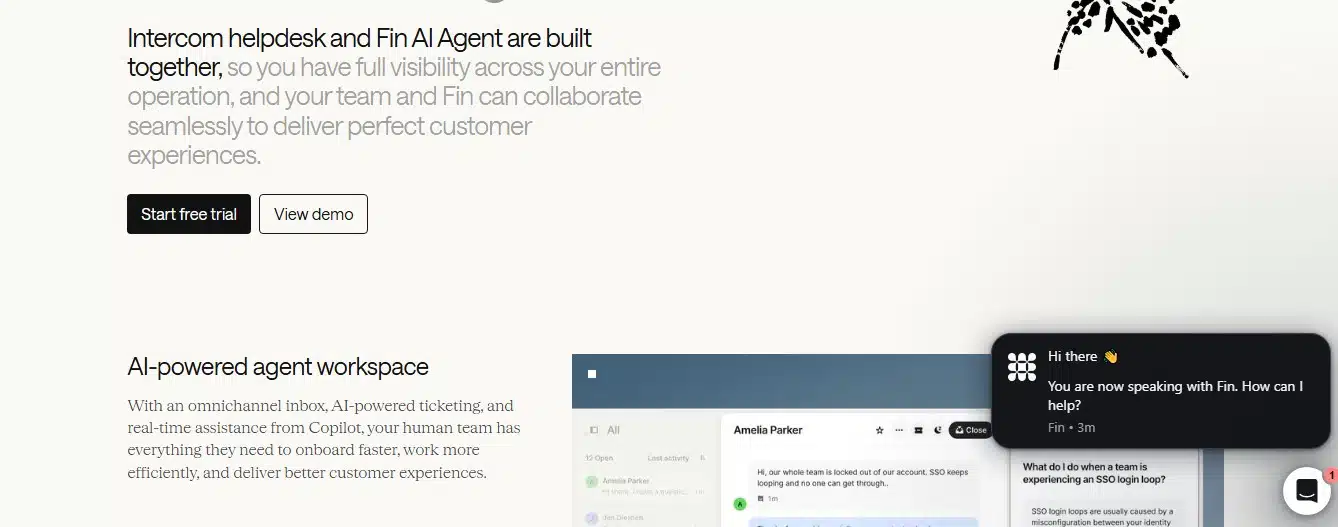
Intercom combines Messenger, a shared inbox, ticketing, a help center, outbound messaging, and Fin AI in one product. That makes it the strongest overall choice when support begins inside the software rather than through a traditional email queue.
The Essential plan lists at $29 per seat per month, billed annually, while Fin costs $0.99 per outcome. I would model expected outcomes before committing; a low seat price can hide a much larger usage bill. Phone, WhatsApp, SMS, and some outbound functions are also usage-based.
2. Zendesk: Best for Enterprise Omnichannel Support
Best for: Mature teams with complex routing, governance, and several support channels.
Zendesk remains a strong operational system for large queues, detailed workflows, analytics, permissions, voice, and marketplace integrations. It is more platform than many young SaaS teams need, but that depth becomes useful as support operations become specialized.
The $19 Support Team plan is mainly an email-and-ticketing product. A fair omnichannel comparison starts with Suite Team at $55 per agent per month on annual billing. Advanced AI and workforce tools may add further costs.
3. Help Scout: Best for Small and Midsize SaaS Teams
Best for: Teams that want professional email support without enterprise administration.
Help Scout keeps the familiar feel of email while adding assignments, internal notes, automation, live chat, and a knowledge base. I chose it because many small SaaS companies need a disciplined shared inbox long before they need an elaborate service platform.
Its Free plan supports five users but only one inbox, one Docs site, and 100 monthly contacts. Standard is $25 per user per month; AI Answers costs $0.75 per resolution. Complex routing and integrations may push a growing team toward Plus.
4. Pylon: Best for B2B Support in Slack and Teams
Best for: B2B SaaS vendors whose customers expect help in shared channels.
Pylon turns Slack, Microsoft Teams, email, chat, and other conversations into structured issues while retaining the original account and channel context. It also supports routing, SLAs, incident grouping, and connections to CRM and engineering systems.
That is a better match for high-touch B2B support than forcing every Slack thread into a conventional help desk. The trade-off is commercial opacity: Pylon uses custom pricing, so teams need a sales conversation before they can compare total cost.
5. Plain: Best for Developer-Led B2B SaaS
Best for: Technical support teams that want strong APIs and close engineering integration.
Plain combines email, Slack, in-app support, customer cards, AI workflows, and Linear or Jira integrations. Its API-first design makes sense when support needs live product data rather than a static contact profile.
Foundation starts at $35 per month for one seat and includes 2,000 monthly credits. However, Microsoft Teams, SLAs, escalation paths, CRM integrations, and broader reporting sit on Horizon, listed at $299 monthly. The entry price is attractive; the realistic scaling price may not be.
6. Front: Best for High-Touch Cross-Functional Support
Best for: SaaS companies where support, success, operations, and account teams share customer communication.
Front is built around collaborative inboxes, so conversations still feel personal while teammates can assign, comment, automate, and track them. It works well when relationship ownership matters more than rigid ticket queues.
Starter costs $25 per seat per month annually but supports only one channel type. Teams needing email, chat, SMS, and social together move to Professional at $65 per seat. Front can become expensive if many non-support colleagues need full access.
7. Freshdesk: Best Value for a Traditional Help Desk
Best for: Teams wanting familiar ticketing, a portal, a knowledge base, and useful automation.
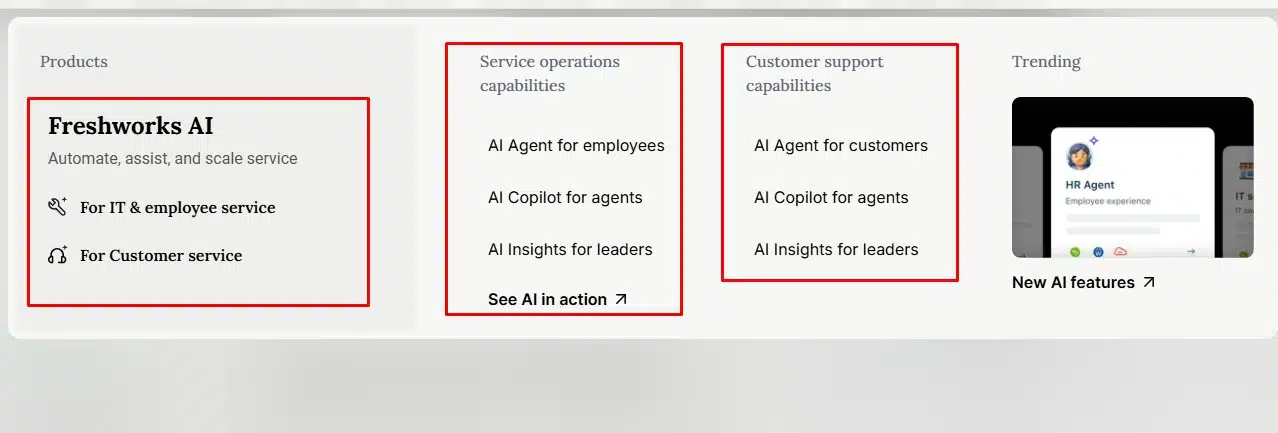
Freshdesk is a sensible conventional option with fewer cost and implementation barriers than many enterprise platforms. Growth begins at $19 per agent per month annually and includes email ticketing, shared inboxes, a portal, reporting, and 500 Freddy AI Agent sessions.
The cost rises when teams need advanced routing, multiple SLA policies, or deeper reporting. Extra AI Agent sessions cost $49 per 100, and Copilot is a separate per-agent add-on on eligible plans.
8. HubSpot Service Hub: Best for CRM-Connected Support
Best for: Companies already managing marketing, sales, and customer records in HubSpot.
Service Hub’s advantage is continuity. Agents can see the customer’s wider CRM history, and support activity can inform success, sales, and retention work without another major integration.
The Free edition supports two users, and Starter begins at $7 per seat per month annually. Those prices do not represent the full help desk. Professional starts at $90 per seat monthly with annual commitment and requires $1,500 onboarding; AI also uses HubSpot Credits. I would choose it for CRM consolidation, not for cheap ticketing alone.
9. Crisp: Best for Predictable Team Pricing
Best for: Small teams that prefer workspace pricing to a charge for every agent.
Crisp combines chat, a shared inbox, customer profiles, and AI tools. The Free plan includes two seats. Mini costs $45 per workspace per month and includes four seats, which can be easier to budget than per-agent pricing.
Predictable does not mean unlimited. Mini caps customer profiles and omits several capabilities available on higher tiers. Check the number of contacts, inboxes, channels, and AI conversations your team will actually use before treating the workspace price as the final bill.
10. Productlane: Best for Support-to-Product Feedback
Best for: Linear-based product teams that want support and feature feedback in one flow.
Productlane connects a shared inbox, live chat, AI support, a help center, feature requests, and Linear integration. It is especially useful when recurring customer problems should become product evidence rather than disappear inside closed tickets.
Starter is $29 per user per month and includes 50 AI resolutions; additional resolutions cost $0.79 each. Its product feedback orientation is the reason to buy it, but teams using another engineering system should test the workflow carefully before migrating.
The Headline Price Is Rarely the Real Price
Current pricing models mix seats with AI outcomes, resolutions, sessions, credits, channel fees, and required upgrades. Onboarding, SSO, advanced permissions, sandboxes, analytics, and premium integrations can move the viable plan far above the advertised entry point.
Build a simple monthly estimate using your actual agent count, ticket volume, AI usage, required channels, and integrations. Then add migration and administration time. The cheapest subscription can be costly if agents spend every day rebuilding customer context.
Choose the Support Workflow Before the Vendor
My shortlist starts with Intercom for product-led in-app support, Help Scout for a smaller email-led operation, Pylon or Plain for account-based B2B support, and Zendesk for complex omnichannel service. HubSpot is compelling when the CRM is already central, while Productlane deserves attention when support must feed a Linear-based product process.
Do not buy the longest feature list. Choose the platform that preserves context, makes escalation visible, and helps the company learn from customer problems. That is what turns a ticketing tool into a useful SaaS support system.
Frequently Asked Questions on the Best Customer Support Tool for SaaS
1. What is the best customer support tool for SaaS companies?
Intercom is the strongest overall option for many product-led SaaS companies because it combines in-app messaging, ticketing, a knowledge base, and AI support. However, Help Scout is often more practical for smaller email-led teams, while Zendesk better suits complex enterprise support operations.
2. What features should SaaS customer support software include?
Look for a shared inbox, customer and account history, ticket routing, a knowledge base, reporting, permissions, human escalation, and integrations with your CRM and engineering tools. The platform should preserve context as an issue moves between support, product, and engineering.
3. Is Intercom or Zendesk better for SaaS support?
Intercom is generally better for in-app, conversational, and AI-assisted support. Zendesk is stronger for large teams that need advanced routing, multiple channels, detailed permissions, and mature service operations. The better choice depends on where customer conversations begin and how complicated the support workflow is.
4. Which customer support tool is best for B2B SaaS teams?
Pylon is a strong choice when customers request support through Slack Connect or Microsoft Teams. Plain is better suited to developer-led B2B companies that need APIs, rich account context, and close connections with engineering systems such as Linear or Jira.
5. How much does customer support software for SaaS cost?
Costs vary widely because vendors may charge by agent, workspace, AI resolution, conversation, credit, or support channel. Calculate the total using your agent count, expected ticket volume, AI usage, integrations, onboarding requirements, and the lowest plan that includes the features you genuinely need.
























