Apple Mail is one of those apps that a lot of us use, and even rely on it for business/personal purposes. The problem with something like Apple Mail is that it can end up requiring a lot of resources at times. Or in certain cases, it might not work at all. If you are dealing with this problem, it’s very important to figure out what leads to it and what methods you can use to solve the problem.
Force quit and then restart Apple Mail
Before you learn other methods on how to troubleshoot Apple Mail problems, force quit the app and restart it. Maybe there was a system problem or something caused an issue, but if you restart, you should be fine. That’s why it makes a lot of sense to check this out, as it always provides a great experience, and an amazing value.
Rebuild your Apple Mail
It might seem tricky to do, but it’s not that difficult. You enter the Apple Mail app, select the desired mailbox and from the top menu, choose Mailbox/Rebuild. It might help you prevent the app from crashing. And a lot of the time, it should solve your Apple Mail issues. With that being said, it can take a little bit, so have patience.
Reset the Mail app
Some Mac cleanup tools might even allow you to reset the Apple Mail app, and that might help solve the problem. A lot of the time, these issues seem more daunting than they sound. But for the most part, resetting is simple, and it will just revert the app to its base state. You will have to add the mailboxes and all personalization stuff on your own. But all in all, this is a good way to solve any Apple Mail problems.
Update your operating system
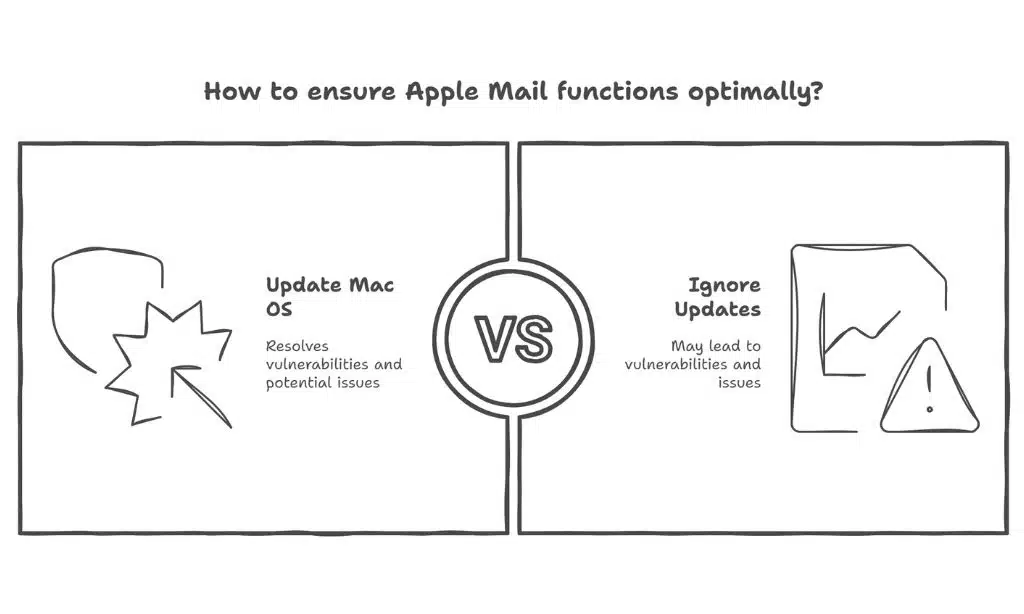
It’s also important to note that sometimes your Mac OS might have issues that cause Apple Mail problems. If that’s the issue, then the best approach is to update your Mac OS. In general, you always want to have the latest Mac OS version. When you do so, you will have any vulnerability issues solved, along with many other potential issues that could arise. In the end, it just makes sense to keep up with the updates, so keep that in mind.
Try to disable the email accounts
The reason you want to do that is because sometimes Apple Mail might have issues handling multiple accounts. From the Apple menu, you choose System Settings, and then you select Internet Accounts. In that list, you select the mailboxes, click on them, and then turn off in iCloud Mail. If you do that, you just have to restart Mail and it should all be solved now.
Remove some mail attachments
It could be the case that Apple Mail has problems due to certain attachments. Maybe you might want to configure it so it won’t automatically download attachments all the time. It certainly helps if you try to do that, and the results themselves might be a lot better than expected. With that in mind, you should always avoid downloading attachments that seem dangerous, as you will end up with problems otherwise.
Test your email in safe mode
That’s a good idea because it allows you to see whether the Apple Mail app is working ok or not. If the safe mode works correctly, there might be other things at play. In order to enter safe mode, you have to turn off your Apple Mail, and then turn it on, while pressing and holding the power button for around 10 seconds. Release the power button when the startup window appears. Choose the Startup disk, press and hold Shift, and then you can go ahead with Safe Mode.
Reinstall the Mail app
You will need to disable the SIP first, and you do that via shutting down the Mac, pressing the power button and holding Command + R. Release the keys when you see the Apple logo. When you enter recovery mode, choose the Terminal, and here you want to type in “csrutil disable”, and press Return. Press Y if asked, and then Return again, add the password and finally press Return once again. After this, you just have to reboot your Mac.
As you can see, it always helps to check and see if Apple Mail works for you or not, reboot at first, and if that doesn’t work you can always use the other methods. What really matters is to avoid any rush and ensure that you test out as many things as possible, to ensure it works in the end. With our guidelines, you won’t have a problem solving these Apple Mail issues, so give them a try today!