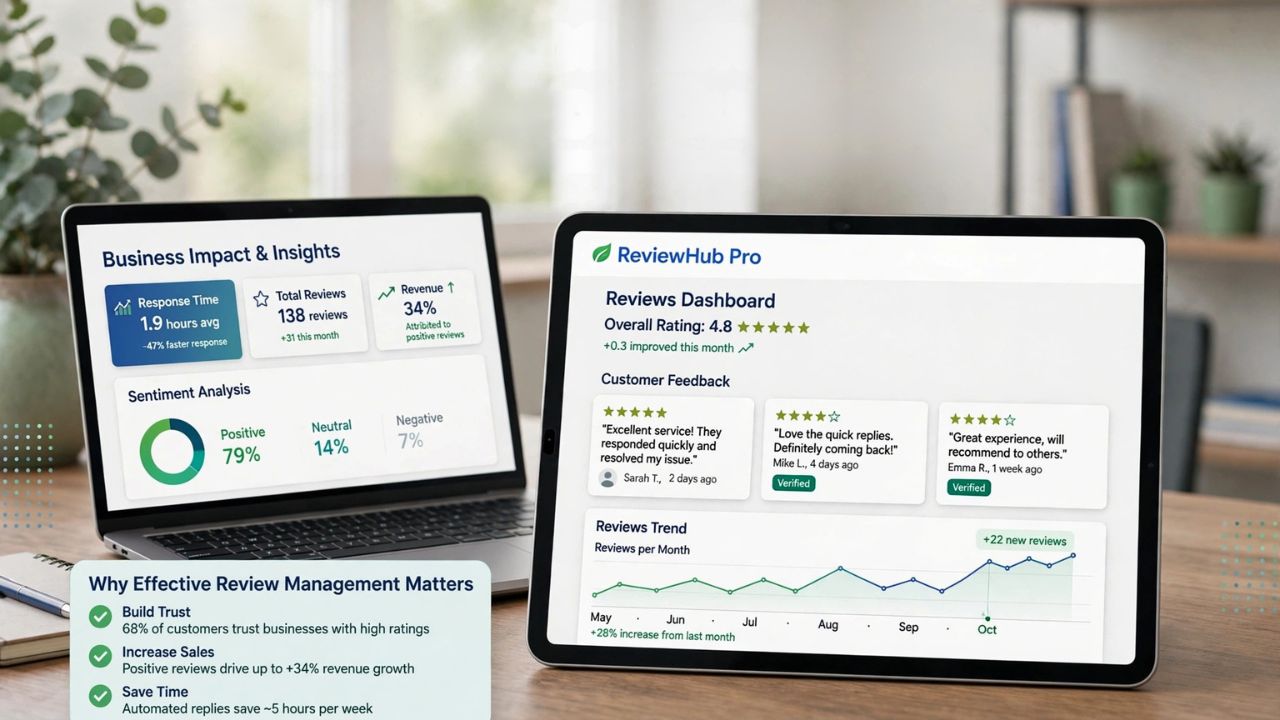
A company looking to automate work does not need to choose between APIs and generative AI as though they were competing products. They solve different problems.
APIs help software systems exchange information and perform supported actions. Generative AI can work with less structured information, such as a customer’s email or a lengthy document. Business rules, workflow tools, and people determine how those capabilities are used.
For a predictable process—such as copying an approved order from an online store into an accounting system—an API-connected workflow may be enough. For a process that begins with a customer’s free-form message, AI may help interpret the request before the workflow sends information to the right system.
The difficult decision is deciding which parts of the work require interpretation, which require consistent rules, and which still require human judgment.
The Automation Question Starts With the Work, Not the Technology
Automation projects often begin with a tool. A manager sees a demonstration of an AI assistant, an integration platform, or an autonomous agent and asks where the company can use it.
A more useful starting point is a task that consumes time or creates avoidable errors.
Consider a customer-support team that receives requests by email. Some customers ask for delivery updates. Others want to report damaged goods, change an address, or dispute a charge. Agents read each message, look up an order, decide what to do, update the support system, and reply.
“Automate customer support” is too broad a goal. Each step has different requirements:
- Reading the customer’s message involves interpreting varied language.
- Finding an order requires access to reliable business data.
- Deciding whether a refund is permitted depends on company policy.
- Issuing a refund changes a financial record.
- Handling an unusual dispute may require human judgment.
A single workflow may therefore contain several kinds of work. The right design depends on the consequences of each action, the quality of available data, and the cost of getting it wrong.
The first question for a business leader should be: Which part of this process causes the delay or cost we want to reduce? The answer provides a better basis for choosing technology than the appeal of a product demonstration.
What APIs Actually Do in a Business Workflow
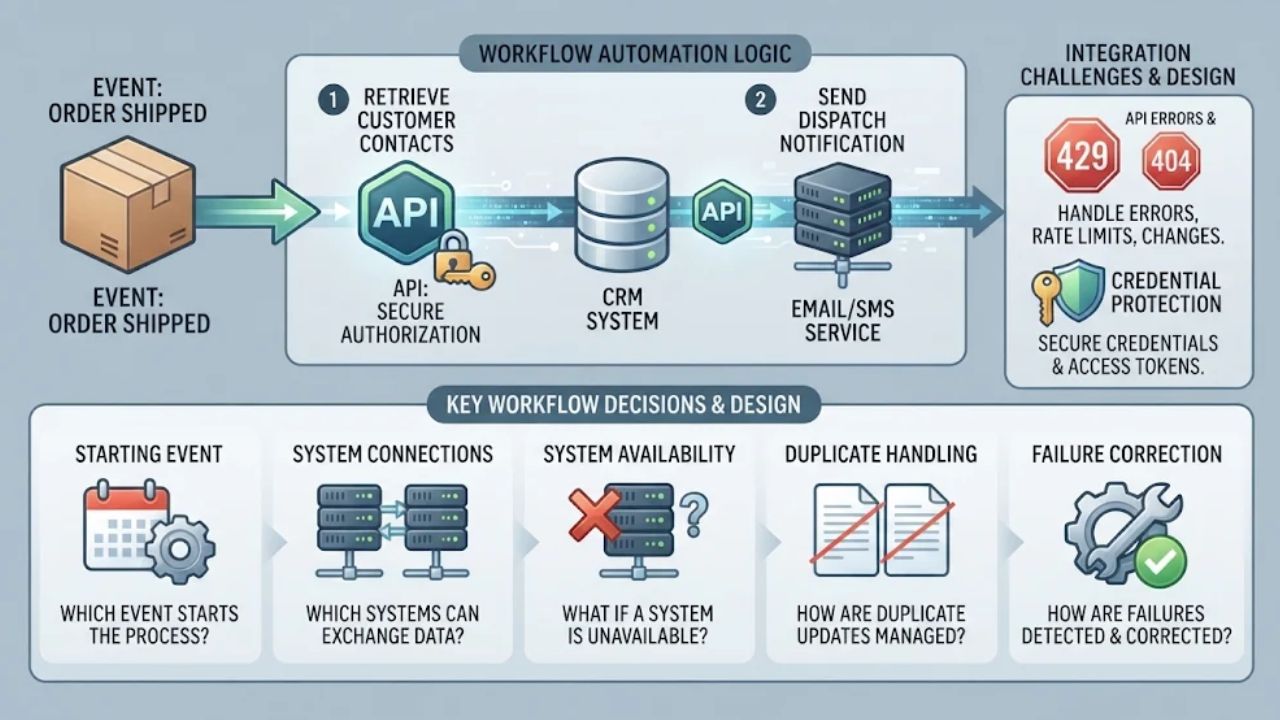
An API, or application programming interface, provides a defined way for one software application to request information or an action from another.
For example, an online store may expose an API that lets an authorised application retrieve an order’s status. A support system may expose another API that allows a workflow to create a ticket or add a note.
The API defines the connection. The surrounding workflow determines when to use that connection and what to do with the result.
Imagine that an order is shipped. A workflow can receive that event, obtain the customer’s contact details through an authorised connection, and send a dispatch notification. The process can follow a set of explicit rules without needing to generate or interpret natural language.
That does not make the workflow effortless. Someone must still decide:
- Which event starts the process.
- Which systems are allowed to exchange data.
- What happens if a system is unavailable.
- How duplicate updates are prevented or handled.
- How the company detects and corrects failures.
An API can return an error, impose usage limits, or change over time. Good integration design accounts for those possibilities. Microsoft’s guidance on workflow automation, for example, highlights both reliable process logic and the protection of credentials and access tokens.
For a company using an existing automation platform, many of these connections may appear as prebuilt connectors rather than code written from scratch. The business decision remains the same: what information should move, under what conditions, and who is responsible when it does not?
Where Generative AI Adds Value
Generative AI is useful when a workflow contains information that varies in format or wording. A customer might write, “My parcel arrived with a broken lid,” while another says, “The container was cracked when I opened the box.” A conventional workflow could search for particular words, but a generative AI model can be asked to interpret the messages and propose a category such as damaged item.
The same general capability can support tasks such as:
- Summarising a long support conversation for an agent.
- Drafting a response using a company’s approved information.
- Extracting proposed fields from an unstructured document.
- Grouping customer feedback by theme.
- Translating or rewriting text for review.
The operational value comes from reducing time spent reading, sorting, or drafting. It does not follow that every generated answer is correct.
Google Cloud’s documentation notes that generative AI can produce plausible-sounding but inaccurate or irrelevant responses. For a support team, that could mean identifying the wrong issue, inventing an order detail, or drafting a response that promises an unauthorised refund.
Those risks do not make AI unusable. They make the surrounding design important. A low-impact internal summary can be reviewed by an agent. A model’s recommendation to issue a refund should be checked against the company’s rules and the actual order record before any action is taken.
APIs and Generative AI Solve Different Parts of the Problem
The comparison becomes clearer when each capability is placed inside a workflow.
| Consideration | API-connected workflow | Generative AI |
|---|---|---|
| Primary role | Exchanges data or requests supported actions between systems | Generates or interprets content based on inputs and instructions |
| Typical input | Structured fields, events, or defined requests | Text and, where supported, other forms of content |
| Useful for | Retrieving records, updating systems, triggering defined actions | Summarising messages, extracting information, drafting, or classifying varied content |
| Main limitation | Needs compatible systems, permissions, and workflow logic | Outputs can be incorrect, incomplete, or inconsistent |
| Control requirement | Error handling, access control, monitoring, and business rules | Evaluation, appropriate data access, output checks, and human review where needed |
| Example | Retrieve a customer’s order status | Interpret the reason for a customer’s email |
A workflow can contain both. In fact, a company may access a generative AI model through an API. The more useful comparison is therefore between rules-based automation and AI-assisted automation, with APIs acting as one possible way to connect their components.
Nor must every company build these components itself. Existing software may already provide connectors, automation rules, and AI features. The decision is still about whether those capabilities fit the work and the company’s requirements.
When Rules-Based Automation Is the Better Choice
Rules-based automation is a strong starting point when the inputs are structured, the decision criteria are clear, and the same action should follow the same conditions.
For example, suppose an online order has been marked as shipped and a valid tracking number is available. A workflow can send a notification containing that tracking number. There is little reason to ask a generative AI model to decide what the tracking number should be.
Other suitable tasks may include:
- Copying approved records between systems.
- Sending reminders when a known deadline approaches.
- Routing a form according to a selected category.
- Updating inventory after a confirmed transaction.
- Creating a standard report from verified fields.
These processes still need care. A rule can be poorly designed, and the data supplied to it can be wrong. But when the business requirement is precise, explicit logic is generally easier to inspect and test than a generated response.
Salesforce’s architecture guidance similarly distinguishes predictable automation from more flexible AI-based approaches and notes that traditional automation may be more economical for some high-volume tasks with a defined path.
There is an important exception: a task may appear repetitive while its inputs are not. A company may receive hundreds of invoices, but if suppliers send them in varied formats, extracting the relevant fields may be the difficult part. Once those fields have been checked, the subsequent approval and payment steps can still follow fixed rules.
When Generative AI Is Worth Adding
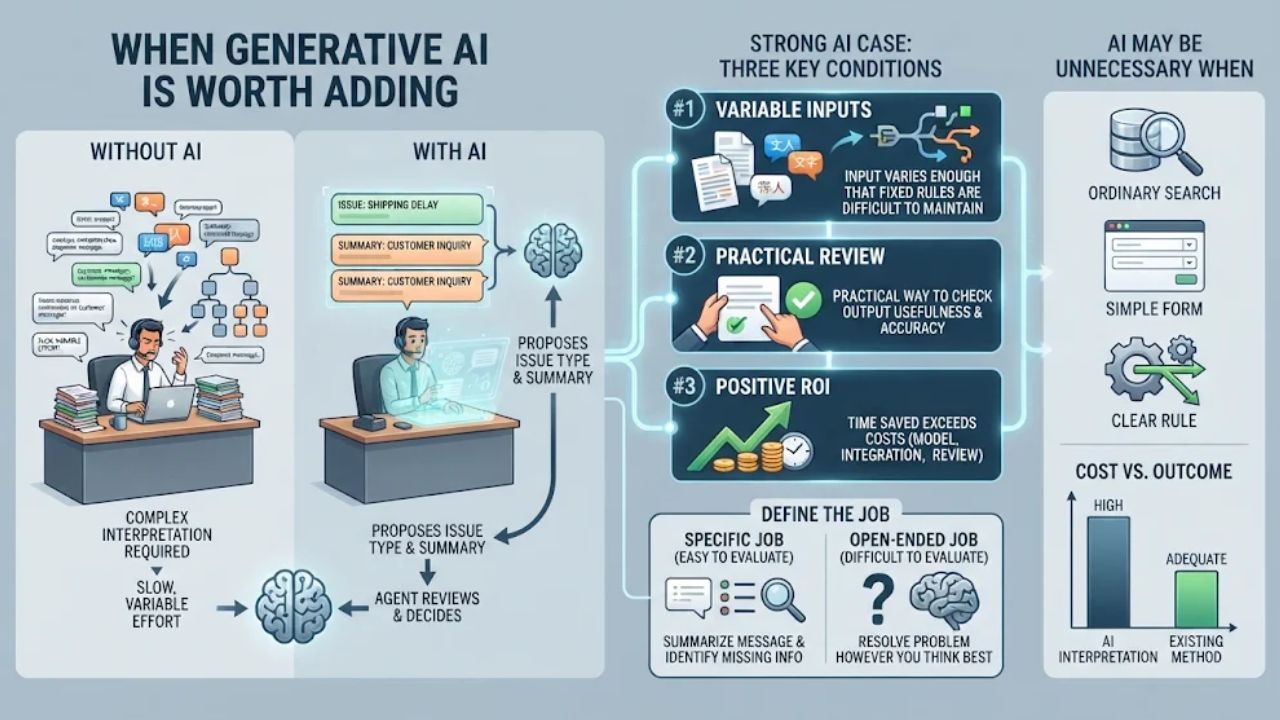
Generative AI is worth considering when the workflow requires people to interpret substantial amounts of variable content and simpler methods do not handle that variation adequately.
A support team, for example, may receive messages in different languages and writing styles. A model can propose the issue type and produce a short summary for the agent. The agent can then check the customer’s record and decide on a response.
The case for AI becomes stronger when three conditions are present:
- The input varies enough that fixed rules are difficult to maintain.
- There is a practical way to check whether the output is useful and accurate.
- The time saved exceeds the cost of the model, integration, review, and ongoing evaluation.
Even then, the model should be given a defined job. “Summarise this message and identify missing order information” is easier to evaluate than “resolve this customer’s problem however you think best.”
AI may also be unnecessary where ordinary search, a form, or a clear rule solves the problem adequately. If customers can select an order number and request a tracking link through a simple form, adding a model to interpret that request may add cost without improving the outcome.
A company should compare the improved workflow against its realistic alternatives, including making the existing process simpler.
How APIs and Generative AI Work Together
The strongest design for a mixed workflow assigns a specific responsibility to each component.
Consider a hypothetical retailer that wants to reduce the time support agents spend sorting incoming messages.
A customer emails: “My order arrived yesterday, but one item is missing. I need it for a birthday next week.”
The workflow could operate as follows:
- Receive the request. The support system records the email and starts the workflow.
- Interpret the message. An AI model proposes that the issue is a missing item and summarises the customer’s stated concern.
- Retrieve order information. With the appropriate permissions, the workflow uses the retailer’s systems to find the order and its fulfilment status.
- Check business rules. The workflow checks whether the required information is present and whether an automated response is permitted under company policy.
- Prepare the next action. The system drafts a reply or routes the case to an agent.
- Record the outcome. The support system stores the case details and the action taken.
If the order cannot be matched confidently, or the customer’s request involves an exception, the workflow can send the case to a person rather than make an unsupported assumption.
The AI model helps interpret the message. The retailer’s systems provide the order record. The workflow enforces the chosen process. A person handles cases that need judgment.
This division also makes failures easier to investigate. If the wrong order was retrieved, the team can examine the matching logic. If the order was correct but the issue was categorised incorrectly, it can examine the AI step and its evaluation data.
Microsoft describes similar patterns in which an AI component can use workflows and tools to interact with other systems. The exact implementation depends on the platform and the permissions granted.
The Cost and Risk Questions Companies Often Miss
The visible cost of automation is often the subscription or the price of using a model. The operational cost is broader.
A company may need to prepare data, connect systems, configure access, test unusual cases, train employees, maintain integrations, and review output. If an automated process makes mistakes, staff also need time to find and correct them.
Consider this illustrative monthly comparison for a support workflow handling 1,000 requests. The figures are assumptions for explaining the calculation, not vendor prices or a prediction for a particular company.
| Monthly item | Rules-based workflow | AI-assisted workflow |
|---|---|---|
| Software and infrastructure | $120 | $220 |
| Staff review and exception handling | $300 | $180 |
| Ongoing maintenance | $80 | $150 |
| Illustrative total | $500 | $550 |
On these assumptions, the AI-assisted workflow costs $50 more per month. That does not settle the decision.
If AI helps the team handle requests that the rules-based workflow cannot process, it may still be worthwhile. The company would need to measure the additional work handled, the quality of the outcome, and the time saved. If both approaches handle the same requests equally well, the added cost may be difficult to justify.
The calculation also excludes initial implementation costs. If the AI-assisted workflow costs more to set up, that difference should be included when estimating when—or whether—the investment pays back.
Risk deserves the same practical treatment. Before granting any automated system access to customer or company information, leaders should understand what data it receives, what it can change, and which actions require approval. For consequential actions, human oversight and explicit approvals may be appropriate; Google Cloud’s agent guidance makes this recommendation for actions with material effects.
A useful control question is: If this step produces the wrong result, who will notice, and how will it be corrected? If the company has no answer, it is not ready to hand that step over without additional controls.
How to Decide: Rules, AI, or a Combination
The choice becomes more manageable when the workflow is broken into individual decisions.
| If the work involves… | A sensible starting point |
|---|---|
| Moving structured information between compatible systems | An API-connected workflow with explicit rules |
| Applying a clear policy to known fields | Rules-based automation, with exception handling |
| Interpreting varied messages or documents | Test an AI-assisted step and evaluate its output |
| Interpreting a request, then updating a business system | Combine AI interpretation with validated workflow logic and system connections |
| A consequential or unusual decision | Define appropriate human review and approval |
| An unclear process with inconsistent ownership | Clarify the process before automating it |
Start with a small pilot around one measurable problem. For the support example, that might be the time agents spend categorising incoming requests. Compare the existing process with a limited AI-assisted version using a representative set of cases.
Agree in advance on what success means: time saved, classification accuracy, review effort, customer outcomes, or another measure relevant to the work. Include unusual cases and mistakes in the assessment. If the pilot saves drafting time but creates more correction work, the apparent gain may disappear.
The final decision should rest on the complete workflow, not the most impressive component. Use rules and connected systems where the process is clear; test generative AI where interpretation creates a real bottleneck; combine them when each contributes a distinct, measurable benefit.