
Anthropic, the AI startup behind the Claude chatbot, has unveiled a new Voice Mode feature, bringing real-time spoken interactions to its mobile apps. This move places Claude alongside major AI competitors such as OpenAI’s ChatGPT, Google’s Gemini, and Microsoft’s Copilot, all of which have previously introduced voice interaction capabilities. Although Claude’s Voice Mode arrives slightly later, it comes with some distinctive features that enhance usability and interactivity for mobile users.
What Is Voice Mode and Why It Matters
Voice Mode is designed to let users have natural, spoken conversations with Claude on mobile devices. Rather than typing out prompts, users can now speak directly to Claude and receive immediate voice responses. According to Anthropic, this creates a more seamless and human-like experience, especially useful for people on the go, multitaskers, or users who prefer voice over text.
During initial demonstrations, Claude’s voice sounded neutral and steady—striking a balance between robotic stiffness and overly expressive tones. This design decision aims to keep interactions clear, professional, and comfortable for a wide range of users.
The feature currently supports only English, but Anthropic has hinted that future updates could expand language support.
Key Features That Set Claude’s Voice Mode Apart
1. Real-Time Voice Conversations
Users can initiate spoken dialogue with Claude and receive spoken answers almost instantly. This two-way conversation mode is designed to feel as close to a human chat as possible, with minimal delays or processing time.
2. Live On-Screen Summaries
One standout addition is the live transcription and display of key conversation points. While speaking, users can watch Claude summarize the dialogue on-screen in real-time. This helps users track context, review previous exchanges, and switch between voice and text smoothly.
3. Seamless Transition Between Voice and Text
Unlike many AI tools that lock users into one mode, Claude allows users to switch freely between speaking and typing within a single session. This flexible design means that users can start talking, then switch to text if needed (for privacy, clarity, or convenience), without losing context.
How to Use Claude’s Voice Mode on Mobile
Anthropic has made it easy to start using Voice Mode on both iOS and Android apps. Here’s how it works:
-
Open the Claude app on your mobile device.
-
Tap the soundwave icon next to the microphone in the message input field.
-
Choose from several available voice options to customize Claude’s voice.
-
Press and hold the microphone to speak.
-
Release to send the voice input, or tap the up arrow to submit manually.
New Interface Controls in Voice Mode
To improve user experience, Anthropic has added new interface controls for Voice Mode:
| Icon | Function |
|---|---|
| 🡅 Up Arrow | Sends your spoken input to Claude |
| ◼ Square Button | Stops Claude’s voice response immediately |
| ➕ Plus Icon | Opens your device’s camera, photo gallery, or files for media sharing |
| ❌ X Button | Exits Voice Mode and returns to standard text mode |
These controls give users greater command over their interactions and allow for more versatile communication scenarios, including file sharing and conversation interruption.
Voice Mode Availability and Subscription Tiers
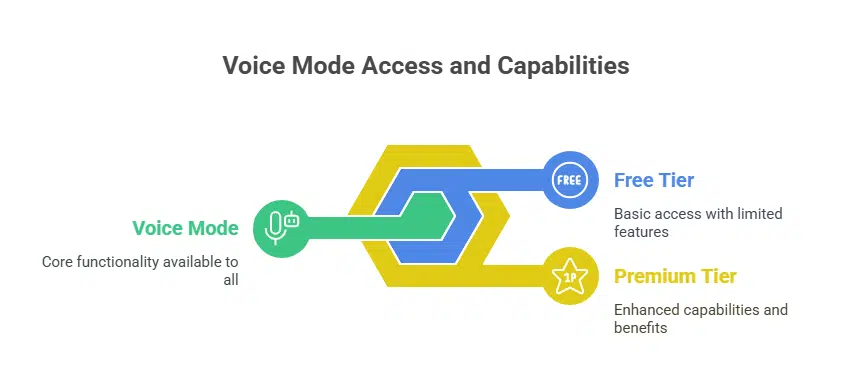
Voice Mode is being gradually rolled out in beta and is expected to be fully available in the coming weeks. It is accessible to both free-tier and premium users, but there are notable differences in capabilities based on the subscription level.
For Free Users
-
Users on the free plan can send approximately 20 to 30 voice messages per day.
-
Once the daily limit is reached, the feature is temporarily disabled until the next 24-hour cycle.
For Paid Subscribers
-
Premium users enjoy higher daily limits and exclusive voice-based integrations.
-
These include the ability to use Claude Voice Mode to interact with:
-
Gmail
-
Real-time web searches
These additional functionalities are designed to transform Claude into a voice-powered productivity assistant, especially for business professionals and knowledge workers.
How Claude Compares to ChatGPT, Gemini, and Copilot
Although Claude’s Voice Mode has come later than similar tools by OpenAI (ChatGPT), Google (Gemini), and Microsoft (Copilot), it introduces some unique enhancements:
| Feature | Claude AI | ChatGPT (OpenAI) | Gemini (Google) | Copilot (Microsoft) |
|---|---|---|---|---|
| Real-Time Voice Interaction | ✅ Yes | ✅ Yes | ✅ Yes | ✅ Yes |
| On-Screen Conversation Points | ✅ Yes | ❌ No | ❌ No | ❌ No |
| Seamless Voice/Text Switch | ✅ Yes | ✅ Yes | ❌ Partial | ❌ No |
| Daily Voice Limit (Free) | 20–30 messages | Limited | Limited | Limited |
| Productivity App Integration | ✅ Premium Only | ✅ Premium Only | ✅ Native Apps | ✅ Microsoft 365 |
Claude stands out for offering context continuity and in-line conversation tracking, two key pain points in competing voice-enabled chatbots.
User Privacy and Data Protection
Anthropic has emphasized that all data collected through Voice Mode is handled in accordance with its privacy policy and ethical AI principles. The company, known for its emphasis on Constitutional AI and safety-first development, ensures that voice data is processed securely and only used to improve model performance and user experience.
Users can review or delete voice interaction histories from within the app settings, and Claude does not retain data for advertising purposes.
What’s Next for Claude’s Voice Features?
While English is the only language supported during the initial rollout, Anthropic has plans to introduce multilingual support in future updates, similar to what ChatGPT and Gemini currently offer. The company is also exploring further accessibility features, such as speech-to-text transcription logs, visual feedback for hearing-impaired users, and real-time language translation via voice.
With the launch of Voice Mode, Anthropic is transforming Claude from a purely text-based assistant into a truly conversational AI companion. The ability to hold natural, uninterrupted voice interactions, access productivity tools, and switch between text and voice without losing context sets a new bar for AI usability on mobile platforms.
As the feature rolls out more widely, Claude may become a preferred choice for users who value conversational clarity, cross-functionality with apps, and user control in their digital assistant.