

AI audio tools can turn a written script into narration, build a conversation between several speakers, generate background music, or develop a hummed melody into a song. In this AI Audio and Voice Generation Guide, I’ll explain how those jobs work inside ImagineLab.art and where its current models fit.
The goal is practical: choose the right tool, give it useful direction, and catch problems before the audio reaches an audience.
ImagineLab brings voice and music generation into the same browser-based workspace. That convenience is useful, especially if a project needs narration and a soundtrack. It doesn’t remove the need for judgment, though. The underlying model, the quality of the script or prompt, and the final review still shape what comes out.
What AI Audio and Voice Generation Can Create
Voice generation is one part of the wider AI audio category. It usually means converting text into spoken language. AI audio generation also covers music, sung lyrics, instrumental tracks, and transformations based on a recorded melody.
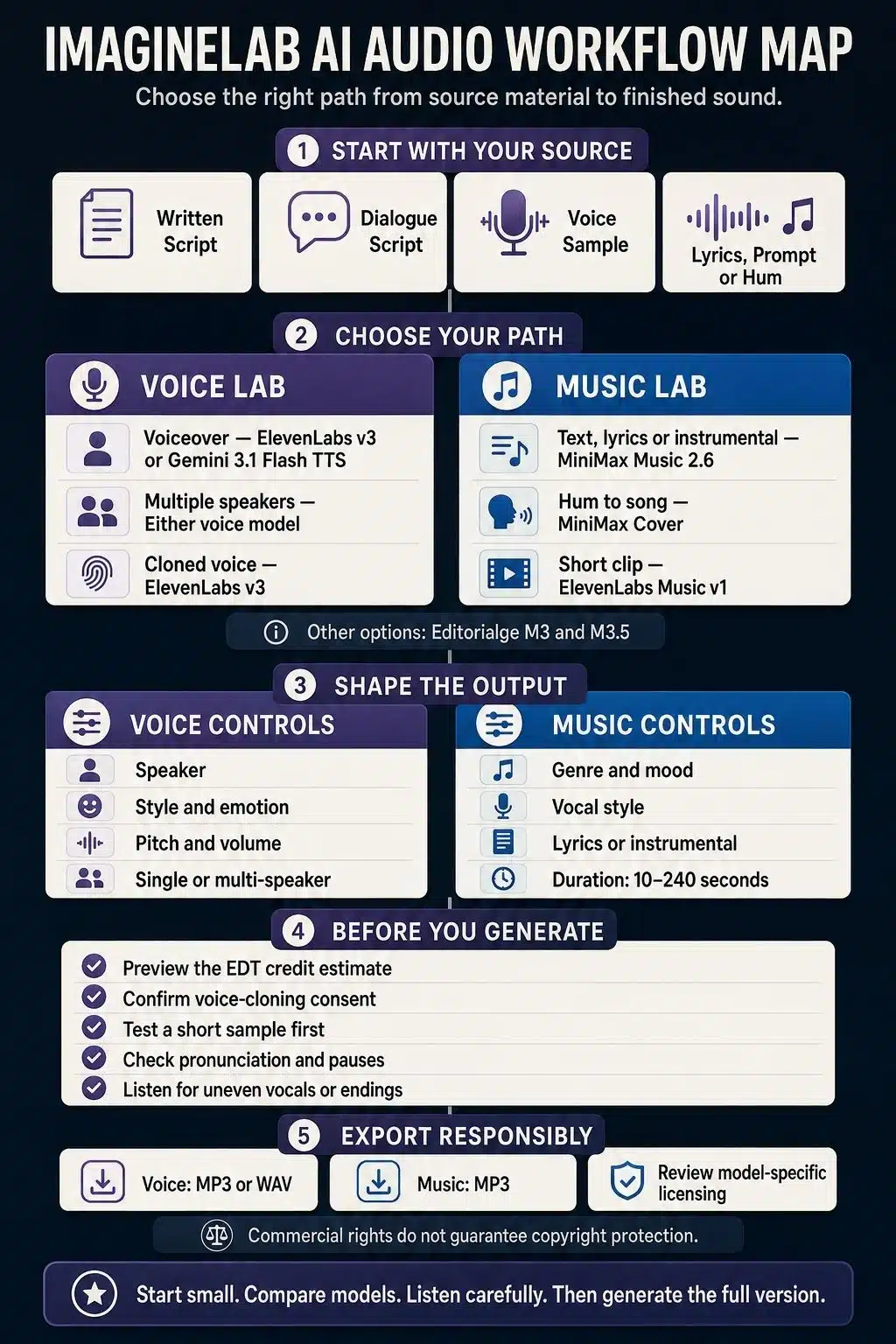
Inside ImagineLab, the choice is fairly clear:
| What you want to make | Where to start |
| Video narration, an audiobook passage, or an advertisement | Voice Lab, Single Speaker |
| A podcast-style exchange or character conversation | Voice Lab, Multi Speaker |
| A synthetic version of an authorized voice | Voice Lab, Voice Clone |
| A complete track based on an idea | Music Lab, Text to Song |
| Music built around prepared lyrics | Music Lab, Lyrics to Song |
| A song developed from humming or a rough vocal | Music Lab, Hum to Song |
| Background music without vocals | Music Lab, Instrumental |
| A brief intro or transition | Music Lab, Short Clip |
These tasks aren’t interchangeable. A cloned voice is intended to preserve a speaker’s vocal identity. Hum to Song uses a recording as musical direction; it doesn’t create a reusable copy of the singer’s voice.
How ImagineLab Organizes the Workflow
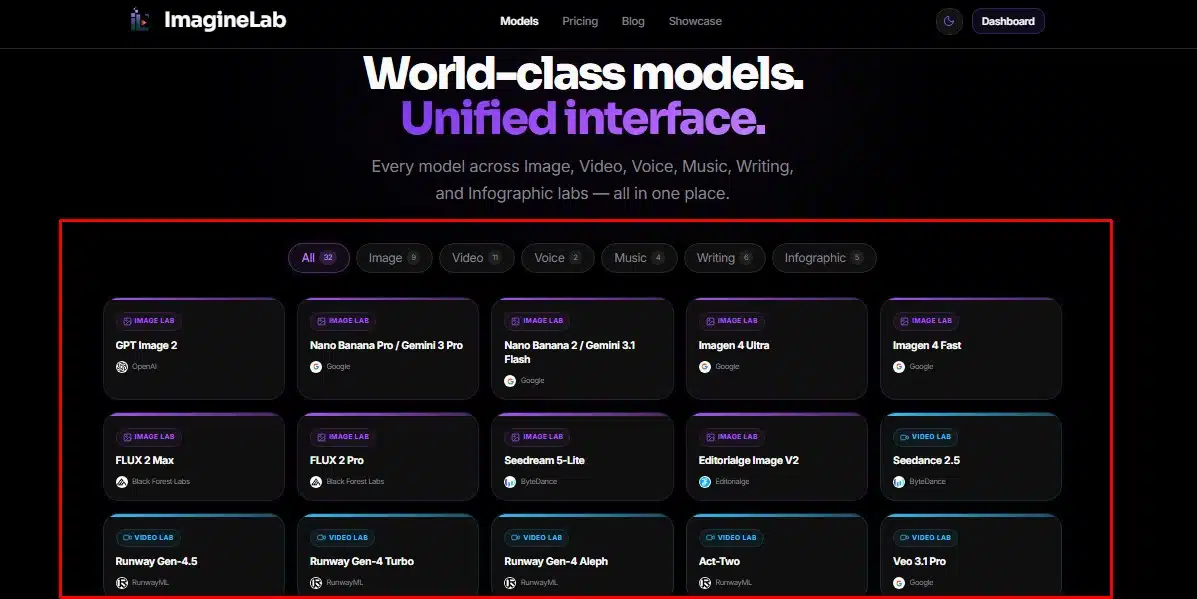
The current ImagineLab model catalog lists 37 models across image, video, voice, music, writing, and infographic tools. For this guide, the relevant parts are Voice Lab and Music Lab.
Both labs use the same Editorialge Token, or EDT, wallet. They also share generation history, saved sessions, templates, prompt enhancement, playback, downloading, and sharing. Access to an individual model or task may depend on the pricing package attached to the account.
For me, this shared setup is the platform’s clearest advantage. A creator can plan around the output instead of managing a separate subscription and account for every model. ImagineLab provides the workspace; the selected model still determines the available controls and the kind of result a user should expect.
Creating an AI Voiceover in ImagineLab
Voice Lab currently offers two text-to-speech engines: ElevenLabs v3 and Gemini 3.1 Flash TTS. Both are available for single-speaker and multi-speaker work in the live interface.
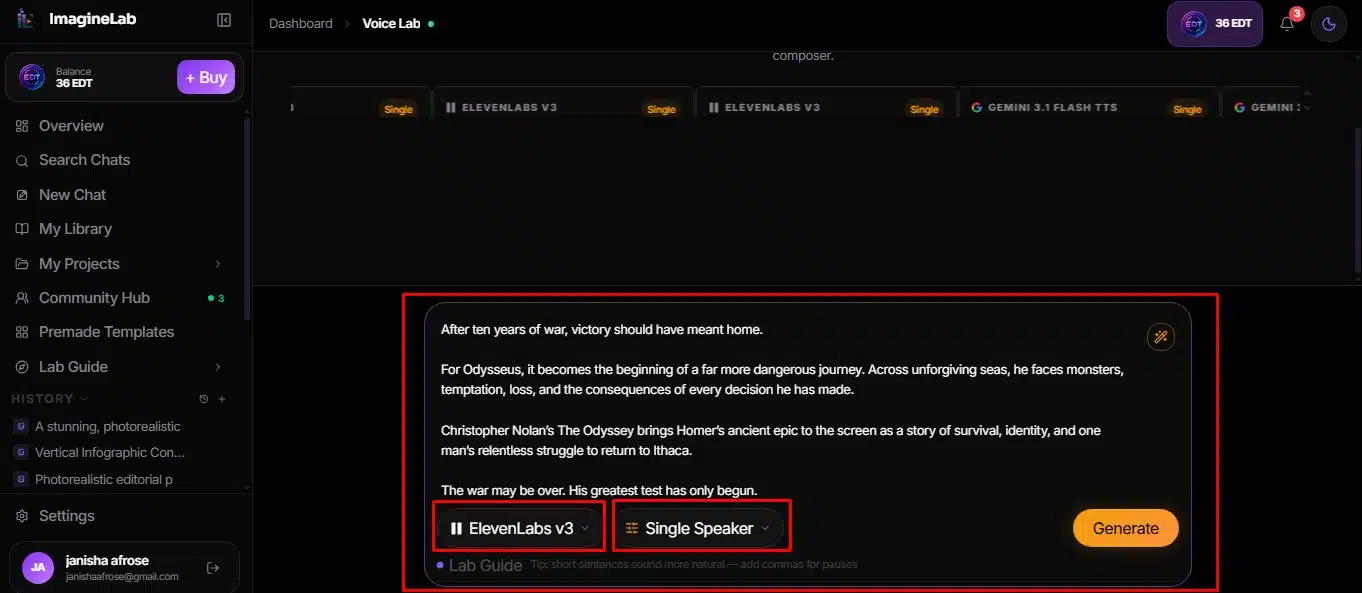
Choose the speaking format first
Single Speaker is the sensible choice for most narration. It suits product videos, lessons, advertisements, explainers, and audiobook passages. Multi Speaker is built for dialogue, including podcast prototypes, training conversations, interviews, and fictional scenes.
For multi-speaker audio, I’d keep the labels simple and consistent:
[Speaker A]: Are we ready to begin?
[Speaker B]: Yes. Let’s start with the first question.
Short turns are easier to control than long blocks of dialogue. When a conversation contains several emotional shifts, splitting it into separate scenes makes review and correction easier too.
ElevenLabs v3 or Gemini 3.1 Flash TTS?
For expressive work, ElevenLabs v3 is the sensible starting point. ImagineLab positions it for narration, advertising, podcasts, audiobooks, and character work. ElevenLabs’ documentation says v3 supports more than 70 languages, multi-speaker dialogue, and inline audio direction for emotions or reactions.
Gemini 3.1 Flash TTS makes more sense when speed or multilingual delivery is the priority. Google describes its TTS model as low latency and controllable through instructions for style, accent, pace, and tone. It supports single- and multi-speaker speech as well. I’d consider it for a non-English conversation or any project that needs several fast drafts.
Set the voice without over-directing it
The workflow is straightforward:
- Paste the script and select Single Speaker or Multi Speaker.
- Choose the model and one of its available voices.
- Preview a voice using a short line.
- Select a delivery style and emotion.
- Adjust pitch and volume if the default needs correction.
- Review the EDT estimate and confirm the generation.
- Listen to the complete result before downloading it as MP3 or WAV.
The style menu covers choices such as professional, documentary, conversational, podcast, audiobook, and storytelling. Emotion options include confident, relaxed, curious, urgent, and empathetic. These controls can easily be overused. A dramatic style combined with a powerful emotion and extreme pitch may produce an exaggerated performance, so change one variable at a time.
Write the script for listening
Text that reads well on a page can sound awkward when spoken. I prefer short sentences, familiar phrasing, and punctuation that reflects the intended pauses. Abbreviations should be written as they need to be pronounced. Names, dates, prices, and technical terms deserve a short preview before the full script is generated.
For long narration, working in sections is usually safer. One faulty paragraph can then be repaired without paying to regenerate the entire recording, and the smaller files are easier to pace during editing.
Multi-Speaker Dialogue and Voice Cloning
A convincing conversation needs more than two different voices. Each speaker should have a stable role, delivery style, and emotional range. If Speaker A begins as a calm interviewer, an unexplained switch to an excited trailer voice will be obvious. Listen closely to the transitions as well. Synthetic conversations can move too quickly between speakers or sound unnaturally clean.
ImagineLab also provides an ElevenLabs-based voice-cloning workflow. A user can upload audio files or record a sample through the browser, add up to five samples, and request background-noise removal. Individual uploaded files are limited to 25 MB. A newly created voice may remain unavailable while verification is pending.
Good source audio matters. A quiet room, consistent microphone distance, and a clean recording will give the system more useful material than a clip taken from a noisy video. Music underneath speech, strong echo, or several speakers in one file can undermine the result.
The ethical boundary is simple: clone only your own voice or one you have explicit permission to use. The interface requires users to confirm consent, and ImagineLab’s terms prohibit non-consensual deepfakes involving identifiable people. That rule also applies to casual experiments with a celebrity, colleague, or client. A convincing clone can cause real reputational harm even when the original intention was playful.
Creating Songs and Background Music
Music Lab separates generation by task, which is more useful than presenting every model in one undifferentiated menu. Its current tasks are Text to Song, Lyrics to Song, Hum to Song, Instrumental, and Short Clip.
MiniMax Music 2.6
It is the default for text-to-song, lyrics, and instrumental work. It supports a broad choice of vocal styles and multilingual generation. MiniMax’s documentation allows a music description, supplied lyrics, instrumental mode, and structural tags such as verse, chorus, bridge, and outro.
MiniMax Cover
It appears when Hum to Song is selected. The user can upload a recording or capture one through the microphone, then describe the desired genre, mood, instrumentation, tempo, and arrangement. The current interface accepts an audio reference from six seconds to six minutes, up to 25 MB.
ElevenLabs Music v1
It is available for short clips and also appears for several general music tasks. ImagineLab currently recommends it for brief background pieces and snippets. That label matters because ElevenLabs has since introduced Music v2; the integration shown in ImagineLab is specifically Music v1.
The remaining choices are Editorialge M3 and Editorialge M3.5. ImagineLab presents both as full-song models, with M3.5 positioned as the stronger option for vocal fidelity and lyric adherence. There isn’t enough public technical information about these platform labels to draw conclusions about their training data or architecture.
A simple music-generation workflow
Start by choosing the task, then provide the material that task needs. Lyrics to Song requires lyrics. Hum to Song requires a recording. Instrumental should have the no-vocals control enabled.
The settings include genre, mood, vocal character, model, and duration. The duration slider currently runs from 10 seconds to four minutes. Once the prompt and settings are ready, ImagineLab calculates an EDT estimate before the generation begins.
For important work, I’d generate a few controlled alternatives instead of accepting the first track. Compare the song structure, lyric intelligibility, opening, ending, and any audible artifacts. A catchy section in the middle won’t rescue a track that begins abruptly or falls apart before the final beat.
Writing Better Voice and Music Prompts
A useful prompt describes the job the audio must do. For music, a reliable structure is:
Purpose + genre + mood + tempo + instruments + vocal direction + duration + exclusions
For example:
Instrumental background music for a product explainer, modern electronic style, calm and optimistic, 105 BPM, soft synthesizer and light percussion, 45 seconds, clean ending, no heavy bass.
Voice prompts can use a shorter performance brief:
Warm and confident product narration, conversational delivery, moderate pace, clear pronunciation, restrained enthusiasm.
Specific direction helps, although an overloaded prompt can leave the model trying to satisfy competing instructions. Choose details that affect the audience’s experience. A precise use case and a few production cues are usually more useful than a long list of adjectives.
I’d also avoid asking for a direct copy of a living singer or composer. Describe the musical characteristics instead: sparse acoustic arrangement, 1980s-style synthesizers, restrained percussion, or cinematic strings. The model still receives useful direction without centering the prompt on someone else’s identity.
Review the Audio Before Publishing
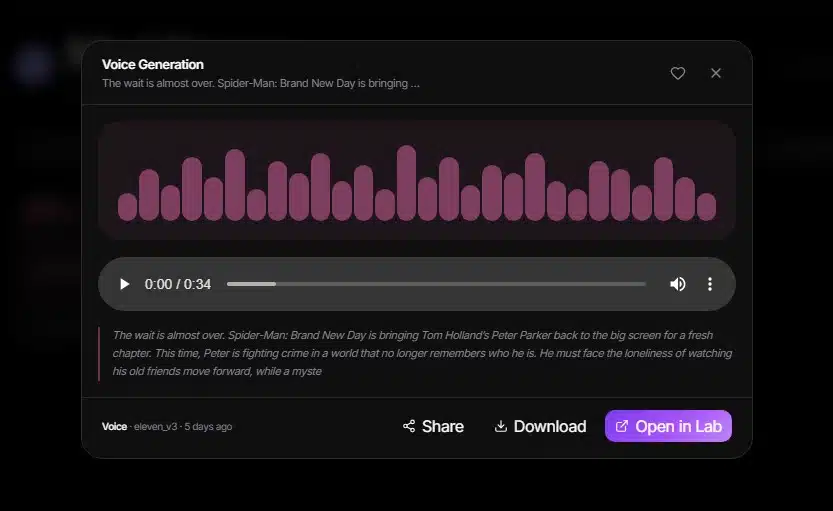
For voiceovers, listen for mispronounced names, unnatural pauses, accent changes, clipped words, inconsistent emotion, and sudden shifts in loudness. Multi-speaker audio needs an additional check for clear separation and believable timing between speakers.
For music, review lyric accuracy, vocal clarity, rhythm, structure, unwanted distortion, and the ending. If the track will sit underneath narration, test them together. Music that sounds impressive by itself can compete with the voice once both are placed in a video.
ImagineLab creates source audio, and source audio often needs finishing. Trimming, equalization, compression, loudness normalization, fades, and video synchronization may still happen in a separate editor. That’s a normal part of production, even when the generation itself is good.
EDT Costs, Privacy, and Commercial Use
ImagineLab doesn’t charge one fixed amount for every voice or music generation. The EDT total changes with the model, task, duration, and settings. Its live estimate is more useful than a static price table that may quickly become outdated. The current FAQ says credits are spent when a generation completes successfully and failed generations aren’t intended to consume them.
The platform’s privacy policy says private prompts, uploads, and generations aren’t used to train ImagineLab’s own foundation models. It also explains that requests must be sent to third-party AI infrastructure to produce the result. I wouldn’t upload confidential client scripts or sensitive voice recordings without checking whether that processing is acceptable for the project.
ImagineLab’s terms grant users commercial rights to their generations. They also acknowledge that an AI-generated asset may not qualify for copyright or trademark registration. Music needs extra care because model-specific licensing and the intended distribution can affect what is allowed. A social video, paid advertisement, film, game, and commercial music release don’t necessarily carry the same risk. For substantial client work, checking the current platform and model terms is worth the time.
From the First Prompt to Finished Sound
The best way to begin is with one small, useful asset: a 30-second narration, a short two-person exchange, or a 45-second instrumental. That gives enough material to judge the model, prompt, and settings without spending heavily on an untested direction.
My main takeaway from this AI Audio and Voice Generation Guide is that ImagineLab makes several capable tools easier to access, but the user still directs the work. A clear brief, an appropriate model, consent for any cloned voice, and a careful final review matter far more than generating as much audio as possible.
Frequently Asked Questions on AI Audio and Voice Generation Guide
1. What can I create with ImagineLab’s AI audio tools?
ImagineLab can generate voiceovers, multi-speaker conversations, cloned voices, original songs, instrumental music, short audio clips, and tracks based on a recorded hum. Its Voice Lab and Music Lab keep these tools inside one browser-based workspace.
2. Which ImagineLab voice model should I choose?
ElevenLabs v3 is a strong choice for expressive narration, character voices, and emotionally varied dialogue. Gemini 3.1 Flash TTS works well when you need controllable speech, multiple speakers, multilingual support, or faster voice generation. Testing the same short script with both models is the easiest way to compare them.
3. Can I clone my own voice with ImagineLab?
Yes. ImagineLab supports voice cloning through ElevenLabs. You can upload or record up to five voice samples, remove background noise if necessary, and use the verified clone with ElevenLabs v3. You must own the recording or have clear permission from the speaker.
4. Can I use ImagineLab-generated audio commercially?
ImagineLab grants users commercial rights to their generations under its platform terms. However, commercial permission does not guarantee copyright protection. Licensing may also differ between third-party models, so check the relevant provider’s terms before distributing music, cloned voices, or client work.
5. Is ImagineLab free, and how are audio generations priced?
New accounts currently receive 50 free EDT credits. Each voice or music generation uses a dynamically calculated number of credits based on the selected model, task, duration, and settings. ImagineLab shows the estimated cost for confirmation before generation, helping you control credit usage.
























