

Listen to the Podcast:
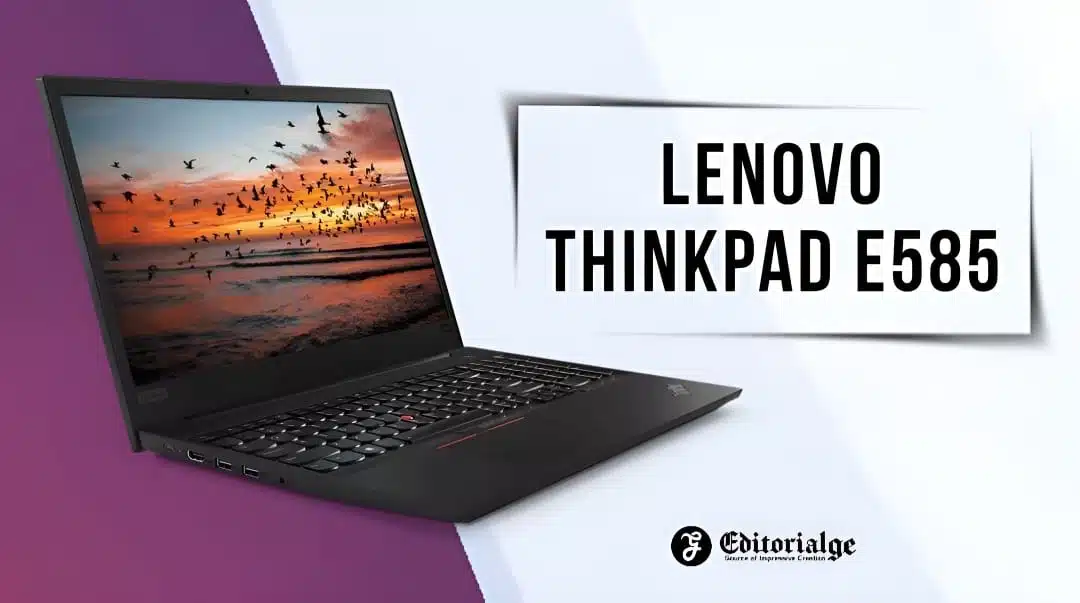
The Lenovo ThinkPad E585 is a business notebook manufactured by Lenovo. It is part of Lenovo’s ThinkPad series of business-oriented laptops, which are renowned for their durability and security features.
The E585 is a portable laptop with an AMD Ryzen processor and AMD Radeon graphics, making it appropriate for a variety of commercial operations, including office productivity, web browsing, and basic video editing. In addition, it boasts a 15.6-inch Full HD display, 8GB of DDR4 RAM, and 256GB of SSD storage for rapid data transfer. Overall, the ThinkPad E585 is a dependable and powerful business laptop that is ideal for customers who require a safe and mobile device for work.
Lenovo Thinkpad E585 Specifications
|
Brand |
Lenovo |
|
Model |
ThinkPad E585 |
|
Screen Size |
15.6″ |
|
Maximum Resolution |
1920×1080 |
|
Processor |
AMD Ryzen 7 2700U (2.20 GHz) |
|
Speed |
2.2 GHz |
|
Graphics Processor |
AMD Radeon RX Vega 10 |
|
Memory |
8 GB |
|
Memory Type |
DDR4 |
|
Memory Speed |
2400MHz |
|
Storage |
256 GB |
|
Storage Type |
SSD |
|
Weight |
2.1 Kg |
|
Operating System |
Windows 10 Pro |
|
Estimated Battery Life – Minimum |
7.7 Hours |
|
Estimated Battery Life – Maximum |
8.2 Hours |
|
Pixel Density |
141.2 ppi |
|
Price |
$ 640.0 |
|
Average 1080p Performance |
15.0 FPS |
|
Average 1440p Performance |
10.9 FPS |
|
Average 4K Performance |
6.4 FPS |
|
1080p Cost Per Frame |
$ 42.7 |
|
1440p Cost Per Frame |
$ 59.0 |
|
4K Cost Per Frame |
$ 100.5 |
|
Benchmark Quality Settings |
Ultra Quality Settings |
|
Overall Combination Score |
57.1/100 |
|
Limited warranty |
One-year depot service |
Lenovo Thinkpad E585 Best Features
Build Quality & Design
The E585 is constructed from high-quality materials and is durable enough to survive daily use. The keyboard is illuminated, and the touchpad is capacious and quick. The audio is loud and clear, and the display is bright and crisp.
The laptop includes computer ports and interfaces, including Thunderbolt 3. The battery life is exceptional, and the laptop has a quick charger. The sole disadvantage of the Lenovo ThinkPad E585 is that it is not a particularly powerful laptop and is, therefore, unsuitable for gaming and demanding multitasking.
Read More: Nware 17in Laptop
Performance
The ThinkPad E585 laptop is, as predicted, a workhorse. It features a 1.6GHz 8th-generation Intel Core i5-8250U processor, 8GB DDR4 RAM, a 128GB solid-state drive, and Intel UHD Graphics 620 for graphics capability.
The laptop also supports WLAN 802.11ac, Bluetooth 4.2 connectivity options, and an optional SIM card slot that allows you to connect to mobile data networks (through Lenovo’s MiMo technology) instead of relying entirely on Wi-Fi networks.
Graphics
Excellent graphics dictate a game’s performance. The laptop system calculates 14.92 frames per second with the assistance of AMD Radeon RX Vega 10 graphics, and guess what? It will not satisfy your demand for intense gaming to the utmost extent. Many consider this graphics rate to be customizable for gaming, despite the fact that it may irritate your nerves during gaming sessions due to the lack of flexibility in graphics and processing. 30 frames per second or above are regarded optimal, however.
Display
The Lenovo Thinkpad E585 includes a 15.6-inch FHD (1920 x 1080) IPS panel display with a 16:9 aspect ratio and a maximum brightness of 400 nits. The display has wide viewing angles and is protected by Corning Gorilla Glass, making it resistant to scratches.
The laptop is equipped with an Intel UHD Graphics 620 chip for handling graphical tasks such as gaming laptops and multimedia playback. But, its lack of dedicated memory prevents you from playing games that require high frame rates or high-quality visuals.
Read Also: Macbook 12in M7 Review
Keyboard & Trackpad
The keyboard and trackpad of the Lenovo ThinkPad E585 are both outstanding. The keyboard has a pleasant, crisp feel, and the trackpad is really snappy. Excellently, neither the keyboard nor the trackpad exhibits much flex. The only drawback is that the keyboard is a tad on the shallow side, but it is still an excellent keyboard overall.
The trackpad is the feature of this device. It is huge and slick, and it tracks exceptionally well. It’s not quite as clicky as other trackpads, but it’s still an excellent trackpad overall.
Ports
The Lenovo Thinkpad E585 is equipped with numerous connectors, including USB 3.0, HDMI, and Ethernet. The laptop’s illuminated keyboard makes it ideal for working in low-light environments. Moreover, the battery life is exceptional, lasting up to 12 hours on a single charge.
Battery life
The laptop Lenovo Thinkpad E585 has a 7-hour battery life. This makes it suitable for travelers who will spend the majority of their time away from home or the office without access to an electrical outlet.
The listed values presume you’re using the gadget when plugged in; if you use it unplugged, the actual battery life will be a few hours shorter (or more).
Read Also: Clevo PA71
Audio & Webcam
The webcam of the Lenovo Thinkpad E585 is of satisfactory quality. It captures crisp images and videos with high-quality audio. With the built-in microphone, you may participate in video conversations and capture audio memos with ease. The sole disadvantage is the webcam’s low resolution. Thus, it may not be the ideal option for professional use.
The audio quality of the Lenovo Thinkpad E585 is rather respectable. There are integrated speakers that produce crisp sounds. You may also use headphones or earphones if you wish to listen privately. The audio quality is acceptable for casual use but may not be ideal for more serious listening.
Lenovo Thinkpad E585 Pricing
The ThinkPad E585 starts at $679, which is approximately $100 higher than the ThinkPad T480s we evaluated last year. The E585 features an 8th Generation Intel Core i5 processor and 8GB of RAM, while a 256GB SSD powers its Windows 10 Pro operating system. In addition, it offers HDMI and VGA outputs for connecting to external monitors and projectors, as well as two USB-A connections and one USB Type-C port.
Suppose you want to increase your laptop’s performance without spending additional money on RAM or storage space improvements (two areas where most consumer laptops are lacking). In this situation, it may be worthwhile to consider upgrading from the base model to a variant with more desirable specifications than the one we evaluated today.
Read Also More: Best Laptops for Video Editing
Pros and Cons of Lenovo ThinkPad E585
Pros
- The ThinkPad E585 is a lightweight laptop, making it simple to transport whether traveling for business or attending meetings.
- The ThinkPad E585 may incorporate security measures such as a fingerprint reader, TPM (Trusted Platform Module) chip, and antivirus software to protect your data and maintain the security of your laptop.
- With its AMD Ryzen processor and AMD Radeon graphics, the E585 should be able to handle a variety of business tasks, including office productivity, web surfing, and basic video editing.
- WiFi, Bluetooth, and a USB-C connector may be included in the E585, allowing you to connect to the internet and other devices with ease.
- With the E585’s 15.6-inch Full HD display, you can edit documents, examine pictures, and watch videos with crystal-clear clarity.
- The E585 contains a 256GB SSD for rapid and reliable storage, allowing you to swiftly and conveniently access your files.
Cons
- When outfitted with high-end components, business laptops, such as the ThinkPad E585, can be more expensive than consumer laptops.
- Laptops are often tougher to upgrade and repair than desktop computers. Thus, it may be more challenging to maintain a business laptop current over time.
- Some users may find the heat and noise generated by their business laptops to be distracting or unsettling.
- Business laptops may not offer as many performance or customization choices as gaming or professional-grade laptops, as they are supposed to be balanced and versatile as opposed to specialized for a certain function.
- As a result of its portability, business laptops may not survive as long as desktop computers.
Conclusion
The screen size of the Lenovo ThinkPad E580 nicely complements the business aspect of the computer. As expected of an IPS display, it features excellent viewing angles and contrast ratio. While the default settings are sufficient, there are a few drawbacks. One is the modest colour coverage, and the other is the unacceptable brightness variation in the lower right corner. PWM is also present at all brightness levels other than the highest. Yet despite the fact that these pulsations have a very high frequency, you may avoid this threat entirely by installing the Health-Guard profile.
Read Also More: Razer Blade 15 2018 H2
Frequently Asked Questions (FAQs) about Lenovo Thinkpad E585
Is Lenovo ThinkPad a good brand?
Business people have used Lenovo’s ThinkPad laptops for a long time, and for a good reason. They work well, have long battery lives, and have a lot of features. And, of course, that red TrackPoint nub in the middle of the keyboard that everyone knows and loves.
Why are Lenovo ThinkPads so popular?
Large tech companies like Lenovo ThinkPads because they aren’t as expensive as laptops from other companies with similar specs. They are perfect for a big company that needs to keep costs down but still give its software engineers laptops with good specs.
Is Lenovo ThinkPad still worth it?
ThinkPad computers may be more expensive than other laptop brands, but they are typically regarded as a worthwhile investment due to their durable construction and lengthy lifespan.





















