


A child may spend weeks playing with the same person online. They know the player’s username, favourite game, and usual time to log in. Then that player asks to move their conversation to a private app. Your child may see a friendship growing. You may wonder who is really behind the account.
Learning how to talk to kids about online strangers starts with the chat your child actually uses. I would ask them to show me who can message them, then agree on what they can share and when to seek help. Make one promise clear: if they bring you a troubling message, you will listen and help.
Start with the chat your child actually uses
Children can meet people in more places than a parent might expect. A multiplayer game may have public text chat, voice chat, private messages, and friend requests. A class group chat can include someone your child barely knows. A player can also send an invitation to continue talking on another app.
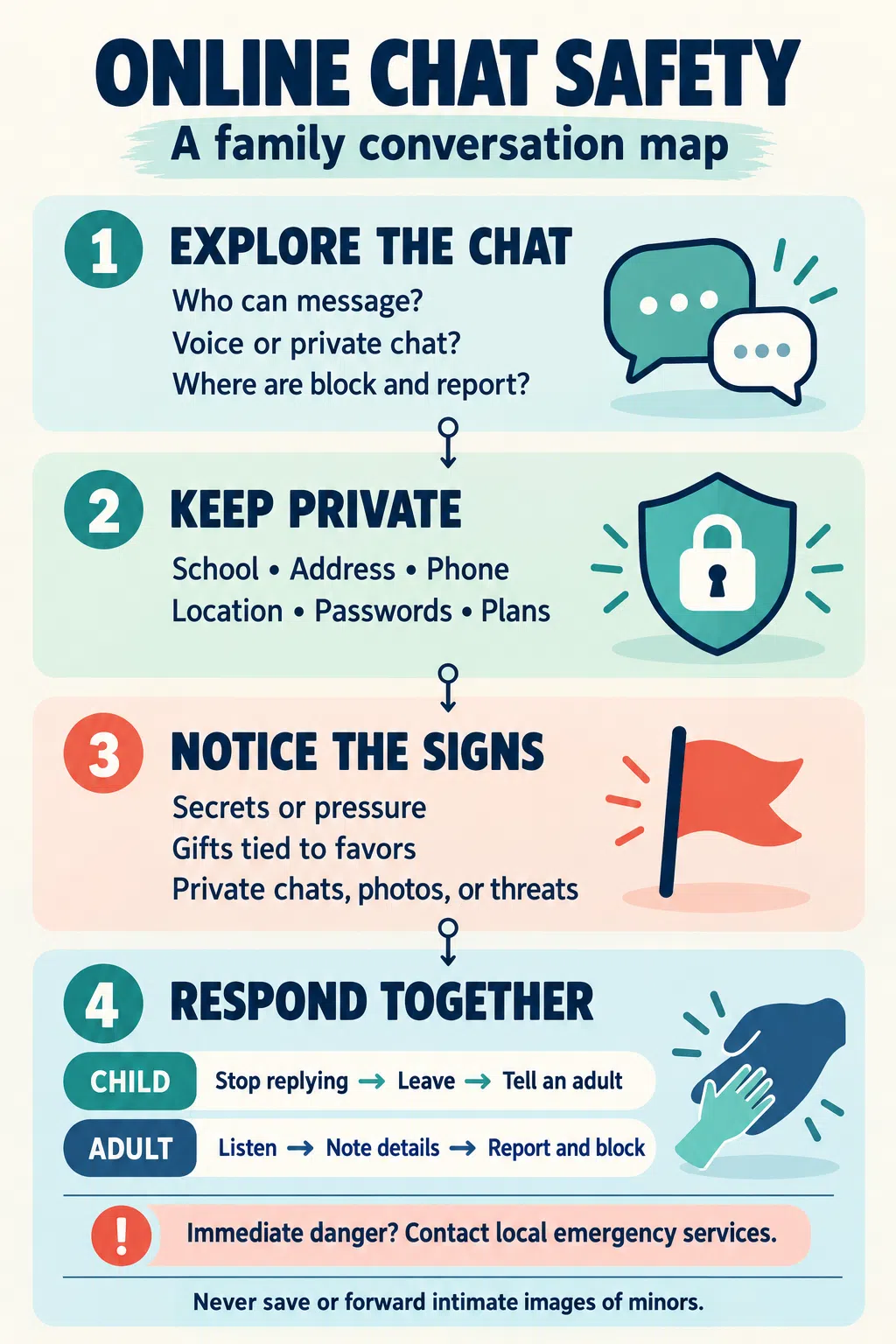
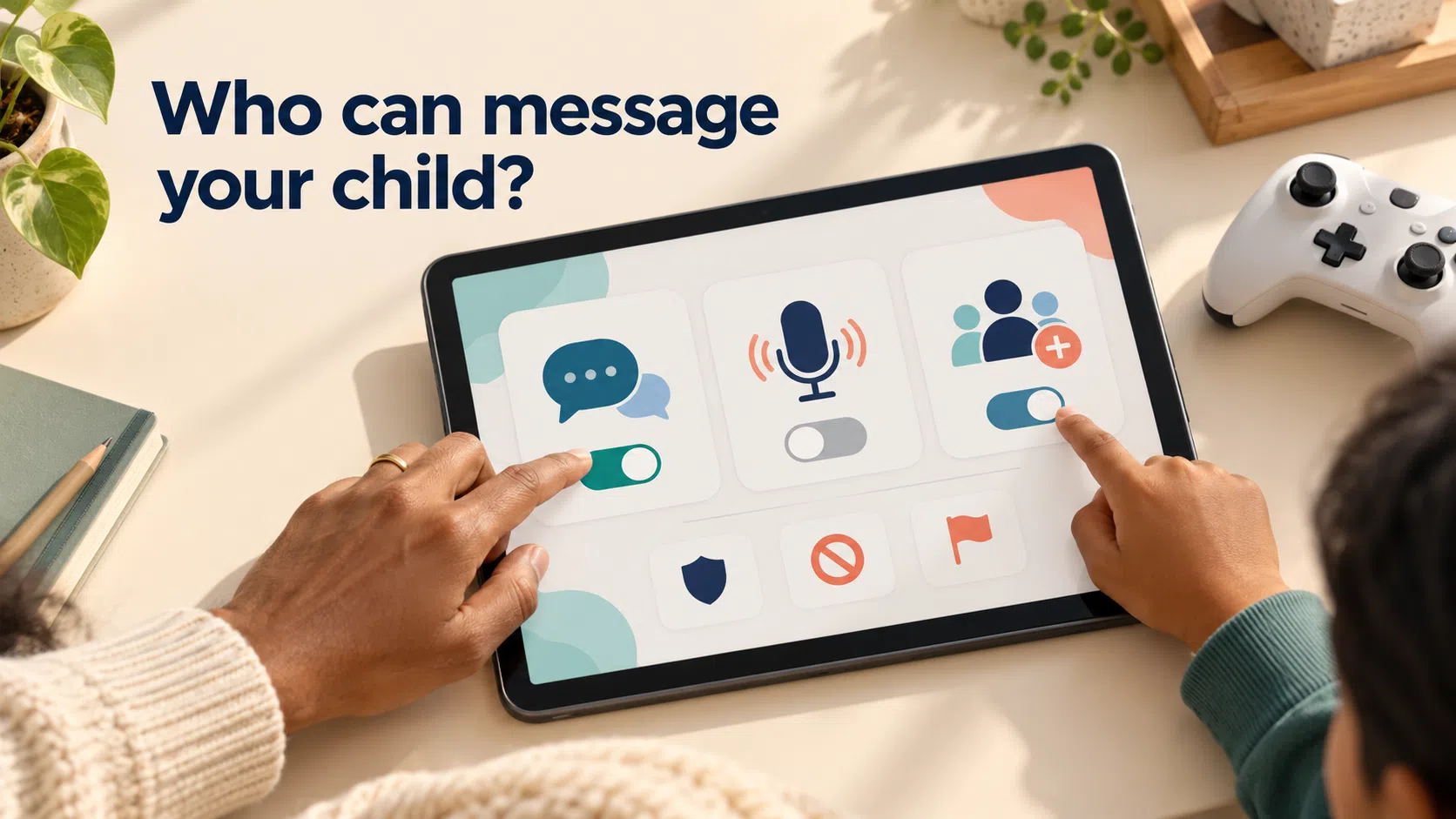
Sit beside your child and ask, “Can you show me how people message you here?” Let them take you through it. Find out who can contact them, whether a friend request gives someone access to private chat, and where the mute, block, and report controls are.
This works better when the conversation includes what your child enjoys. Ask who they like playing with and what makes the game fun. You will understand more about their online world, and your child will have a reason to keep talking to you about it.
Explain the person behind the username
For a young child, a “stranger” may mean an unfamiliar adult they can see. An online player who chats with them every weekend may feel entirely different. Explain that time spent talking to an account does not prove who owns it.
You could say: “It’s fine to enjoy playing a game with someone. We still need to be careful about what we tell them, because we don’t know for certain who they are.”
Keep the discussion focused on what people do. Someone may claim to be the same age as your child, share their interests, or appear to have mutual friends. Those details are not reasons to share private information. Equally, a request for secrecy or an intimate photo is concerning even if it comes from a classmate or someone the family knows.
Choose words your child can use
Younger children need a short rule and a chance to practise it. If they play an online game, consider turning off open chat or limiting communication to family and friends you both know. Then tell them:
“If someone asks questions about you or sends something that feels strange, stop chatting and show me. You won’t be in trouble for telling me.”
Ask them to find the button that closes the chat. Let them practise coming over and saying, “Can you help me with this message?” They do not need a perfect explanation before they ask for help.
With older children, talk through situations they might recognise. What if a player offers a valuable game item and then asks for their phone number? What if someone says they can only remain friends if the conversation stays secret? Ask what your child would do before giving your own answer.
Teenagers need a more open discussion. They may have online friendships that matter to them. Ask how they decide whom to trust, what boundaries they expect in a friendship, and whom they would turn to if a conversation became uncomfortable. Speak plainly about pressure to send intimate images or take part in sexual chat. Make sure they know that help is available even if they replied, trusted the person, or shared something they now regret.
Make privacy rules specific
“Don’t share personal information” is easy to repeat and easy to misunderstand. Give examples your child can recognise: their full name, school, address, phone number, passwords, location, photographs and plans for where they will be.
Even an ordinary question can reveal more than it seems. “Which school do you go to?” or “Are you home alone after school?” has nothing to do with finishing a game. Your child can leave those questions unanswered.
Agree on a simple response for moments when they feel put on the spot:
“I don’t share that online.”
They can also say nothing, leave the chat, and tell you. They do not owe an online contact an explanation for protecting their privacy.
Use the same approach when someone asks to switch apps. “Let’s talk privately somewhere else” is a reason to pause and bring you in, especially when the contact began in a game. If an online-only friend wants to meet in person, your child should never arrange it alone. Any proposed meeting involving an older child or teen needs a parent or trusted adult involved from the start.
Notice when the conversation changes
An unsafe conversation does not always begin with an alarming message. Someone may first be helpful, funny, or generous. Talk about the warning signs and the point at which your child should stop and seek help.
Take these requests seriously:
- “Don’t tell your parents we talk.”
- “I’ll give you this item if you do something for me.”
- “Send me a picture first.”
- “Let’s move to a private chat or video call.”
- “Where will you be this weekend?”
- “If you don’t do what I ask, I’ll share our messages.”
A child does not need to work out the sender’s intentions. They only need to recognise that the request has crossed a boundary. Remind them that leaving a chat is allowed, even when the other person has been kind to them before.
Check settings together
Once you know how your child communicates to protect them from online strangers, review the controls in the game, its account, and the device. Look separately at text chat, voice chat, direct messages, friend requests, profile visibility, and location sharing. A setting in one place may not cover a conversation happening through another app.
Start with the communication your child needs now. A younger child may be able to play happily with chat switched off. An older child may want to talk with friends they know offline. Go through the friends list together and ask how they know each account; “friends only” is useful only when that list makes sense.
Show your child how to mute, block, and report someone. Then revisit the settings when they start a new game or gain access to a new chat feature. Games change, and so do children’s social lives.
Some games also include AI chatbots. Explain that a chatbot is a program designed to respond conversationally. Your child should not treat it as a trusted adult or give it private information.
If your child brings you a troubling message
Take a breath before you respond. Your child may already be worried that telling you will cost them their phone or the game they love. Begin with: “I’m glad you showed me. You’re not in trouble for telling me.”
Let them explain what happened. Ask whether the person knows where they live, has threatened them, or is still trying to make contact. Keep the questions calm. You can work through rules and settings later; right now, your child needs to feel safe enough to tell you the full story.
Help them stop replying. If a report may be needed, note the account name, platform, dates, links, and relevant text messages before blocking the account. Do not download, screenshot, or forward nude or sexual images of anyone under 18. Report the account through the platform. If the contact involves threats, grooming, sexual exploitation, or immediate danger, seek help from local police or child-protection services.
If someone is blackmailing a child over an intimate image, do not pay or send more content. Keep the account and text messages available for a report rather than deleting them in panic. NCMEC’s free Take It Down service may help limit the spread of an image on participating platforms if the original file is already on the device. Do not obtain or share a copy to use it.
Check in again after the immediate problem has been handled. Ask how your child is feeling and whether the person has tried to contact them through another account. If your child remains distressed, seek support from an appropriate health professional.
Keep the door open
A family chat rule does not need to be long. Agree on who your child may talk with, what they will keep private, when they should leave a conversation, and which trusted adults they can tell. Practice finding the safety tools before anyone needs them.
Then ask about their online life on ordinary days. Who did they play with? Was the group chat enjoyable? Did anything feel uncomfortable? When your child knows you are interested in the whole experience, they have somewhere to bring the difficult parts, too.
Frequently asked questions on how to talk to kids about online strangers
Should I turn off chat in my child’s games?
For a younger child, turning off open chat or limiting it to approved contacts can be a sensible starting point. Check the game, account, and device settings, then continue teaching your child what to do if someone contacts them elsewhere.
What if my child already talks to an online friend I do not know?
Ask how they met, where they talk, and what they have shared. Review privacy settings together. Explain your concerns without shaming your child for valuing the friendship, and set clear boundaries for future contact.
Does my child need to answer before blocking someone?
No. They can stop replying and ask for help. If the contact needs reporting, an adult can help retain relevant account details and text messages safely before blocking.
What if the person is another child or someone our family knows?
Respond to the behaviour. Secrecy, threats, sexual requests, and pressure to share images are serious regardless of who sent the message. Help your child stop contact and seek appropriate support.






















