

Listen to the Podcast:
We love watching movies and lying on the couch with the latest Samsung (call me old) TV. With Netflix, it’s fine, but the day we want to watch our favorite streamer… Unfortunately, it’s not so easy with Twitch.
To this day, there are many compatibility problems with the streaming platform. In this article, we will show all the possible tricks on how to get Twitch on Samsung tv. So you can (finally) watch Twitch on your TV (Samsung or any other brand).
How to get Twitch on Samsung tv?
Some brands, like Samsung, have their operating systems. The only way to download applications is through the brand’s system, and often you do not have access to the entire Google Play catalog.
It is even worse for Samsung since its Smart TVs are no longer compatible with the Twitch app (as of 2019). Thus, users need an alternative to enjoy Twitch on their televisions.
Fortunately, other brands are already compatible with the leading streaming app. Panasonic smart TVs, or LG models running WebOS 3.5 or higher, are compatible with Twitch.
Watch Twitch on your TV through external devices.
The easiest way to watch Twitch on our TV is with a Chromecast device.
Using Chromecast
It is a device that connects via HDMI to our television and our WiFi network. Once configured, transmitting content from your smartphone from the supported platforms (YouTube, Netflix, Prime… and Twitch ) is possible.
Oh, and your TV doesn’t have to be a Smart TV.
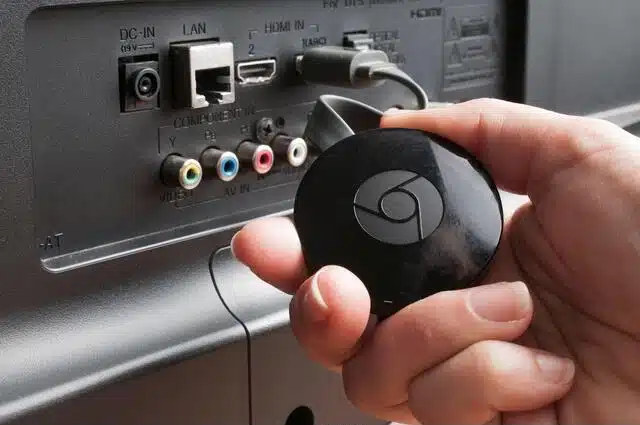
Once you have these devices, it is very easy to stream Twitch on your Samsung TV or whatever brand it is. Open the Twitch app on your smartphone and start watching a stream. Next, tap on the TV-shaped button and select your Chromecast device.
There you have it: Twitch on your TV.
Other devices
Other (perhaps cheaper) alternatives allow you to access Android TV and stream Twitch to the TV. For example, Amazon’s Fire TV device. Very easy to use thanks to its small remote control.
How to get Twitch on Samsung tv: Alternate ways
If all of the above still does not work, a last solution is to cast the screen of our smartphone directly on the television.
DLNA and streaming apps
This is usually possible with Android devices when our TV is compatible with DLNA. It is a system that facilitates the connection of different electronic devices in a network.
From the menu of your mobile device, you will find an option usually called “Share screen” or similar. If your smartphone is compatible with the TV, it will be detected automatically, and you can cast your smartphone screen directly to the TV.
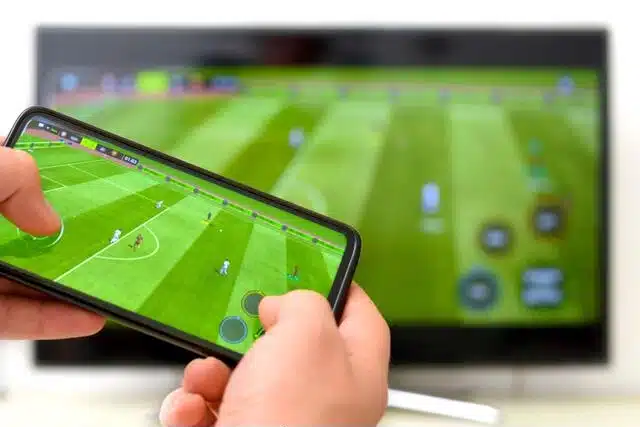
Some applications work in a very similar way in case your smartphone is not compatible. If you are an Android user, we recommend using ApowerMirror. If you’re at Apple, the easiest thing to do is to use AirPlay.
Our expert opinion about it
There is always a bit of lag (inevitable), and you won’t be able to use your smartphone while watching TV.
This is a good temporary solution. But if you’re watching a lot of Twitch on your TV, we recommend getting a Chromecast or a Fire TV.
Final Words
Technology is always evolving, but doing what the brand wants isn’t easy, especially if they are different devices. We hope this brief guide has been useful to you. If you have any questions, feel free to leave a comment.
Other Twitch articles you should read,
How to Change Twitch Username and Display Name
























