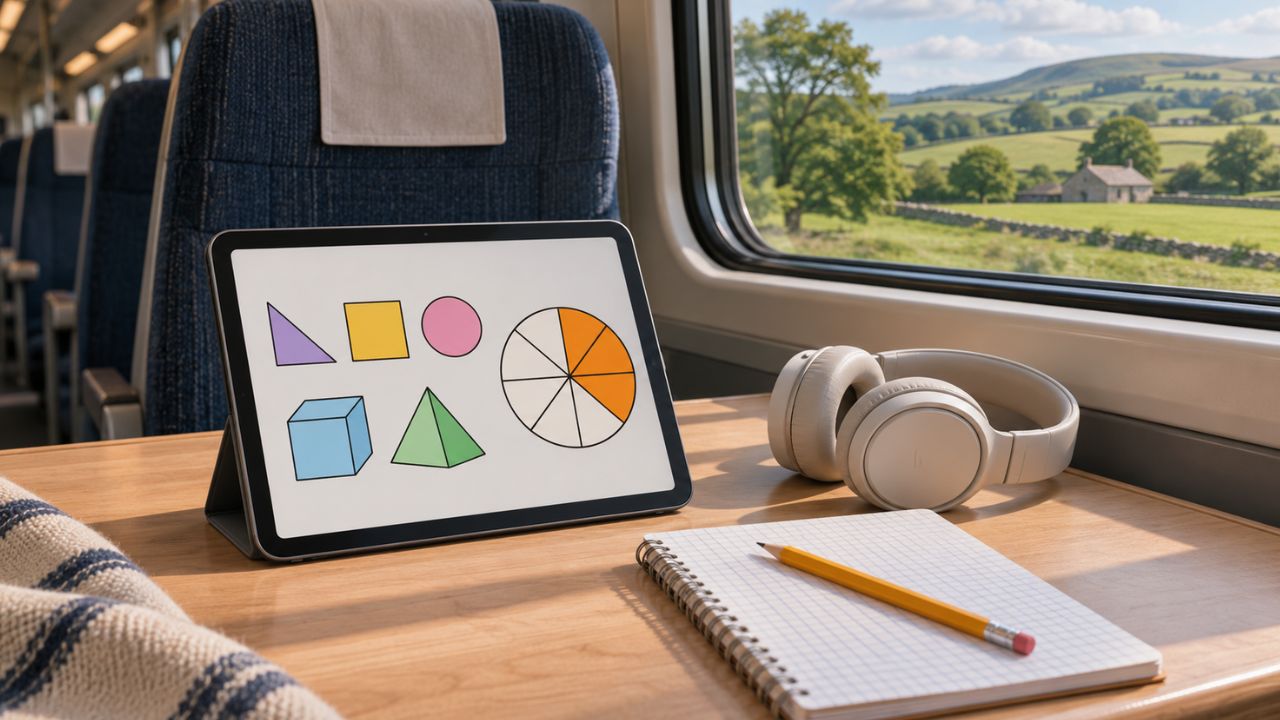
A downloaded lesson can open on the train and still leave you stuck at the first listening question. To find out which parts of a learning app work without internet, try one complete practice activity on the device you’ll use.
Disconnect before opening it, answer a question, close the app, and check what survives. When you’re back online, look for that same answer in your account.
What we checked
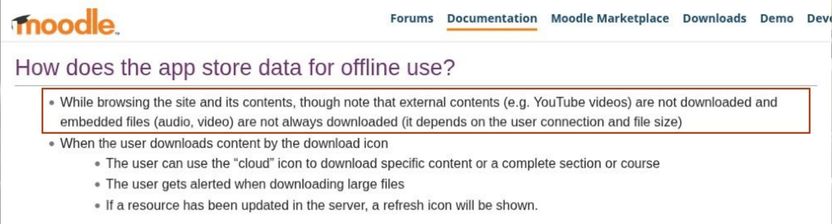
On November 20, 2026, we reviewed three parts of Moodle’s public offline documentation. Its download guidance says externally hosted videos stay online. Its assessment guidance says teachers must enable offline quizzes and that timed quizzes are ineligible.
Its synchronization guidance says the iPhone or iPad app must be in the foreground to sync. Each detail changes what a learner should try: play the clip, open the specific practice quiz, and keep the app open when reconnecting. These are documented conditions for Moodle. The device checks below establish what happens in your own course.
Choose one lesson you actually need
Start with a specific goal. “Finish the listening exercise in Unit 3 and have it count toward my course” gives you a better test than “learn Spanish offline.” A reader who only wants a transcript can stop once the text opens. Someone who needs course credit must follow the attempt all the way to the online record.
For a child using a shared tablet, make the download under the child’s usual profile. Ask the child to find the lesson from the home screen once. A parent may know a shortcut through the downloads menu that the child has never used. Choosing one activity with a clear learning goal also makes it easier to make screen time educational.
While connected, record the course, unit, profile, device, and app version if shown. Download the unit and wait for the app to report completion. Pick two similar lessons: one explicitly downloaded but never opened, and one neither downloaded nor opened. Keep track of which is which. If you preview every page first, a temporary copy can make a lesson look ready even when you have never downloaded it.
Which parts of a learning app work without internet?
Turn on airplane mode and check that Wi-Fi is also off. Disconnect any wired internet or tethering connection. Close the app fully, reopen it from its icon, and navigate to the lesson as you normally would. Keep the learner signed in. Signing out changes the question to whether the app can authenticate a new session.
| Feature | What to try offline | What to record |
|---|---|---|
| Lesson text and images | Open a page you skipped during setup. Enlarge its diagram. | Whether the detail needed to solve the question is legible. |
| Audio, video, and captions | Play an unseen clip, jump near its end, and turn captions on. | Which tracks play beyond the opening seconds. |
| Practice and feedback | Answer a low-stakes question, request a hint, and check the explanation. | Whether the app accepts, saves, and grades the response. Record each separately. |
| Next lesson | Complete the prerequisite and try to open the next activity. | Whether the next unit unlocks and its contents load. |
| Progress | Leave mid-exercise, close the app, and reopen it offline. | The answer, page, or checkpoint you return to. |
Now open the comparison lesson. If both lessons open, the app may have fetched more than you selected. Record exactly what opened. If only the downloaded lesson works, you have a practical preparation rule for this course. If neither opens, reconnect, check the learner profile and download status, and repeat with one small unit.
Test the point where the learner could get stuck
A geography lesson might display the question and four choices while leaving the map blank. Someone testing the menus could call that a success. A learner asked to identify a river cannot answer. For every feature, use a concrete finish line: identify the river, hear the full sentence, or read the transcript with the screen reader the learner normally uses.
With speaking exercises, try recording, playing back, and requesting pronunciation feedback separately. A saved recording proves the microphone captured the response. Only a returned assessment tells you feedback was available. For a quiz, use an ungraded practice attempt with repeat attempts allowed. A timed exam or a final submission is a poor place to discover how the app handles interruptions.
Follow one answer back to the online account
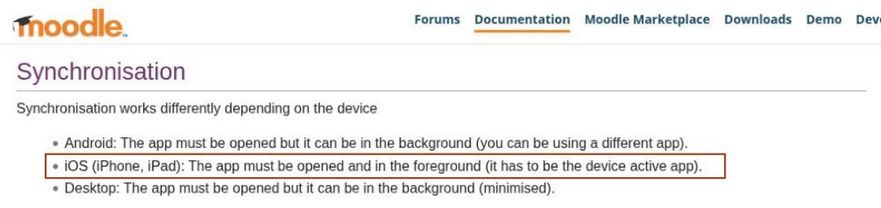
Before reconnecting, write down the practice question, selected answer, and displayed completion state. If you used a note instead, give it a recognizable line such as “Review the river delta diagram.” Reconnect and keep the app open. Look for pending changes, a sync control, or a message asking you to retry.
Open the course in a browser or on another connected device under the same account. Refresh once the app reports completion. Look for the specific answer, note, or attempt you recorded. An overall progress percentage may stay the same after one question. If the service exposes only a completion mark, report exactly that. The individual answer is still unverified.
If the account shows no attempt, check whether synchronization is restricted to Wi-Fi and whether you opened the same course and profile. Preserve the original device and its local work while you investigate. Clearing storage, reinstalling the app, or starting the assignment again could remove the answer you are trying to trace. For coursework with a deadline, check the recorded submission time and ask the instructor how offline attempts are credited.
Write down what you can rely on
Keep a short note alongside the download. A useful example would be “Unit 3: pages and diagrams opened after restart. Audio needed Wi-Fi. Practice answer survived locally. Online credit still unverified.” That tells the learner what to do during the next commute and what to leave until later.
Once you know which parts of a learning app work without internet, plan around the smallest activity you can finish. If diagrams and practice answers survive the trip, use the ride for those. If your course depends on a spoken response reaching a teacher, leave time after reconnecting to confirm receipt. Repeat the relevant check when you switch devices, update the app, or start a course with different assessment settings.