Generative image tools let marketing teams produce campaign concepts in minutes, yet a striking first render often hides subtle brand errors that weaken trust once an ad goes live. Before signing off on any AI-generated asset for paid social, landing pages, email headers, or display placements, reviewers need a repeatable visual inspection routine that catches off-brand colors, warped packaging, typography glitches, and clearance gaps.
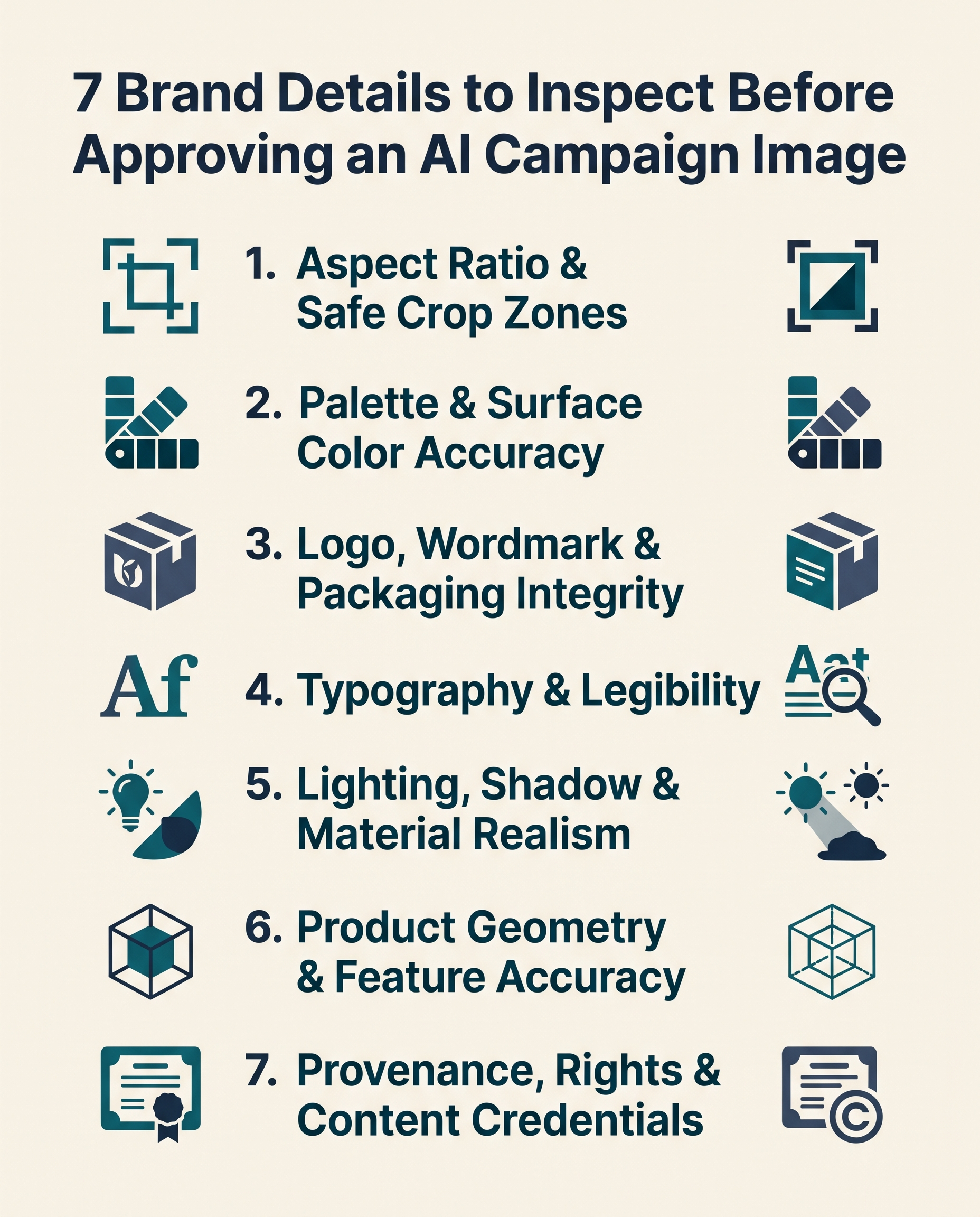
This guide breaks down 7 brand details to inspect before approving an AI campaign image, explaining what to check at full resolution, why each detail matters in live placements, and where manual finishing or reshooting beats prompt iteration.
Research-Based Review Overview
This checklist reflects a research-based synthesis of Editorialge’s published AI image acceptance checklist guide, commercial generative platform documentation, and open media provenance specifications from the Coalition for Content Provenance and Authenticity (C2PA) as of November 2026.
No proprietary brand campaign files were tested in-house for this guide; instead, each inspection point translates documented brand-governance and production failure modes into practical pre-release checks for creative directors, brand managers, and performance marketers.
Brand Details to Inspect Before Approving an AI Campaign Image
1. Aspect Ratio, Pixel Dimensions, and Safe Copy Zones
Approval starts with the exported file specifications rather than aesthetics. A preview thumbnail can look balanced in a chat interface while failing the exact pixel dimensions, aspect ratio, or file-size ceiling required by your ad platform or CMS. Confirm that a 16:9 hero banner, a 4:5 social feed placement, and a 9:16 story unit were generated or cleanly recomposed for their target frames instead of stretched or hastily auto-cropped.
Equally important is negative space for overlays. If your layout places an HTML headline, discount badge, or call-to-action button over the left third or lower edge of the frame, inspect those coordinates with layout guides before approval. High-contrast textures, faces, or product edges drifting into copy zones force designers into awkward drop shadows or last-minute regeneration.
2. Brand Palette and Surface Color Accuracy
Text prompts frequently drift toward generic cinematic color grading—oversaturated teal-and-orange highlights, warm amber casts, or muddy shadows—that pulls an asset away from your established brand palette. Distinguish between flat graphic backgrounds, where exact HEX or RGB sampling applies, and photographed-style objects, where lighting, reflections, and shadow falloff naturally shift pixel values.
Compare the generated output side by side against approved brand swatches and recent live campaign assets on a calibrated display. Pay close attention to skin tones, neutral whites, and signature brand hues; if an AI model shifts a signature navy toward violet or turns a clean off-white backdrop yellow, correct the color balance in post-production or reject the render before multi-channel rollout.
3. Logo, Wordmark, and Packaging Integrity
Even advanced image models can subtly distort custom letterforms, alter kerning, bend curved bottle labels, or invent extra flourishes on familiar brand marks. Never rely on a prompt alone to render a final corporate logo or regulated product label from scratch without zooming in to 100 percent magnification.
Inspect every curve, icon proportion, registration mark, and label alignment against your official vector brand kit. When a scene requires a real product or trademarked badge, the safest production workflow is generating a clean, logo-free base scene and compositing verified vector artwork or retouched product photography onto the surface in a dedicated design editor.
4. On-Image Typography, Spelling, and Numerical Accuracy
Modern diffusion and multimodal generators handle short headlines far better than earlier releases, as noted in Editorialge’s overview of AI image generators for marketing teams, yet small secondary text remains a frequent failure point. Price tags, micro-copy on packaging, background signage, charts, and promotional dates can still contain transposed letters, merged glyphs, or hallucinated numbers.
Read every visible character in the image independently from the brief, checking spelling, punctuation, currency symbols, units, and hierarchy. Verify that text remains crisp and legible at mobile screen sizes and that font weights align with your brand’s typographic system rather than defaulting to generic decorative serifs.
5. Lighting Direction, Shadow Consistency, and Material Realism
Audiences notice visual incoherence even when they cannot name the technical flaw. Inconsistent key-light direction, missing contact shadows beneath products, floating props, or reflections that contradict the surrounding room immediately signal synthetic assembly and undercut brand credibility.
Check whether material cues match how your physical product actually looks and feels: matte paper should not gleam like coated plastic, brushed aluminum should show believable specular roll-off, and fabric folds should follow gravity. If you are publishing a carousel or multi-asset campaign, review all selected images together on one contact sheet to ensure lighting temperature and depth of field stay cohesive across the entire set.
6. Product Geometry, Proportions, and Functional Accuracy
Beyond surface polish, inspect whether the depicted product accurately represents what the customer receives. Generative models regularly add nonexistent buttons, alter port placements, change the number of camera lenses or stitching rows, or merge two product variants into a hybrid shape that does not exist in your catalog.
Compare proportions, seams, closures, ingredient textures, and scale relative to human hands or surrounding furniture against real product references. If an AI render implies a feature, accessory, or performance outcome your product does not deliver, approving that image creates customer-support friction and potential false-advertising exposure.
7. Provenance, Commercial Rights, and Content Credentials
Visual polish does not clear an asset for commercial distribution. Before sign-off, confirm that the asset was generated under a paid tier or enterprise agreement granting commercial usage rights, and check that the frame does not inadvertently include recognizable third-party trademarks, copyrighted characters, protected art styles, or unconsented human likenesses.
Where your workflow or regional disclosure rules call for transparency, inspect the file’s embedded provenance metadata—such as C2PA Content Credentials keep a clean original export archived before social platforms strip container metadata on upload. Recording the prompt, model version, reference inputs, and reviewer sign-off protects your team if licensing or disclosure questions arise later.
Quick Pre-Approval Comparison: AI Output vs. Brand Readiness
| Inspection Area | Common AI Failure Mode | Pass Standard Before Release | Recommended Fix |
|---|---|---|---|
| Dimensions & Layout | Wrong aspect ratio; subject blocks headline area. | Exact target pixel dimensions and clear safe zones | Outpaint/reframe or regenerate with explicit composition guides. |
| Color & Tone | Heavy cinematic color cast shifts brand hues. | Matches the approved palette within the agreed visual tolerance. | Color-grade in Photoshop/Lightroom or use reference swatches |
| Logos & Packaging | Warped letterforms, altered icons, bent labels | 100% faithful to official vector brand assets | Generate logo-free base and composite real vector/product assets. |
| Typography & Numbers | Garbled small print, wrong prices or symbols | Zero spelling or numerical errors at Mobile Zoom | Remove baked-in text and set live typography in design software. |
| Lighting & Materials | Floating objects, mismatched shadows, plastic skin | Consistent key light, grounded contact shadows, true textures | Retouch shadows/highlights or regenerate with stricter lighting cues. |
| Product Accuracy | Invented buttons, wrong proportions or variant mix | Matches current SKU geometry and real capabilities | Switch to hybrid compositing or real studio photography. |
| Rights & Provenance | Unclear license tier, third-party marks, stripped metadata | Verified commercial license, cleared elements, archived record | Log provenance, scrub third-party marks, and preserve original file |
When to Stop Prompting and Finish Manually
Prompt engineering has diminishing returns once an image is 85 percent aligned with your brief. Spending twenty extra generations trying to force an AI model to spell a six-word tagline or replicate an intricate embossed logo usually wastes more time than exporting the best base render into a layered editor.
Approve the AI output as a base layer whenever the composition, lighting, and mood pass inspection, then hand off logo placement, exact HEX color panels, product label compositing, and campaign typography to your design tool. Separating creative exploration from precision brand finishing keeps review cycles fast without lowering visual standards.
Frequently Asked Questions (FAQs) About Inspecting AI Campaign Images
Should we let AI generators render our company logo directly into campaign images?
For final campaign deliverables, it is safer to generate a logo-free scene and composite your official vector logo afterward. AI models frequently introduce subtle distortions in letter spacing, icon geometry, or brand colors that fail brand-compliance review.
How closely do AI-generated colors need to match our brand HEX codes?
Flat graphic backgrounds and UI panels should match your exact HEX or RGB values, whereas three-dimensional objects and photographed scenes naturally vary across highlights and shadows. Define your acceptable color tolerance in advance so reviewers evaluate realistic lighting rather than expecting a single flat pixel value across a curved surface.
Do C2PA Content Credentials prove that an AI campaign image is legally cleared for ads?
No. Content Credentials record tamper-evident provenance data – such as which tool created or edited a file – but they do not verify commercial licensing, trademark clearance, or factual product accuracy. Teams still need visual inspection and rights documentation before publishing.