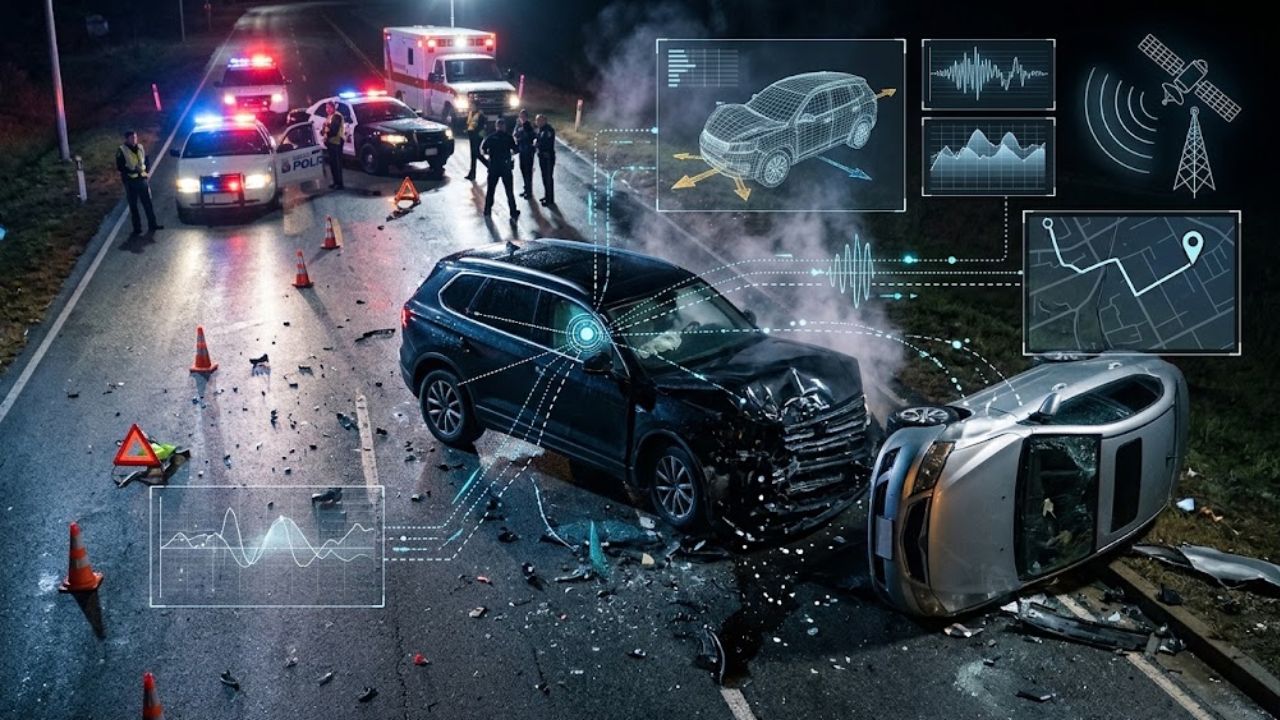
Vehicle telematics can help establish how fast a car was traveling, where it was, and how its movement changed before a collision. Depending on the equipment, crash data may also include brake inputs, vehicle faults, or linked camera footage. Those records can help explain events that drivers and witnesses remember differently.
The detail varies widely. A fleet tracking unit, an insurance app, and a factory-installed connected service do not necessarily collect the same information. A system must have been operating, recording the relevant signals, and retaining them for those records to be available afterward.
The most useful question is therefore specific: what did this particular system record, and what can that record reasonably establish?
How Vehicle Telematics Records a Collision
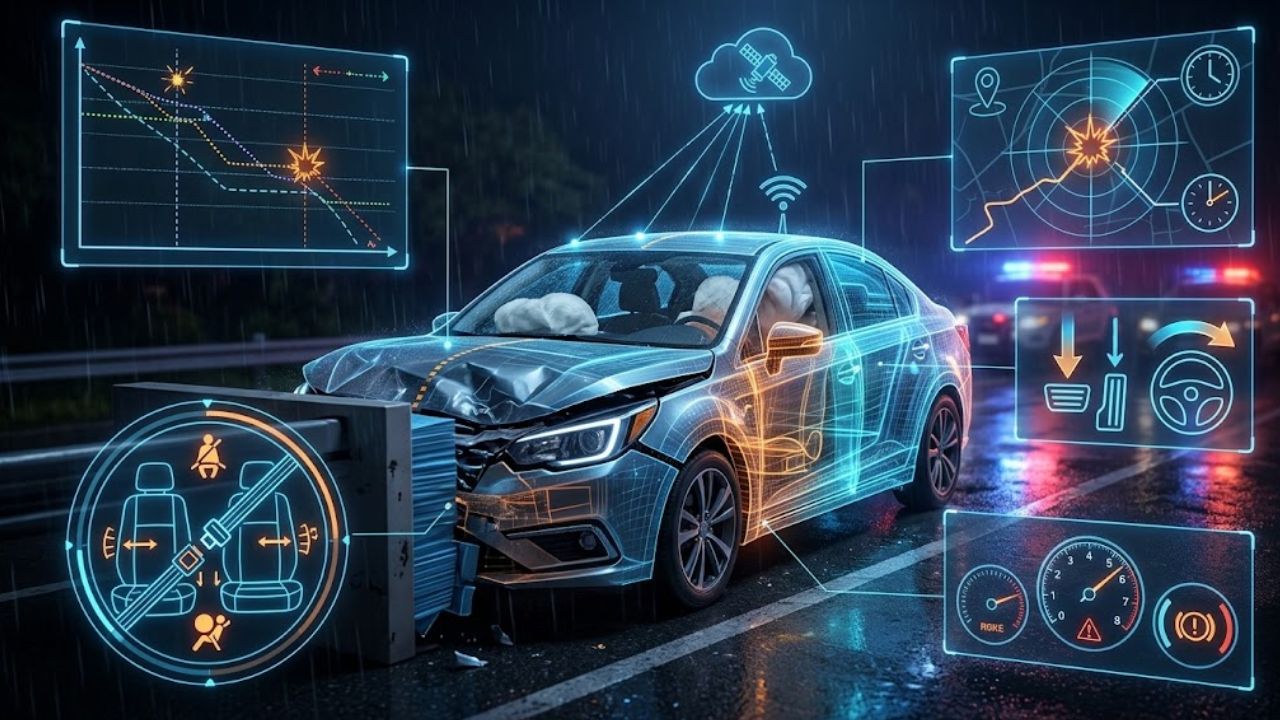
Connected systems combine information from sources such as satellite positioning, motion sensors, and the vehicle’s onboard computers. Some also connect to cameras. The European Transport Safety Council distinguishes journey recorders, which monitor trips, from event recorders, which capture information around a particular incident.
An event data recorder, or EDR, is a separate source investigators may examine alongside connected records. NHTSA describes it as recording technical information for a brief period around a crash. Its definition excludes audio and video recording. Understanding how vehicle event data recorders work helps distinguish this short event record from a trip history.
The eight findings below describe what crash data can reveal when the necessary sensors, vehicle support, and retained records are available.
1. The Vehicle’s Speed Before the Collision
Vehicle telematics can provide timestamped speed readings that show whether a vehicle was traveling steadily, accelerating, or slowing before impact. Samsara’s documentation, for example, describes access to historical speed and heading information, including speed reported by the vehicle’s electronic control unit.
A sequence of readings is more useful than one isolated number. Investigators can compare the last available speeds with the collision time, footage, and physical evidence.
However, the final recorded speed may precede impact. A gap between samples can hide a last-second change, so a report should identify the measurement source and timing before calling a figure “impact speed.”
When reviewing crash data, ask for the surrounding readings and their timestamps rather than relying on a dashboard summary alone.
2. Whether the Driver Braked or the Vehicle Slowed
Vehicle telematics may reveal brake-pedal engagement when the vehicle makes that signal available. Geotab documents collision-related brake-pedal recording on supported vehicles. Motion sensors can separately show deceleration.
These observations answer different questions. A falling speed trace shows slowing; a recorded pedal signal indicates an input. Slowing alone cannot establish that the driver pressed the brake, because impact and other forces also change a vehicle’s motion.
For illustration, a sharp slowdown before contact could be consistent with an evasive response. A slowdown beginning at contact requires a different explanation. Neither trace, by itself, establishes whether the brakes were mechanically sound.
Ask which signal supports the report’s wording. “Braked,” “decelerated,” and “hard-braking alert” should not be treated as interchangeable descriptions.
3. Where and Approximately When the Incident Happened
Timestamped location records can help place a vehicle near an intersection, road segment, or entrance. Trip history may also show the approach route and later recorded movement. This gives crash data useful geographic context. Geotab’s reconstruction instructions begin with checking the event’s date, time, location, and surrounding trip records.
Compare that history with the reported scene rather than assuming a map marker identifies the precise contact point. A location sample and a collision trigger may have different timestamps.
Also check time zones before matching records from separate systems. A camera clock, a cloud report, and a witness’s estimate may use different time references.
Preserve both the original timestamps and any explanation of clock differences. Correcting a working timeline should not mean altering the source files.
4. Sudden Turns or Changes in Direction
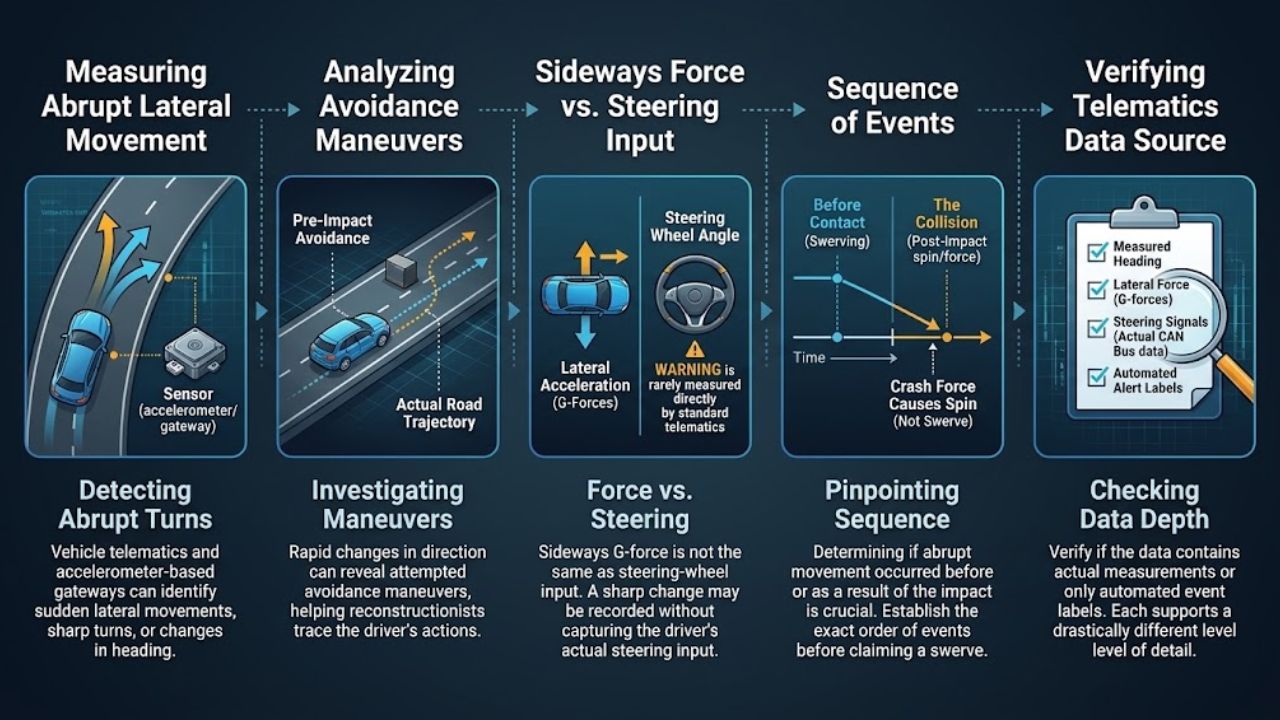
Vehicle telematics can help identify abrupt lateral movement, sharp turning, or a change in heading. Samsara’s gateway documentation describes accelerometer-based detection of turning events, while Geotab explains how device orientation and calibration affect motion readings.
This may help investigators examine an attempted avoidance maneuver. But sideways acceleration is not the same measurement as steering-wheel angle. Some systems report a classified event without recording the driver’s actual steering input.
An abrupt movement could occur before contact or result from the collision itself. Establishing the order matters before describing a driver as having swerved.
Check whether the report contains measured heading, lateral acceleration, a steering signal, or only an automated label. Each supports a different level of detail.
5. The Sequence and Direction of Impact-Related Movement
Acceleration records can provide clues about how a vehicle moved during a collision. Geotab’s reconstruction workflow uses collision logs, accelerometer graphs, and speed profiles to examine movement before and after an event. Multiple recorded spikes may warrant investigation alongside evidence of multiple contacts.
Interpreting crash data requires care. A peak sensor reading is not a direct measure of someone’s injury, and an automated collision flag does not explain the entire event.
The practical value comes from combining the trace with damage, final vehicle positions, photographs, and any available video. That comparison can help assess whether an interpretation fits the scene.
Anyone comparing accident reconstruction technology should pay particular attention to the underlying measurements and assumptions. A convincing animation still needs evidence behind it.
6. Recorded Seat Belt and Airbag Information
Some connected platforms support driver seat belt status. Separate EDR records may contain restraint-use and deployment information, including airbag-related details. These fields depend on the vehicle and recording system; they should not be assumed to appear in every tracking dashboard.
This part of crash data can help investigators examine the safety systems’ recorded state. The report should identify the seat or restraint involved, the relevant time, and the field’s defined meaning.
A buckle-status reading, for example, does not independently document how the belt was positioned across an occupant. Likewise, a deployment record needs to be considered alongside the collision circumstances and vehicle inspection.
Ask for the field definitions and any limitations supplied with the download. An unexplained “yes” or “no” can conceal an important distinction.
7. Vehicle Faults Reported Before or After Impact
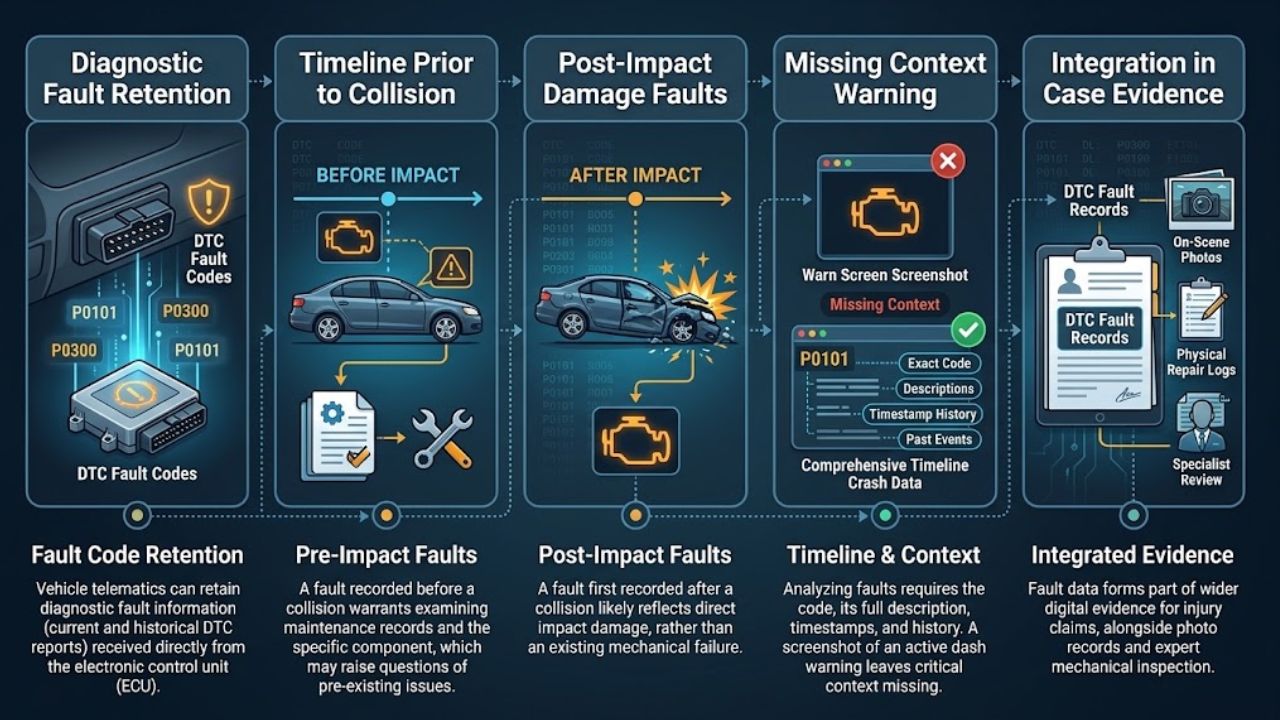
Vehicle telematics can retain diagnostic fault information that helps establish when a vehicle reported a problem. Samsara supports both current fault readings and historical reports of codes received from a vehicle’s electronic control unit.
Timing is central. A fault recorded before the collision may justify examining maintenance records and the relevant component. One first recorded afterward could reflect collision damage. Neither observation, alone, settles causation.
Useful crash data should therefore include the code, its description, available timestamps, and the surrounding history. A screenshot showing only an active warning leaves much of that context missing.
This information can form part of the wider digital evidence supporting an injury claim, alongside photographs, repair findings, and other relevant records. Technical interpretation may still require a qualified vehicle specialist.
8. What a Connected Camera Captured
Vehicle telematics linked to cameras can add visual context that sensor readings cannot supply. A forward-facing recording might show traffic movement or an obstruction; an inward-facing recording may show visible driver activity. Samsara distinguishes gateway-based motion events from camera-based detections and provides access to associated event footage.
Video is available only when the relevant camera was recording and the footage remains accessible. Privacy settings can disable particular streams while some automated event detection continues. A distraction label therefore does not guarantee there is a clip available to verify it.
Review the footage with crash data and enough surrounding time to understand the sequence. Camera angle, obstructions, and image quality can limit what is visible.
Preserve the original export rather than only a cropped clip or a phone recording of the playback screen.
How to Preserve and Assess the Records
Once immediate safety and medical needs have been addressed, identify which records may exist and who holds them. The vehicle manufacturer, fleet operator, camera provider, and insurer may hold different information.
Ask the relevant holder about preservation and retention promptly. Samsara’s storage guidance notes that older camera footage can be overwritten and that retention depends on the camera, configuration, and vehicle use. There is no single deadline that applies to every system.
For a useful review, request:
- Original available exports, including surrounding records and metadata.
- Vehicle and device identifiers, plus the recording period and time zone.
- Field definitions, sampling information, and known gaps.
- An explanation of who retrieved the files and when.
Access and disclosure depend on applicable law, authorization, and provider procedures. Where a claim is involved, discuss preservation with an appropriate local professional before repairs or disposal affect relevant equipment.
Drivers enrolled in usage-based auto insurance should also check their policy and privacy documents. A driving score and an incident-specific investigation serve different purposes. The range of telematics technologies used in auto insurance also explains why one program’s records may differ from another’s.
Frequently Asked Questions
What Information Does Telematics Record After an Accident?
Vehicle telematics may provide location, speed, movement, diagnostic information, and linked video. Available crash data depends on the equipment, supported signals, settings, and retained records.
Can Telematics Prove Who Caused a Crash?
It can support or challenge an account of events. Fault requires assessing the complete evidence and applicable law; an automated alert alone does not settle responsibility.
Is a Car’s Black Box the Same as a Tracking Device?
Not necessarily. “Black box” is used loosely. An EDR captures a brief event-related technical record, while a connected tracking system may retain a longer trip history.
How Long Are Accident Records Kept?
Retention varies by device, provider, settings, and record type. Ask the relevant holder promptly rather than assuming all logs and video share one retention period.
Does Every Telematics System Record Video?
No. Video requires a camera, enabled recording, and retained footage. Location and motion tracking can operate without recording video.
Final Thoughts
Vehicle telematics can add useful evidence when memories conflict or the sequence is unclear. Its value depends on knowing what was measured, when it was recorded, and what the system could not capture.
Preserve available crash data early and assess it alongside the physical scene, vehicle inspection, and other records. A clear explanation of the evidence is more useful than a confident conclusion drawn from one dashboard alert.