Blu-ray movies, the successor to DVD movies, perform well in video and audio quality and are popular among people. Though it’s enjoyable to watch Blu-ray movies, it can also be troublesome for the preparation works every time you need to play a Blu-ray. To simplify the preparation for playing Blu-rays, a good way is to convert Blu-ray to digital, which means you only need the computer and a Blu-ray player for playback.
Then the question is, how to convert Blu-ray to digital? Typically, you need a reliable Blu-ray ripper to help you. In this post, we’d like to introduce the best Blu-ray ripper: VideoByte BD-DVD Ripper to you. You can use it to convert Blu-ray to digital easily.
VideoByte BD-DVD Ripper: What does it do?
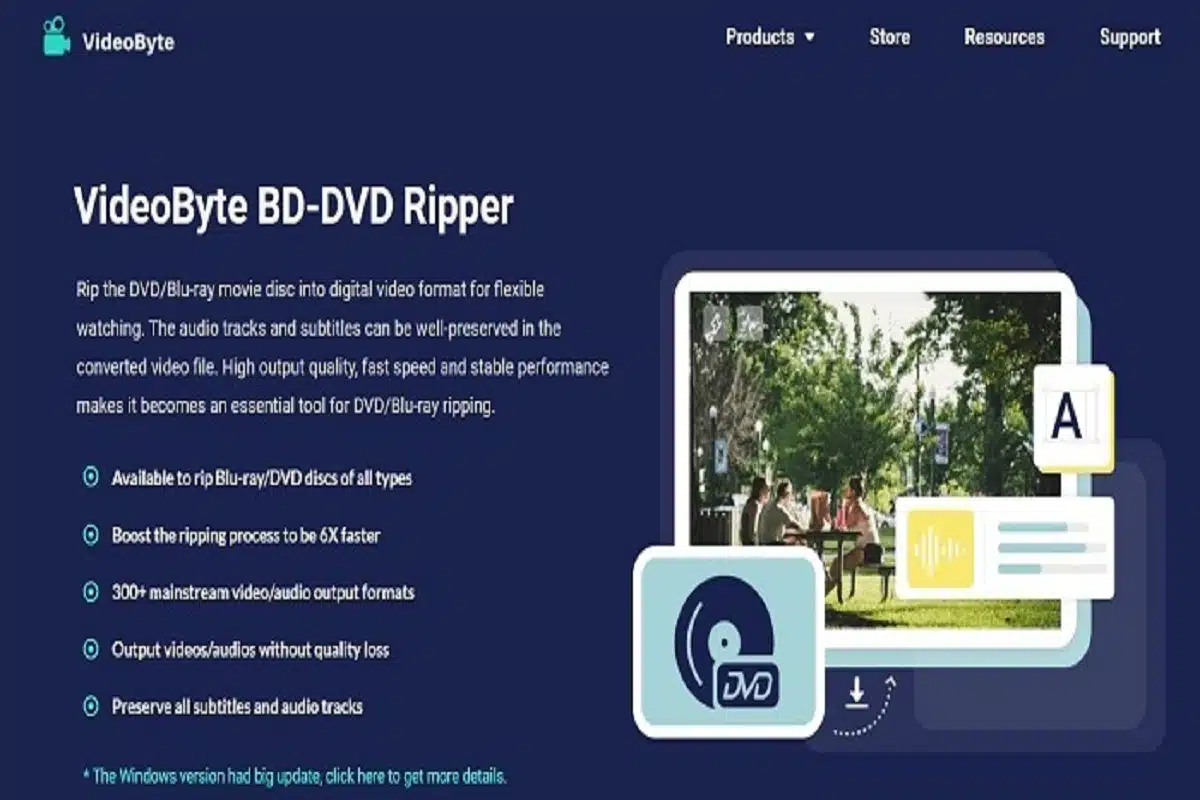
VideoByte BD-DVD Ripper is a useful program a useful program for Windows and Mac users to rip DVD/Blu-ray discs/folders to digital video/audio files for flexible playback. With this tool, Blu-rays/DVDs will be free from the plastic discs so that people can transfer the videos to any device for streaming without the need for a hard drive to read the discs anymore. Also, VideoByte BD-DVD Ripper will provide you with regional support, which means you can convert any Blu-ray you like to common digital formats.
VideoByte BD-DVD Ripper: Key Features
To help you better know about this third-party tool, we will list some of its key features here, and you can check them one by one:
- Offers a user-friendly UI
- Provides 300+ output formats to convert Blu-ray and DVD discs
- Supports converting Blu-ray/DVD at 1:1 original video ratio and picture quality
- Keeps all the audio tracks and subtitles together with the Blu-ray/DVD content
- Allows to set output parameters flexibly
- Offers basic editing functions to cut, crop, rotate, merge, and add effects/filters/watermark before ripping
- Keeps the converted videos/audios at original quality (up to 1080p HD & 4K)
These are the highlights of VideoByte BD-DVD Ripper. Of course, there are more interesting and powerful features we haven’t listed above, and you can explore more when using this amazing tool. See how to use it to convert Blu-ray to digital step by step.
How to Use VideoByte BD-DVD Ripper to Convert Blu-ray to Digital?
When you have installed VideoByte BD-DVD Ripper on your computer, you can start ripping Blu-ray to digital formats with VideoByte BD-DVD Ripper.
Step 1. Load Blu-ray Movie Disc
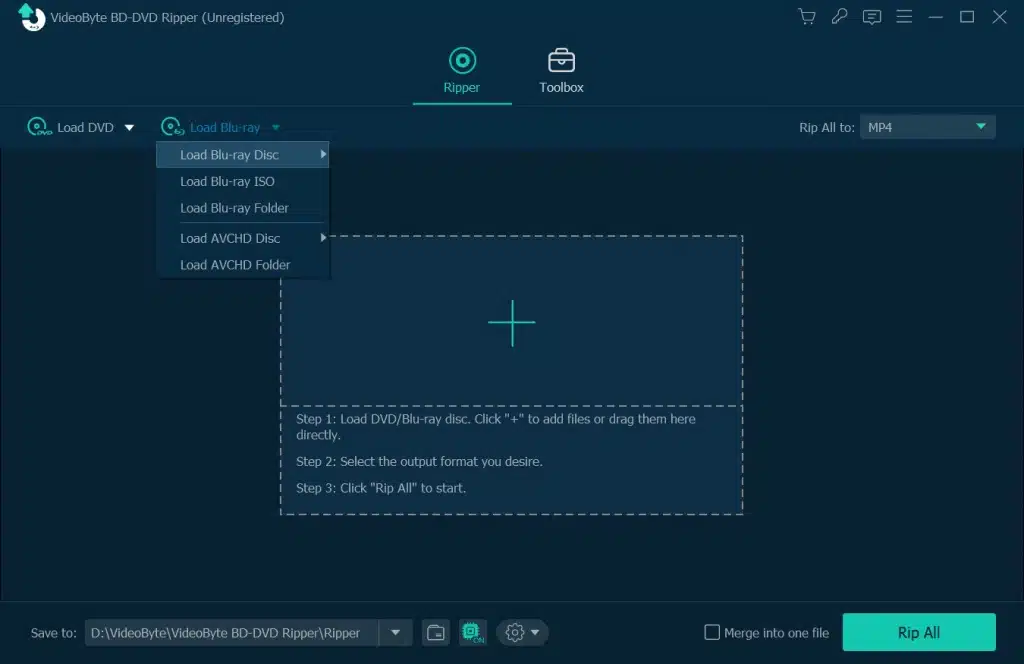
First, connect your Blu-ray optical drive with your computer and insert the Blu-ray disc into the drive. Then launch VideoByte BD-DVD Ripper you installed just now. On the top left of the main interface, click “Load Blu-ray > Load Blu-ray Disc”.
Step 2. Choose Blu-ray Video to Rip
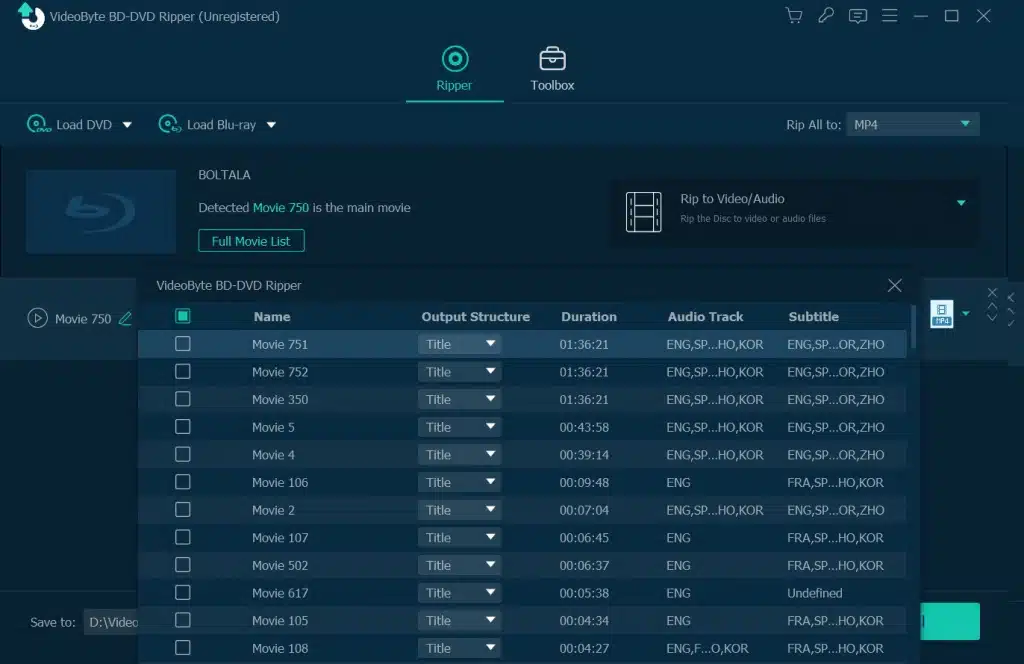
When VideoByte BD-DVD Ripper loads the videos on the Blu-ray disc, it will automatically select the main movie for ripping. You just need to click “Full Movie List” for selecting the videos you want to convert to digital formats with the audio track and subtitle you need.
Step 3. Select Digital Format
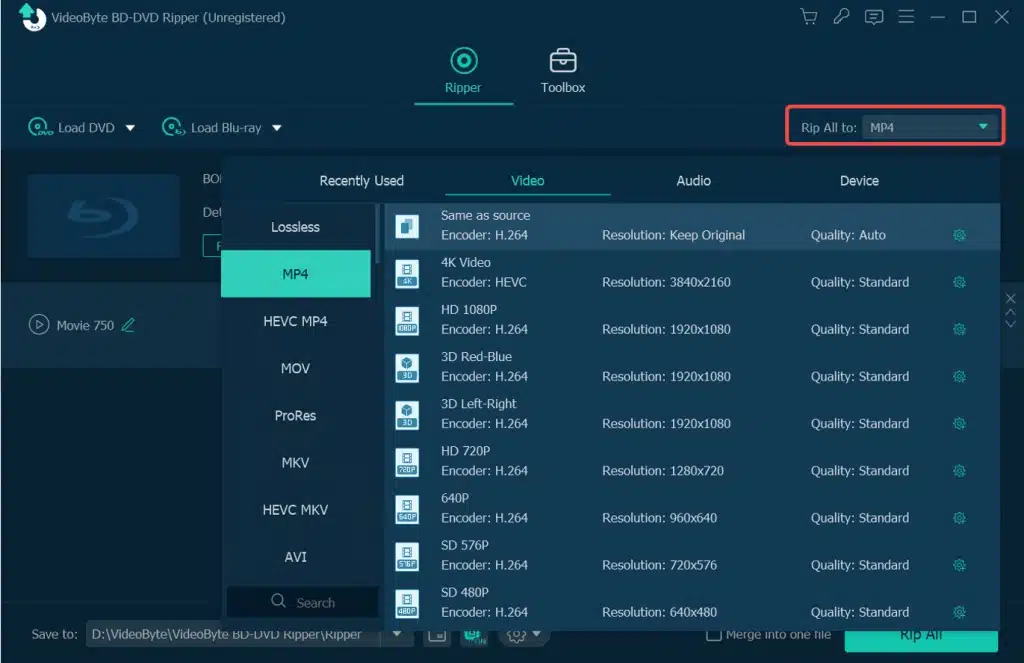
Go to the “Rip All to” menu and choose a digital format to output them. The universally-used formats include MP4, MKV, AVI, and more. You can choose them and select the quality you want from the format list according to your need.
Tips:
You can click “Settings” to adjust the video resolution, bitrate, frame rate as well as audio bitrate, sample rate, etc. Incidentally, remember that the higher bitrate results in a bigger file size with lower visible quality loss, and vice versa.
Step 4. Rip Blu-ray to Digital Format
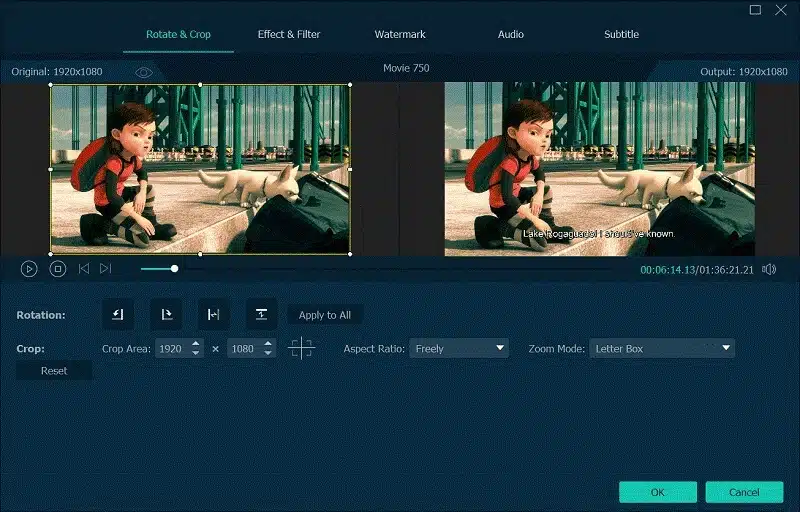
Go back to the main screen, and here you can clip Blu-ray video and select the wanted segments, crop, rotate, add watermark to the Blu-ray video, or adjust other effects like brightness, contrast, saturation, and hue of the video. Besides, this utility lets you merge several files into one output file.
Step 5. Start Converting Blu-ray to Digital Formats
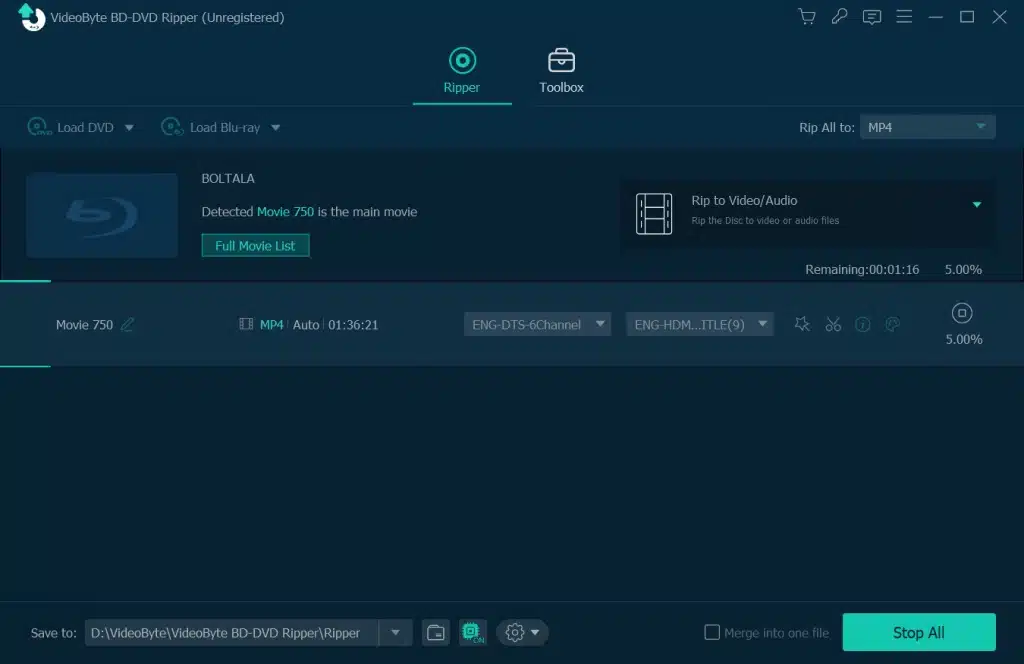
Finally, click “Rip All” button on bottom right to begin the conversion of Blu-ray disc.
Conclusion
VideoByte BD-DVD Ripper is a versatile Blu-ray ripper performing well in various aspects like fast conversion speed, intuitive interface, and more equipped video managing tools. With these amazing features, we think it is the best Blu-ray to digital converter. If you need to rip Blu-ray to digital, just download and try VideoByte BD-DVD Ripper without hesitation.