


Choosing the right Free SaaS Tools for Founders and Developers is less about collecting free accounts and more about avoiding hidden operational traps. An impressive feature list means nothing if an inactive database gets paused, commercial use is restricted, or essential history disappears overnight.
To build and scale efficiently without upfront costs, early-stage teams need generous, predictable free tiers that support real production workloads. The ideal free stack should cover core infrastructure, reliable database hosting, product analytics, user authentication, and streamlined workflows without forcing an immediate upgrade.
Organized by startup workflow—from development and monitoring to collaboration and automation—here are the most reliable free SaaS platforms built to help founders and developers launch an MVP on a $0 budget.
How These Free SaaS Tools for Founders Are Organized
The first four tools help a team store, build, and deploy software. The next group covers errors, uptime, analytics, email, and customer input. Project management, design, communication, CRM, and automation appear later because adopting them too early can create more administration than value.
This is also why a familiar name does not automatically rank above a narrower product. GitHub is close to essential for a software startup. Slack is not—especially for a founder working alone.
The Detail Most Free-Tool Lists Miss
“Free” can describe several very different arrangements. Before adopting a service, check four things:
- Whether the plan permits commercial use
- What happens when the account exceeds a limit
- How long the provider retains data and whether backups are included
- How the team can export its information or move to another service
Also record who owns the account. A production database, domain, repository, or analytics property should not remain tied to a contractor’s personal email address.
A free tier is most valuable when it buys time to validate a product. It becomes expensive when the startup needs an emergency migration just as customers begin arriving.
1. GitHub: The Default Starting Point for Source Control
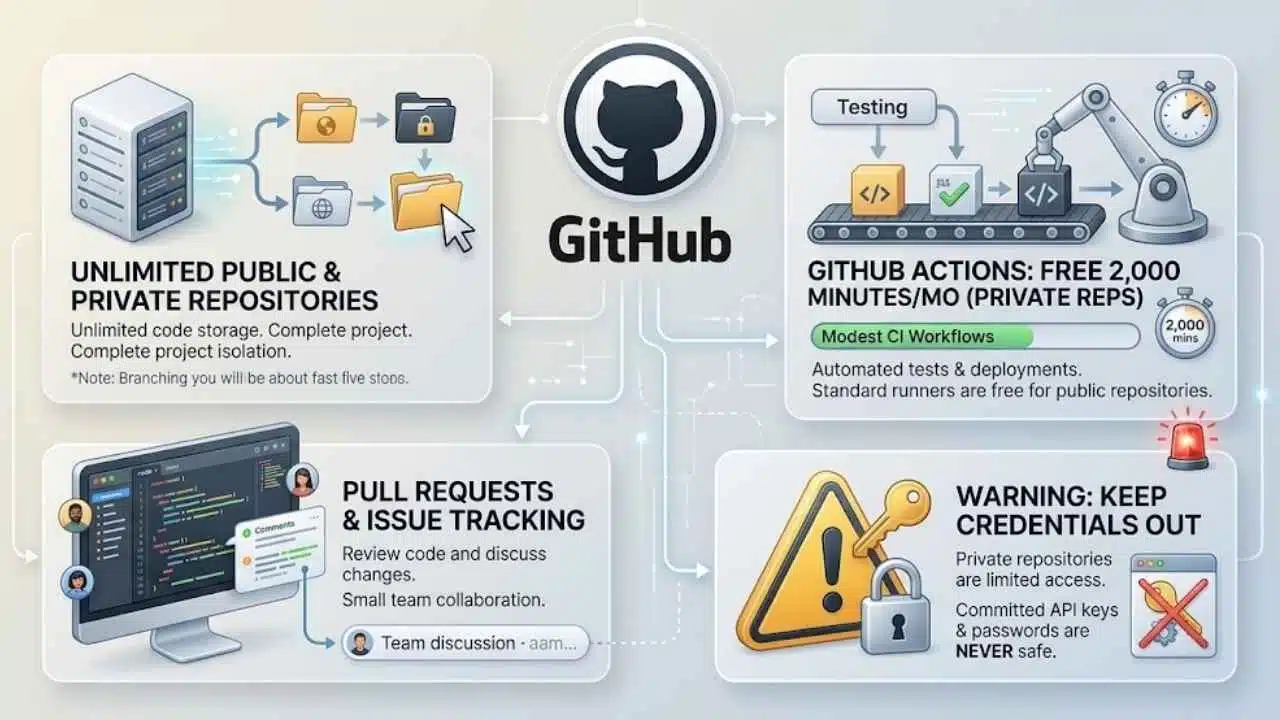
GitHub Free includes unlimited public and private repositories. It also provides 2,000 GitHub Actions minutes per month for private repositories, while standard GitHub-hosted runners remain free for public repositories.
That is enough for source control, pull requests, issue tracking, and modest continuous-integration workflows. A small team can automatically run tests when code changes and deploy after a merge without immediately purchasing a separate CI service.
Watch Actions usage if builds are long or run across several operating systems. More importantly, keep credentials out of the repository. A private repository limits access; it does not make committed API keys or production passwords safe.
2. Cloudflare: Strong Free Infrastructure With Several Uses
Cloudflare is unusually useful because one account can cover DNS, TLS certificates, content delivery, basic DDoS protection, static hosting, and lightweight edge code.
Cloudflare Workers Free allows 100,000 requests per day with 10 milliseconds of CPU time per invocation. Cloudflare Pages permits 500 builds per month, one build at a time, and up to 100 projects per account.
Those limits suit landing pages, documentation, small APIs, redirects, and static front ends. The CPU ceiling deserves attention: a Worker that mainly authenticates a request or adjusts a response is different from one performing heavy processing. Among free SaaS tools for founders, Cloudflare is one of the most capable options, provided the workload fits its model.
3. Supabase: A Practical Backend for an Early Product
Supabase combines a PostgreSQL database with authentication, file storage, APIs, and other backend services. The free plan includes two active projects, a 500MB database per project, 50,000 monthly active users, 1GB of file storage, and 5GB of egress.
The limits are generous enough for prototypes and many early betas. Two details matter more than the headline numbers: free projects can pause after one week of inactivity, and automatic backups are not included.
A founder should therefore create an export or backup process before storing irreplaceable customer data. Supabase can reduce backend setup substantially, but managed authentication and database hosting do not remove the need for access controls, tested recovery, and sensible data retention.
4. Vercel: Excellent for Prototypes, Restricted for Commercial Work
Vercel offers a smooth deployment experience for modern web frameworks. Its Hobby plan includes allowances such as one million function invocations and 100GB of fast data transfer per month.
The decisive limitation is not technical. Vercel states that Hobby is for personal, non-commercial use. It is suitable for portfolios, experiments, open-source projects, and demonstrations, but founders should not assume it provides permanent free hosting for a revenue-generating startup.
The practical recommendation is simple: use Hobby to prove an idea, then budget for an eligible plan or choose infrastructure whose free terms permit the intended commercial use.
5. Sentry: Error Reports Before Users Have to Send Screenshots
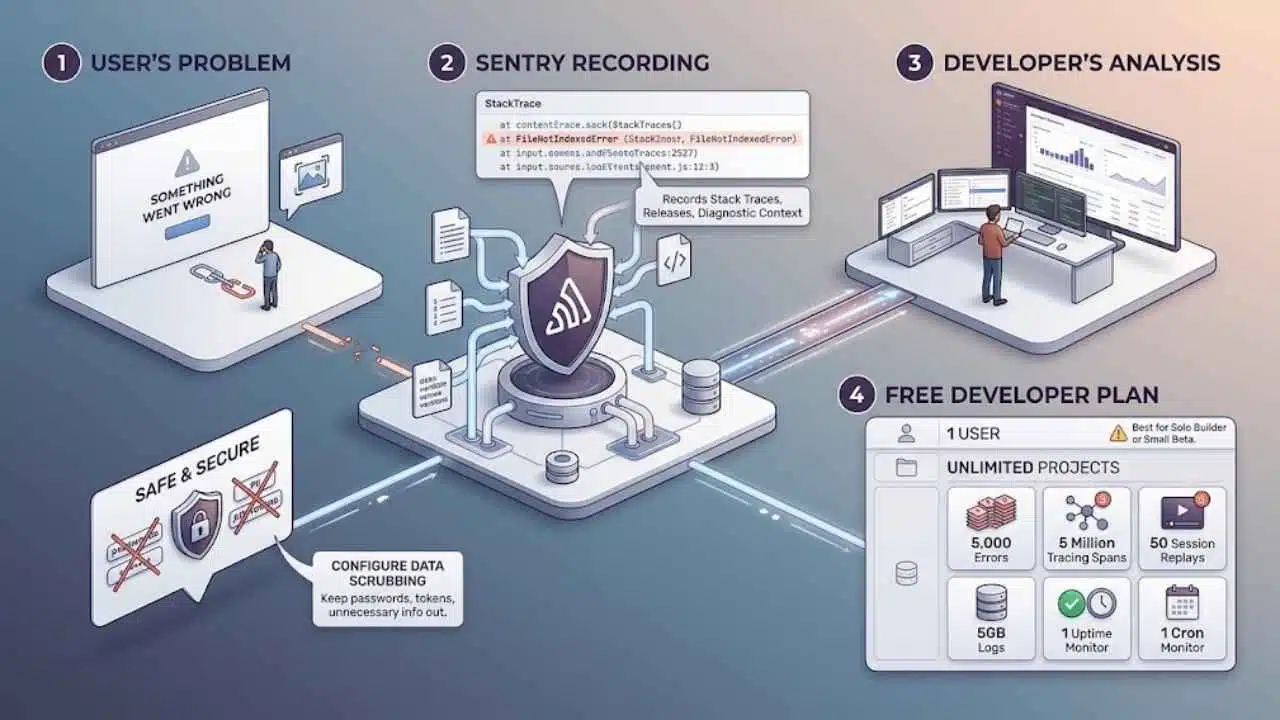
A generic “something went wrong” message rarely gives a developer enough information to fix a production problem. Sentry records application errors, stack traces, affected releases, and related diagnostic context.
Its free Developer plan permits one user and unlimited projects, with allowances including 5,000 errors, five million tracing spans, 50 session replays, 5GB of logs, one uptime monitor, and one cron monitor.
The one-user limit makes this less attractive once several developers need direct access. For a solo builder or very small beta, however, installing error reporting early is usually worth the effort. Configure data scrubbing carefully so passwords, tokens, or unnecessary personal information do not enter diagnostic events.
6. PostHog: Product Analytics With Room to Experiment
PostHog combines product analytics, session replay, feature flags, surveys, error tracking, and other product tools. Its monthly free allowances include one million analytics events, 5,000 recordings, one million feature-flag requests, 100,000 exceptions, and 1,500 survey responses. The free plan currently supports one project, one year of retention, and unlimited team members.
The bigger risk is collecting data without a decision attached to it. Start with a short event plan: account created, key action completed, return visit, upgrade, and cancellation may be enough. Recording every click produces noise and can create avoidable privacy work.
PostHog becomes valuable when a team has a specific product question, not merely because dashboards look professional.
7. UptimeRobot: Basic External Monitoring
UptimeRobot Free supports up to 50 monitors at five-minute intervals. The provider presents this tier primarily for hobby and nonprofit projects, and shared login seats are unavailable.
It remains useful for checking a homepage, API endpoint, or other public service from outside the startup’s own infrastructure. Five-minute checks can miss short incidents, however, and basic monitoring is not a substitute for a production service-level commitment. Use it as an early warning system, not proof that an application is consistently healthy.
8. Resend: Transactional Email Without Immediate Volume Costs
Resend’s free plan includes 3,000 emails per month, a daily limit of 100, one sending domain, and 30 days of data retention. That capacity can cover account verification, password resets, receipts, and other transactional messages for a modest beta.
The daily cap matters during a launch. A product may remain below 3,000 monthly emails while exceeding 100 in a single busy day. Set up domain authentication before inviting customers, and monitor bounces rather than assuming an accepted API request means the message reached the inbox.
9. Tally: One of the Most Useful Free Tools for Customer Input
Tally offers unlimited forms and submissions under a fair-use policy, along with conditional logic, calculations, signatures, file uploads, payment forms, webhooks, and integrations.
Its free file-upload limit is 10MB per file. Tally considers sustained usage around 50,000 submissions per month, 100GB of monthly uploads, or 50,000 email notifications per month to be extensive use that may require a custom arrangement.
Few free SaaS tools for founders cover as many early needs in one place. Tally can handle a waitlist, customer interview screener, onboarding questionnaire, bug report, or simple order form. Custom domains, branding removal, collaboration features, and some operational controls remain paid, so check the presentation requirements before embedding a form in a customer-facing flow.
10. Linear: Focused Issue Tracking for Product Teams
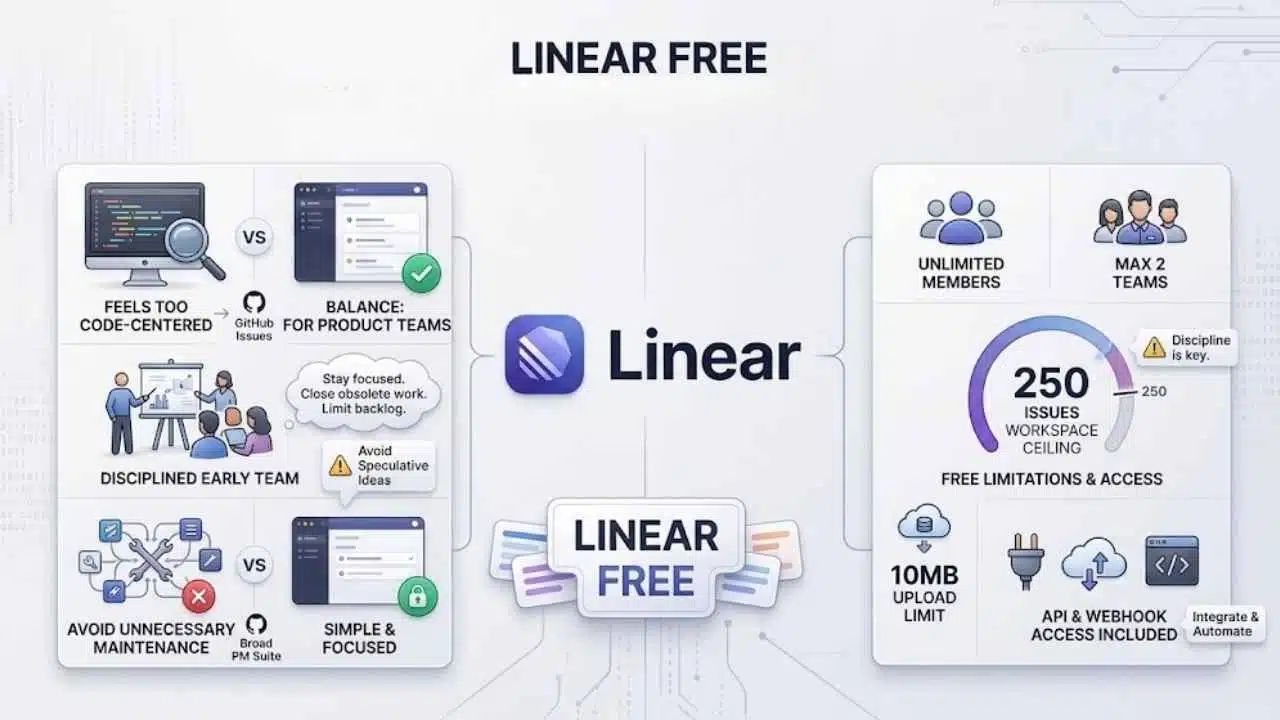
Linear Free allows unlimited members but limits a workspace to two teams and 250 issues. It also has a 10MB upload limit, while API and webhook access are included.
The 250-issue ceiling matters more than the unlimited member count. A disciplined early team can stay within it by closing obsolete work and avoiding a backlog filled with speculative ideas. Linear is a strong fit when GitHub Issues feels too code-centred but a broad project-management suite would create unnecessary maintenance.
11. Notion: Useful as a Knowledge Base, Less Convincing as Everything
Notion Free provides unlimited pages and blocks for an individual. Workspaces with two or more members face a block limit, while free accounts also have 5MB file uploads, seven days of page history, and up to 10 external guests.
It works well for product briefs, meeting notes, research, operating procedures, and decisions that should survive beyond a chat thread. Problems begin when a startup tries to make Notion its CRM, issue tracker, database, and support queue at once.
Use it to preserve knowledge. Choose a more purpose-built system when permissions, transaction history, or workflow reliability become important.
12. Figma: Enough Design Capacity for Core Product Work
Figma’s free Starter plan permits a team to collaborate with unlimited users across three team files. Personal draft files can also be shared with viewers, and free viewers retain basic inspection, export, commenting, and code-copying capabilities.
Three collaborative files are enough for a design system, active product work, and marketing assets if the team organizes pages carefully. The restriction becomes irritating when every experiment becomes a separate file.
Figma is most valuable when it prevents avoidable implementation mistakes. A clear checkout state, empty screen, or mobile flow is worth more than a large collection of polished mockups no one plans to build.
13. Slack: Helpful for Teams, Unnecessary for Most Solo Founders
Slack Free keeps the most recent 90 days of messages and files searchable. Data more than one year old is deleted, and free huddles are limited to one-to-one conversations.
Slack’s official pages currently disagree about the integration allowance: the dedicated Free page says up to three apps, while the main pricing page says up to 10. Check the limit shown in the active workspace before planning a toolchain around integrations.
A solo founder generally does not need Slack. Small teams may benefit once quick coordination begins crowding email, but durable decisions should move into documentation or an issue tracker before message history disappears.
14. HubSpot CRM: Worth Adding When Sales Becomes a Process
HubSpot’s current free CRM allowance covers up to two users and 1,000 contacts. It includes contact, deal, and task management, along with email tracking, templates, meeting scheduling, document sharing, and live chat.
That is useful for a founder handling demos, proposals, partnerships, or a growing business-to-business pipeline. It is excessive for someone with five early users and no repeatable sales process. A CRM only helps when records are updated consistently; otherwise, it becomes another incomplete address book.
15. Zapier: Good for Small Automations, Easy to Overestimate
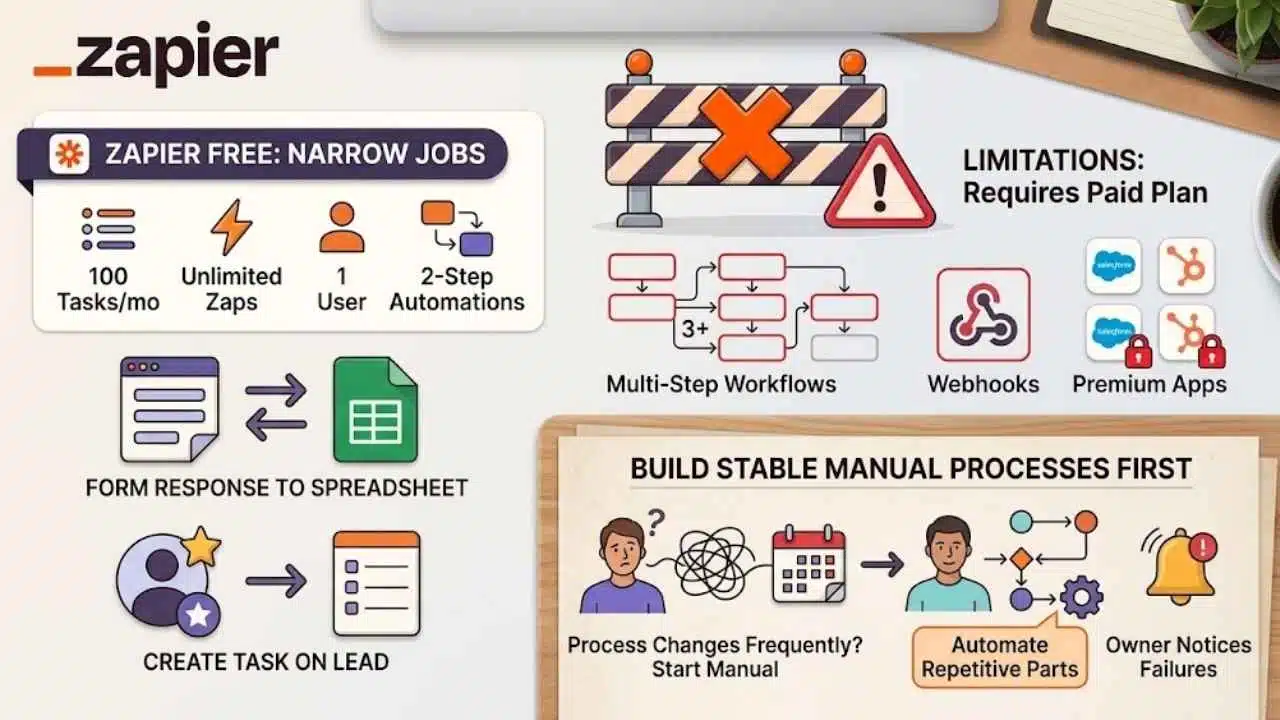
Zapier Free includes 100 tasks per month, unlimited Zap workflows, one user, and two-step automations. Multi-step workflows, webhooks, premium apps, and larger task allowances require a paid plan.
The free tier is suitable for narrow jobs such as sending a form response to a spreadsheet or creating a task when a lead arrives. It is less suitable as the hidden operating system behind the company.
Automation is overrated when the underlying process changes every week. Stabilize the manual workflow first, then automate the repetitive part that has clear inputs, outputs, and an owner who will notice failures.
A Practical Starting Stack
Most founders should begin with fewer tools than this list suggests. A sensible first stack might include GitHub for code, an appropriate hosting platform, Sentry or UptimeRobot for visibility, and either Tally or PostHog for learning from early users. Add Supabase if the product needs its managed backend services.
Project management, team chat, CRM, and automation should follow actual pressure. If leads are being forgotten, add HubSpot. If work is getting lost, add Linear. If two systems require the same manual transfer several times a week, consider Zapier.
The best free SaaS tools for founders are not the ones with the longest feature pages. They are the ones that solve a current problem without creating a difficult commercial, operational, or data-recovery problem later. Start with a small stack, document the limits, and know which service will probably require the first paid upgrade.

























