

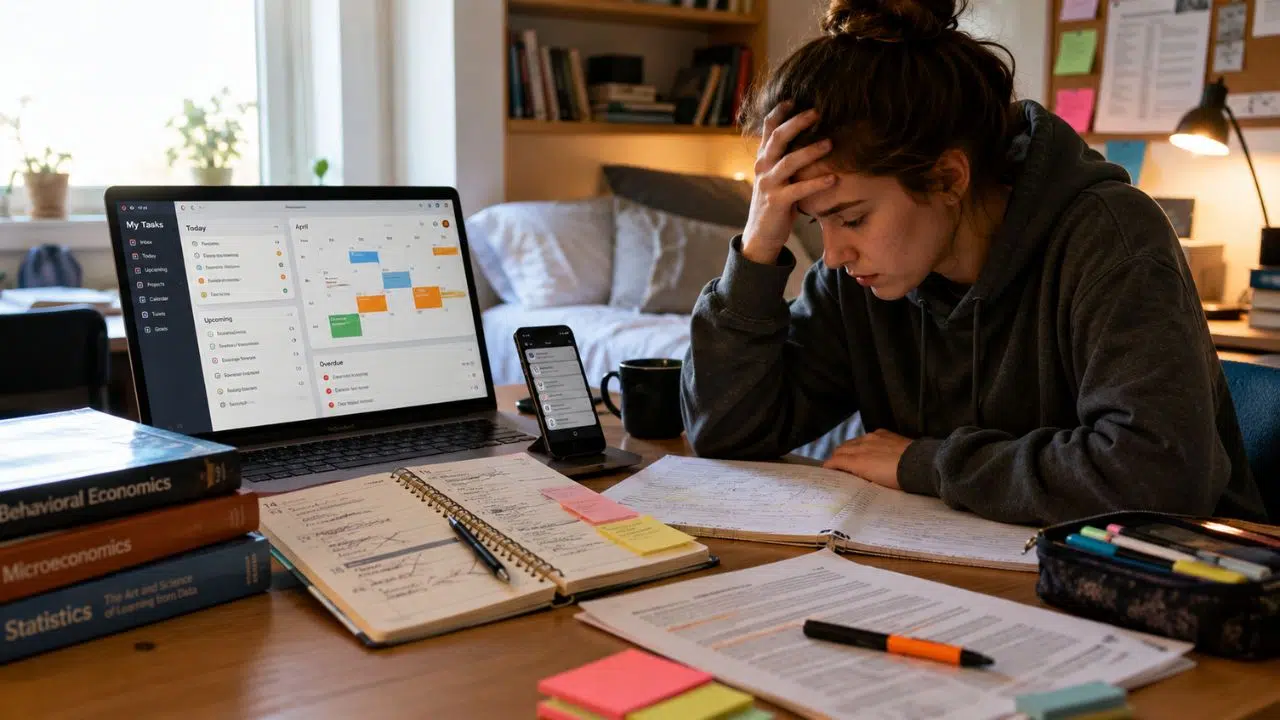
For years, student productivity advice has followed a familiar pattern. Missed a deadline? Download a better planner. Struggling to focus? Try a timer. Feeling overwhelmed? Build a dashboard that holds your classes, habits, notes, goals, and study schedule in one place. I don’t buy the idea that students are one app away from becoming organized.
Students already have more productivity software than any previous generation. They have calendars, task managers, digital notebooks, website blockers, habit trackers, AI assistants, course portals, focus timers, and scheduling tools. The shortage isn’t software.
The deeper problem is that many of these apps still expect students to provide the hardest parts of productivity themselves.
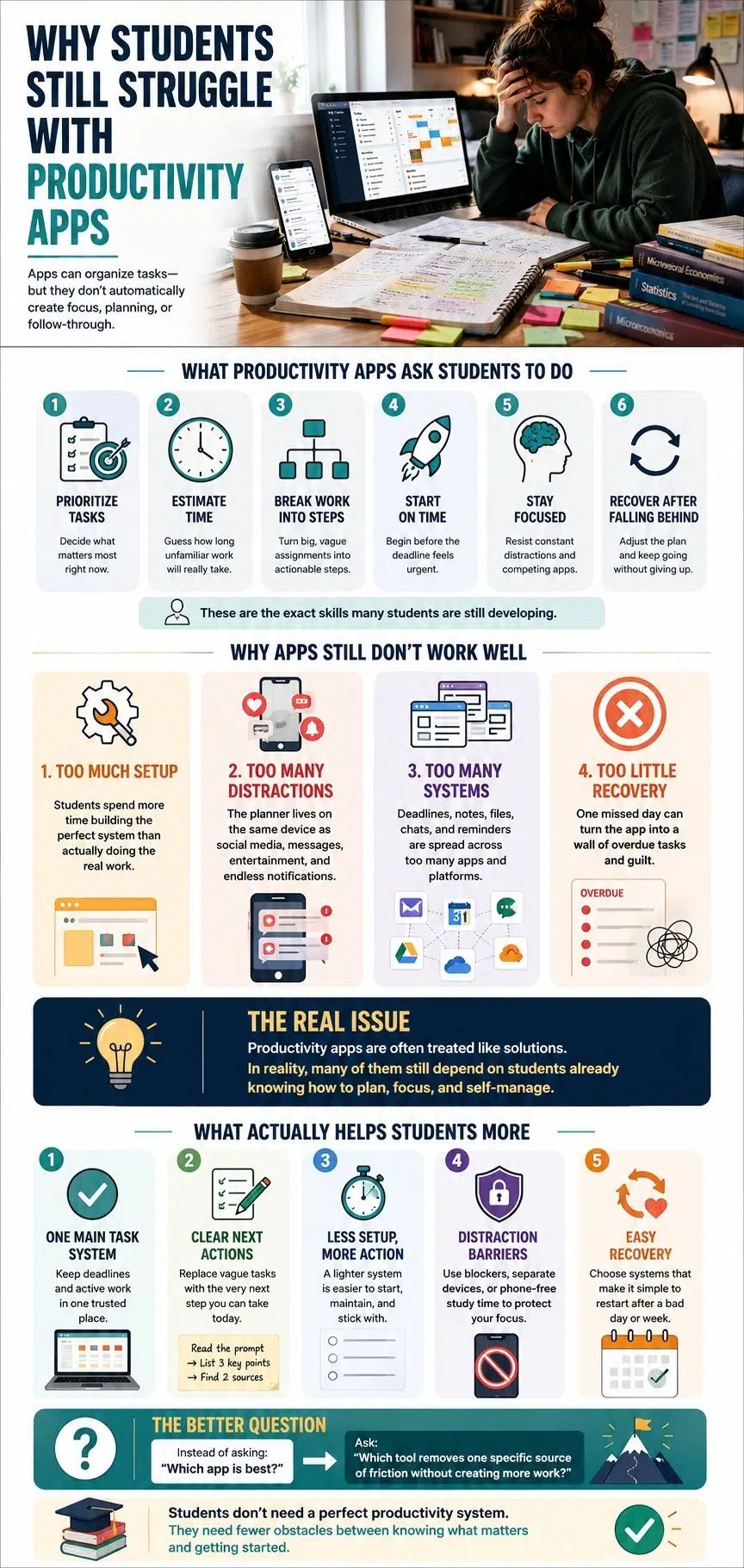
A student has to decide what matters first. They must turn a vague assignment into specific actions, estimate how long unfamiliar work will take, begin before the deadline feels urgent, resist distractions, notice when the plan has failed, and rebuild it without giving up. The app can record those decisions. It cannot make them automatically.
That is why students struggle with productivity apps should not be treated as a story about laziness or weak discipline. The struggle usually sits at the intersection of self-regulation, app design, academic workload, digital distraction, and the way schools organize information.
The App Often Requires the Skill It Promises to Improve
Before most productivity apps become useful, the student has to set them up properly. That usually means finding every assignment, entering each deadline, sorting tasks by subject, breaking large projects into stages, setting priorities, estimating time, choosing reminders, and reviewing the system regularly.
This is often described as a small setup process. It isn’t small. It is the work of planning. A student who struggles to prioritize is asked to prioritize everything before the app can help. A student who underestimates assignments must provide duration estimates. Someone who has difficulty maintaining routines is given another system that only works when it is checked and updated consistently.
The software assumes there is already a capable project manager behind the screen. For many students, that is the skill still being developed.
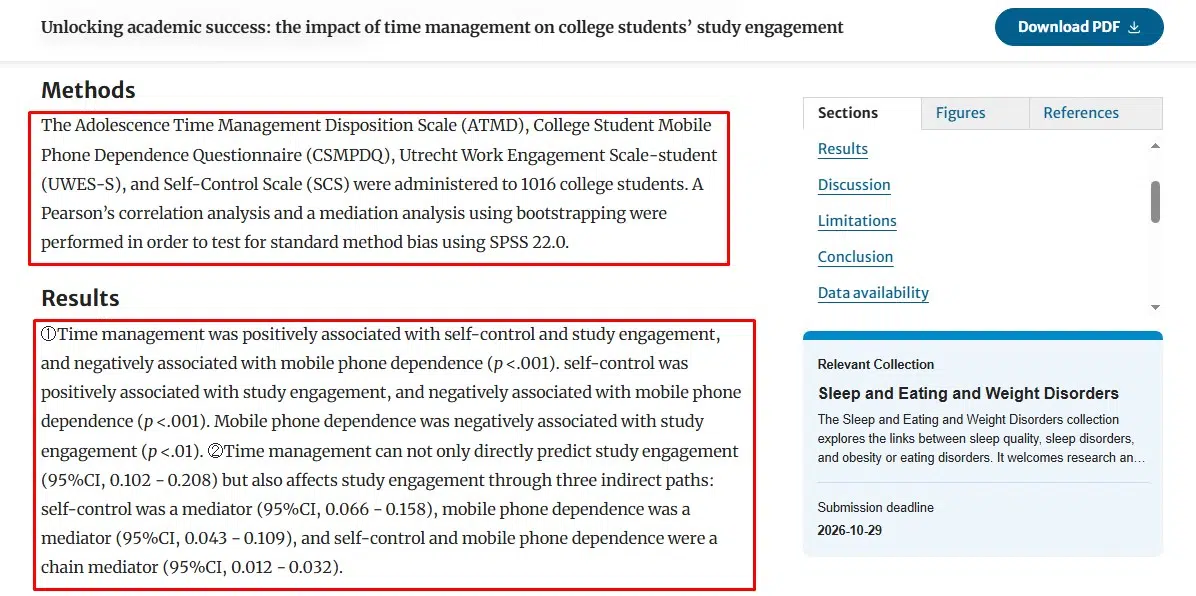
A 2025 study of 1,016 college students found that time management, study engagement, self-control, and mobile-phone dependence were closely connected. The relationship between time management and engagement did not exist in isolation; self-control and phone dependence also played important roles.
This is why telling a student to “use a planner” is incomplete advice. The planner may support better decisions. It does not remove the need to make them.
Organizing Work Can Become a Safer Alternative to Starting It
Productivity apps are very good at making preparation feel productive. A student can spend an evening creating subject pages, importing templates, assigning colors, setting icons, adjusting calendar views, adding tags, building databases, and designing a detailed weekly routine.
None of that is automatically pointless. A clear setup can reduce confusion. The problem begins when system-building becomes easier than facing the work. I call this productive avoidance.
The student is not obviously wasting time. They are doing something related to the assignment. The dashboard looks better. The task list is cleaner. The semester appears to be under control. The essay remains unwritten.
This happens because organization offers a quick sense of completion. Difficult academic work does not. Reading an uncertain source, choosing an argument, solving a problem, or drafting a weak opening paragraph can feel uncomfortable. Changing a template feels safe. The more customizable the app, the easier it is to remain in setup mode.
That is why I hesitate to describe complex, flexible platforms as the best productivity choice for every student. Flexibility can be valuable for someone who already has a working method. For an overwhelmed student, it may introduce another set of decisions before the actual work begins.
“Build the perfect system” is a dangerous promise because the perfect system can always be improved tomorrow.
The Productivity Tool Lives Inside the Distraction Machine
A paper planner does not contain social media. A smartphone does. The same device may hold the student’s calendar, course messages, notes, entertainment, games, email, shopping apps, short-form video, news, and private conversations.
The productivity tool is not operating in a quiet environment. It is competing with software designed to capture attention quickly and repeatedly.
A survey of 273 students and doctoral candidates examined digital self-control tools such as app blockers, delay features, focus timers, goal systems, and interface modifications. The researchers found a gap between which features people knew about and which they considered helpful. They also noted the basic conflict created when the same devices and platforms are used for both education and entertainment.
The student opens a planner to check a deadline. A message appears. Then another notification. They remember an email, open the learning portal, search for a source, and somehow end up somewhere unrelated.
From the outside, this is easily described as poor discipline. That explanation is too convenient. Students do make choices, but those choices happen inside an environment where academic tasks compete with faster, easier, and more emotionally rewarding alternatives.
A productivity app may tell the student to focus. It is still running on the device that keeps inviting them not to.
Sometimes the student already knows what needs to be done. In that situation, a distraction blocker, a separate study device, a quiet location, or leaving the phone in another room may help more than another planning app. The problem is not always organization. Sometimes it is access.
Students Are Managing a Stack, Not a System
The average student’s academic workload may be spread across several places:
- The school’s learning-management system
- Institutional email
- A personal calendar
- Class messaging groups
- Shared documents
- Cloud storage
- A note-taking app
- A task manager
- Instructor-specific platforms
- An AI assistant
Each tool may have a reasonable purpose. Together, they create fragmented responsibility.
The official deadline appears in the learning portal. A clarification arrives through email. A group member changes the meeting time in chat. The student places a reminder in a calendar but stores the research notes elsewhere. A file is shared through a separate platform.
The student has to keep the whole system synchronized. That is additional work, even though it rarely appears on a timetable.
Every new productivity app creates another place that must be opened, checked, updated, and trusted. When two systems disagree, the student has to work out which one is correct.
Recent research developing a digital-burnout scale for college students identified cognitive overload, emotional exhaustion, cognitive dissonance, digital deprivation, behavioral addiction, and a sense of accelerated digital aging as separate dimensions of digital strain. The study reflects how constant digital demands can become burdensome even when the tools are intended to support learning.
Adding a more advanced dashboard does not automatically reduce that burden. Sometimes students need one reliable place to check, not a better way to connect six unreliable ones.
Most Productivity Apps Are Built for People Who Already Know How to Plan
Many widely used productivity platforms began as workplace tools.They assume tasks have clear owners, projects move through recognizable stages, priorities are relatively stable, and work happens during somewhat predictable hours. Student work is less tidy.
A university student may be taking five courses designed independently by five instructors. Each course can have its own deadlines, platforms, grading methods, reading demands, and expectations. Those instructors are not necessarily coordinating the workload with one another.
Academic tasks are also difficult to estimate. “Read Chapter 8” might take 30 minutes in one subject and three hours in another.
“Prepare for exam” could involve reviewing notes, identifying gaps, finding explanations, completing practice questions, checking mistakes, and starting again.
“Write paper” is not one task. It contains several forms of work:
- Interpret the question
- Choose a position
- Find relevant sources
- Judge their quality
- Read and annotate
- Develop an argument
- Draft
- Cite
- Revise
- Format
- Submit
A task card can hold the words “write paper.” It cannot reveal all the hidden work unless the student already knows how to break it down. This is where the first useful action matters.
“Work on history essay” is vague. “Read the prompt and write one possible argument” is something a student can begin. The best productivity system does not merely show the project. It helps expose the next move.
Reminders Do Not Solve Every Form of Procrastination
Reminders are useful when forgetting is the problem. They are less useful when the task is unclear, intimidating, emotionally uncomfortable, or already late. “Essay due Friday” does not tell a student what to do on Tuesday afternoon.
It does not identify the first source, explain the assignment, reduce the scope, or answer what can still be completed after the plan has slipped.
Repeated reminders can also become background noise. When the course portal, calendar, email, habit tracker, messaging apps, and task manager are all sending alerts, another notification may add pressure without improving action.
The StudyTracker trial illustrates the limitation. Researchers tested a self-tracking app that allowed university students to time study sessions and review feedback through charts. Procrastination scores fell in both the experimental group and the control group, but the difference between them was not statistically significant. The researchers concluded that the app alone was not enough to produce a clear reduction in academic procrastination.
The trial was small, so it should not be treated as a final verdict on self-tracking. Its practical details are still revealing.
Seven of the eight participants using the app reported forgetting to start the timer at least once. Some participants also found reminders annoying. The researchers suggested that notifications should be customizable and noted that simpler interventions might create less cognitive load than continuous app use.
The tool designed to help students regulate studying had to be remembered, maintained, and interpreted. That maintenance cost belongs in the evaluation.
Streaks Can Turn a Missed Day Into a Judgment
Gamification can help some students. A streak makes repetition visible. A progress bar can create momentum. A small reward may make an otherwise dull routine more satisfying. The problem appears when the app becomes another grading system.
Students already deal with marks, deadlines, attendance, percentages, rankings, and feedback. A productivity app can add more measurements:
- Tasks overdue
- Focus hours missed
- Habits broken
- Streak lost
- Weekly target failed
Now the student has unfinished coursework and evidence that they have failed their productivity system. The feature I value more than a streak is recovery.
Can the student return after missing several days? Can unfinished tasks be rescheduled without producing a wall of red warnings? Can an unrealistic plan be cleared without rebuilding the whole workspace? Does the app show the next useful action, or does it keep presenting the full backlog?
A system that works only during a highly motivated week is not a reliable system. Student life includes illness, exam pressure, unexpected shifts at work, family responsibilities, low-energy days, and plain bad planning. A useful app needs to survive all of that.
The Evidence Does Not Say Productivity Apps Are Useless
Productivity apps are not inherently ineffective. Some students benefit from them, and structured implementation can improve outcomes.
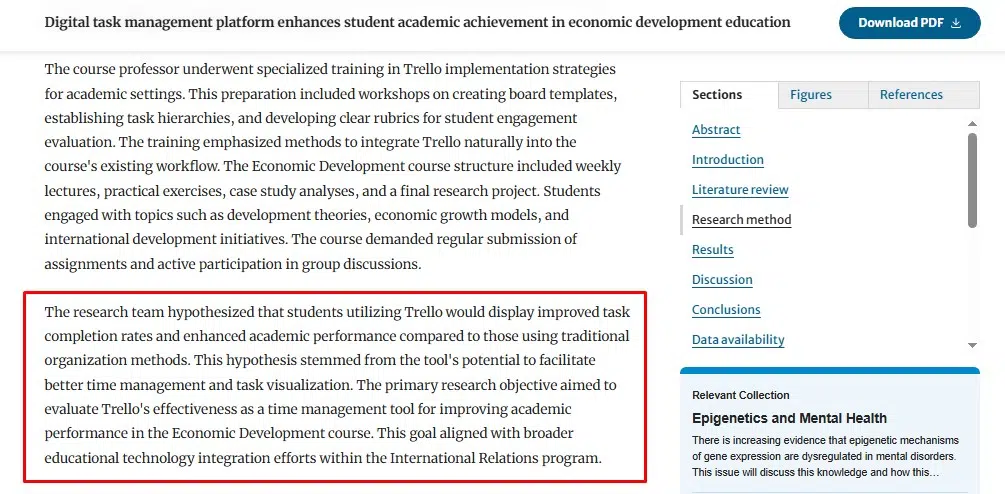
A 2025 quasi-experimental study examined Trello use in an undergraduate Economic Development course. The study involved 103 students: 52 used Trello and 51 used traditional organization methods. The Trello group submitted work earlier and achieved higher final assessment scores.
Those results are encouraging, but the context matters.
The students were not simply told to download Trello and work things out. The instructor created a master course board, supplied templates, integrated the platform into weekly teaching, monitored engagement, held check-ins, and provided technical support. Students with lower digital confidence received extra help.
The tool was part of the course design. That is very different from an app being recommended in a list and left to compete with everything else on the student’s phone.
The Trello study and the StudyTracker trial do not necessarily contradict each other. Together, they suggest something more useful:
Productivity tools are more likely to help when they are attached to a clear method, supported by the learning environment, and used to reduce a defined problem.
An isolated tracker may add awareness without changing behavior. A structured task system, taught and reinforced through a course, may have a stronger effect.
What Students Actually Need From a Productivity App
A good student productivity tool does not need to manage an entire life. It needs to reduce a real source of friction.
Give the Tool One Job
The app might capture deadlines, block distractions, display the week, store notes, break assignments into actions, or create accountability. That is enough.
When one platform tries to become a planner, journal, habit coach, knowledge base, project manager, study timer, and personal operating system, the setup can become heavier than the problem.
Make the Next Action Visible
Projects are not actions. “Prepare chemistry presentation” belongs on a project list. “Open the brief and list the three required sections” belongs on today’s task list. The second version reduces the gap between intention and movement.
Put a Limit on Setup
A student should receive value before spending hours on customization. Twenty minutes is a reasonable test. If the app cannot become useful within that time, the student needs a strong reason to continue building it.
Separate Planning From Studying
Planning expands when it has no limit. A ten-minute review of deadlines and priorities can be useful. An hour spent repeatedly redesigning the day may be avoidance. Finish the plan, close the planner, and begin the work.
Design for Missed Days
The system must allow tasks to be moved, reduced, dropped, or replaced without creating a dramatic backlog. A missed day should trigger adjustment, not shame.
Add Friction to Distraction
When the student knows what to do but keeps leaving the task, a blocker or physical change may be more useful than another reminder.
The solution could be as simple as putting the phone outside reach, using a separate browser profile, studying in a library, or removing the most distracting apps during exam periods.
Educators Cannot Outsource Productivity to an App
Student productivity is not solely the student’s responsibility. Schools and instructors influence how difficult academic work is to organize.
They can reduce unnecessary friction by using consistent deadline formats, keeping assignments in predictable locations, staging large projects, explaining success criteria, providing early checkpoints, and avoiding needless platform switching. Students also need to be taught the method behind the tool.
That includes:
- Reading a syllabus as a planning document
- Working backward from a deadline
- Breaking a project into stages
- Estimating with a buffer
- Comparing competing priorities
- Reviewing a plan without rebuilding it
- Recovering after missed work
Showing students where the “add task” button is does not teach them how to plan a semester.
Institutions should also question how many systems students are required to monitor. Every additional platform creates another login, notification stream, interface, and place where something important can be missed. Technology should reduce administrative uncertainty. It should not scatter it.
Students Need Less Friction, Not More Software
Students are still struggling with productivity apps because software is being asked to solve problems that are partly behavioral, educational, emotional, environmental, and institutional. A calendar can display time, but the student must still judge the workload.
A task manager can store assignments, but the student must still decide what starting looks like. A timer can measure a study session, but it cannot remove uncertainty, fatigue, or distraction. A tracker can reveal patterns, but the student must remember to use it and know what to change afterward.
None of this makes productivity apps useless. It means we need to stop treating installation as intervention.
The best student productivity system is rarely the most complete one. It is the lightest system that helps the student see what matters, begin the next action, and return without shame when the plan goes wrong.
Students do not need another perfect dashboard. They need fewer obstacles between knowing what matters and doing something about it.
Frequently Asked Questions on Why Students Struggle With Productivity Apps
1. Why Do Students Stop Using Productivity Apps?
Students often stop when the app demands too much setup, data entry, reviewing, or rescheduling. Some tools also create notification fatigue or make missed work feel more overwhelming by displaying a growing backlog.
2. Do Productivity Apps Actually Help Students?
They can, particularly when the tool solves a specific problem and is supported by a clear planning method. Research suggests structured course integration may be more effective than giving students an app without training or guidance.
3. Are Digital Planners Better Than Paper Planners?
Neither is universally better. Digital planners are easier to search, update, and synchronize. Paper planners remove many device-based distractions and can make daily priorities more visible. The better option is the one the student can maintain without excessive effort.
4. Can Productivity Apps Stop Procrastination?
An app may improve awareness, task breakdown, accountability, or time estimation, but it cannot reliably remove every cause of procrastination. Confusion, anxiety, low energy, unclear expectations, and digital distraction may require different forms of support.

























