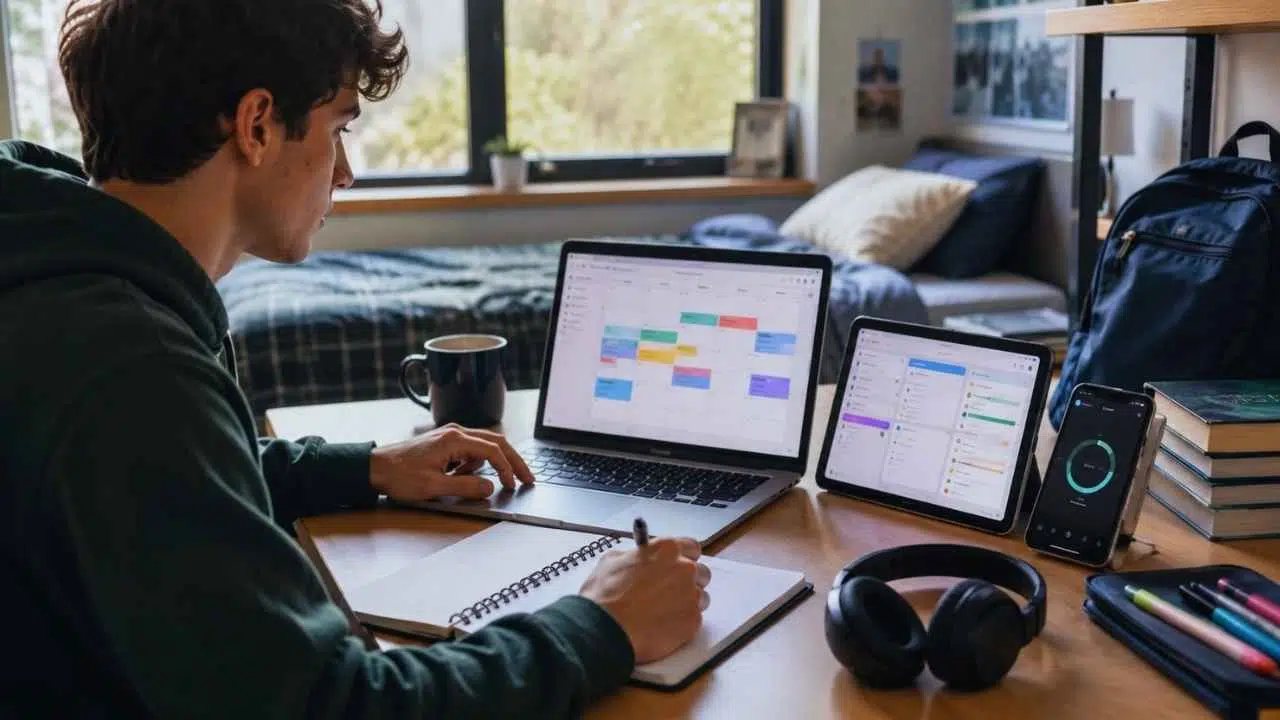
College students already have plenty of productivity apps. The harder part is keeping deadlines, lecture notes, group updates, files, and study time in one system that still works when several assignments land in the same week.
The best productivity apps for college students should solve a specific problem. Some keep assignments visible. Others make notes easier to retrieve, organize research sources, support group work, or reduce digital distractions. A good app removes friction. A poor one creates another place to check.
Most students do not need a large collection of tools. A task manager, calendar, note app, and shared file space will cover much of the workload. Specialist apps become useful when a course involves heavy research, memorization, or complicated group projects. The first apps below suit a broad range of students. The later entries address narrower needs such as citation management, flashcard review, and distraction blocking.
How to Choose the Right Student Productivity Apps?
A long feature list does not show whether an app will remain manageable during a difficult semester. Before moving every course into a new platform, check five things.
- Free-plan limits: Useful calendars, storage, exports, or collaboration features may require payment.
- Device support: The app should work on the computer, phone, or tablet used for actual coursework.
- Export options: Notes, papers, references, and portfolio work should remain accessible outside the service.
- Account ownership: A university email may unlock an education plan, but the institution can restrict features or close access after graduation.
- Duplication: Copying every deadline from Canvas, Moodle, or Blackboard into several planners creates more opportunities for dates to disagree.
The app should make the next task easier to see and begin. If maintaining it becomes a separate weekly project, the setup is too complicated.
1. Todoist: Best for Assignments and Next Actions
Todoist is a sensible first choice for students who regularly lose track of assignments or keep rebuilding the same to-do list.
Tasks can be grouped by course, divided into subtasks, given priorities, or set to repeat. At the time of writing, the free Beginner plan allows five active personal projects. Students with more courses can create one semester project and use sections for each subject. The full calendar layout remains a paid feature.
Use specific task names. “Study biology” has no clear endpoint. “Complete questions 1–15 and review the mistakes” is easier to schedule and finish. Todoist works best for actions and deadlines. Keep detailed lecture material elsewhere.
2. Google Calendar: Best for Making Time Visible
A task manager can display every assignment while hiding how little time remains to complete them. A calendar makes that shortage visible. Add fixed commitments first: classes, laboratory sessions, work shifts, appointments, and travel. Then place larger study periods in the remaining spaces.
Each block should describe an output. “Work on economics” is vague. “Find four sources for the economics paper” gives the session a boundary.
Dedicated Focus Time events require an eligible school or workplace Google Workspace account. Personal accounts can still use ordinary events for study blocks but do not receive the same notification and meeting controls. Leave some empty space. One late lecture can break an overfilled calendar.
3. Microsoft OneNote: Best for Lecture Notes
OneNote suits courses where notes combine typing, handwriting, equations, diagrams, screenshots, or annotated slides. Its notebooks, sections, and pages resemble a physical binder. That structure is easier to learn than a database-heavy workspace for students who simply want one notebook per course and one page per lecture.
OneNote supports Windows, macOS, iOS, Android, and the web. Windows users should avoid the retired OneNote for Windows 10 app. Microsoft ended support for it on October 14, 2025, and it now operates in read-only mode. Use the current OneNote desktop application instead.
Keep pages in a clear vertical order. The open canvas becomes difficult to revise when notes are scattered everywhere.
4. Notion: Best for Connected Projects
Notion can hold course pages, reading lists, project plans, research notes, and databases in one workspace. Eligible university students and educators can use the Education Plus Plan for free with an institutional email from a recognized college or university. The individual plan supports one workspace member, up to 100 guests, unlimited uploads, and 30 days of page history.
The larger problem is overbuilding. Students can spend hours adjusting databases, covers, icons, and progress bars without improving their coursework.
Notion makes sense for dissertations, long projects, or student organizations where information needs to connect. Students who only need deadline reminders will usually be better served by Todoist or MyStudyLife.
5. Zotero: Best for Research and Citations
Students writing source-heavy papers will usually gain more from Zotero than from another general planner. Zotero keeps source records, PDFs, notes, and tags in a searchable library. Its integrations with Microsoft Word, LibreOffice, and Google Docs can insert citations and update bibliographies as the library changes.
Free accounts include 300 MB of storage for synced attachments. Bibliographic records and notes do not use that file allowance. Larger PDF collections can remain on the computer, although extra attachments need another syncing arrangement.
Imported details still require checking. Author names, title capitalization, or publication types may be wrong. Set up Zotero while the source library is small rather than repairing hundreds of entries just before submission.
6. Google Drive and Docs: Best for Group Writing
Google Drive and Docs remain a practical default for shared reports, presentation scripts, meeting notes, and peer review. File owners can assign viewing, commenting, or editing permission. A university may restrict external sharing, so groups working with another institution or an outside supervisor should test access early.
Desktop offline use requires Chrome or Microsoft Edge and the Google Docs Offline extension. Only one Google account per browser profile can use offline access, making separate profiles useful for personal and university accounts.
Set this up before traveling or working with unreliable Wi-Fi. For complex dissertation formatting, Microsoft Word may still be easier. Google Docs is strongest while several people are drafting and commenting on the same file.
7. MyStudyLife: Best for Complicated Timetables
MyStudyLife focuses on classes, exams, assignments, and rotating timetables rather than workplace-style projects. It is useful for alternating weeks, laboratory rotations, block teaching, or schedules that do not repeat neatly. The timetable syncs across the web app, iOS, and Android.
MyStudyLife+ adds subtasks, expanded grade tracking, customization, and timetable scanning. Subscription terms can vary by platform or country.
The app adds little when the university portal already maintains a reliable calendar. Copying every deadline by hand takes time, and later changes may appear only in the original system. Decide which calendar is the official record and avoid maintaining two competing versions.
8. Anki: Best for Recall-Heavy Subjects
Anki schedules flashcard reviews so material returns before it is forgotten. It works well for languages, anatomy, chemistry, medicine, mathematics, law, and other subjects requiring precise recall. AnkiMobile, the official iPhone and iPad app, is paid. Android users can use the free contributor-developed AnkiDroid app. Several unrelated apps include “Anki” in their names, so use links from Anki’s official download page.
Card quality matters. Full lecture slides make poor flashcards because they take too long to answer. Each card should usually test one fact, relationship, or short explanation.
Anki strengthens memory. It does not replace essays, worked problems, laboratory practice, or deeper understanding.
9. Forest: Best for Starting a Study Session
Forest connects a growing virtual tree to each timed focus session. Leaving the session interrupts the tree, which can make an impulsive phone check less automatic. The free plan includes the basic timer. Forest Plus adds more detailed statistics, customization, and extra blocking controls. Pricing and availability vary by platform and region.
Forest is easy to bypass with another device or an unblocked website. The timer may also run while the student passively rereads without learning much.
Write down a clear result before starting: annotate one article, solve 10 questions, or draft one section. Completing the timer matters less than completing the work assigned to it.
10. Freedom: Best for Persistent Digital Distraction
Freedom is intended for students who repeatedly bypass ordinary timers and browser blockers. It can block selected websites and desktop applications or restrict internet access across connected devices. Free sessions must begin immediately and cannot exceed two hours. Scheduling, recurring sessions, and locked mode require Premium.
Test locked mode with a short session because it is deliberately difficult to cancel. Start with a narrow blocklist. Coursework may still require journal databases, email, cloud documents, authentication pages, or group messages. Blocking the entire internet can prevent access to something essential.
Students who can already stay away from distracting sites probably do not need Freedom. It is more useful when switching continues across several devices.
11. Trello: Best for Multi-Stage Group Projects
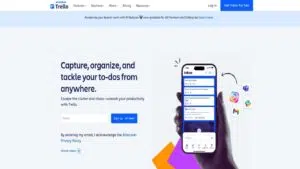
Trello suits group projects that move through clear stages. A presentation board might use Research, Drafting, Review, and Complete. Each card needs an owner, a deliverable, and a deadline. “Work on presentation” tells the group very little. “Draft slides 4–7 by Wednesday” makes responsibility clear.
A free workspace can have 10 open boards and 10 collaborators, with a 10 MB limit per attachment. Every member of a free Workspace has administrator permissions and can invite others or change some settings.
That access is usually acceptable for a class presentation but not for sensitive research. Trello is also excessive for small personal homework lists. Its value appears when several people need to see ownership and progress.
12. Grammarly: Best for a Final Language Check
Grammarly flags possible spelling, grammar, punctuation, tone, and clarity issues in supported apps and browsers. Free accounts include basic corrections and limited generative features. Grammarly Pro adds full-sentence rewriting, plagiarism checks, and AI text detection. Features and prices can change, so review the current plan before subscribing.
Use Grammarly after the paper has already been drafted and revised. Suggestions still require judgment. A shorter sentence may remove technical precision, while tone advice can weaken discipline-specific wording.
Universities may treat generative rewriting as AI assistance. Rules vary by course and assignment. Do not upload confidential research, identifiable case material, or placement records without checking institutional privacy requirements.
A Practical App Setup for Most Students
Most students should choose only a few of these apps.
Start with:
- Todoist or MyStudyLife for assignments
- Google Calendar for classes and study time
- OneNote or Notion for notes
- Google Drive or the university’s approved storage service for files
Add a specialist app only when the basic setup fails to solve a clear problem:
- Zotero for research and citations
- Anki for factual recall
- Forest for mild distraction
- Freedom for persistent cross-device distraction
- Trello for group projects
- Grammarly for a final language check within course rules
Test the setup with one course before moving the entire semester. Enter real deadlines, open the system on another device, try offline access, and export something important. A short trial reveals problems that product pages do not.
Final Thoughts
The best productivity apps for college students are usually the simplest ones that keep important work visible. A task manager, calendar, note app, and approved file service provide enough structure for most coursework. Todoist, Google Calendar, OneNote, and Google Drive form a practical starting setup. Notion suits connected projects, while Zotero and Anki solve narrower research and revision problems.
Start with the part of the workload causing the most missed work or wasted time. Test one app with real coursework before moving every course and file into it. A useful system makes the next task easy to find and begin. It should not become another assignment.
Frequently Asked Questions (FAQs) About Best Productivity Apps for College Students
What Is the Best Free Productivity App for College Students?
Todoist is one of the easiest free tools for general assignment tracking, although its five-project limit may require students to keep several courses inside one project. OneNote is better for lecture notes, while Google Calendar is stronger for scheduling study time.
Is Notion Better Than OneNote for Students?
Notion is better for linked databases, long projects, and research planning. OneNote is usually easier for handwriting, equations, annotated slides, and ordinary lecture notes. Students who mainly need a digital binder may find OneNote quicker to maintain.
How Many Productivity Apps Should a Student Use?
Four core tools are usually enough: a task manager, calendar, note app, and file-storage service. Add Zotero, Anki, or another specialist tool only when a course creates a clear need for it.
Are Productivity Apps Safe for Academic Work?
That depends on the account and the material. Avoid uploading confidential research, placement records, identifiable case studies, or sensitive personal information without checking university policy. Review sharing permissions and keep backups of important work stored in institution-controlled accounts.
Can Productivity Apps Improve Grades?
An app cannot replace attendance, practice, useful feedback, or enough sleep. It can reduce missed deadlines, make study time more realistic, and help students retrieve the right material. The benefit comes from using a simple system consistently, not from installing more software.