

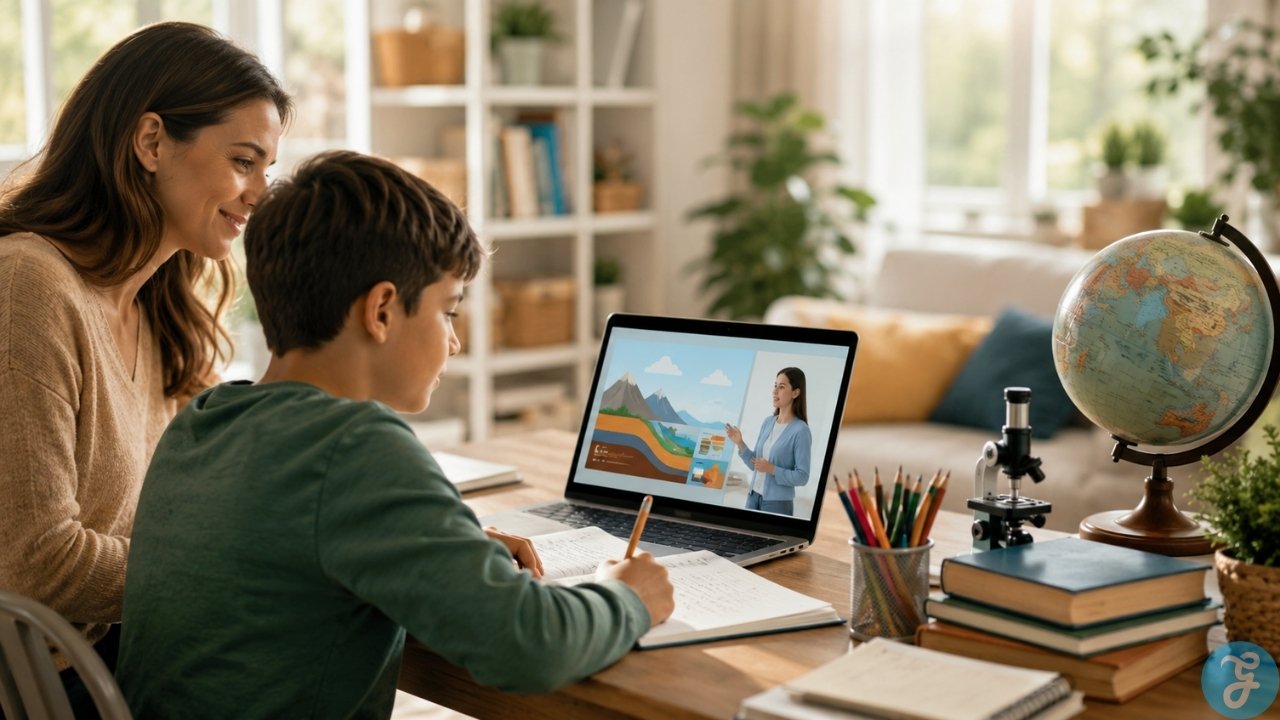
Using educational YouTube channels as a central pillar of your home learning layout is an accessible way to clarify complex subjects. Visual animation, high-budget experiments, and expert storytelling can instantly illuminate topics that feel dry inside a traditional textbook. However, relying on video streaming platforms introduces an immediate hazard: the boundary between intentional study and passive brain-drain is incredibly thin.
Selecting high-quality educational videos kids can genuinely learn from requires separating pure entertainment from true instruction. If a video relies entirely on flashing graphics, screaming hosts, and rapid cuts, it isn’t building a deeper attention span; it is simply overstimulating your child. A strategic home educator treats video content as a launchpad for discussion, note-taking, and physical experiments rather than a digital babysitter. This guide filters out the mindless content to highlight thirteen structured platforms that add clear academic value to your weekly routine.
The 13 Best Educational YouTube Channels for Home Study
Sifting through streaming media means balancing screen time with actual cognitive engagement. The following creators provide targeted instruction across core subjects, though each demands a different level of parental oversight to keep students focused.
1. CrashCourse
Designed primarily for high schoolers and mature middle school students, this platform provides fast-paced, highly compressed overviews of major academic subjects. From world history and literature to organic chemistry and ecology, the lessons combine rapid-fire scripts with clever animations to build a macro-understanding of complex systems.
The main operational friction here is the frantic delivery speed. The hosts speak at a breakneck pace that makes real-time note-taking almost impossible for standard learners. To turn these videos into true homeschool resources, parents must utilize the pause button frequently, allowing students to digest concepts and write down key definitions before moving forward.
2. SciShow Kids
Targeting lower elementary and kindergarten students, this branch of the SciShow network tackles the foundational science questions that young children routinely ask. The videos explore how things work, animal behaviors, and simple earth science concepts using clear vocabulary, bright graphics, and a friendly puppet co-host.
While the content is scientifically accurate and highly accessible, the older library entries suffer from slightly outdated audio levels and lower resolution standards. Parents should preview older playlists to ensure the audio quality matches their playback setup, though the newer uploads are consistently sharp and well-produced.
3. TED-Ed
This channel transforms short academic essays into beautiful, uniquely animated narrative lessons. Covering everything from historical riddles and mythology to deep quantum physics and poetry analysis, the platform relies on collaborations between professional educators and global animation studios to create visually stunning vignettes.
The structural limitation for home educators is the complete lack of a sequential curriculum. Because the uploads are standalone thematic stories, you cannot use this channel to teach a step-by-step course. It functions strictly as an exceptional curiosity supplement to introduce a new unit or spark a Friday afternoon research project.
4. Homeschool Pop
Created specifically by a home-educating father, this channel provides direct, elementary-level lessons across history, geography, science, and basic mathematics. The videos are structured with built-in review quizzes and clear on-screen text to reinforce vocabulary, making it a reliable resource for early grade levels.
The trade-off with this platform is its stylistic longevity. The narration style is explicitly catered to younger minds, utilizing high-energy vocal inflections and cartoon sound effects. While your seven-year-old will find the format engaging, children passing the age of nine will likely find the tone overly simplified, requiring a transition to more mature learning channels.
5. Mathantics
Focused entirely on upper elementary and middle school mathematics, this channel strips away the confusion of numerical abstractions. The host utilizes clear physical props, large on-screen text, and basic graphic animations to explain fractions, percentages, basic algebra, and geometry rules in an incredibly calm, linear fashion.
This channel excels at conceptual explanations, but it does not provide raw repetition. Watching a ten-minute video will help a child understand why a mathematical rule works, but it will not replace the necessity of physical worksheet drills and daily textbook problems to build computational speed.
6. Art for Kids Hub
Run by a family of artists, this channel provides step-by-step drawing tutorials where a parent guides one of their children through creating a specific cartoon or realistic illustration. It is a fantastic tool for building fine motor skills, spatial awareness, and creative confidence across all age groups.
The main challenge for young students is the editing pace. The videos utilize fast time-lapse cuts during coloring segments, which can cause slower-moving children to feel left behind or frustrated. Parents must remain nearby to manually pause the playback window so the student can complete each step without feeling rushed.
7. Mark Rober
Hosted by a former NASA and Apple engineer, this massive channel brings high-budget engineering and physical science concepts to life through large-scale mechanical builds, fluid dynamics tests, and wild tracking experiments. It is arguably the most effective tool online for igniting a passion for the STEM fields.
The realistic downside to this highly produced style of content is that it sets an unsustainable standard for everyday learning. After watching an engineer build a giant glitter bomb or a synchronized squirrel obstacle course, ordinary textbook science modules or basic kitchen-sink chemistry experiments can feel incredibly boring to a young child.
8. Numberblocks
Produced by the BBC, this animated series uses sentient, colorful blocks to represent numbers and physical mathematical operations for toddlers and early elementary students. By visualizing numbers as literal physical structures that combine, split, and rearrange, children develop an advanced grasp of spatial math foundations.
The catch here is purely mental; the educational songs are designed to be intense earworms. While this ensures that addition tables and multiplication skips stay locked in your child’s memory, parents should prepare to hear the repetitive melodies sung around the house for weeks at a time.
9. National Geographic Kids
This official extension brings the historic brand’s world-class nature photography and animal research directly to younger audiences. Playlists cover animal habitats, weird-but-true planetary facts, and quick space science breakdowns that are highly reliable and completely safe for independent viewing.
The structural friction lies in the length of the uploads. A significant portion of their library consists of brief, one-to-two-minute clips optimized for quick internet consumption rather than deep educational blocks. They work well as an immediate hook to start a lesson, but they lack the depth required for long-form study sessions.
10. OverSimplified
Using minimalist, humorous character animations, this channel breaks down major geopolitical events like the French Revolution, the American Civil War, and the World Wars into extended, multi-part historical summaries suited for teenagers.
The comedic tone relies heavily on dry satire, historical ironies, and exaggerated character traits to make dense political histories entertaining. While this keeps teenagers highly engaged, it occasionally glosses over complex socio-economic realities, meaning parents must step in with secondary readings to provide proper historical nuance and structural context.
11. Free School
This channel offers clean, traditional educational videos covering classic literature, famous historical biographies, art history, and basic astronomy. The pacing is deliberate, the narration is formal, and the imagery relies on classical artwork and historical photographs.
Because the presentation style avoids modern high-energy edits and rapid sound cues, it can feel clinical or dry to a child accustomed to fast-paced streaming media. It requires an active parental presence to guide the lesson, but it provides a welcome, calm alternative to traditional internet noise.
12. Amoeba Sisters
Two real-life sisters utilize unique hand-drawn cartoons to demystify complex high school biology concepts, including genetics, cellular respiration, DNA replication, and ecosystem structures. Their focus on linking advanced vocabulary to clear, recurring visual icons makes biology accessible to visual learners.
The friction with this platform is the sheer density of the scientific jargon. The videos pack massive amounts of genetic and biochemical terminology into ten-minute spans. If these animations are not paired directly with a comprehensive textbook and guided note packets, the student can easily experience cognitive overload.
13. Be Smart
Hosted by a researcher with a doctorate in biology, this PBS-supported platform tackles deep questions regarding evolutionary history, astrophysics, geology, and advanced climate systems. The writing treats the audience with intellectual respect, making it an ideal core tool for secondary education levels.
The conceptual threshold here is high. Following the arguments requires advanced reading comprehension and a solid pre-existing foundation in basic physical sciences. This is not a channel you can leave running in the background for mixed-age siblings; it demands the full, undistracted focus of an older student.
The Boring Check That Matters
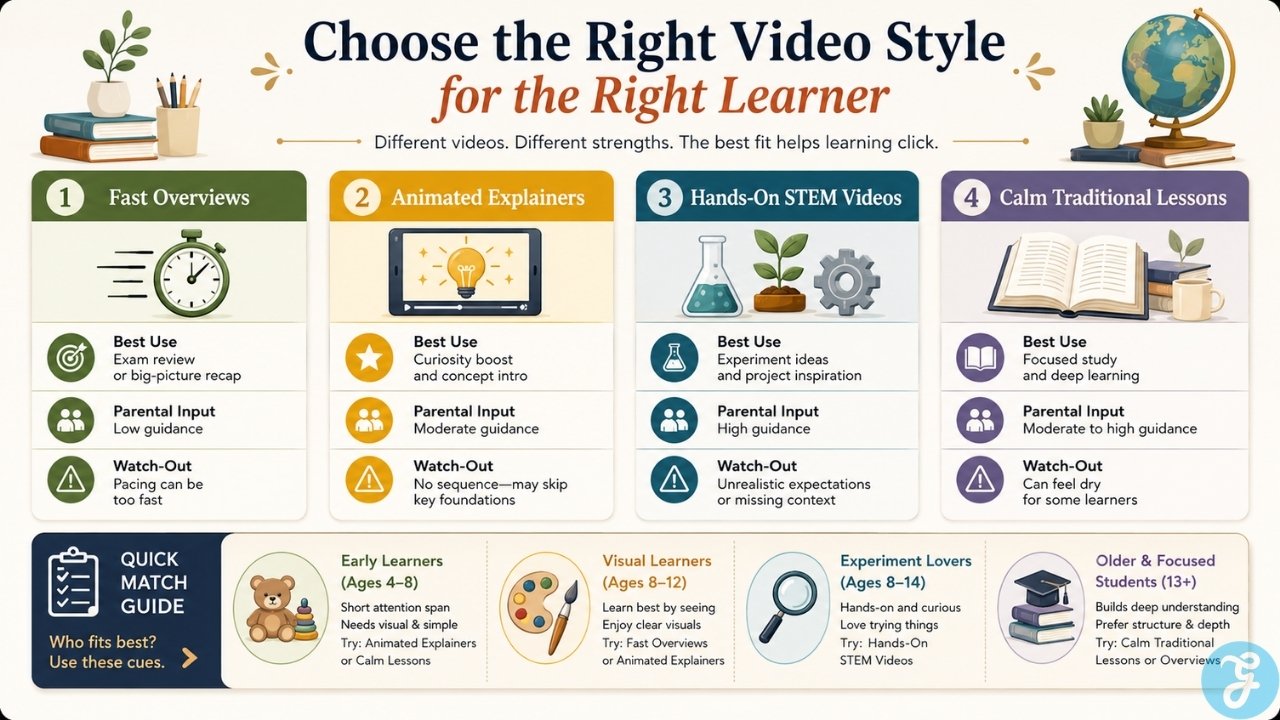
Before redesigning your daily schedule around video streaming, it is critical to compare how different production styles impact your student’s learning environment.
| Production Framework | Main Curricular Benefit | Required Parental Input | Common Structural Downside |
| Fast-Paced Overviews | Excellent for high-level secondary exam review | High intervention to pause and explain terminology | Frantic narration prevents real-time note-taking. |
| Narrative Animations | High visual engagement and memorable storytelling | Manual integration into a broader curriculum plan | Total lack of sequential lesson progression. |
| High-Budget Engineering | Ignites intense interest in physical STEM concepts | Managing expectations for real-world lab work | Makes ordinary home experiments feel unexciting. |
| Traditional Formals | Clear, calm delivery of classical art and history | Active encouragement to maintain student focus | Can feel dry or clinical to media-saturated children. |
Before You Choose
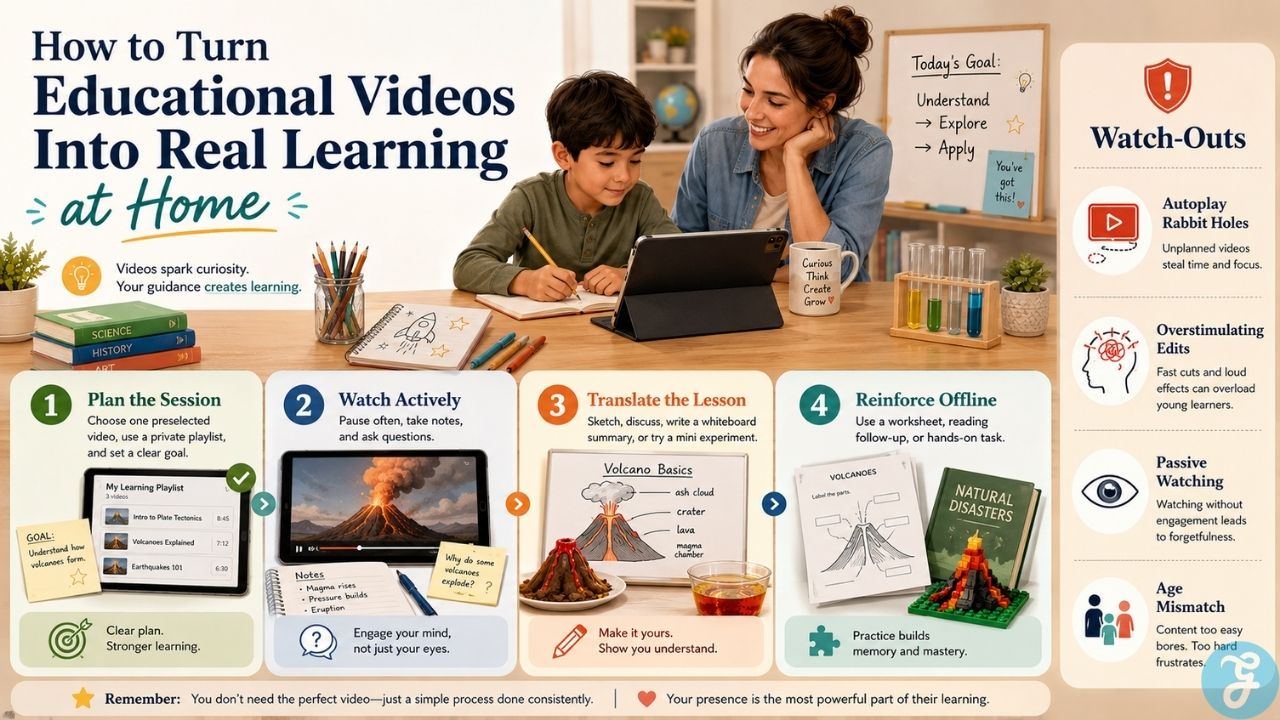
Integrating educational YouTube channels into your daily home routine requires a shift from passive viewing to active tracking. The single biggest mistake a home educator can make is allowing the platform’s automated sidebar algorithm to dictate the next video. The moment an educational clip ends, the system is engineered to suggest high-energy entertainment options that can completely derail an entire morning of study.
To make this medium work effectively, create custom, private playlists for your children ahead of time, or download the target videos directly into a closed digital dashboard. Treat every video as a shared text: watch it alongside your student, take matching notes on a physical whiteboard, and require an immediate oral or written summary once the screen turns off. By treating video as a serious reference material rather than a casual break, you can harness the immense visual power of these digital classrooms while keeping your learning environment disciplined and focused.
Frequently Asked Questions (FAQs) About Educational YouTube Channels
Can streaming video channels replace a formal textbook curriculum?
No, digital video functions best as a conceptual introduction or a visual supplement rather than a complete replacement for structured reading and writing. Without physical problem sets, guided note-taking, and regular written assessments, passive video consumption rarely translates into long-term academic retention.
How do I prevent my child from drifting into unapproved entertainment videos?
The most effective method is to embed the specific video links directly into an independent learning platform or use browser privacy extensions that completely hide the side recommendations and comment sections. Creating a supervised account with strict content filters also helps, but it cannot entirely replace physical parental oversight in the room.
What is the best way to ensure my child is actively learning from a video?
Require your student to complete a tangible task during or immediately after the playback, such as drawing a labeled diagram of the process or delivering a two-minute oral summary of the main points. Shifting the student from a passive consumer into an active translator of information is essential for cognitive processing.
Are these channels appropriate for a mixed-age group of siblings?
While some nature and art channels accommodate a wide age range, most science and history channels feature very specific target vocabulary thresholds. Running a high-school-level overview for a toddler will lead to immediate distraction, while elementary animations will fail to challenge an older student, requiring you to segment your video viewing blocks by grade tier.
Do these online educational videos align with regional academic standards?
Most independent channels are built around general curiosity or thematic interest rather than specific state or national testing rubrics. Parents must manually map individual video topics to their local educational mandates to ensure all required historical eras or scientific principles are legally covered.

























