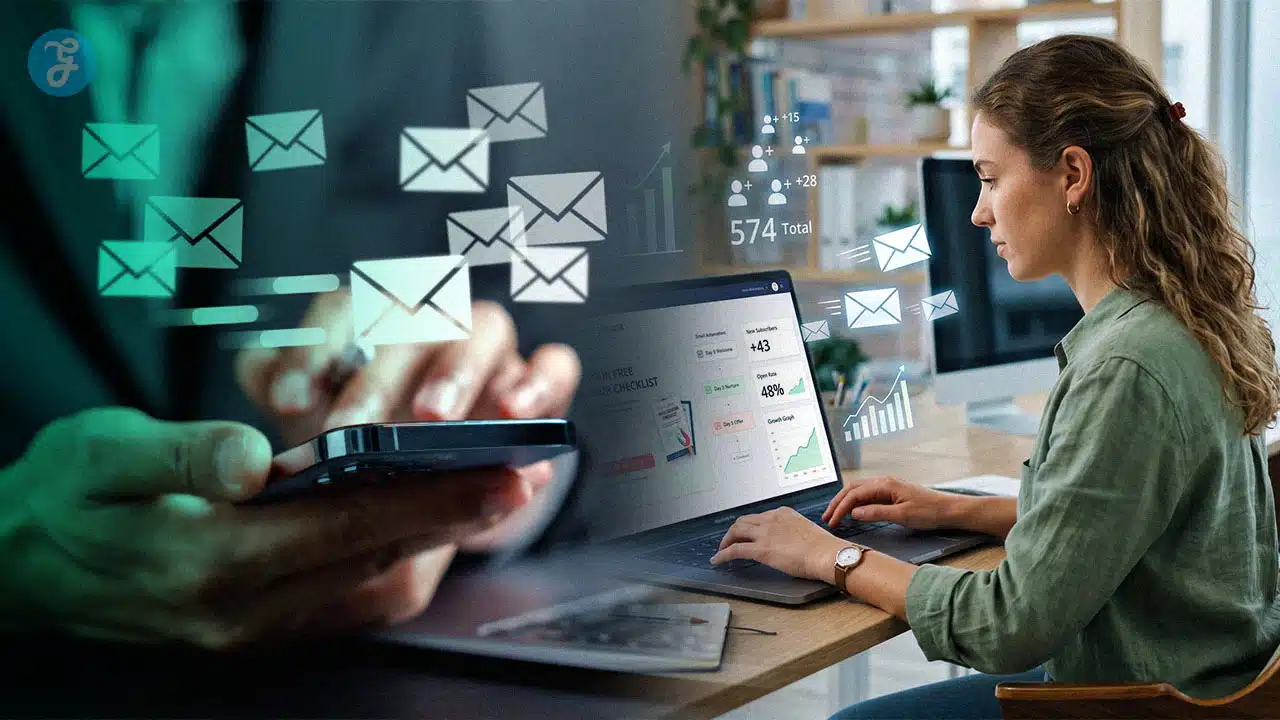
Starting an audience from scratch can feel slower than posting on social media, but it offers unparalleled access to engaged users. Mastering Email List Building For Beginners does not require a massive following. Instead, it demands one valuable offer, a clear opt-in form, and a respectful follow-up system. Unlike unpredictable social algorithms, a mailing list guarantees a direct line to genuinely interested subscribers.
In 2026, launching a successful strategy requires prioritizing deliverability, GDPR compliance, and strict list hygiene from day one. Utilizing modern platforms like HubSpot, Klaviyo, or MailerLite makes implementing double opt-ins and audience segmentation seamless. Following a structured setup to collect first-party data allows brands to deploy highly effective email campaigns and secure long-term growth without facing costly technical cleanup down the road.
What is an Email List?
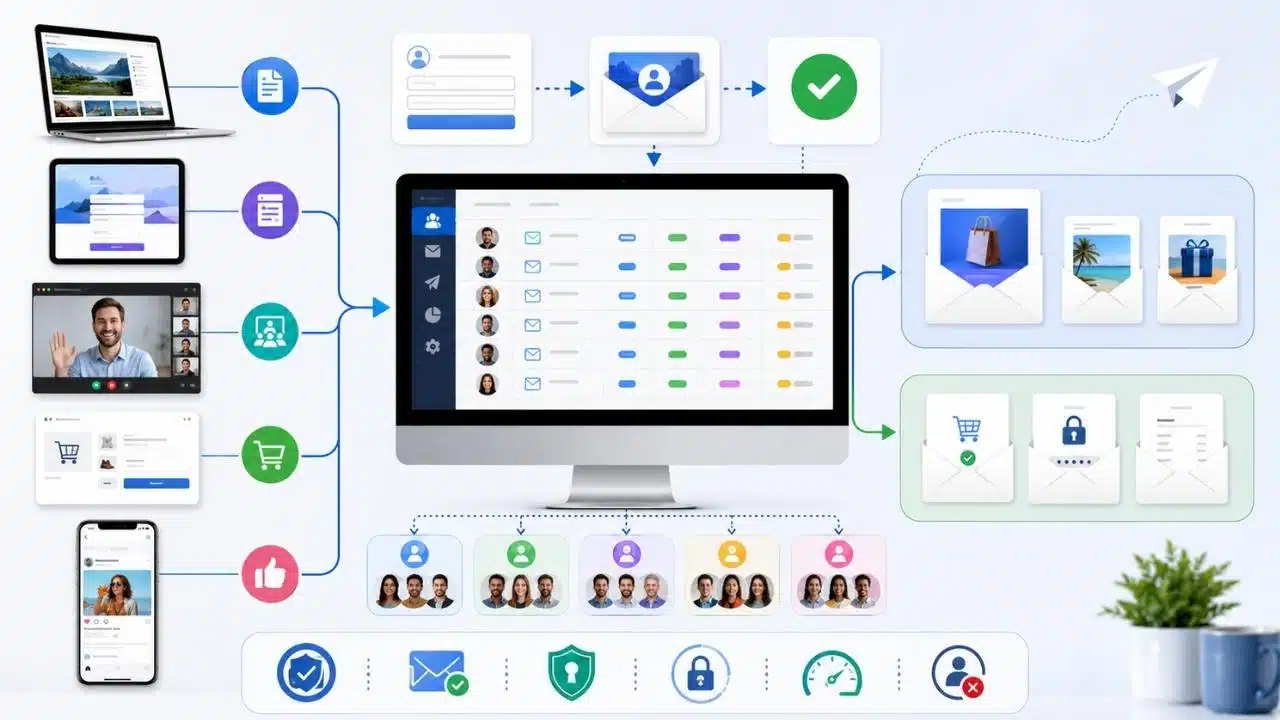
An email list is a group of people who gave you permission to contact them by email. In plain terms, it is your own audience database, made up of subscribers, customers, leads, or readers who said yes to hearing from you.
A healthy email list is more than a spreadsheet of addresses. It also includes where each subscriber came from, what they signed up for, whether they confirmed with double opt-in, and what type of messages they should receive, such as promotional emails, newsletters, or transactional emails.
- Permission source: Track whether the signup came from a blog post, landing page, webinar, checkout, or social campaign.
- Confirmation status: Double opt-in adds a second step, usually a confirmation click, so you collect cleaner addresses and reduce fake signups.
- Interest tags: Use tags or segments so you can send topic-specific content instead of blasting the same message to everyone.
- Message type: Keep promotional emails separate from transactional emails like receipts, password resets, and form confirmations.
If you plan to scale, the setup matters early. Google’s sender rules treat anyone who sends more than 5,000 messages a day to personal Gmail accounts as a bulk sender, which means authentication, low spam rates, TLS, and one-click unsubscribe for promotional mail stop being nice extras and become baseline requirements.
Why is Building an Email List Important in 2026?
The case for email is still strong. In a 2025 small business report, Constant Contact found that 44% of businesses called email their most effective marketing channel, and Mailchimp reports that paid ecommerce users attributed about 30x ROI to campaigns run from August 2024 through August 2025.
Your email list is the part of your marketing strategy you can actually build on, measure, and keep.
Direct communication with your audience
Social posts compete with algorithms, timing, and platform changes. An email list lets you send one message directly to people who already know your name and chose to hear from you.
That changes how you build customer relationships. You can welcome new readers, follow up after a webinar, share gated content, announce a launch, and support customers with a cleaner customer experience.
Higher return on investment (ROI)
Email works well because it is cheap to send, easy to measure, and easy to improve. Once your lead magnet, landing pages, and automation are in place, each new subscriber can move through the same welcome flow without extra manual work.
Segmentation makes that ROI stronger. When you send a checklist to beginners, a case study to B2B leads, and a product reminder to warm buyers, your email campaigns feel relevant instead of noisy.
Ownership of your audience
An email list is first-party data, which means people gave that information directly to you. That is much safer than relying on rented attention from Facebook, X, Google, or any other platform that can change distribution rules overnight.
It also gives you cleaner reporting. You can see which opt-in forms, lead magnets, and email campaigns drive customer acquisition, repeat visits, and subscriber engagement.
Key Principles of Email List Building
The basics still win: offer real value, make signup easy, keep permission clear, and send useful follow-up emails fast.
Offer value in exchange for contact information
People do not hand over their email address because you asked nicely. They do it because the offer solves a problem they already care about.
- Checklist: Great for blog readers who want a quick win without reading a long guide again.
- Template: Useful for readers who want to copy a proven structure and save time.
- Mini course: Best when the topic needs a few steps and helps you train subscriber engagement from the start.
- Calculator or quiz: Strong when people want a personalized answer, not a generic article.
- Webinar replay: Ideal for warmer leads who already showed interest in a specific problem.
The best lead magnet is narrow. “Download our newsletter” is weak. “Get the 7-email welcome sequence template that turns new subscribers into buyers” is clear and easy to say yes to.
Use opt-in forms strategically
Place opt-in forms where intent is already high: inside related blog posts, on dedicated landing pages, after useful content, and on event registration pages. Keep the form short. In most cases, email alone is enough for the first conversion.
Tools like HubSpot Forms let you use conditional logic, so you can ask fewer questions upfront and gather more detail later. That matters because long forms can hurt conversion rates before your relationship even starts.
Double opt-in is worth serious thought here. Mailchimp, for example, supports double opt-in for its signup forms, which adds a confirmation step before the contact is subscribed. That extra click can slightly lower raw signup volume, but it often improves list quality and email deliverability.
Focus on creating high-quality gated content
Match the gated content to the page that promotes it. If someone is reading about email deliverability, offer a deliverability checklist. If they are reading about segmentation, offer a segmentation worksheet or campaign map.
| Traffic source | Best gated content | Why it works |
|---|---|---|
| How-to blog post | Checklist or template | Readers want a shortcut they can use right away. |
| Comparison page | Buyer’s guide or tool matrix | Visitors are close to a decision and want clarity. |
| Webinar registration page | Workbook or replay | It extends the event and gives you a reason to follow up. |
| Product page | Case study or ROI calculator | It moves interested visitors from curiosity to action. |
Proven Strategies to Build an Email List from Scratch
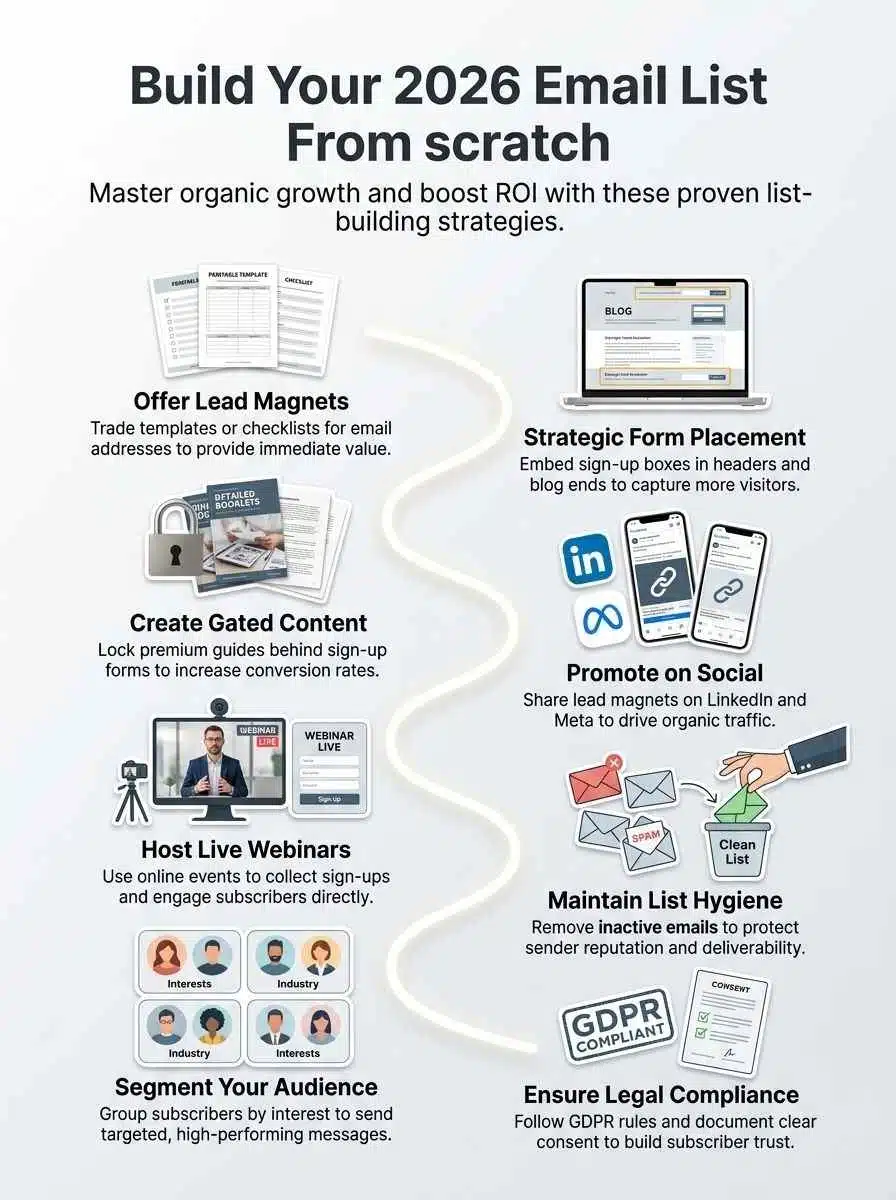
If you are starting from zero, focus on a few channels you can manage well. You do not need ten tactics at once. You need a repeatable system that turns attention into permission-based marketing.
Leverage lead magnets
Lead magnets still do the heavy lifting because they turn casual interest into a specific exchange: value for contact information. That is the cleanest way to build an email list without buying data or begging for signups.
MailerLite is a good example of why this works for beginners. Its free plan supports up to 500 subscribers, 12,000 monthly emails, signup forms, pop-ups, and 10 landing pages, which is enough to test your first offer before paying for a bigger stack.
- Create one lead magnet for one problem, not one giant resource for everyone.
- Tag the subscriber by offer, so your next email matches what they asked for.
- Deliver the asset instantly through automation, not by hand.
- Measure confirmed subscribers, not raw form fills, if you use double opt-in.
- Refresh the offer every few months if signups flatten.
Add calls to action (CTAs) on your site and blog
Your CTA should finish the thought the reader already has. If the article explains the problem, the CTA should offer the next step, not a random newsletter pitch.
- Place a relevant CTA near the top of high-traffic pages.
- Add one strong opt-in form at the end of blog posts with a clear benefit.
- Use landing pages when the offer needs focus and less distraction.
- Keep button copy specific, such as “Get the checklist” or “Send me the template.”
- Track form submissions in your analytics so you know which pages pull their weight.
HubSpot’s free tools are useful here because the platform includes forms, email marketing, and basic chatbots at no cost, plus a free landing page builder for dedicated signup pages.
Social media is a traffic source, not the final destination. The job of your post, Reel, short video, or thread is to get the right person to a focused opt-in page.
That is why “link in bio” works better when it leads to one offer instead of your homepage. A short post on Facebook, LinkedIn, Instagram, or X should promise one outcome and send people to the matching lead magnet.
- Promote one lead magnet at a time, so the message stays clear.
- Reuse strong blog content as social posts that point to a gated upgrade.
- Send paid social traffic to a dedicated landing page, not a cluttered site menu.
- Tag contacts by source so you can compare organic and paid conversion rates.
Host webinars or online events
Webinars work because the registration itself tells you what the subscriber cares about. That gives you cleaner audience segmentation than a generic newsletter form.
After the event, keep the follow-up tight: replay link, key takeaways, one related resource, then a next-step offer. That sequence feels helpful, and it makes your first few email campaigns easier to personalize.
There is also a deliverability angle here. Google recommends consistent sending rates and gradual increases in volume, so if a webinar suddenly adds a large batch of contacts, warm up your promotional sends instead of blasting everyone at once from a cold setup.
- Before the event: Create a focused registration page with a short opt-in form and clear consent language.
- During the event: Ask one or two poll questions so you can segment attendees by interest.
- After the event: Separate live attendees from no-shows and send different follow-up emails.
- One week later: Move engaged contacts into your regular nurture or offer sequence.
Best Practices for Maintaining a Healthy Email List
List growth is only half the job. The other half is protecting your sender reputation so the emails you worked to create actually reach inboxes.
In Google’s sender guidance, the target is clear: keep user-reported spam rates below 0.10% and avoid ever reaching 0.30% or higher. Google also recommends confirming each recipient’s address, sending only to people who want your messages, and unsubscribing unengaged contacts.
Regularly verify and clean your email list
Email list hygiene means removing bad data before it damages performance. Clean lists cost less, bounce less, and usually produce better conversion rates.
- Remove hard bounces right away.
- Watch for repeated soft bounces and delivery failures.
- Run re-engagement campaigns before deleting inactive subscribers.
- Suppress contacts who never confirm under double opt-in.
- Review your list every 30 to 90 days if you send often.
Sender reputation is simply how mailbox providers judge your domain and mail stream. Bad addresses, spam complaints, and erratic sending patterns push that reputation down.
Segment your audience for targeted communication
Segmentation means dividing subscribers into smaller groups so each message fits better. This is one of the fastest ways to improve audience engagement without increasing send volume.
| Segment | What to send | Why it helps |
|---|---|---|
| New subscribers | Welcome sequence and best resources | Sets expectations and builds trust early. |
| Lead magnet by topic | Topic-specific follow-up emails | Keeps the message closely tied to signup intent. |
| Webinar attendees | Replay, FAQ, and next-step offer | They already showed deeper interest. |
| Customers | Onboarding, upsells, and support content | Improves customer experience and retention. |
| Inactive subscribers | Re-engagement or sunset sequence | Helps you keep the list engaged and cheaper to maintain. |
Respect subscriber preferences and unsubscribes
Make it easy for people to change frequency, switch topics, or leave. That sounds small, but it protects your list better than forcing unhappy readers to mark you as spam.
For promotional messages at bulk scale, Gmail expects one-click unsubscribe, while transactional emails such as password resets and receipts are treated differently. A simple preference center also helps you keep subscribers who still like your brand but want fewer emails.
Legal and Ethical Considerations for Email List Building
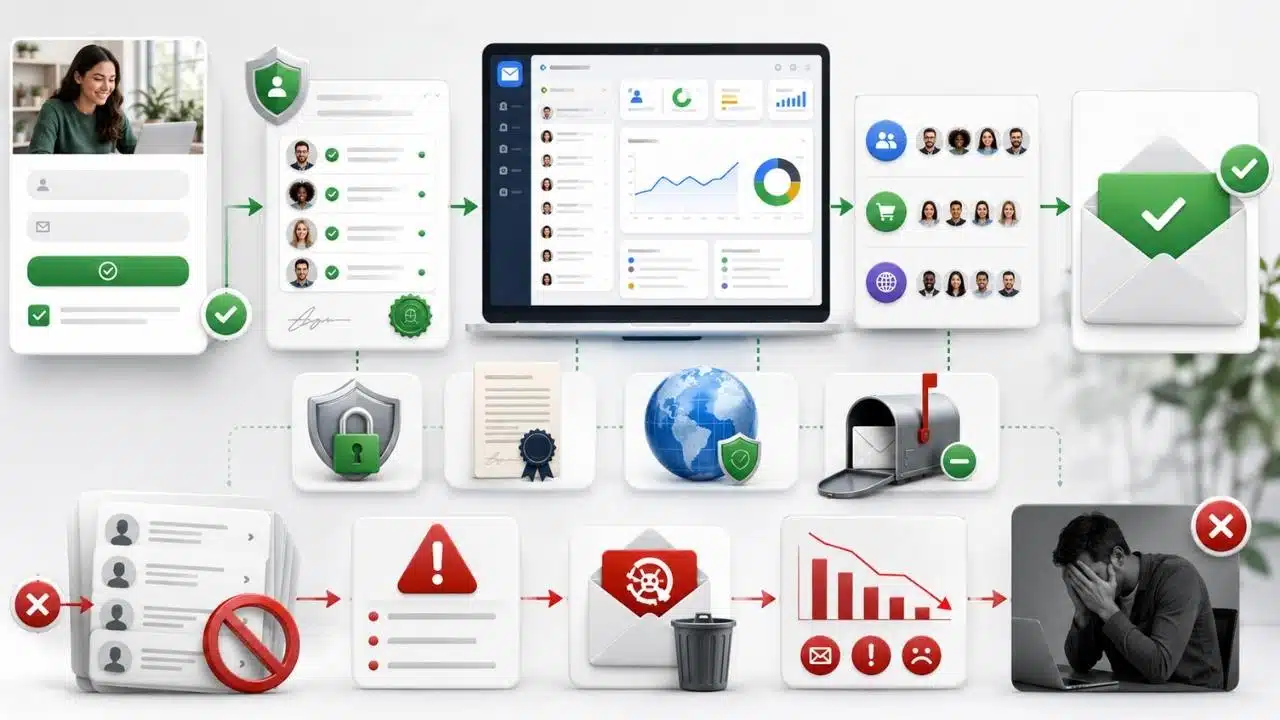
Compliance is part of good marketing, not a separate chore. When you collect email addresses clearly and store consent details properly, your list is easier to trust, segment, and defend.
Understand GDPR and email compliance regulations
The FTC says the CAN-SPAM Act applies to all commercial email, including B2B email, and violations can carry penalties of up to $53,088 per message. The law requires accurate header information, honest subject lines, a valid physical postal address, a clear opt-out method, and unsubscribe processing within 10 business days.
- For U.S. sending: Treat CAN-SPAM as your baseline for commercial email compliance.
- For EU subscribers: GDPR can still apply to a U.S. business if you offer goods or services to people in the EU or monitor their behavior.
- For California residents: Subject businesses under the CCPA need clear notices and a way to respond to privacy requests.
- For all regions: Keep records of when and how the person subscribed, especially if you use multiple opt-in forms or events.
Even where prior consent is not always legally required, permission-based marketing is still the smarter move. It protects subscriber engagement, lowers complaints, and keeps your data honest.
Avoid purchasing email lists
Buying lists is one of the fastest ways to hurt email deliverability. The contacts did not ask for you, mailbox providers can see the negative reactions, and many email service providers will flag or suspend bad traffic.
If a contact would be surprised to get your email, they probably do not belong on your list.
Bought lists also waste money. Many platforms bill by contact count, so poor-quality addresses can raise your costs before they generate a single click or sale.
Tools and Platforms for Effective Email List Management
The best stack is the one you will actually use every week. Start simple, then add depth when your email list and marketing program need it.
Email marketing platforms
| Platform | Best for | 2026 entry point | Standout features | Why it matters |
|---|---|---|---|---|
| Mailchimp | Beginners and small teams | Free plan for up to 250 contacts and 500 sends per month; paid plans start around $13 for Essentials and $20 for Standard at 500 contacts | Popup forms, segmentation, automation flows, double opt-in on hosted signup forms | Easy place to launch a first welcome sequence and basic promotional emails. |
| MailerLite | Creators, small businesses, lean teams | Free for up to 500 subscribers and 12,000 monthly emails; Growing Business starts around $10 for 500 subscribers, Advanced around $20 | Landing pages, signup forms, pop-ups, automation builder, preference center on Advanced | Strong value if you want to build fast without paying enterprise prices. |
| Klaviyo | B2C and ecommerce brands | Free for up to 250 active profiles, 500 emails per month, and 150 mobile credits | Revenue attribution, ecommerce segmentation, SMS, built-in reporting | Especially helpful when purchase behavior should drive your email campaigns. |
| ActiveCampaign | Growth marketers and automation-heavy teams | Starter plan begins around $15 per month for 1,000 contacts | Forms, website tracking, A/B campaign testing, automation, advanced segmentation on higher plans | Good fit when your marketing strategy depends on deeper automation and lifecycle logic. |
| HubSpot | Businesses that want CRM and email in one place | Free tools include forms, email marketing, basic chatbots, and 2,000 emails per month; Starter begins at $9 per seat annually and includes 1,000 marketing contacts | CRM-native forms, landing pages, automation, attribution reporting | Useful when you want sales, marketing, and customer service working from the same contact record. |
| Twilio SendGrid | Developers, SaaS products, and large sending volumes | Email API free trial allows 100 emails per day for 60 days and paid plans start at $19.95 per month; Marketing Campaigns starts with a free 100 emails per day trial and paid plans from $15 per month | Transactional email, SMTP and API sending, deliverability tools, scalable campaign sending | Best when you need strong transactional emails and more technical control. |
Automation and analytics tools
| Tool | What it does | Why it helps |
|---|---|---|
| HubSpot Forms | Captures leads and pushes them into a CRM automatically | Reduces manual imports and lets you trigger follow-up emails right after signup. |
| Google Analytics 4 | Tracks form submissions, page paths, and conversion events | Shows which landing pages, blog posts, and CTAs actually grow your email list. |
| Zapier | Connects form tools, CRMs, webinar apps, and spreadsheets | Saves time and keeps data moving without copy-paste work. |
| Google Postmaster Tools | Monitors spam rate, domain reputation, and authentication health | Helps you catch email deliverability problems before they become serious. |
| Twilio SendGrid | Handles transactional email and large-volume sending | Keeps receipts, confirmations, and app emails separate from your regular marketing stream. |
| Zendesk Resolution Platform | Connects service interactions, AI agents, and support workflows | Useful if you want customer service signals to shape segmentation and customer experience after signup. |
If you are just getting started, keep the stack small: one email marketing platform, one form builder, one analytics view, and one clean welcome flow.
Final Thoughts
Building an email list from scratch in 2026 still comes down to the same core move: offer something worth getting, make signup easy, and follow up with useful email marketing that respects the inbox.
Start with one lead magnet, one opt-in form, and one short welcome sequence. Then clean your list, segment early, follow CAN-SPAM and privacy rules, and keep improving your email campaigns as your subscriber base grows.
Frequently Asked Questions (FAQs) About Email List Building for Beginners
1. How do I start building an email list from scratch in 2026?
Pick a clear offer, add a simple sign-up form on your site, and share the link in social posts, your bio, and videos.
2. How do I get people to sign up?
Give a small gift, like a short guide or a coupon, so people see value right away. Say, “Can I send you one tip a week?” That little ask, works like a friendly nudge.
3. How do I keep my list active and interested?
Send short, useful notes on a steady schedule, mix tips with a story, and ask readers a question now and then. Reply to the answers, that builds trust.
4. Do I need to follow gdpr (general data protection regulation) when building a list?
Yes, follow gdpr (general data protection regulation) rules, get clear consent, and store names and emails safely.