
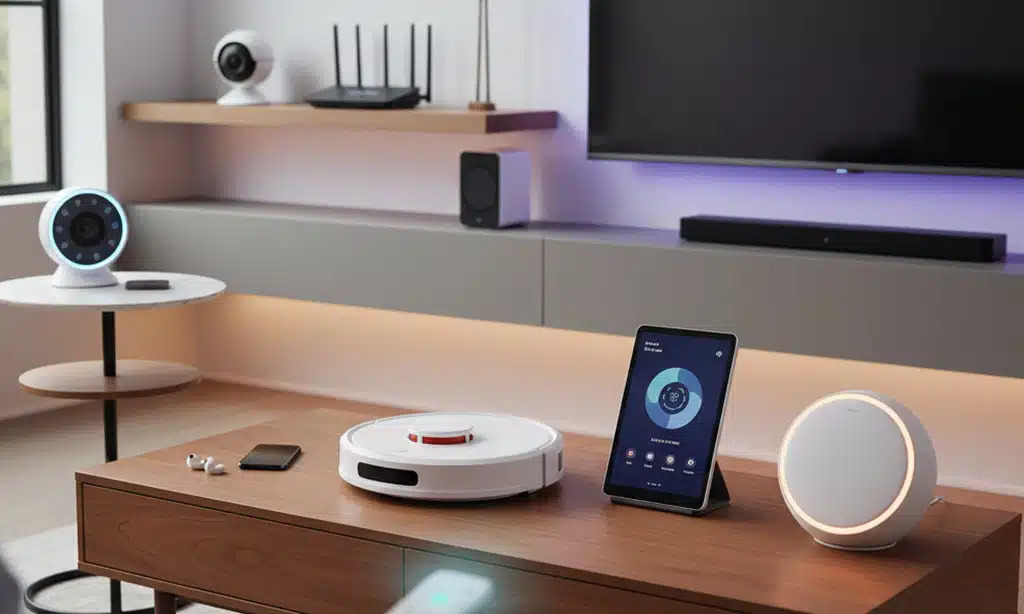
Walk through almost any new apartment or renovated house today, and the signs of a connected home appear quickly. A voice from the kitchen answers a question about the weather. Lights shift automatically at sunset. A tiny robot glides out from under the sofa to pick up crumbs before guests arrive.
These scenes no longer belong to tech enthusiasts alone. They mark a quiet change in what many homeowners now consider basic infrastructure. Alongside plumbing and electricity, a new layer of digital plumbing is taking shape: devices that listen, learn, and coordinate.
Within that shift sit 10 must-have tech gadgets every home should have if it wants to balance comfort, security, and efficiency without becoming unmanageable. The exact brands will differ from one household to another, but the categories are becoming remarkably consistent. The challenge is to understand which gadgets genuinely help – and which are just clever toys.
Why These 10 Must-Have Tech Gadgets Every Home Should Have Matter
The smart home conversation used to focus on novelty. Today, it sounds more like infrastructure planning. As more devices connect to the internet, demand grows for systems that can talk to one another, work with different platforms, and remain easy to use for people who are not interested in tinkering.
Major ecosystems now support standards such as Matter, designed to let gadgets from different brands work together more reliably. This reduces a long-standing fear: buying into the “wrong” platform and ending up with incompatible bulbs, plugs, and sensors.
At the same time, home tech is increasingly judged on practical outcomes. Does it cut the electricity bill? Does it make it easier to check on children or elderly parents? Does it save time on repetitive chores? The devices below sit at the centre of those questions rather than at the edges.

1. Smart Speaker or Smart Display: The Everyday Command Center
A smart speaker or smart display acts as a voice-controlled hub. It plays music, answers quick questions, sets timers, and controls other connected devices such as lights, plugs, and thermostats. In many households, it becomes the main interface for the entire smart home setup and a must-have tech gadget.
Why does it often become one of the must-have tech gadgets
Voice control feels natural. People quickly get used to saying “dim the lights” or “lock the front door” instead of reaching for an app. Because these speakers sit in central spaces like kitchens or living rooms, they also become shared devices used by everyone, not just the most tech-savvy family member.
Features to prioritise
When choosing one, microphone quality and responsiveness matter more than cutting-edge audio tricks. A clear screen helps if you go for a smart display, but software support and integration with your existing phone platform usually matter more. Privacy features, including microphone-mute buttons and clear data controls, deserve attention as well.
2. Mesh Wi-Fi 6 Router: The Quiet Backbone of a Modern Home
Many homes still depend on routers supplied years ago by internet providers. Those boxes often struggle with today’s reality: multiple 4K streams, online gaming, video calls, and connected devices active at the same time. The result is patchy coverage, buffering, and dropped connections.
Benefits of Wi-Fi 6 and mesh systems
A Wi-Fi 6 router or mesh system spreads reliable coverage throughout the home, including bedrooms, balconies, or home offices where signals used to fade. Mesh systems use several nodes to create a single extended network, so phones and laptops roam without losing connection. For homes full of smart bulbs, cameras, and sensors, this robust backbone quietly determines how well everything works.
What to look for
Coverage maps are more important than raw speed claims. Look for systems that clearly match your home’s size and layout. Simple, app-based setup helps non-experts manage the network. Support for WPA3 security, automatic firmware updates, and separate guest networks will keep things safer over time.
3. Smart Plugs and Power Strips: Low-Cost Automation for Old Appliances
Smart plugs and smart power strips slot between the wall and ordinary devices such as lamps, fans, or coffee makers. A simple plug can add scheduling, remote control, and automation to equipment that never had an app. Forbes, for instance, highlights budget smart plugs as one of the easiest entry points into home automation.
Energy monitoring and scheduling
Many smart plugs now include basic energy monitoring. Coupled with schedules and “off when idle” rules, these features help reduce standby power waste. Several smart home energy studies and vendor reports suggest that coordinated devices, including plugs and thermostats, can cut bills by significant margins, in some cases approaching 30% in suitably configured homes.
Safety and compatibility tips
Check the maximum load rating before connecting high-draw devices such as heaters or large appliances. Some plugs are designed only for lamps or chargers. For families, child-safe designs and clear on-device switches add reassurance. Choosing plugs that support open standards or Matter can keep future options open.
4. Smart Lighting: Mood, Safety, and Energy Control in One
Smart lighting ranges from individual bulbs to wall switches and decorative light strips. Bulbs usually offer the easiest entry point, letting you dim or change colour without rewiring. Switches suit households that want smart control while still using normal wall switches. Light strips work well for under-cabinet lighting, media walls, or staircases.
Automations that actually get used
The most useful automations tend to be simple: lights that turn on at sunset, lights that dim at bedtime, or hallway lights that come on softly when motion is detected at night. Lists of smart home essentials from consumer tech sites consistently place lighting near the top because it combines atmosphere, safety, and efficiency in one category.
Avoiding compatibility headaches
Lighting often exposes the messy side of smart home platforms. To reduce frustration, choose bulbs or switches that work with your main voice assistant and, where possible, support shared standards like Matter. That way, if you later swap phones or smart speakers, you are less likely to replace everything.
5. Video Doorbell and Smart Security Cameras: A New Front Door Experience
Video doorbells blend an ordinary chime with a camera, microphone, and app. They let you see who is at the door, talk to delivery drivers, or check whether children arrived home safely. Smart security cameras extend that view to driveways, gardens, or interior spaces such as nurseries and home offices. Leading reviewers consistently rank them among the most impactful smart home gadgets for peace of mind.
Privacy, storage, and subscriptions
These devices capture sensitive footage, so privacy considerations matter. Cloud-based models often require subscriptions for video history and advanced detection features. Others store video locally on memory cards or network drives. Homeowners now weigh not only picture quality and night vision, but also data retention policies and the ability to limit who sees footage.
Placement and practicality
Good placement can reduce false alerts and improve usefulness. Slightly angled views that capture faces rather than sky or pavements help. Indoors, cameras work best when used sparingly: focused on specific zones rather than watching every corner of the house.
6. Smart Locks: Keyless Entry That Finally Feels Normal
Smart locks allow residents to unlock doors with phones, keypads, fingerprints, or traditional keys. Temporary codes let cleaners, guests, or delivery services enter at specific times. For busy households, these features remove the need to hide spare keys or rush home to let someone in.
Battery life and fail-safe design
Most smart locks run on batteries and warn when they need replacement. Good models also include mechanical key options or emergency USB-C ports so that a dead battery does not lock you out. Clear safety certifications and support for your door type (deadbolt, mortise, or multipoint) should sit high on the checklist.
Retrofit vs full replacement
Some smart locks retrofit onto existing hardware, keeping the visible exterior unchanged. Others replace the entire lock. Retrofits can be less disruptive and preserve the look of heritage doors, while full replacements may feel more cohesive in new builds.
7. Robot Vacuum (and Mop): The Most Popular “Set-and-Forget” Gadget
Robot vacuums now occupy a reliable space in award lists and “best of” roundups. Home appliance reviewers highlight them as standout time-savers, especially newer models with advanced mapping and self-emptying docks.
Mapping, obstacle avoidance, and pets
Modern robot vacuums create detailed maps, letting you send them to specific rooms or zones. Better sensors and AI obstacle avoidance reduce collisions with furniture, toys, and pet bowls. For pet owners, hair-handling performance, bin capacity, and filter quality are key considerations.
Keeping expectations realistic
Robot vacuums rarely replace deeper weekly cleaning, but they significantly reduce daily dust and crumbs. Many households run them on a schedule while residents are out. As long as cables and small objects are kept off the floor, the robot quietly maintains a baseline of cleanliness.
8. Smart Thermostat and Climate Controls: Comfort With a Smaller Energy Bill
Smart thermostats learn patterns or allow residents to set schedules directly from phones. Some models use occupancy sensors or geofencing to adjust heating and cooling when people leave or return. Over time, these systems help keep rooms comfortable without manual tweaking.
Energy savings in practice
Smart home energy studies and vendor-backed analyses show that coordinated thermostats, plugs, and other devices can reduce energy usage by meaningful margins. In some use cases – especially in climates with heavy heating or cooling demand – savings can reach around 30% when homes combine automation with efficient equipment and insulation.
Regional considerations
In colder regions, zoning and radiator controls matter more. In hotter climates, integration with smart ceiling fans or blinds can reduce air-conditioning loads. For households with solar panels, thermostats that coordinate with home energy systems may help shift usage to cheaper or cleaner hours.
9. Smart Air Purifier and Air Quality Monitor: Breathing Tech, Not Just Owning It
People spend much of their time indoors, yet indoor air quality often receives less attention than outdoor pollution. Smoke from cooking, dust, pet dander, and urban pollution that enters through windows all contribute. Smart air purifiers and monitors track these conditions and respond automatically.
Filters, sensors, and insights
Award lists in the home tech sector now feature air purifiers with multi-stage filtration, app-based insights, and automation. One recent winner combined multi-layer filters with detailed particle and gas monitoring, feeding this data into an app that adjusts fan speed automatically.
Air quality monitors on their own offer value, too. They visualise levels of particulates, CO₂, or volatile organic compounds, prompting simple actions such as opening a window or changing cooking habits.
Where to place these devices
Purifiers work best in rooms where people spend substantial time: bedrooms, living rooms, or home offices. Monitors should sit away from windows, vents, or direct sunlight to avoid skewed readings. Over time, their data helps households identify patterns, such as consistently poor air during certain activities.
10. Multi-Device Charging Station and Surge Protection: Tidying the Invisible Chaos
For all the attention on advanced gadgets, many homes still rely on a tangle of random chargers. Phones, tablets, earbuds, watches, and laptops compete for outlets. A dedicated charging station brings order, keeping devices in one place and reducing the risk of cables trailing across floors or countertops.
USB-C, fast charging, and power delivery
As more devices adopt USB-C, a good charging hub can replace several individual bricks. Look for stations that support USB-C Power Delivery with multiple outputs, plus a mix of USB-A ports for older accessories. Clear labelling and modest, compact designs help these hubs disappear into the background.
Surge protection and safety
Surge-protected power strips shield equipment from voltage spikes caused by lightning or grid issues. When comparing models, the joule rating indicates how much surge energy the protector can absorb before it no longer offers full protection. For sensitive equipment such as computers, TVs, or network hardware, higher ratings and recognised safety certifications are worth the modest extra cost.
How These Must-Have Tech Gadgets Can Future-Proof Your Space
Together, these categories form a blueprint rather than a shopping list. The idea is not to buy every device at once. Instead, homes can build gradually: first stabilise the network, then add simple controls such as smart plugs and lighting, and later layer on more specialised gadgets like robot vacuums or air quality systems.
The most resilient setups favour open standards, strong connectivity, and clear privacy controls over flashy but isolated products. That approach keeps room for future platforms and avoids locking a home into one narrow path. It also reflects a broader shift in how people think about domestic technology: less about novelty, more about reliability.
Final Words
By looking at these must-have tech gadgets through this lens, homeowners can move beyond hype. The aim is a home that feels calmer, safer, and more efficient, supported by technology that quietly does its job – and stays out of the way when it should.