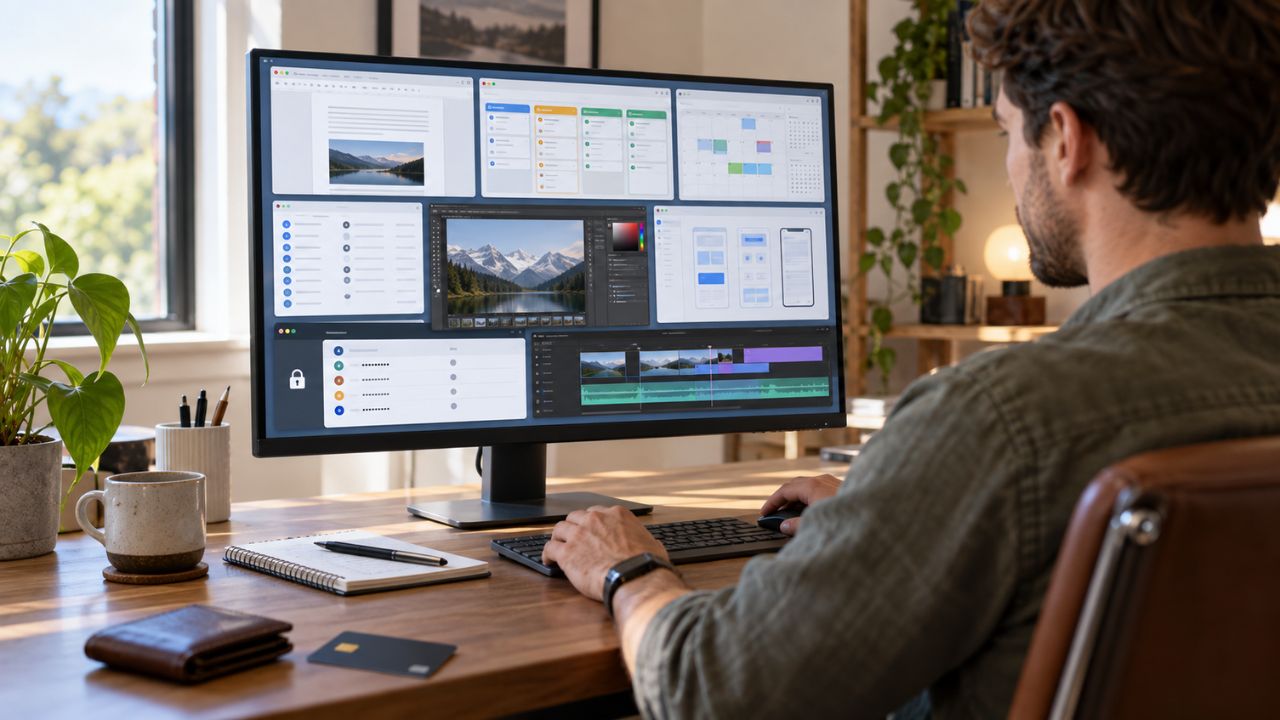
The laptop market in 2025 is more advanced than ever, with Artificial Intelligence (AI) processors, state-of-the-art OLED displays, and incredible battery life competing head-to-head. Due to this massive market shift and the integration of new technologies, selecting the best laptop is a challenging task.
However, according to the latest reviews and data from trusted technology portals like PCMag, Tom’s Guide, and CNET, several laptops have maintained their top positions this year in terms of overall performance, innovation, and reliability. This list includes the lightweight MacBook Air M4 (2025 Model) with Apple’s M-series chip, highly regarded as the ‘Best Laptop for Most People’ due to its outstanding battery life and performance, as well as the Dell XPS 14 Plus (DB14250) proving its superiority in the Windows platform, and the MSI Raider 18 HX AI for high-performance gamers. These models are capable of meeting the diverse needs of users in today’s market, allowing buyers to choose the best device based on their budget and intended use.
The main trends in the 2025 laptop market include the dominance of Intel’s Core Ultra processors and AMD’s Ryzen AI processors, which are making laptops faster and more efficient. Their Neural Processing Unit (NPU) is a significant addition, especially for AI-based tasks. On the other hand, Apple has set a new standard for performance and power efficiency with its new M4 chip. The use of OLED/AMOLED panels in displays has also increased, providing images that are much more vibrant and bright than before. All these laptops are now available as the best options for everyone—from students and professionals to content creators and hardcore gamers.
Configuration, Specification, and Price Analysis of the Top 10 Laptops (2025)
When buying a laptop, it is essential to have an accurate comparison of configuration, specifications, special features, and price. Below is a detailed overview of the top 10 laptops of 2025 based on information from reliable sources. Note that prices may vary depending on the specific configuration, and local market duties and taxes may cause prices in Bangladesh to differ (USD prices are based on international market data).
1. Apple MacBook Air (13-inch, M4, 2025)

Best For: General users, students, and frequent travelers. Why it’s Best: The excellent performance of the M4 chip, fanless design, and incredibly long battery life set it apart from most Windows laptops. It is currently one of the most power-efficient ultrabooks on the market.
| Feature | Specification |
|---|---|
| Processor | Apple M4 Chip (8-core CPU, 8/10-core GPU) |
| RAM | 16 GB – 32 GB Unified Memory |
| Storage | 256 GB – 2 TB SSD |
| Display | 13.6-inch, Liquid Retina (2560×1664) |
| Camera | 12 Megapixel Sharp Webcam |
| Battery Life | Approximately 15 hours (Tested) |
| International Starting Price | Approx. $799 – $999 |
2. Dell XPS 14 Plus (DB14250)
Best For: Windows users seeking premium design and power. Why it’s Best: Outstanding build quality, the Intel Core Ultra processor, and the option for an OLED display make it one of the best Windows ultrabooks. Its sleek design and innovative touch function add to its distinctiveness.
| Feature | Specification |
|---|---|
| Processor | Intel Core Ultra 7 (or higher, with NPU) |
| RAM | 16 GB – 64 GB |
| Storage | 512 GB – 4 TB SSD |
| Display | 14-inch, 3.2K OLED Touchscreen (Optional) or FHD+ |
| Graphics | NVIDIA GeForce RTX 40 series dGPU (Optional) |
| Special Features | Innovative Touch Function Row, Premium CNC Aluminum Build, ExpressCharge |
| International Starting Price | Approx. $1,099.00 |
3. MSI Raider 18 HX AI
Best For: Hardcore gamers and extremely graphics-intensive work. Why it’s Best: It is one of the most powerful gaming laptops available on the market. The Intel Core Ultra 9 and RTX 50-series graphics make it capable of playing any future AAA game. Its AI-enhanced cooling system keeps the device cool even during peak performance.
| Feature | Specification |
|---|---|
| Processor | Intel Core Ultra 9 (Latest Generation) |
| RAM | 32 GB – 128 GB |
| Storage | 2 TB – 4 TB SSD |
| Display | 18-inch, QHD+/4K Display with high refresh rate (240 Hz or more) |
| Graphics | NVIDIA GeForce RTX 5080/5090 |
| Special Features | AI Enhanced Cooling System, Per-Key RGB Keyboard, Dedicated MUX Switch |
| International Starting Price | Approx. $3,189.00 |
4. Microsoft Surface Laptop 7 (AI Features Integrated)

Best For: Users who want the best hardware-software integration on the Windows operating system. Why it’s Best: Built directly by Microsoft, it offers excellent harmony between hardware and software. With the Snapdragon Elite/X or Core Ultra processors, it delivers the Copilot+ PC experience, speeding up AI tasks.
| Feature | Specification |
|---|---|
| Processor | Intel Core Ultra (AI-capable) or Snapdragon Elite/X |
| RAM | 16 GB – 64 GB |
| Storage | 512 GB – 2 TB SSD |
| Display | 13.5-inch or 15-inch Touchscreen (PixelSense) |
| Special Features | Custom AI Chip, Extremely Slim Design, Face Recognition, Fast-Startup |
| International Starting Price | Approx. $1,250.00 |
5. Apple MacBook Pro (14-inch, M4, 2025)
Best For: Professional content creators, developers, and power users. Why it’s Best: Its M4 Pro/Max chipset easily handles the toughest tasks like multimedia editing and software development. The Liquid Retina XDR display and ProMotion technology are perfect for graphics professionals.
| Feature | Specification |
|---|---|
| Processor | Apple M4 Pro / M4 Max Chip |
| RAM | 18 GB – 128 GB Unified Memory |
| Storage | 512 GB – 8 TB SSD |
| Display | 14.2-inch, Liquid Retina XDR (ProMotion), 1000 nits brightness |
| Special Features | Pro-Motion (120 Hz), Advanced Thermal System, Professional Port Selection (HDMI, SD Card Slot) |
| International Starting Price | Starting from Approx. $1,499.00 |
6. Lenovo ThinkPad X1 Carbon Gen 13 Aura Edition
Best For: Business and corporate professionals. Why it’s Best: The best blend of reliability, security, and portability. The famous durability of the ThinkPad series and Mil-Spec durability make it ideal for long-term use. Its keyboard is still considered the best by many.
| Feature | Specification |
|---|---|
| Processor | Intel Core Ultra 7 (or higher, vPro option) |
| RAM | 16 GB – 64 GB LPDDR5x |
| Storage | 1 TB – 2 TB SSD |
| Display | 14-inch, OLED (Optional) or Low-Power FHD+ |
| Special Features | Mil-Spec Durability, Biometric Security (Fingerprint and Face Recognition), TrackPoint |
| International Starting Price | Approx. $1,889.99 |
7. Asus Zenbook A14 (Ultraportable Windows)
Best For: Users who want a very thin, light, and easily portable Windows laptop. Why it’s Best: Its slim design, OLED panel, and AI capabilities make it stand out. It is the best choice for those looking for a Windows alternative to the MacBook Air.
| Feature | Specification |
|---|---|
| Processor | AMD Ryzen AI 9 / Intel Core Ultra |
| RAM | 16 GB – 32 GB |
| Storage | 1 TB SSD |
| Display | 14-inch, OLED Panel, 100% DCI-P3 Color Gamut |
| Special Features | Ultra-light Aluminum Body (Under 1.2 kg), ASUS Pen Support |
| International Starting Price | Approx. $1,200.00 |
8. Acer Aspire 3 (A315-24P) – Budget Option
Best For: Budget-conscious buyers or users needing a reliable laptop for everyday tasks. Why it’s Best: It offers all the necessary features for daily use at a low price. It is a reliable and budget-friendly option for students’ online classes, document creation, and light multimedia consumption.
| Feature | Specification |
|---|---|
| Processor | AMD Ryzen 3 or Intel Core i3 (Latest Generation) |
| RAM | 8 GB – 16 GB |
| Storage | 256 GB – 512 GB SSD |
| Display | 15.6-inch, Full HD (FHD) |
| Special Features | Budget-Friendly, Relatively Large Display, Easily Upgradeable RAM/Storage |
| International Starting Price | Approx. $319.99 |
9. Asus ROG Zephyrus G14
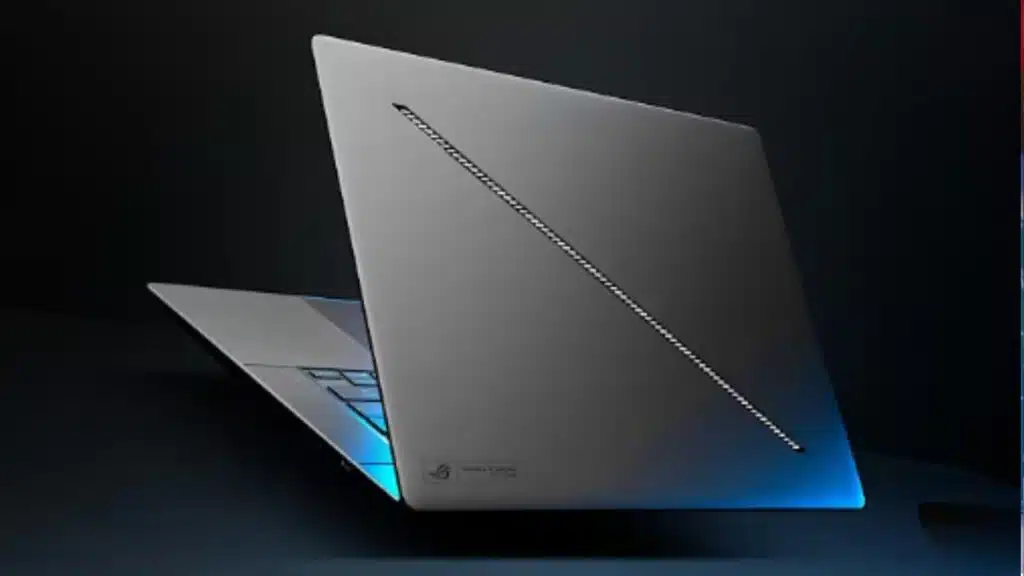
Best For: Users who want a balance between gaming and content creation. Why it’s Best: It is one of the best performers in the 14-inch display segment. It combines powerful gaming capability with a sleek, ultrabook design, making it easy to carry. The AMD Ryzen AI chipset excels in both gaming and AI tasks.
| Feature | Specification |
|---|---|
| Processor | AMD Ryzen AI 9 HX 370 |
| RAM | 32 GB |
| Storage | 1 TB – 2 TB SSD |
| Display | 14-inch, OLED, High Refresh Rate |
| Graphics | NVIDIA GeForce RTX 5080 |
| Special Features | Slim Design, Advanced Vapor Chamber Cooling, AniMe Matrix Display (Optional) |
| International Starting Price | Varies by Configuration |
10. HP OmniBook X Flip (Intel Ultra 7)
Best For: Users who want the flexibility of a laptop and a tablet in one device (2-in-1). Why it’s Best: This convertible 2-in-1 laptop is a prime example of flexibility and a premium experience. Its 360-degree hinge allows it to be used in any mode, making it suitable for creative work and presentations.
| Feature | Specification |
|---|---|
| Processor | Intel Core Ultra 7 |
| RAM | 16 GB |
| Storage | 512 GB SSD |
| Display | 14-inch, Touchscreen, 360-Degree Hinge |
| Special Features | 2-in-1 Design, Touch and Pen Input, Fast Charging, Premium Build |
| International Starting Price | Approx. $749.00 (On sale) |
Key Technological Trends and Innovations in the 2025 Laptop Market
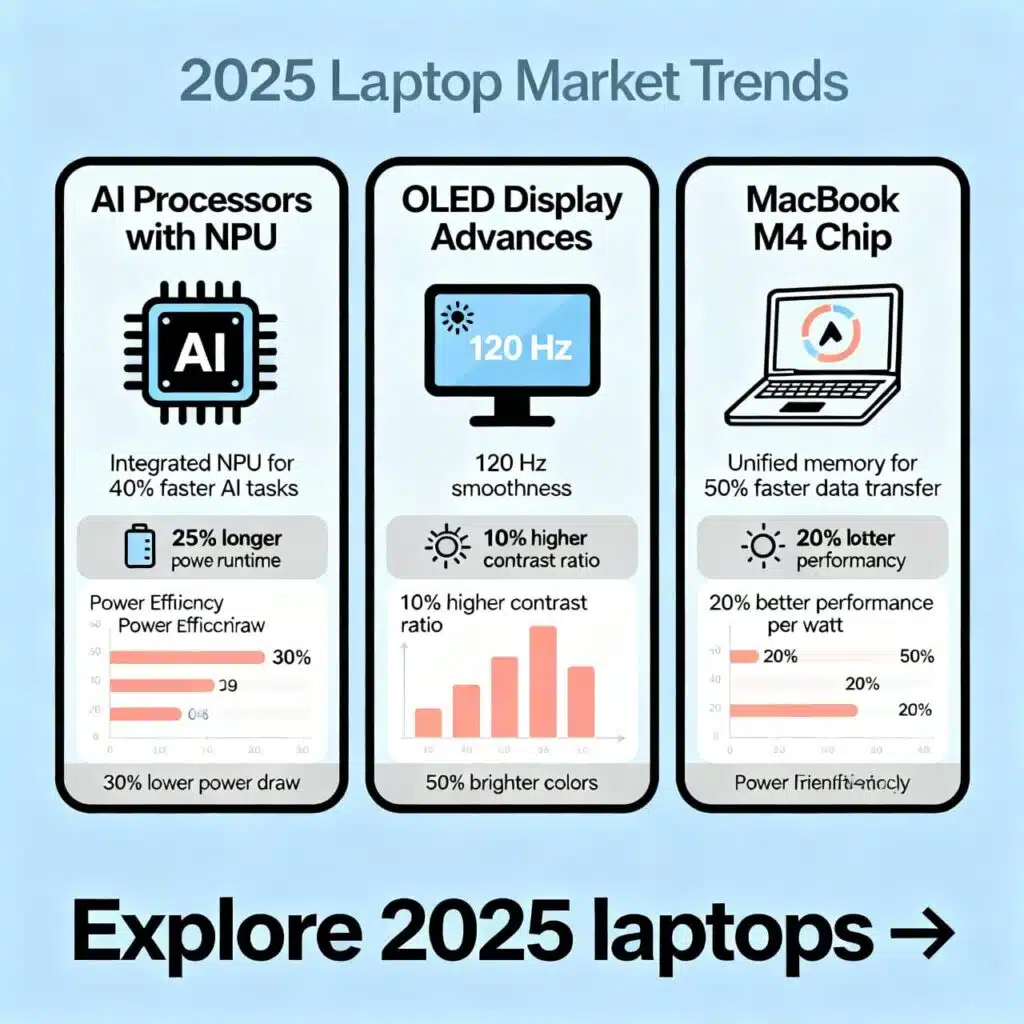
The 2025 laptop market is primarily based on three technological pillars: AI integration, display technology advancement, and processor efficiency improvement. These trends are fundamentally changing the user experience.
1. The Rise of AI Processors and NPU: The Copilot PC Era
This year, the Neural Processing Unit (NPU) has become an essential part of laptop processors. The NPU is included in Intel’s Intel Core Ultra and AMD’s Ryzen AI chips. The main advantages are:
- Efficient Multitasking: It can handle AI-driven tasks (such as background blur in video conferencing, image upscaling, or noise cancellation) without burdening the CPU.
- Increased Battery Life: Efficient management of AI tasks reduces overall power consumption, resulting in longer battery life.
- Microsoft’s Copilot+ PC: Built-in AI functions like Recall or Cocreator in these new laptops are made possible through the advanced NPU.
2. Ubiquity of OLED Displays and Improved Refresh Rates
While OLED displays were once exclusive to premium laptops, they are now becoming popular in mid-range devices as well. OLED displays offer:
- Unmatched Color and Contrast: By individually controlling each pixel, colors appear more vibrant, and black is absolutely perfect. This is essential for content creators.
- High Refresh Rates: Many OLED panels now offer 120 Hz or higher refresh rates for gaming and content consumption, providing a smoother viewing experience.
3. Dominance of the MacBook M4 Chip and Unified Memory
Apple is challenging the Windows platform in terms of performance and power efficiency with its M4 chip. The biggest advantage of the M4 chip is:
- Exceptional Efficiency (Performance per Watt): It consumes significantly less power than Windows processors to deliver the same level of performance. The M4 chip is even more advanced than the previous M3 in graphics and AI tasks.
- Unified Memory: Its architecture unifies RAM and VRAM, ensuring faster data access for content creation and graphics-intensive work.
Laptop Prices and Complete Buying Guide in Bangladesh (2025)
International laptop prices vary based on configuration and sellers. The prices mentioned above (in USD) are based on international retail market information. When determining laptop prices in Bangladesh, some additional factors must be considered:
International vs. Bangladeshi Price Difference
The primary factors influencing laptop prices in Bangladesh include import duties, VAT, the USD exchange rate, and supply chain costs.
- Import Duty and VAT: Due to import duties, VAT, and other taxes in Bangladesh, laptop prices can be 15% to 35% higher than international prices. These tax rates are set by the government.
- Warranty and Service: Purchasing from authorized sellers usually provides better warranty and after-sales service, although the price may be slightly higher. Laptops entering through unofficial channels might be cheaper but carry risks regarding warranty and reliability.
| Laptop Category | International Starting Price (USD) | Estimated Starting Price in Bangladesh (BDT) |
|---|---|---|
| Premium/High-End (MacBook Pro, XPS) | $1,500+ | ৳1,80,000+ |
| General Use/Ultrabook (MacBook Air, Zenbook) | $800 – $1,500 | ৳1,00,000 – ৳1,80,000 |
| Budget/Student Laptop (Acer Aspire, Dell Vostro) | $300 – $800 | ৳40,000 – ৳1,00,000 |
| High-End Gaming (MSI Raider, ROG Zephyrus) | $2,500+ | ৳3,00,000+ |
N.B.: The mentioned Bangladeshi prices are subject to change based on market conditions, the dollar exchange rate, and the specific model’s configuration. For accurate pricing, you should contact reliable local retailers.
Precautions When Buying Used/Refurbished Laptops
Many people buy used laptops due to budget constraints. Caution is advised:
- Battery Health: The battery life of older laptops often degrades. Check the battery health before buying.
- Informed Choice: Older business series laptops like HP EliteBook, Dell Latitude, Lenovo ThinkPad tend to be more durable.
- Crucial Components: Check if the screen, keyboard, ports, and charging pin are intact.
Factors to Consider When Buying a Laptop
A laptop is a significant investment, so the decision should not be rushed. According to expert advice, verifying the following points before buying is essential:
1. Intended Use and Performance Requirements (Expertise & Experience)
| User Segment | Recommended Processor | Minimum RAM | Graphics |
|---|---|---|---|
| General Use/Student | Core i3/Ryzen 3/Pentium (Latest Gen) | 8 GB | Integrated (Intel UHD/Iris Xe/Radeon Graphics) |
| Professional/Office Worker | Core i5/Ryzen 5 or Core Ultra 5 | 16 GB | Integrated or Light dGPU (2 GB) |
| Content Creator/Editor | Core i7/Ryzen 7 or MacBook Pro (M4 Pro) | 32 GB | Dedicated dGPU (4 GB – 6 GB RTX/Radeon) |
| Hardcore Gamer | Core i9/Ryzen 9 or Core Ultra 9 | 32+ GB | Dedicated dGPU (8 GB+ RTX 50 Series) |
2. Storage (SSD) and Why NVMe is Essential (Authoritativeness)
SSD (Solid State Drive) is now mandatory. The main reason is that it is 10 times faster than an HDD. NVMe SSD technology is currently the best for fast loading and file transfers. A minimum of 512 GB NVMe SSD is advisable, as 256 GB runs out quickly. 1 TB or more storage is ideal for professional work.
3. Display Technology: OLED vs IPS
- OLED/AMOLED: Best color, perfect black, incredible contrast. Best for content creation and watching movies. However, the risk of burn-in is slightly higher, and the price is premium.
- IPS LCD: Good color accuracy, wide viewing angles, and relatively affordable. Sufficient for general use.
4. Battery Life, Charging, and Portability (Trustworthiness)
Battery capacity is measured in Wh (Watt-hour) or mAh (Milli-amp hour). A larger display and powerful processor usually mean shorter battery life. For travel, choose a laptop with at least 8 hours of real-world battery life. Fast charging capabilities (like Dell’s ExpressCharge or Apple’s Fast Charging) are an added benefit.
5. Importance of Ports and Connectivity
Ensure the laptop has modern ports:
- USB-C/Thunderbolt: Essential for charging, data transfer, and display output. Thunderbolt 4 or USB4 is necessary for high-speed data.
- USB-A: For older devices.
- HDMI: For presentations or external monitors.
- Wi-Fi 6/6E/7: For fast and reliable internet connectivity.
This detailed analysis and comparative chart should help you choose the best laptop for you in 2025.