How to Backup Your Data When Your iPhone is On Recovery Mode

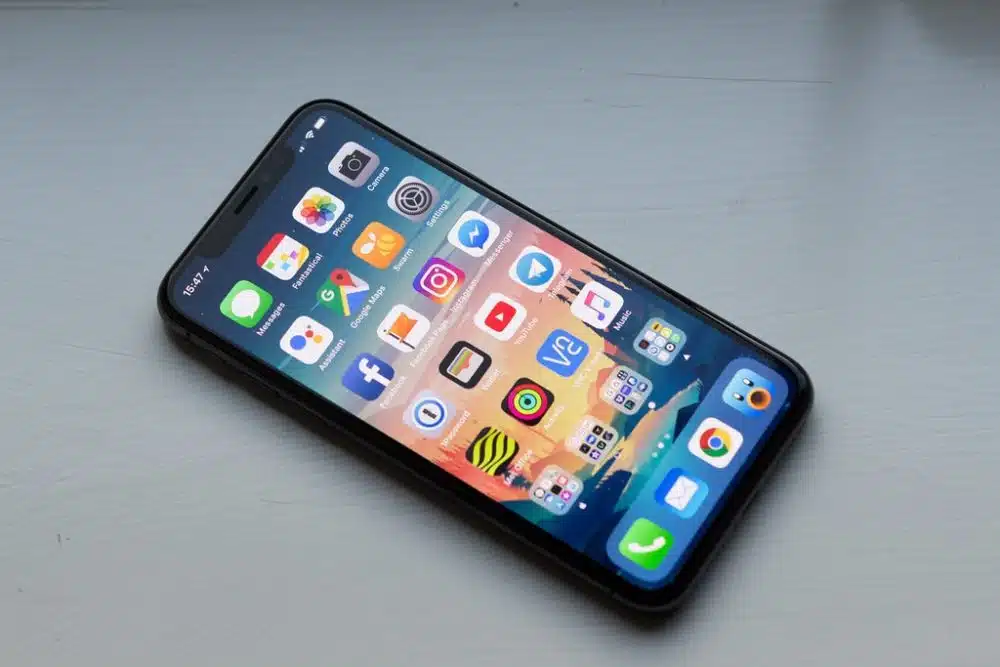
iPhone X

iPhones are popular devices that can often be our lifeline. However, one thing that all iPhone users dread is the dreaded “recovery mode.” The recovery mode is found on an iPhone when it’s been reset and needs additional steps to fix the problem. Unfortunately, this means you may lose your data if you don’t backup first. Here are some ways to make sure you have a backup of all your data if your iPhone goes into recovery mode.

What Is Recovery Mode? 

If your iPhone’s been reset and needs additional steps to fix the problem, it will go into recovery mode. All of your data might be lost in this mode if you don’t backup first. There are a few ways to make sure you have a backup if your iPhone goes into recovery mode. If you want some quick solution, you can get some solution by taking iphone data recovery services.

How To Prevent Data Loss

A common issue with iPhones is the dreaded “recovery mode.” There are many different reasons this can happen, but it usually means you will lose your data if you don’t have a backup. The good news is that there are plenty of ways to back up your iPhone. One way to backup your iPhone is to use iCloud or another cloud storage. If you do that, all of your photos and videos will be stored on the third-party service you can access from anywhere. However, not everyone wants to pay for an additional service like iCloud to back up their data.

Another option is to store all of your photos and videos on a separate hard drive. This will create a physical backup in case something happens with your device and a digital backup through iTunes or iCloud Photo Library. You need to connect the hard drive to your computer and import everything into iTunes, so it’s safe and sound if something goes wrong with your phone.

Backup Your iPhone Without iTunes

You may already have a backup of your iPhone data if you’re syncing to iTunes. However, if you have an iCloud account, you can also back up your iPhone without needing iTunes.

First, download the latest version of iMazing on your computer or laptop. Next, log in to your iCloud account and connect your iPhone to the computer using a USB cable that came with your device.

After that, click on the “Backup” button and choose the newest backup file and then click “Next.” If you want to back up two versions of your phone data, press the “Backup” button again and select the ‘Version 1’ tab and then press “Next.”

If you don’t want to back up any other versions of your phone data, move on to Step 7. Otherwise, go back to Step 6 and press the “Backup” button again. Select the tab for ‘Version 2’ and press “Next.” Finally, confirm that all versions of your phone data should be backed up by clicking “Move On,” and wait for this process to complete.

How to Backup Your Data When Your iPhone is On Recovery Mode

There are a few ways to make sure you have a backup of all your data if your iPhone goes into recovery mode. One option is to use iCloud or iTunes to back up your data. Another option is to sync the data on your phone with another service. The last option is to manually save any information you want to be backed up on an external hard drive.

Conclusion

If you have an iPhone and you’re experiencing a problem, one of the most useful things you can do is put your iPhone into recovery mode. This allows you to access an alternate interface that will allow you to reset your iPhone without losing your data.



Subscribe to Our Newsletter

Related Articles

Top Trending

Travel Sustainably Without Spending Extra featured image
How Can You Travel Sustainably Without Spending Extra? Save On Your Next Trip!
A professional 16:9 featured image for an article on UK tax loopholes, displaying a clean workspace with a calculator, tax documents, and sterling pound symbols, styled with a modern and professional aesthetic. Common and Legal Tax Loopholes in UK
12 Common and Legal Tax Loopholes in UK 2026: The Do's and Don'ts
Goku AI Text-to-Video
Goku AI: The New Text-to-Video Competitor Challenging Sora
US-China Relations 2026
US-China Relations 2026: The "Great Power" Competition Report
AI Market Correction 2026
The "AI Bubble" vs. Real Utility: A 2026 Market Correction?

LIFESTYLE

Travel Sustainably Without Spending Extra featured image
How Can You Travel Sustainably Without Spending Extra? Save On Your Next Trip!
Benefits of Living in an Eco-Friendly Community featured image
Go Green Together: 12 Benefits of Living in an Eco-Friendly Community!
Happy new year 2026 global celebration
Happy New Year 2026: Celebrate Around the World With Global Traditions
dubai beach day itinerary
From Sunrise Yoga to Sunset Cocktails: The Perfect Beach Day Itinerary – Your Step-by-Step Guide to a Day by the Water
Ford F-150 Vs Ram 1500 Vs Chevy Silverado
The "Big 3" Battle: 10 Key Differences Between the Ford F-150, Ram 1500, and Chevy Silverado

Entertainment

Samsung’s 130-Inch Micro RGB TV The Wall Comes Home
Samsung’s 130-Inch Micro RGB TV: The "Wall" Comes Home
MrBeast Copyright Gambit
Beyond The Paywall: The MrBeast Copyright Gambit And The New Rules Of Co-Streaming Ownership
Stranger Things Finale Crashes Netflix
Stranger Things Finale Draws 137M Views, Crashes Netflix
Demon Slayer Infinity Castle Part 2 release date
Demon Slayer Infinity Castle Part 2 Release Date: Crunchyroll Denies Sequel Timing Rumors
BTS New Album 20 March 2026
BTS to Release New Album March 20, 2026

GAMING

Styx Blades of Greed
The Goblin Goes Open World: How Styx: Blades of Greed is Reinventing the AA Stealth Genre.
Resident Evil Requiem Switch 2
Resident Evil Requiem: First Look at "Open City" Gameplay on Switch 2
High-performance gaming setup with clear monitor display and low-latency peripherals. n Improve Your Gaming Performance Instantly
Improve Your Gaming Performance Instantly: 10 Fast Fixes That Actually Work
Learning Games for Toddlers
Learning Games For Toddlers: Top 10 Ad-Free Educational Games For 2026
Gamification In Education
Screen Time That Counts: Why Gamification Is the Future of Learning

BUSINESS

IMF 2026 Outlook Stable But Fragile
Global Economic Outlook: IMF Predicts 3.1% Growth but "Downside Risks" Remain
India Rice Exports
India’s Rice Dominance: How Strategic Export Shifts are Reshaping South Asian Trade in 2026
Mistakes to Avoid When Seeking Small Business Funding featured image
15 Mistakes to Avoid As New Entrepreneurs When Seeking Small Business Funding
Global stock markets break record highs featured image
Global Stock Markets Surge to Record Highs Across Continents: What’s Powering the Rally—and What Could Break It
Embodied Intelligence
Beyond Screen-Bound AI: How Embodied Intelligence is Reshaping Industrial Logistics in 2026

TECHNOLOGY

Goku AI Text-to-Video
Goku AI: The New Text-to-Video Competitor Challenging Sora
AI Market Correction 2026
The "AI Bubble" vs. Real Utility: A 2026 Market Correction?
NVIDIA Cosmos
NVIDIA’s "Cosmos" AI Model & The Vera Rubin Superchip
Styx Blades of Greed
The Goblin Goes Open World: How Styx: Blades of Greed is Reinventing the AA Stealth Genre.
Samsung’s 130-Inch Micro RGB TV The Wall Comes Home
Samsung’s 130-Inch Micro RGB TV: The "Wall" Comes Home

HEALTH

Bio Wearables For Stress
Post-Holiday Wellness: The Rise of "Bio-Wearables" for Stress
ChatGPT Health Medical Records
Beyond the Chatbot: Why OpenAI’s Entry into Medical Records is the Ultimate Test of Public Trust in the AI Era
A health worker registers an elderly patient using a laptop at a rural health clinic in Africa
Digital Health Sovereignty: The 2026 Push for National Digital Health Records in Rural Economies
Digital Detox for Kids
Digital Detox for Kids: Balancing Online Play With Outdoor Fun [2026 Guide]
Worlds Heaviest Man Dies
Former World's Heaviest Man Dies at 41: 1,322-Pound Weight Led to Fatal Kidney Infection