

If you have been following the tech discourse over the last five years, you have likely heard the whispers—or sometimes the shouts—that “WordPress is dying.” Critics pointed to the rise of AI website generators, the slick interfaces of no-code tools like Webflow, and the closed-garden efficiency of Shopify. They argued that an open-source platform born in 2003 couldn’t possibly survive the AI revolution of the mid-2020s.
Yet, here we are in January 2026, and the data tells a very different story.
WordPress hasn’t just survived; it has evolved into something fundamentally new. We are no longer talking about the “blogging platform” of the 2010s or even the “clunky page builder” era of the early 2020s. With the imminent release of WordPress 7.0, the platform has cemented itself as the operating system of the open web—a sophisticated Digital Experience Platform (DXP) that powers everything from personal portfolios to Fortune 500 enterprise architectures.
This article dives deep into the state of WordPress in 2026, analyzing its market dominance, the revolutionary “Phase 3” collaboration tools, and the game-changing integration of Native AI.
While Twitter (X) threads often highlight the latest “WordPress Killers,” the actual usage statistics for 2026 reveal a platform that is more entrenched than ever. The “No CMS” category (custom HTML/CSS sites) continues to shrink, and while competitors like Shopify and Webflow have carved out lucrative niches, they have not toppled the giant.
What we are seeing in 2026 is a “flight to ownership.” As SaaS platforms raised prices aggressively in 2024 and 2025, many businesses returned to WordPress to regain control over their data and billing.
| Platform | Global Web Share | CMS Market Share | Primary User Base | Trend (vs 2024) |
| WordPress | 43.4% | 62.8% | SMBs, Enterprise, News, Blogs | Stable / Slight Growth |
| Shopify | 4.6% | 6.7% | Pure E-commerce Brands | Growing (High-end) |
| Wix | 3.0% | 4.1% | DIY, Micro-businesses | Stagnant |
| Squarespace | 2.2% | 3.1% | Creatives, Portfolios | Declining |
| Webflow | 1.3% | 1.9% | Designers, Agencies | Growing (Niche) |
Why WordPress Remains “Sticky”
The “stickiness” of WordPress in 2026 comes down to three factors:
- Data Sovereignty: In an era of AI scraping and data privacy laws, owning your database is a competitive advantage.
- The Plugin Economy: There are now over 65,000 active plugins. If a new marketing tool launches (e.g., a new AI video generator), a WordPress integration appears within days. Proprietary platforms often wait months.
- Cost Efficiency: Despite rising hosting costs, a high-performance WordPress stack remains 40-60% cheaper than equivalent “Enterprise Tier” plans on SaaS competitors.
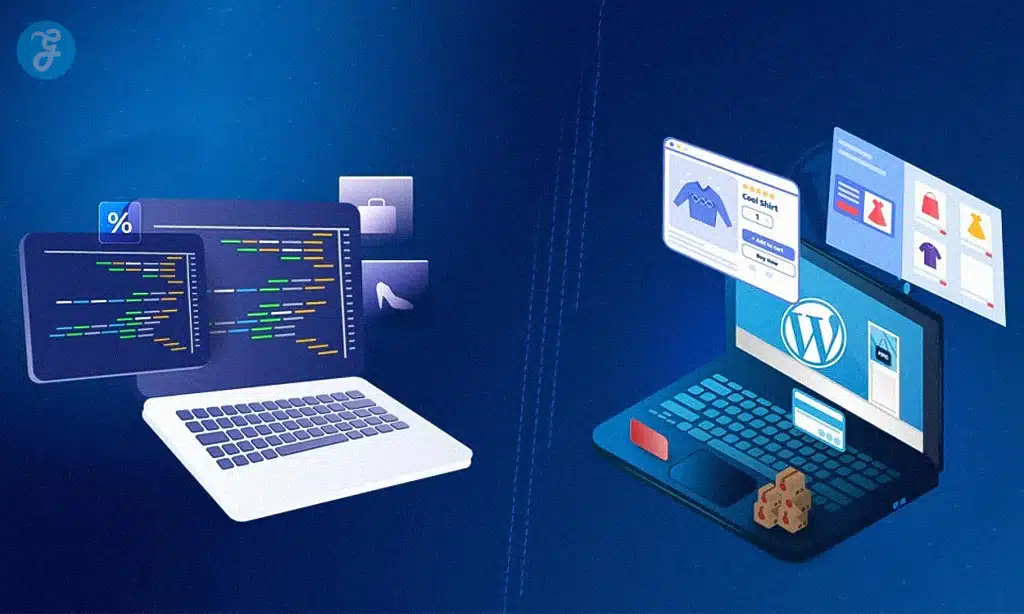
2. Gutenberg Phase 3: The Collaboration Revolution
For over a decade, editorial teams had a broken workflow: Write in Google Docs $\rightarrow$ Edit in Google Docs $\rightarrow$ Copy to WordPress $\rightarrow$ Fix formatting $\rightarrow$ Publish.
This friction existed because WordPress was a “single-player” game. If two people tried to edit the same post, one would get locked out.
2026 changes everything. The completion of Gutenberg Phase 3 (Collaboration) has turned WordPress into a real-time, multiplayer environment. You can now see your colleague’s cursor moving in the block editor, just like in Google Docs or Figma. This update has fundamentally changed how newsrooms and marketing teams operate.
New Collaboration Features in WordPress 7.0
| Feature | Description | The “Old Way” (Pre-2025) |
| Multi-User Editing | Multiple authors can edit the same post simultaneously without locking. | “This post is currently being edited by…” (Lockout) |
| Inline Commenting | Leave comments, tag users (@mention), and assign tasks directly on specific blocks. | Comments in Slack or Trello, disconnected from the content. |
| Suggestion Mode | Edits appear as “suggestions” that an editor must approve or reject (Track Changes). | Manual diff-checking or rewriting content blindly. |
| Custom Workflows | Visual “Kanban” boards inside the dashboard to move posts from “Draft” to “Legal Review” to “SEO Check.” | External project management tools like Asana/Monday. |
Pro Tip: The new “Guest Author” link feature allows you to send a secure, expiring link to a freelancer. They can write directly in your WordPress editor without needing a user account or dashboard access.
3. AI Integration: From “Magic Text” to “Agentic AI”
In 2023-2024, “AI in WordPress” meant installing a plugin that added a “Generate Text” button to your toolbar. It was useful, but superficial.
In 2026, AI has gone Native. The introduction of the Abilities API in WordPress Core allows AI models (whether OpenAI, Anthropic, or open-source local models) to interact with the WordPress database and file system securely.
This means we have moved from Generative AI (writing text) to Agentic AI (doing tasks).
The Three Tiers of AI in WordPress (2026)
| Tier | Functionality | Example Use Case |
| Tier 1: Generative | Creating content and media. | “Write a 500-word intro about coffee” or “Generate a hero image.” |
| Tier 2: Architectural | Building layouts and patterns. | “Create a pricing page with 3 columns, a toggle for annual billing, and a FAQ section.” (The AI builds the blocks automatically). |
| Tier 3: Agentic (New) | Site management and troubleshooting. | “Scan my site for unused plugins and delete them,” or “My site is slow—optimize all images and enable caching.” |
The “Self-Healing” Website
One of the most praised features of the 2026 ecosystem is “Self-Healing Code.” Managed WordPress hosts now use AI agents to monitor PHP logs in real-time.
- Scenario: A plugin update causes a fatal error on your checkout page.
- The Fix: The AI Agent detects the error, rolls back the specific plugin immediately, alerts the site admin, and even drafts a support ticket to the plugin developer with the error log attached.
4. Headless & Enterprise: The “Hybrid” Standard
The “Headless WordPress” trend of the early 2020s was powerful but painful. It promised speed but broke the preview button and made marketing teams miserable because they lost their visual editor.
In 2026, the industry has converged on Hybrid Headless.
This architecture uses the best of both worlds: the Block Editor (Gutenberg) remains the content creation interface, but the front end is rendered using modern JavaScript frameworks like Next.js or Astro. The critical difference now is that the Preview is instantaneous. Innovations in “Edge Rendering” mean that when a marketer clicks “Update,” the headless front end refreshes instantly—no 5-minute build times.
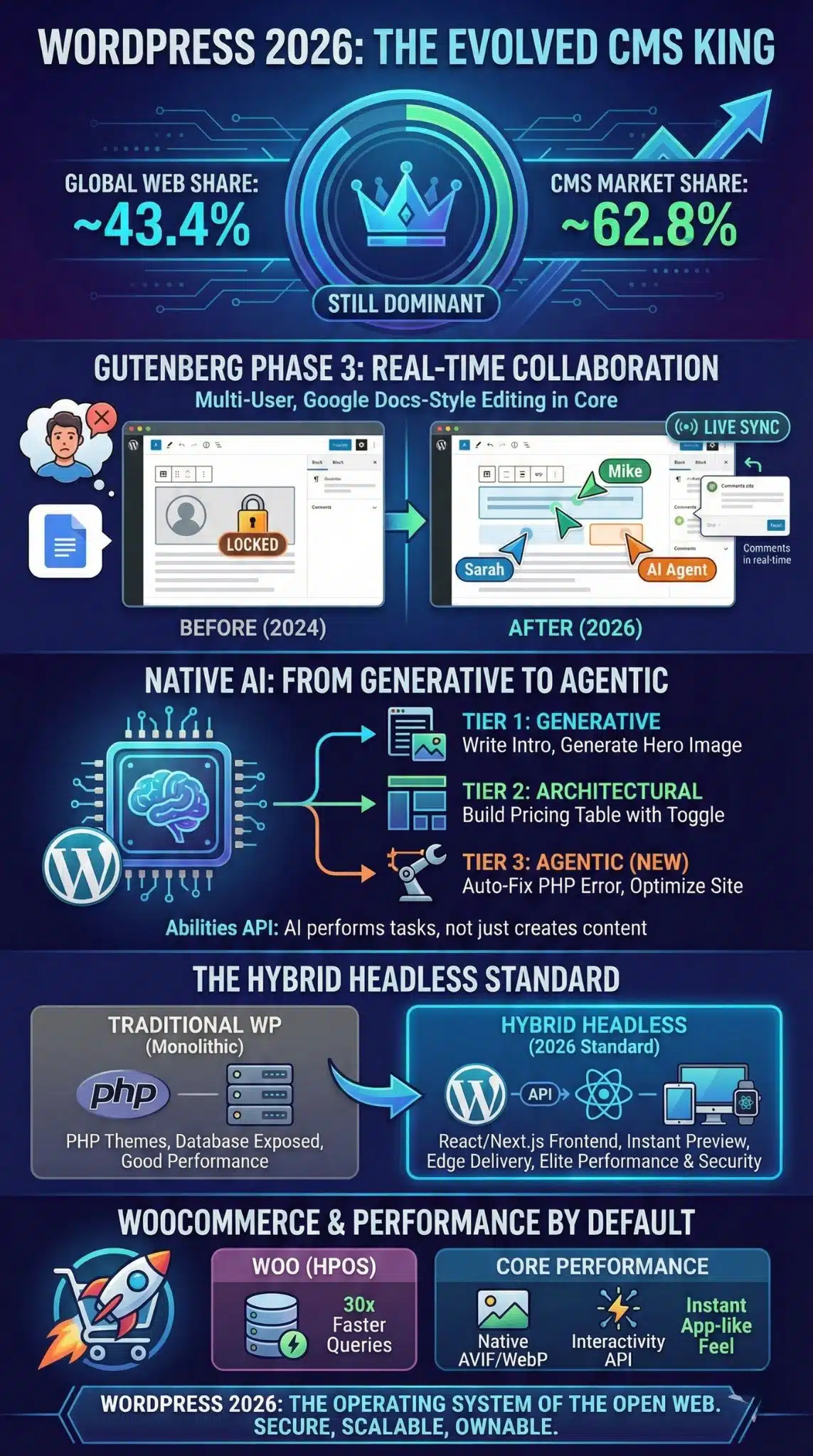
Traditional vs. Hybrid Headless Comparison
| Feature | Monolithic (Traditional WP) | Hybrid Headless (The 2026 Standard) |
| Frontend Tech | PHP / WP Themes (e.g., Twenty Twenty-Six) | React / Next.js / Vue / Astro |
| Performance | Good (Dependent on aggressive caching) | Elite (Static generation + Edge delivery) |
| Security | Moderate (Database exposed to web traffic) | High (Database hidden behind API) |
| Marketing Exp. | Excellent (WYSIWYG) | Excellent (Restored WYSIWYG via live preview) |
| Best Fit For | Blogs, SMBs, News Sites | Enterprise, E-commerce, Omni-channel Apps |
A diagram showing WordPress as the backend “Content Hub,” pushing data via API to a Website, a Mobile App, and a Smart Watch, all synchronized.
5. E-Commerce: WooCommerce vs. The World
Is WooCommerce still relevant when Shopify is so easy? In 2026, WooCommerce (now often just called “Woo”) powers nearly 28% of all online stores.
The biggest change in 2026 is the High-Performance Order Storage (HPOS) becoming the mandatory default, which solved WooCommerce’s historical “bloat” issue. Database queries for orders are now up to 30x faster.
Furthermore, Woo has embraced the “SaaS-within-Open-Source” model. You can now get a “Managed Woo” experience that feels like Shopify—automated updates, pre-configured payments, global tax calculation—while still retaining full code access.
WooCommerce vs. Shopify in 2026
| Feature | WooCommerce (2026) | Shopify (2026) |
| Transaction Fees | 0% (Use any gateway you want) | 0.5% – 2.0% (unless you use Shopify Payments) |
| Customization | Unlimited (Edit any code/plugin) | Limited (Locked to Shopify Apps/Liquid) |
| B2B Features | Native / Free Plugins | Expensive “Plus” Plan ($2,500+/mo) |
| Ease of Use | Moderate (Requires setup) | High (Plug and play) |
| Ownership | 100% Owned by You | Rented (They can shut you down) |
6. Security & Performance: Core Web Vitals as Default
In the past, making a WordPress site fast required a degree in engineering—caching plugins, image optimizers, minification scripts, and CDNs.
In 2026, Performance is default.
- Native WebP/AVIF: WordPress Core now automatically converts uploaded images to next-gen formats (AVIF) without plugins.
- Interactivity API: This new Core technology allows users to interact with pages (like adding a product to a cart or liking a comment) instantly, without a full page reload. It mimics the “App-like” feel of JavaScript frameworks.
- Bot Protection: With AI bots aggressively scraping content to train models, WordPress 7.0 includes native “Bot Fight Mode” settings to protect your content intellectual property.
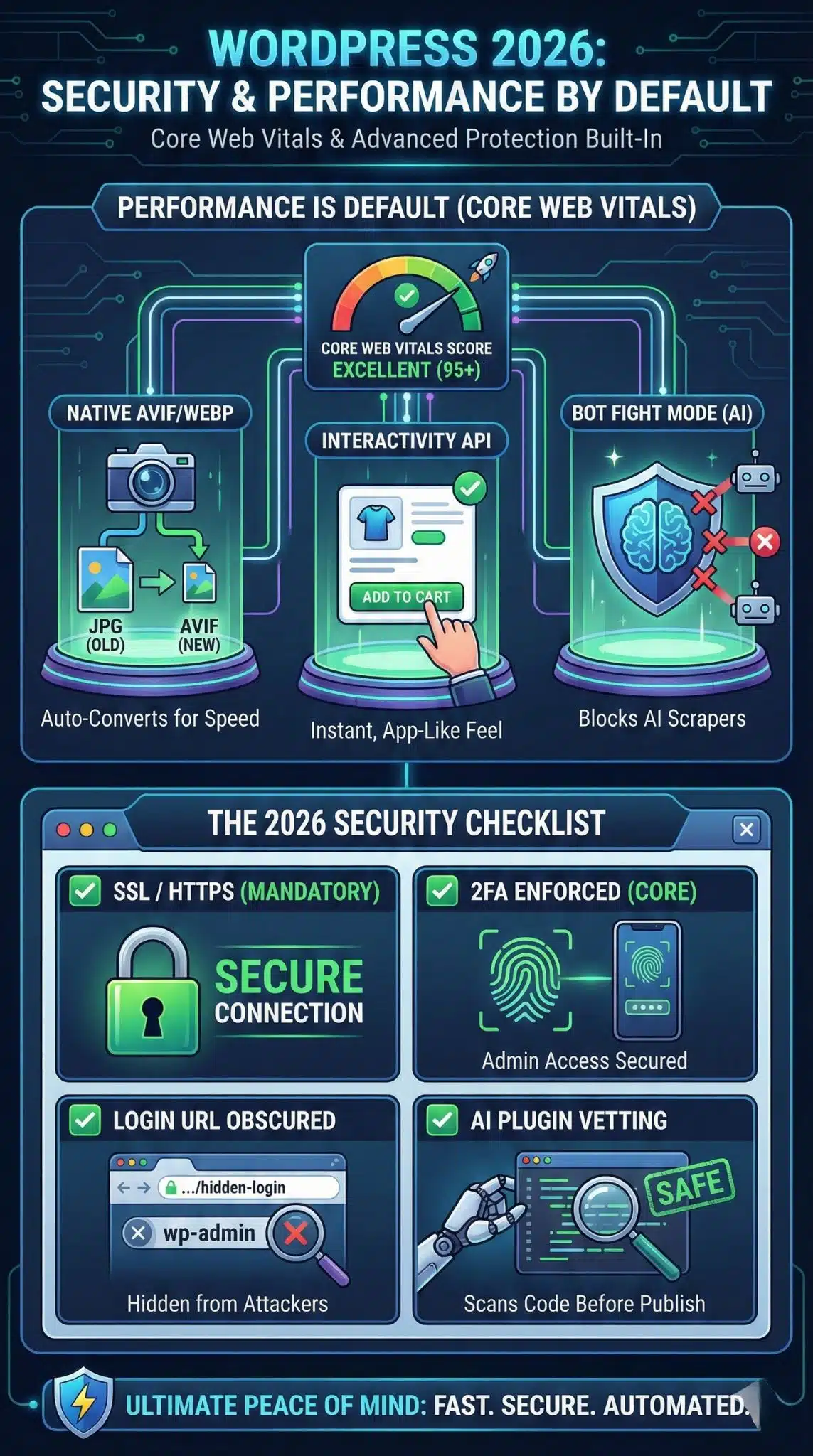
The 2026 Security Checklist
| Security Layer | Status in 2026 |
| SSL / HTTPS | Mandatory (Sites won’t load without it) |
| 2FA (Two-Factor) | Enforced in Core for Admin users. |
| Login URL | Obscured by default in new installs. |
| Plugin Vetting | The Plugin Repository now uses AI to scan code for vulnerabilities before a plugin is allowed to be published. |
Final Thoughts
So, is WordPress in 2026 still the King of CMS?
Yes. But it is not the same king that ruled in 2015.
The WordPress of old—the simple blogging tool with the 5-minute install—is effectively gone. In its place stands a robust, enterprise-grade Operating System for the web. It has successfully weathered the storms of No-Code and AI by absorbing them. It didn’t fight AI; it integrated it. It didn’t fight Headless; it adopted it.
For small businesses, the “Hosted WordPress” solutions have become as easy as Wix. For enterprises, the “Hybrid Headless” stack offers power that proprietary SaaS cannot match.
If you are betting on a digital foundation in 2026, WordPress remains the only choice that guarantees you freedom, flexibility, and the future.
























