
Choosing the right storage for VPS hosting can feel tricky. Some people want speed. Others care about saving money or getting more space. Many wonder: SSD or HDD? Which one is best?
Here’s one fact to know—SSDs are faster because they use flash memory, while HDDs rely on spinning disks. This affects speed, reliability, and cost. This blog will clear up those differences and help you pick what suits your needs best.
Ready to learn which is better? Let’s go!
Key Takeaways
- SSDs are faster and more durable, using no moving parts. They offer 0.1 ms access time and speeds up to 550 MB/s, improving website performance and load times.
- HDDs provide bigger storage (up to 20 TB) at a lower cost ($0.03/GB). They are ideal for tight budgets needing large space but have slower speeds and higher energy use.
- SSDs consume less power (2–5 watts), last longer (around 10 years), and resist mechanical failures better than HDDs with their spinning disks.
- NVMe SSDs outperform SATA SSDs with read/write speeds up to 3500/3000 MB/s, offering the future of fast VPS hosting technology.
- Choose HDD for budget needs or bulk storage; pick SSD for speed, durability, and energy efficiency in tasks like eCommerce or high traffic sites.
What is SSD Storage in VPS Hosting?
SSD storage uses solid-state drives for data storage. These drives have no moving parts like hard disk drives (HDD). Instead, they rely on memory chips to store information. This design makes them faster and more durable than traditional hard disks.
Read speeds reach up to 550 MB/s, while write speeds hit around 500 MB/s. SSDs also handle between 5,000 and 100,000 IOPS (input/output operations per second). Storage capacities range from as low as 128 GB to several terabytes.
They improve server performance in VPS hosting by giving quicker access to website files and reducing load times significantly.
What is HDD Storage in VPS Hosting?
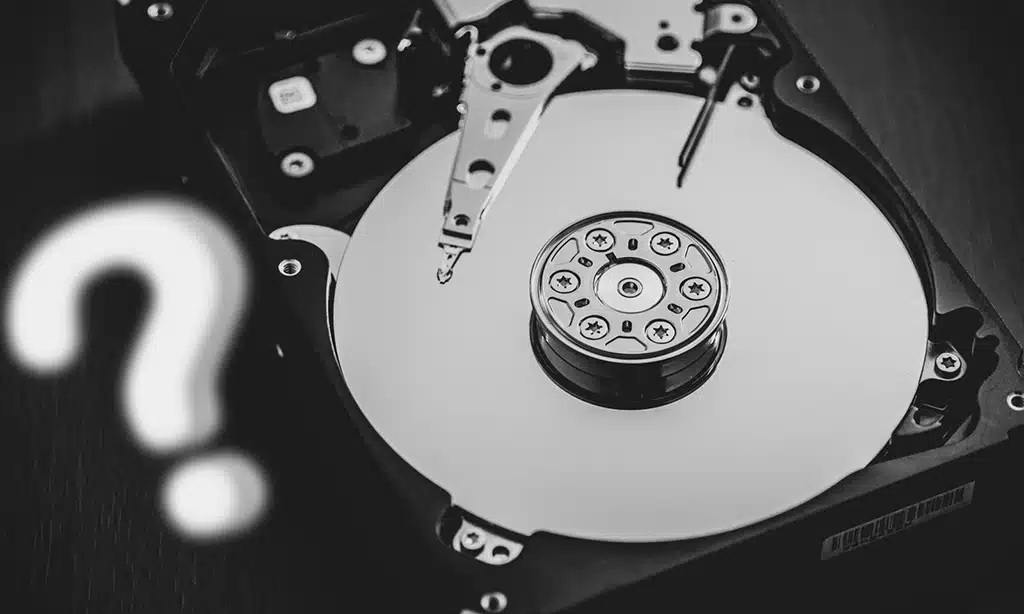
HDD storage uses rotating disks to store data. These hard drives depend on magnetic storage and mechanical parts. An actuator arm moves over spinning platters to read or write information.
The average read speed ranges from 80-160 MB/s, while the write speed is about 70-150 MB/s. IOPS (input/output operations per second) fall between 80 and 180. This type of storage offers a wide range in size, typically between 250 GB to 20 TB, with common options being around 1-8 TB as of August 2020.
These hard disk drives are electro-mechanical devices found in many servers. They provide larger storage capacity at a lower cost compared to SSDs. VPS hosting often uses HDDs for budget-friendly plans with high space needs but slower performance than solid-state drives (SSDs).
HDDs consume more energy because their moving parts generate heat during use and wear out faster over time due to mechanical failure risks. Their durability depends heavily on usage patterns and maintenance practices like regular backups or RAID array setups for added safety against data loss during breakdowns.
Key Differences Between SSD and HDD Storage
SSD and HDD storage differ in speed, cost, power use, and durability—each factor can make or break your hosting choice.
Speed and Performance
Solid-state drives are lightning fast. They cut access time to 0.1 milliseconds, while hard disk drives take 5.5 to 8 milliseconds. SSDs have a data transfer rate of up to 6000 IOPS, far outpacing HDDs’ mere 400 IOPS.
Server performance can improve by nearly 95% with SSD technology. Faster speeds lower website load times and boost user experience. Hard disks use spinning parts, which slows seek time and increases latency compared to flash memory storage in solid-state devices.
Storage Capacity
HDDs offer bigger storage. They range from 250 GB to 20 TB, but most common sizes fall between 1 TB and 8 TB as of August 2020. This makes them great for someone needing a lot of space cheaply.
SSDs usually have smaller capacities. They typically range from 128 GB to 4 TB, but some can go up to 50–100 TB as of July 2020. SSD VPS hosting is better if speed matters more than huge storage room.
Power Consumption
SSDs use only 2-5 watts of power. That’s about 1% of the server’s total energy. Hard disk drives need more juice, drawing 6-15 watts, or around 7%. Lower energy use in SSDs means less heat and better efficiency.
Running servers with SSD drives can reduce electricity bills. Less heat also means cooling systems won’t have to work as hard. This saves money and keeps everything running smoothly for longer periods.
Lifespan and Durability
Hard disk drives last about 3-5 years. Their moving parts, like spindles and platters, wear out over time. Mechanical failure can happen suddenly. Dropping an HDD may also cause damage.
Solid-state drives last around 10 years due to no moving parts. They use flash memory, which is less likely to fail from physical shocks. Wear-leveling helps balance usage across storage cells, increasing durability.
Cost Comparison
SSD storage costs about $0.07 per GB, while HDD storage is cheaper at $0.03 per GB. NVMe SSDs are pricier than standard solid-state drives but offer better performance.
HDDs suit budgets needing large storage space at low cost. SSD devices, though more expensive, provide superior server performance and faster boot times.
Benefits of SSD Storage in VPS Hosting
SSDs boost speed and reliability, making them a game-changer in hosting—read on to discover why they stand out!
Faster Data Access
Data access speeds matter in VPS hosting. Solid state drives read and write data much faster than hard disk drives. Access time for SSDs averages 0.1 milliseconds, while HDDs lag behind with higher latency.
Flash memory in SSDs ensures quick retrieval—40 to 100 microseconds on average. This is almost 100 times faster compared to traditional spinning disks in an HDD. Faster speeds mean better server performance and less delay for users.
Enhanced Website Performance
SSDs make websites load faster. Quick load times improve user experience and reduce bounce rates. Faster sites rank higher in search engines, helping SEO grow stronger.
SSD storage handles high traffic spikes without lagging. It uses flash memory instead of spinning disks, speeding up data access. This boost supports better server performance and keeps visitors happy on busy days.
Reliability and Longevity
Solid-state drives fail less often. Their failure rate is around 0.5% per year, much lower than hard disk drives. This means fewer risks of data loss or downtime in VPS hosting.
They also handle wear better over time. Advanced wear-leveling and fewer write cycle limits improve their lifespan. Unlike HDDs with moving parts, SSDs are more durable and resist physical damage better.
Energy Efficiency
SSDs use 97% less power than HDDs. This means they save energy and reduce costs, especially in VPS hosting. They also produce less heat, lowering cooling needs and making servers more efficient.
Heat dissipation is a big issue with hard disk drives (HDD). SSD storage generates much less heat because it has no moving parts. This keeps your server cooler, which extends its lifespan and improves reliability.
Benefits of HDD Storage in VPS Hosting
HDD storage offers more space for less money, making it great for tight budgets. Its larger capacity fits well with users needing plenty of room without emptying their wallets.
Lower Initial Cost
HDDs cost less than SSDs. At $0.03 per GB, they are perfect for budget-conscious users needing large storage. These storage devices use older technology, making them cheaper to produce.
VPS hosting with HDD can save money upfront compared to SSD VPS hosting. It’s a smart choice if price matters more than speed or power consumption.
Larger Storage Capacity for Budget Options
Hard disk drives offer bigger storage space at a lower price. They can store anywhere from 250 GB to 20 TB, making them perfect for cheap VPS hosting plans. Solid-state drives may cost more but don’t hold as much data for the same budget.
For users needing bulk storage, hard-drive systems are great. A common range of 1-8 TB gives plenty of room for files, backups, or archives. HDDs make sense where main storage needs are high and spending must stay low.
Which is Better for VPS Hosting: SSD or HDD?
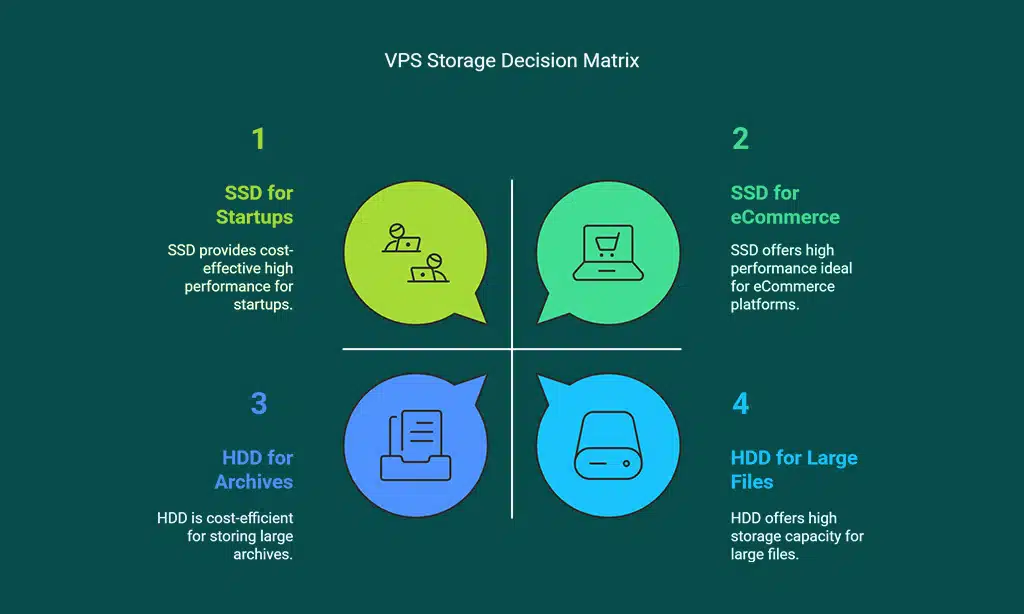
Choosing between SSD and HDD depends on your needs. Think about speed, storage space, and cost before deciding.
Factors to Consider: Budget, Performance Needs, and Storage Requirements
Picking between SSD and HDD storage for VPS hosting can seem tricky. Focus on what matters most for your website to make the best choice.
- Budget plays a key role. SSDs cost more but offer speed and reliability. HDDs are cheaper and suit tight budgets. For example, startups may lean toward HDDs.
- Think about performance needs. SSD delivers faster server performance, making it ideal for eCommerce or dynamic sites. HDD lags in speed due to rotational latency.
- Keep storage capacity in mind. HDD offers larger options at a lower price, good for large files or archives. SSD has smaller space but better non-volatile storage.
- Check power usage. SSD uses less energy compared to HDD’s mechanical parts. This saves money on hosting bills over time.
- Evaluate lifespan and durability. SSD resists mechanical failure better because it lacks moving parts, unlike an HDD with spinning disks.
Choose based on these factors to support both short-term goals and long-term success.
The Future of VPS Hosting: SSD, NVMe, and Beyond
NVMe SSDs are changing VPS hosting. They deliver read speeds up to 3500 MB/s and write speeds up to 3000 MB/s. Their latency often stays below 0.1 milliseconds, making them much faster than SATA SSDs or HDDs.
This speed boosts server performance and website loading times.
HDDs may soon vanish from most uses, kept only for cheap or archival storage needs. New tech like Intel Optane combines non-volatile memory and RAM for faster data access in servers.
With PCIe 4.0 connections, future storage drives will handle even more data quickly, offering better reliability and lower power consumption too!
Takeaways
Choosing between SSD and HDD for VPS hosting depends on your needs. SSDs shine with speed, durability, and energy savings. HDDs offer larger storage at a lower upfront cost. For performance-driven tasks or faster websites, SSD is the winner.
If budget matters more than speed, HDD works fine too! Think about what fits your goals best before deciding.
FAQs
1. What is the main difference between SSD and HDD in VPS hosting?
SSD (solid-state drive) uses flash memory to store data, while HDD (hard disk drive) relies on spinning disks and a mechanical arm. SSDs are faster and more reliable than HDDs.
2. Which storage type offers better server performance?
SSDs provide better server performance because they have quicker read/write speeds, lower power consumption, and no moving parts that can cause mechanical failure.
3. Does SSD or HDD have more storage capacity?
HDDs generally offer larger storage capacities at a lower cost, but SSDs are catching up with advancements like NAND flash technology and higher-density storage chips.
4. How does each affect website performance in VPS hosting?
SSDs improve website performance by reducing load times due to their faster access speeds. In contrast, HDDs may slow down websites under heavy traffic because of their slower file system operations.
5. Which is more reliable for backups and recovery?
SSDs are less prone to physical damage since they lack moving parts, making them more reliable for backups compared to HDDs which face risks like wear-and-tear or RAID-0 failures during data recovery processes.
6. Are there any downsides to using SSD VPS hosting?
While SSD VPS hosting boosts speed and reliability, it typically costs more per gigabyte than traditional hard drives due to advanced technologies like PCI Express interfaces or Optane DC integration used in solid-state storage systems.