Social publishing often delivers likes and comments while leaving referral numbers flat. The most effective social post formats to drive website traffic bridge this gap by delivering immediate value on-feed while positioning the linked page as the essential next step.
Whether sharing original research, practical templates, or detailed breakdowns, these formats give readers a clear reason to click through for the complete story.
How to Choose Social Post Formats to Drive Website Traffic
Start with the destination. A research report, product page, newsletter signup, and beginner’s guide should not be promoted with the same promise.
Link to the most relevant page rather than a general homepage. The headline and opening of that page should continue the idea introduced in the post. If the post promises a checklist, visitors should not have to search for it.
Use consistent UTM parameters to distinguish platforms, campaigns, and creative versions in Google Analytics. Keep the naming lowercase because UTM values are case-sensitive. The utm_content field is useful for separating a carousel, chart, video, and direct-link post promoting the same page.
Detail Most Traffic Lists Miss
Reach, clicks, and valuable visits are different outcomes. A post with modest traffic can still outperform a popular one if its visitors read, subscribe, enquire, or buy.
Link access also varies by platform, region, account type, and post format. Confirm the click path before designing the post. Finding out later that viewers must leave the post, open a profile, and search for a link can undermine the entire plan.
1. Insight-Led Link Posts
For most publishers, a well-written link post remains the sensible starting point. It offers the shortest route from a social feed to an article.
The common mistake is surrounding the link with empty copy. Repeating the headline and adding “read more” does not explain why the page deserves attention.
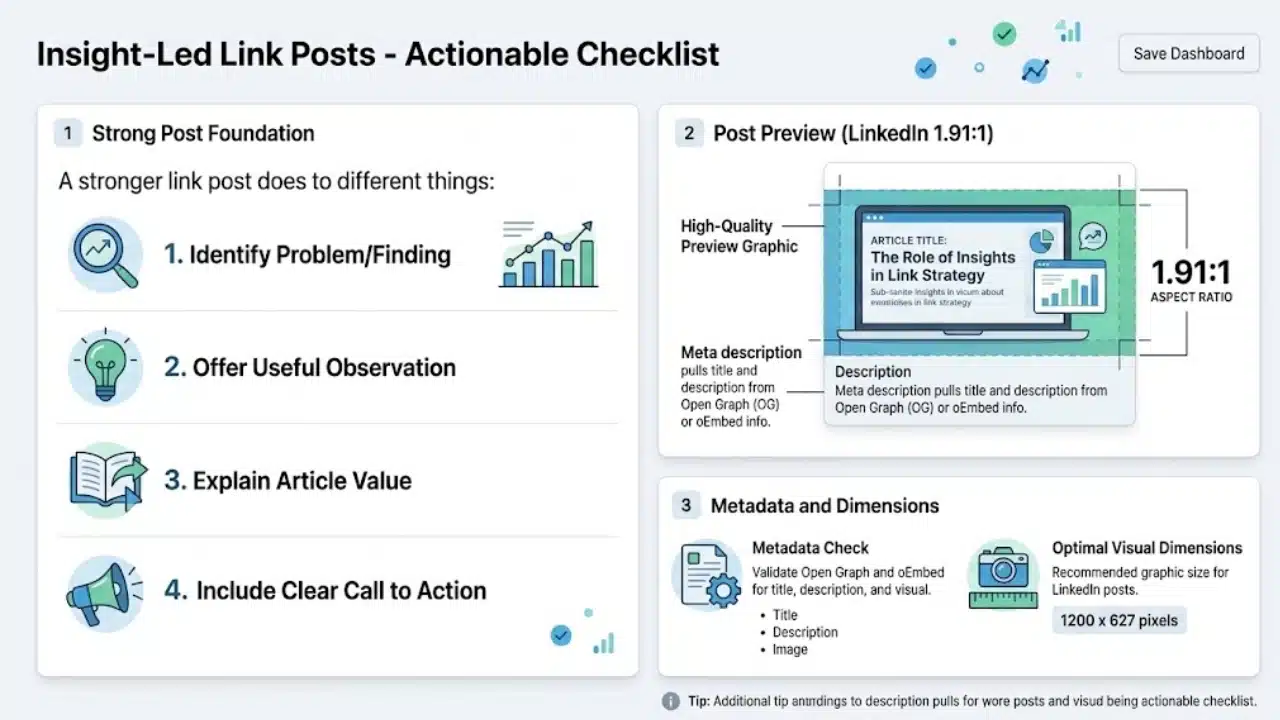
A stronger link post usually does four things:
- Identifies a specific problem or finding
- Gives the reader one useful observation
- Explains what the article adds
- Ends with a clear call to action
Check the preview before publishing. LinkedIn’s current guidance uses a 1.91:1 image and recommends 1200 × 627 pixels. Its previews rely on suitable Open Graph or Embed information to retrieve the page’s title, description, and image. Outdated metadata can attach the wrong visual to an otherwise strong post.
2. Instagram Story Sequences With a Link Sticker
An Instagram Story link sticker gives viewers a direct path to a web page, but the sticker needs context. A lone featured image with “tap here” is easy to ignore.
Try a short sequence instead. Introduce the problem on the first frame, show an example or useful detail on the second, and place the link on the final frame with a specific label such as “See the full checklist.”
Keep the sticker visible and give it room. Crowding the frame with GIFs, arrows, hashtags, and several calls to action makes the intended next step less obvious.
3. Search-Led Pinterest Pins
Pinterest is a narrower recommendation than a standard link post, but it suits evergreen visual topics unusually well. People can search for Pins, save them, and follow their links for further information.
Tutorials, recipes, travel plans, educational resources, home projects, and visual explainers are natural fits. Company news and short-lived commentary usually are not.
Write the Pin around the reader’s search need. “Small Home Office Layout Ideas” makes a clearer promise than “Read Our Workspace Guide.” The destination must match that promise. A Pin offering a printable planner should not lead to a broad productivity category page.
4. Carousels and Document Posts
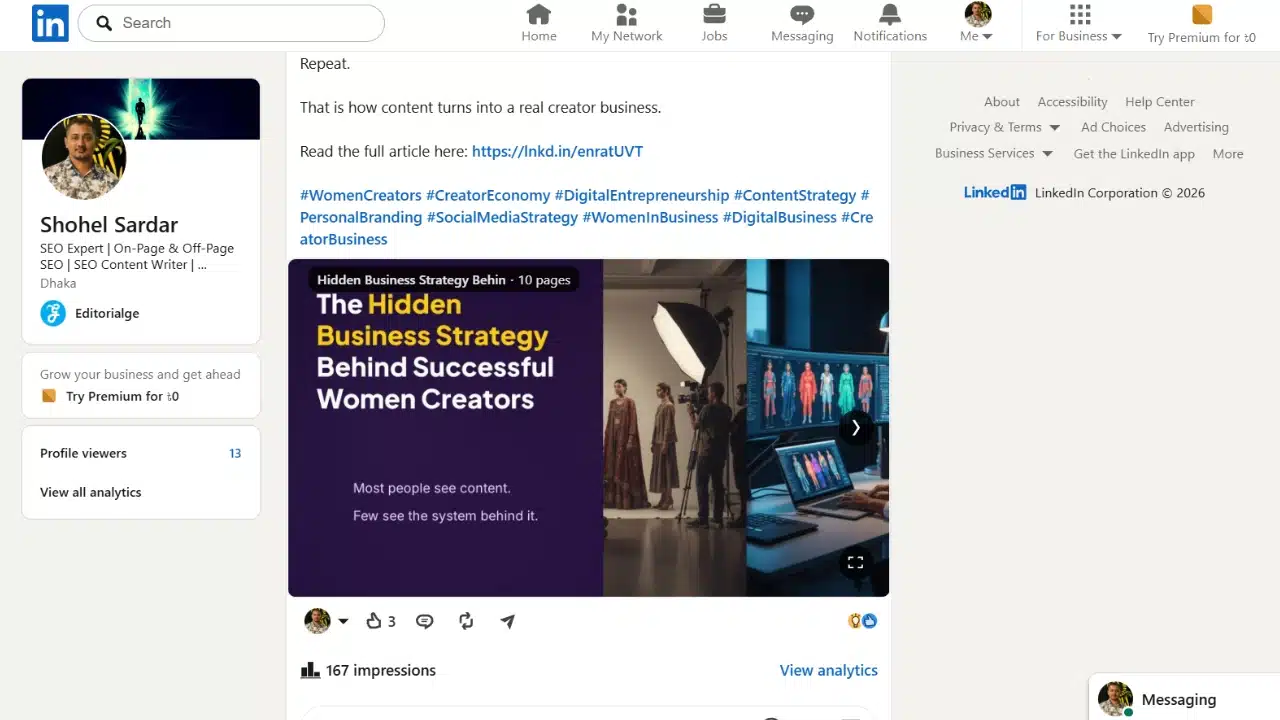
Carousels are popular because they turn frameworks, comparisons, and numbered ideas into native social content. For website traffic, they are also slightly overrated.
The problem appears when a carousel contains the complete article. Readers may save or share it, but they have no remaining reason to visit the website. Use the slides to explain the central idea, then reserve the full example, evidence, template, or implementation process for the linked page.
LinkedIn supports document posts in PDF, PPT, PPTX, DOC, and DOCX formats. Only one document can be attached to a post. Its title and description can be edited later, but the uploaded file itself cannot be replaced. Check the page order, spelling, embedded links, and final call to action before publishing.
Among the social post formats to drive website traffic, carousels make the most sense when the source page contains substantially more than the slides.
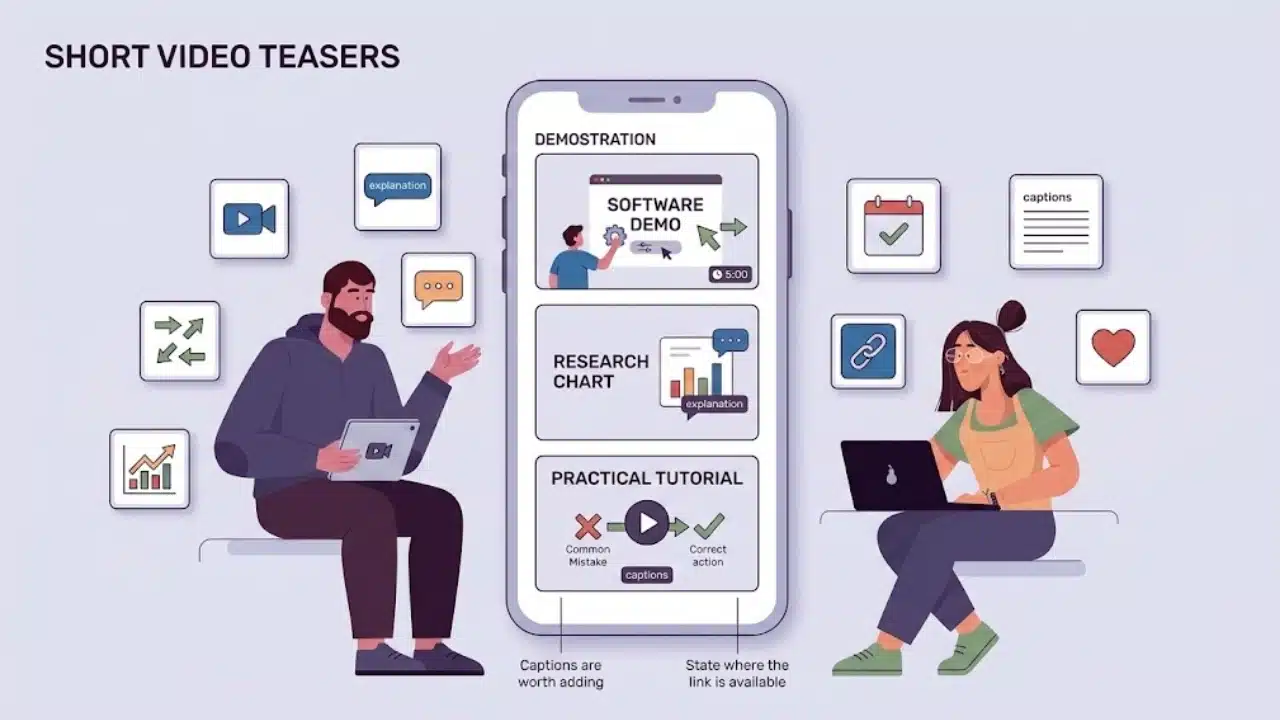
Short video earns its place when the subject benefits from demonstration, movement, or explanation. It adds little when it simply displays an article headline over generic footage.
A software guide might demonstrate one setting. A research article could explain a single chart. A practical tutorial might show a common mistake before directing viewers to the complete process.
Do not withhold everything in an attempt to manufacture curiosity. The clip needs enough substance to prove that the linked material is worth the viewer’s time.
Link options vary across platforms and account types. State where the link is available and test that route before publishing. Captions are also worth adding because many people encounter social video without sound.
6. Original Charts and Data Posts
A well-designed chart gives readers something concrete to examine and share. It is particularly useful for publishers, research teams, and businesses with original survey, benchmark, or product data.
The graphic should make sense outside the article. Include a descriptive title, units, period, and source. Avoid cropped axes or missing context that exaggerates a difference.
The linked page then has a clear job: explain the methodology, limitations, full dataset, or practical meaning of the result. If it merely repeats the chart in a longer format, the click has little value.
7. Mini Case-Study Posts
A mini case study shows how an idea behaved under real conditions. Cover the starting problem, the decision made, the result, and at least one limitation.
Precise percentages are not required. When a number cannot be documented, use careful qualitative language rather than creating false accuracy. Readers are often more interested in what remained difficult than in a polished success story.
This format is useful for agencies, consultants, SaaS companies, publishers, and service businesses with credible examples. It becomes unconvincing when the starting point is hidden or one tactic receives credit for every improvement.
8. Checklist, Template, and Resource Posts
Resource posts give the click a clear purpose. Instead of promising “more information,” they offer something usable: an audit checklist, worksheet, calculator, planning sheet, template, or reference guide.
Show enough of the resource for people to assess it. A blurred laptop mockup proves very little. A few readable spreadsheet fields or part of a checklist offers a more credible preview.
Be upfront about access. If visitors must provide an email address, say so in the post. If the resource is ungated, mention that as well. Unexpected forms create friction and can make a straightforward offer feel misleading.
This is one of the stronger social post formats to drive website traffic when the resource solves a real problem. A thin download created mainly to collect email addresses is unlikely to satisfy visitors.
Final Thoughts
Do not turn every article into eight social assets. Choose one page with a clear purpose and test two formats that suit it. A research article might use a direct-link post and an original chart. A tutorial may be better served by a short video and a Pinterest Pin.
Tag the links separately and compare results across several posts rather than judging a format from one attempt. Look beyond impressions to engaged visits, subscriptions, enquiries, or other actions that matter to the site.
Social post formats to drive website traffic succeed when the next step is clear, relevant, and worth the interruption. Make a credible promise in the feed, then ensure the landing page keeps it.
Frequently Asked Questions
Should an external link go in the post or the first comment?
There is no universal placement that performs best across every platform and account. A link in the post is usually easier for readers to find and use. If you test a first-comment link, make the instruction unmistakable and compare actual website sessions rather than relying only on post reach.
Can the same article be promoted more than once?
Yes. Evergreen articles often contain several promotable angles. One post might lead with a mistake, another with a chart, and a third with a checklist. Avoid reposting identical copy and creative repeatedly, especially within a short period.
Which metrics show whether a traffic post worked?
Start with sessions from the tagged link, then review engagement time and the actions visitors take. Newsletter signups, enquiries, downloads, purchases, or visits to another relevant page reveal more than click totals alone. A high click count followed by immediate exits may indicate that the post and landing page made different promises.