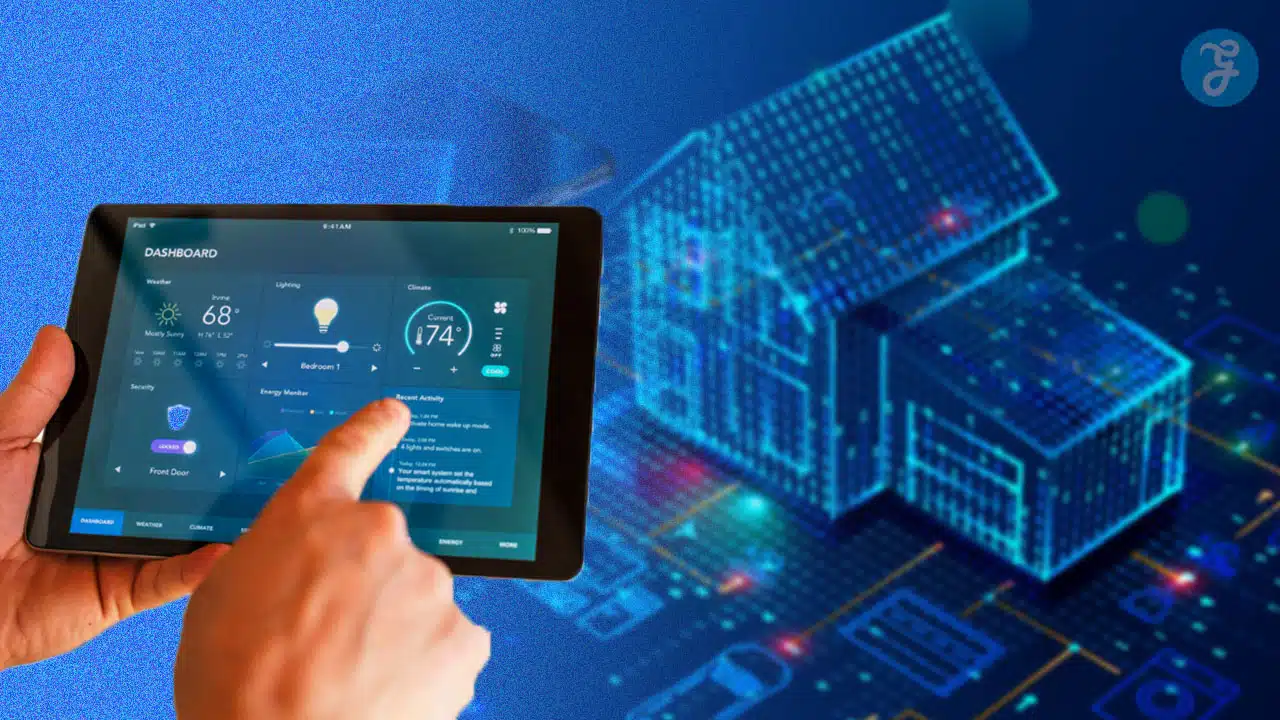
Feeling buried under gadgets that promise magic but demand separate apps? The secret to a seamless setup is treating your Smart Home Devices Investment strategically. Rather than buying random tech, choose devices that solve real problems and speak the same language through platforms like Google Home, Amazon Alexa, Apple HomeKit, Matter, Thread, Zigbee, or Z-Wave.
This guide highlights products that truly earn their keep across home security, energy efficiency, entertainment, and daily comfort. Discover exactly what makes these everyday upgrades useful rather than frustrating. By understanding what each gadget excels at, where it fits into a space, and what to verify before purchasing, building a streamlined, automated home without wasting money becomes an effortless reality.
Benefits of Investing in Smart Home Devices
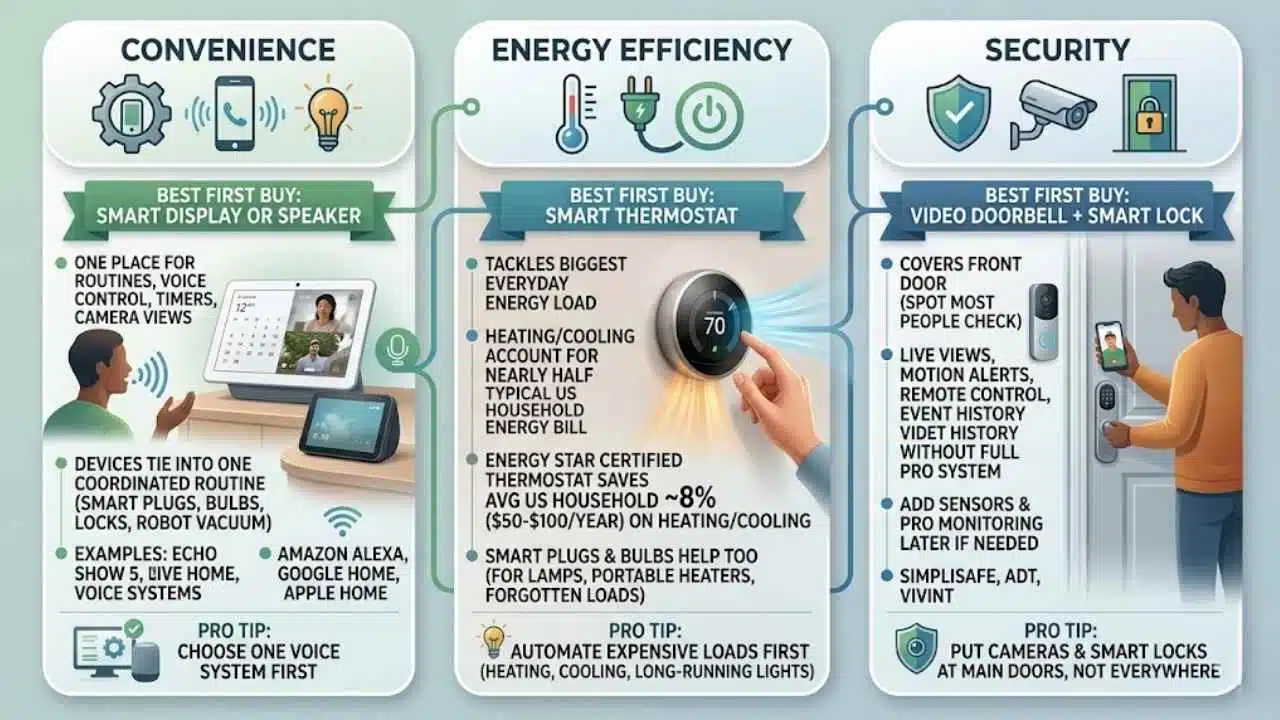
The best smart home devices pay you back in three ways: less friction, better home security, and lower waste. In the U.S., heating and cooling account for nearly half of a typical household energy bill, so one well-chosen smart thermostat often saves more money than a stack of novelty gadgets.
| Benefit | Best first buy | Why it pays off |
|---|---|---|
| Convenience | Smart display or smart speaker | It gives you one place for routines, voice control, timers, and camera views. |
| Energy savings | Smart thermostat | It tackles the biggest everyday energy load in most homes. |
| Security | Video doorbell plus smart lock | It covers the front door, which is the spot most people check most often. |
Enhanced convenience
Convenience starts with a hub you will actually use every day. An Amazon Echo Show 8 works well if you want a smart display that can handle voice commands, timers, camera feeds, and routines in one place, while the compact Echo Show 5 is easier to tuck onto a nightstand or kitchen counter.
If you prefer Google Assistant, the Google Nest Hub Max gives you a larger 10-inch screen for recipes, calendars, and smart camera views. The real win is not the screen itself, it is the ability to tie smart plugs, smart bulbs, smart locks, and a robot vacuum into one routine so your smart home automation feels coordinated.
Improved energy efficiency
As of early 2026, ENERGY STAR says a certified smart thermostat saves the average U.S. household about 8% on heating and cooling, or roughly $50 a year, and homes with higher heating and cooling costs can save about $100. That makes a smart thermostat one of the few smart home technology upgrades with a clear, easy-to-explain payback.
Smart plugs and smart bulbs help too, especially for lamps, portable heaters, and hard-to-reach fixtures that get left on. Start with the loads you forget most often, then automate them with schedules, occupancy rules, or a simple bedtime scene.
Increased home security
A video doorbell, a smart lock, and one indoor or outdoor camera cover most of what people actually check every day. You get live views, motion alerts, remote control, and event history without paying for a full pro-installed system on day one.
If you want deeper coverage later, brands like SimpliSafe, ADT, and Vivint let you add sensors, professional monitoring, and emergency response. That makes security a smart place to start small, then expand once you know which alerts help you and which ones just make your phone buzz.
- Choose one voice system first, Amazon Alexa, Google Home, or Apple Home.
- Automate the expensive loads first, especially heating, cooling, and lights that stay on for hours.
- Put cameras and smart locks at the doors you use most, not every corner of the house.
Best Smart Home Devices for Security
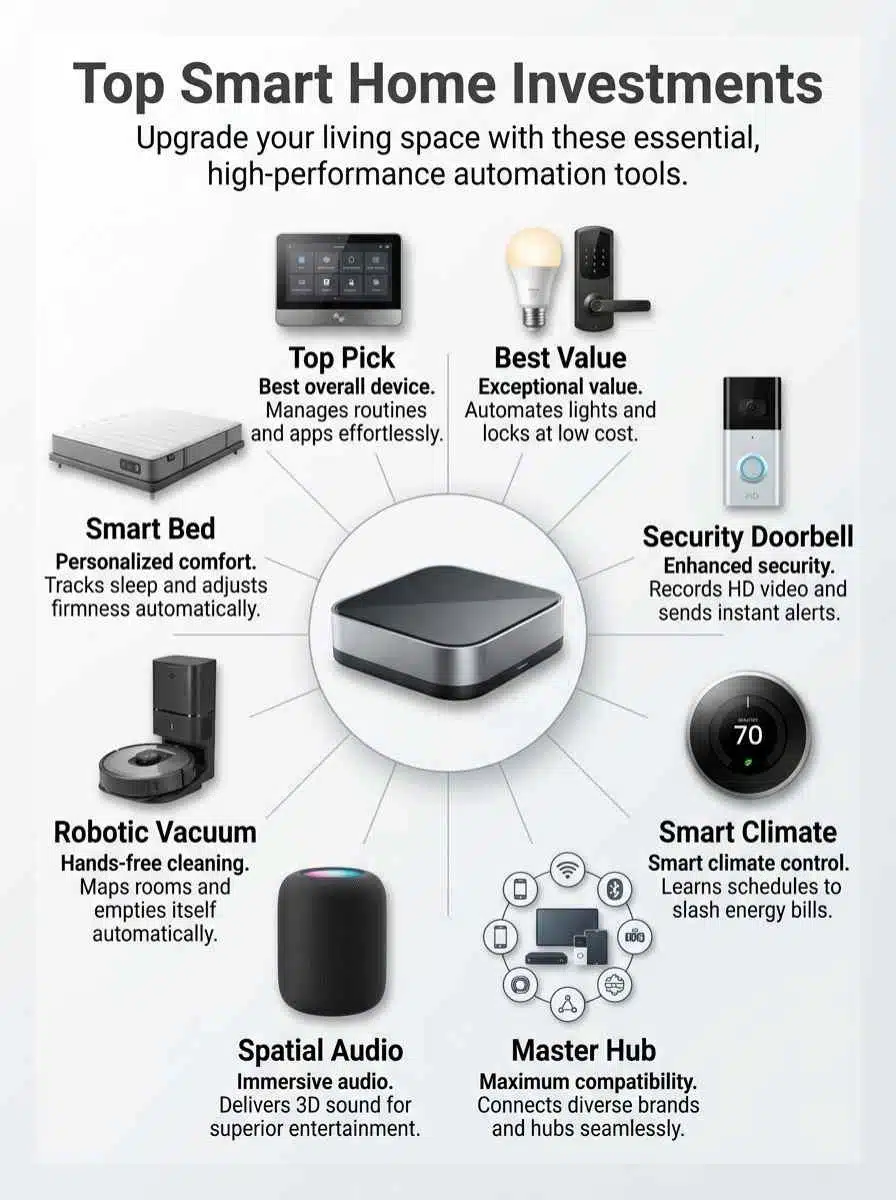
Security is where smart tech usually proves itself fastest. A good alert at the right time is worth a lot more than a dozen random notifications.
| Device | Best for | What makes it worth it |
|---|---|---|
| Arlo Video Doorbell (2nd Generation) | Front-door coverage | Up to 2K video, a 180-degree field of view, and wired or battery setup. |
| Ultraloq U-Bolt Pro Wi-Fi Smart Lock | Keyless entry | Built-in Wi-Fi, fingerprint unlock, keypad access, and no extra bridge. |
| Aqara Camera Hub G5 Pro | Outdoor camera plus hub | 2.6K video, local AI detection, Zigbee and Thread hub features, and Matter controller support. |
| Blink Outdoor 4 | Low-maintenance battery camera | Up to two years of battery life and a 143-degree field of view. |
| SimpliSafe Home Security System | Whole-home coverage | No long-term contracts and optional 24/7 professional monitoring. |
Arlo Video Doorbell (2nd Generation)
The Arlo Video Doorbell is a strong front-door pick because it solves the two complaints most people have with cheaper models: narrow framing and weak night visibility. Its 180-degree view gives you head-to-toe coverage, so you can see a visitor and the package at their feet instead of guessing what happened just below the camera.
It also fits a lot of setups. You can install it as a battery doorbell or hardwire it for trickle charging, and it offers two-way audio, night vision, and direct Wi-Fi connection. A practical tip here is to create custom motion zones right after setup, because that is the easiest way to cut delivery-truck noise and sidewalk traffic without missing real visitors.
If your goal is cleaner alerts, spend ten extra minutes tuning motion zones. That small setup step usually matters more than buying a more expensive doorbell.
Ultraloq U-Bolt Pro Wi-Fi Smart Lock
The Ultraloq U-Bolt Pro Wi-Fi Smart Lock is worth a look if you want fewer keys and faster entry. It gives you several ways in, fingerprint, keypad code, app control, physical key backup, and automatic lock and unlock rules, which makes it easier to handle guests, dog walkers, and family members without hiding spare keys outside.
Its built-in Wi-Fi is the big convenience feature, because you do not need a separate bridge. The setup detail to watch is network range: U-tec recommends a solid 2.4GHz Wi-Fi signal and roughly a 50-foot distance or less from the router. If your front door is far from the router, fix that first, or the smart part of the lock will feel flaky no matter how good the hardware is.
- Pick Arlo if you want the best first security upgrade for most homes.
- Pick Ultraloq if the biggest daily hassle is keys, codes, and who can get in.
- Pick SimpliSafe, ADT, or Vivint if you want sensors and monitoring across the whole house.
Best Smart Home Devices for Energy Efficiency
If saving money is your main goal, start with climate control and lighting. Those are the easiest places to see a real difference without changing your whole routine.
Ecobee Smart Thermostat Premium
The Ecobee Smart Thermostat Premium earns its spot because it tackles the biggest energy target in most homes. Ecobee says this model can save up to 26% on heating and cooling costs, and the official features that matter most are the occupancy sensing, schedule learning, and room sensor support that help even out hot and cold spots.
It also does more than basic temperature control. You get indoor air quality monitoring, voice assistant support, and reporting that shows how your settings affect use over time. If you want the best result, place room sensors where people actually spend time, not in a sunny hallway or an empty guest room, because bad sensor placement leads to bad comfort decisions.
TP-Link Tapo L535E Smart Wi-Fi Light Bulb
The TP-Link Tapo L535E is a smart bulb that makes sense even if you are on a tight budget. It is bright enough for real work at up to 1100 lumens, supports warm and cool whites from 2500K to 6500K, and it is Matter-certified, so it can fit into Amazon Alexa, Google Home, Apple Home, and other smart home platforms more easily than older bulbs that were locked into one app.
One feature that makes this bulb more useful than a basic color bulb is energy monitoring in the Tapo app. That helps you spot which lamps stay on too long and which routines actually save power. For plug-in devices like a fan, coffee station, or space heater, pair the same strategy with a smart plug such as a TP-Link Kasa smart plug mini with energy monitoring so you can see what is really costing you.
| Device | Best use | Best reason to buy |
|---|---|---|
| Ecobee Smart Thermostat Premium | Whole-home heating and cooling | Targets the biggest part of the average energy bill. |
| TP-Link Tapo L535E | Lighting | Matter support plus energy monitoring in an affordable bulb. |
| Smart plug | Portable devices and hard-to-reach outlets | Quick way to kill standby waste and automate schedules. |
Best Smart Home Devices for Entertainment
Entertainment gear is worth the money when it does two jobs at once. The best picks sound good or look good, and they also make the rest of your smart home easier to control.
Amazon Echo Show 8
The Echo Show 8 is one of the most practical smart displays because it balances screen size, speaker quality, and smart home control. Recent Echo Show 8 models work as built-in smart hubs with support for Zigbee, Matter, and Thread, which means they can handle a wide mix of smart devices without pushing you into extra hardware on day one.
That matters in everyday use. You can pull up a video doorbell feed while cooking, tap lights on and off without opening three apps, and use voice control when your hands are full. If you want one kitchen or family-room screen that can run timers, music, cameras, and routines, this is still one of the easiest buys in the category.
Sonos Era 300
The Sonos Era 300 is a better investment if your priority is sound first and smart features second. It supports spatial audio with Dolby Atmos, streams over Wi-Fi or Bluetooth, and uses six drivers to throw sound left, right, forward, and upward, which gives it a much bigger feel than a small smart speaker.
It also gives you room to grow. You can use it as a single speaker, add another for stereo, or build a broader Sonos setup over time. The small catch is that line-in requires an adapter, so if you want to connect a turntable or another wired source, plan for that upfront instead of finding out after the speaker is on your shelf.
| Device | Best for | Choose it if |
|---|---|---|
| Amazon Echo Show 8 | Smart display plus hub | You want voice control, video feeds, and broad device compatibility. |
| Google Nest Hub Max | Google Home households | You prefer Google Assistant and want a larger 10-inch screen. |
| Sonos Era 300 | Music and movies | You care more about immersive sound than on-screen controls. |
Smart Kitchen Devices That Are Worth It
The kitchen is where a lot of smart gear turns into daily habit. If a device saves time on busy weeknights or cuts one repetitive chore, you will actually keep using it.
Tovala Smart Oven
Tovala stands out because it removes the most annoying part of weeknight cooking, the guesswork. The current lineup splits into two useful choices: the Smart Oven Pro adds steam, while the Smart Oven Air Fryer drops steam and adds a dedicated air fry mode. That distinction matters, because a lot of people buy the wrong model for the kind of food they make most.
The bigger value is the ecosystem. Tovala says you can scan more than 1000 name-brand groceries and cook them with preset instructions, and the app includes hundreds of guided recipes. Another nice detail is that Tovala ovens do not need preheating for normal use, which is exactly the kind of small time saver that makes a smart appliance feel worth it after the first month.
iRobot Roomba j9+
The Roomba j9+ earns its keep by taking over a chore that never really stays done. iRobot positions it as a stronger dirt and pet-hair performer, and the two features that matter most in real homes are Dirt Detective, which learns which rooms need attention first, and obstacle avoidance that helps it steer around everyday hazards.
The self-emptying base is the other reason people stick with it. Instead of thinking in terms of one cleaning cycle at a time, you can let the robot handle weeks of maintenance with much less hands-on work. If you have pets, a busy kitchen, or a floor plan that gets gritty near entries, scheduling a run after dinner is often the easiest way to notice the value fast.
- Choose Tovala if dinner speed and consistency are your biggest pain points.
- Choose the Roomba j9+ if crumbs, pet hair, and daily floor upkeep eat up your time.
- If your kitchen already feels crowded, buy the appliance that removes a chore, not the one with the longest feature list.
Smart Bedroom Devices for Comfort
The bedroom is where smart tech should get quieter, softer, and less demanding. Good bedroom upgrades help you sleep better and wind down with less fiddling.
Sleep Number 360 i8 Smart Bed
The Sleep Number 360 i8 is a premium buy, so it has to do more than feel nice for a week. What helps justify the price is the combination of adjustable firmness on each side, temperature-balancing comfort layers, and SleepIQ tracking that gives you a nightly score and sleep insights without wearing a watch or ring to bed.
The current product page also lists a 100-night trial and a 15-year limited warranty, which is helpful because this is a long-term purchase, not a gadget impulse buy. For couples, the split firmness alone can be the deciding factor, because it solves the classic problem of one person loving a softer bed and the other hating it.
Philips Hue Iris Table Lamp
The Philips Hue Iris is one of the better bedside lighting upgrades because it does more than shine light in one direction. Its signature effect washes the wall with color while adding a softer back glow, which makes a bedroom feel calmer than a harsh overhead lamp or a bare bulb in a table fixture.
The lamp works over Bluetooth for simple local control, but the real value comes when you add a Hue Bridge. Philips Hue says the Bridge unlocks remote control, automations, and voice integration, and it scales up to 50 lights and 12 accessories. Without the Bridge, Bluetooth setups are much more limited, which is fine for one lamp but not ideal if you want wake-up scenes, away mode, or whole-room control.
A simple bedroom routine works well here: dim the Hue Iris 30 minutes before bed, lower the smart thermostat a bit, and let your voice assistant handle the rest.
How to Choose the Right Smart Home Devices
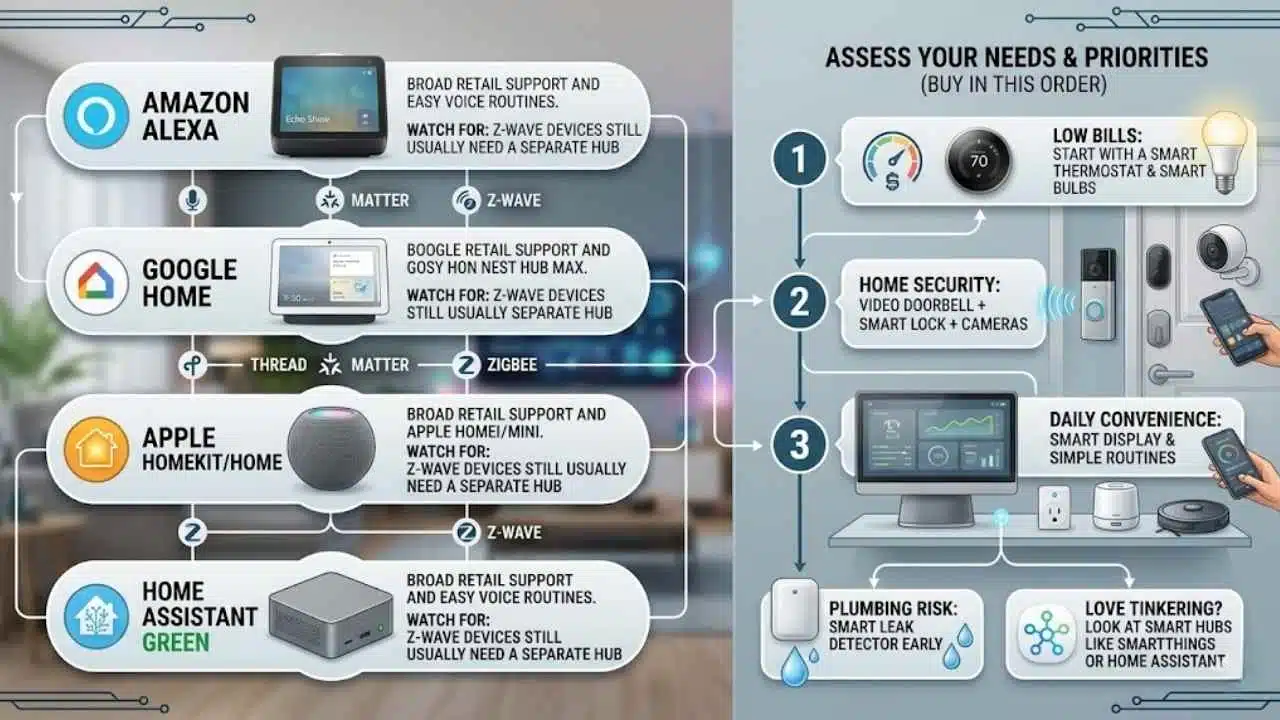
The right setup is less about buying the fanciest gear and more about choosing devices that fit your smart home ecosystem. Compatibility is what keeps your house from turning into a pile of half-useful apps.
Consider compatibility with your ecosystem
Start with the platform you already trust. If your house runs on Amazon Alexa, an Echo Show or Echo speaker can be a solid center point for smart speakers, smart bulbs, security cameras, and routines. If you prefer Google Home, Google lists the Nest Hub Max as a Matter hub with a built-in Thread border router, which helps with newer Thread-based devices.
Apple users should think a little differently. Apple says HomePod mini and HomePod automatically become home hubs, and Thread-enabled Matter accessories need a Thread-capable home hub such as HomePod mini, HomePod, or a supported Apple TV 4K. That is great for an iPhone household, but it also means you should double-check device compatibility before you assume every lock or camera will drop in cleanly.
| Ecosystem | Best fit | Watch for |
|---|---|---|
| Amazon Alexa | Broad retail support and easy voice routines | Z-Wave devices still usually need a separate hub. |
| Google Home | Strong voice control and good Matter plus Thread support | Some advanced features still depend on each brand’s own app. |
| Apple HomeKit and Apple Home | Great for iPhone users who want privacy and clean control | Accessory choices can be narrower, so check labels carefully. |
| Home Assistant Green | Power users who want local control and flexibility | You may still need extra radio hardware for Zigbee or Z-Wave. |
Assess your needs and priorities
Buy in this order: biggest annoyance, biggest bill, biggest risk. That usually means one of these first, a smart thermostat, a video doorbell, a smart lock, or a few smart plugs for the devices you constantly forget.
- If your goal is lower bills: start with a smart thermostat and smart bulbs.
- If your goal is home security: start with a video doorbell, then add smart locks and cameras.
- If your goal is daily convenience: start with a smart display and a few simple routines.
- If your house has plumbing risk: add a smart leak detector early. EPA guidance on household leaks shows how fast unnoticed leaks can waste water and drive up bills.
- If you love tinkering: look at smart hubs like SmartThings or Home Assistant Green before you buy a pile of mixed-brand devices.
One last tip: do not ignore the protocol line on the box. Matter and Thread are getting better, Zigbee is still very useful, and Z-Wave remains strong for sensors and locks, but the easiest smart home is still the one where you know how everything is supposed to connect before you open the packaging.
Final Thoughts
The best smart home devices are the ones that solve a problem you already feel. A video doorbell can tighten home security, a smart thermostat can trim energy bills, and a few smart plugs or smart bulbs can make home automation feel useful fast.
If you want the safest path, start with one platform, one hub, and one pain point. Check device compatibility before every purchase, add new smart devices slowly, and your smart home will grow into something calm, helpful, and worth the investment.
Frequently Asked Questions (FAQs) About Smart Home Devices Investment
1. What smart home devices give the best bang for your buck?
Smart thermostats, smart lights, smart locks, security cameras, and smart plugs top the list, they save time, add comfort, and boost home security. Pick devices that lower energy use, work with your voice assistant, and match your budget.
2. Will smart devices really save me money?
Yes, smart thermostats and smart lights can cut energy bills, if you use them right. The savings grow over time, but initial costs matter.
3. Are smart devices hard to set up or risky for privacy?
Most set up with an app and clear steps, so they are easy for most people. Still, protect your home network, use strong passwords, and apply updates, to reduce security risks.
4. How do I choose the right devices for my home?
Start with needs, like security or energy savings, then check compatibility with your voice assistant and router. Read recent reviews, pick devices that get regular software updates, and buy one or two, test them, then expand.