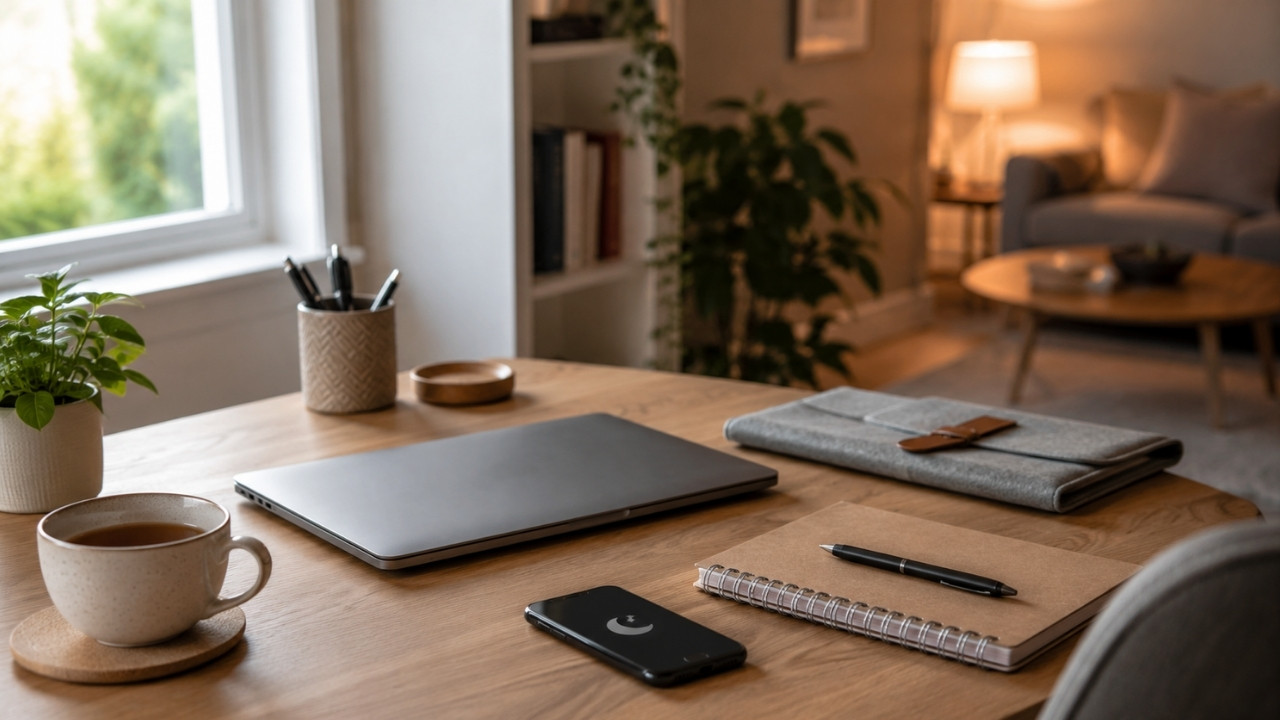
When your office sits three feet from your couch, the traditional boundaries between professional duty and personal recovery dissolve. Remote work promised freedom, yet millions of professionals find themselves trapped in a state of continuous semi-availability. You answer a quick Slack message while making dinner, check email during a commercial break, or let a spreadsheet sit open on your dining table all weekend. This passive overlap does not make you more productive. Instead, it creates a persistent background hum of low-level stress that degrades both work quality and personal rest.
Enforcing remote work boundaries is rarely a matter of willpower. Expecting yourself to simply ignore pinging notifications or resist opening an open laptop screen relies on an unreliable resource that wears down by the end of the day. True separation requires building a deliberate environment where technology and spatial design do the heavy lifting for you. By constructing firm walls around your work hours, digital profiles, and physical environment, you can restore clarity to your home life while staying exceptionally sharp during your working hours.
Setting Remote Work Boundaries: Segmenting Accounts, Browsers, and Hardware
The fastest path to burnout is running your personal life and professional life out of the exact same browser window. When work bookmarks sit right next to personal reading lists, a quick attempt to check the weather easily turns into triaging ten unread emails.
Chrome Profiles and Browser Isolation
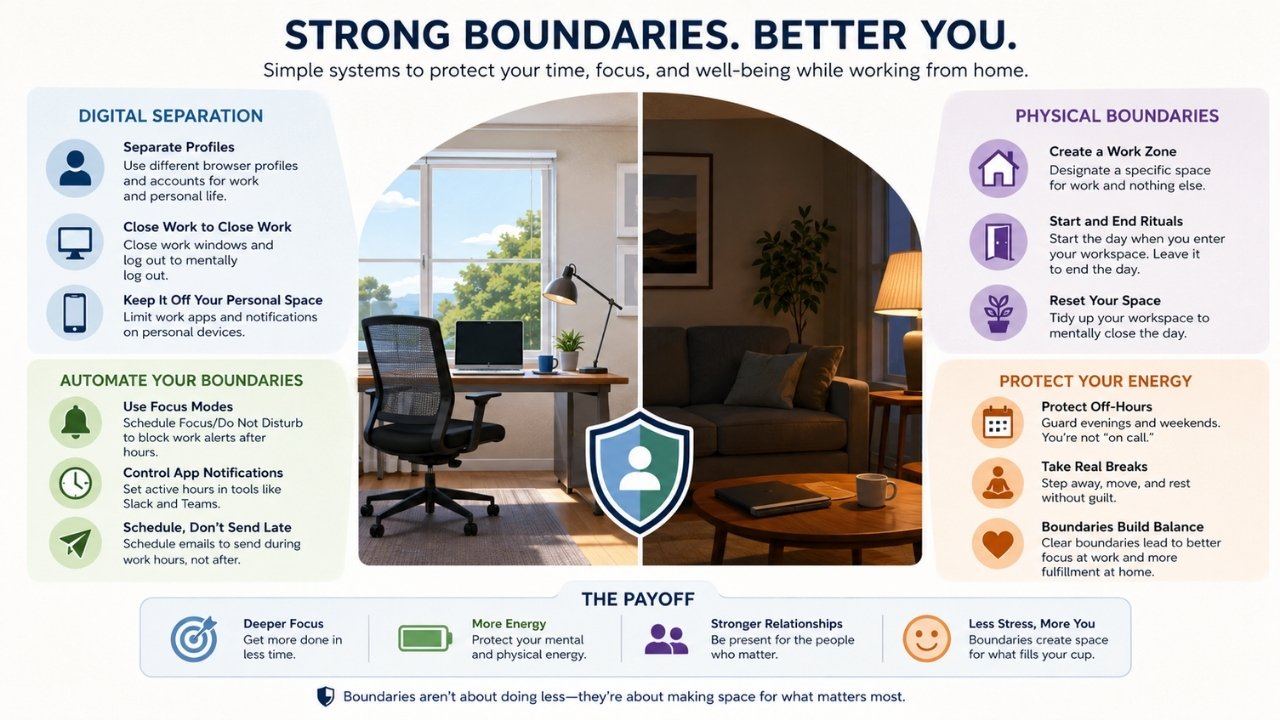
If you use a single computer for everything, you need strict browser separation. Google Chrome, Microsoft Edge, and Firefox all support independent user profiles. Create one profile exclusively for work logged into your corporate Google or Microsoft account, decorated with a distinct visual theme such as dark blue or red. Create a second profile for personal browsing with a completely different theme.
When your work hours end, close the work profile window entirely. This simple mechanical act hides all work tabs, logs you out of corporate portals, and cuts off web notifications in one click. You do not have to see unread inbox counters while checking evening news or booking a flight.
Dedicated User Accounts on Desktop
Take profile separation a step further by creating two distinct operating system accounts on your Mac or Windows machine. Title one Work and the other Personal.
The Work account should contain only project software, corporate cloud drives, and professional messaging applications. Keep the desktop background neutral and minimalist. The Personal account should contain your personal files, media libraries, gaming clients, and personal communication tools. Switching between user accounts takes less than five seconds, but the psychological reset it provides is profound. It forces a conscious pause before you drop back into a work environment outside of regular hours.
Device Separation Rules
If budget permits, separate your hardware entirely. Keep work applications off your personal phone and keep personal games and social accounts off your company laptop. If you must install work communication apps like Slack or Teams on a personal mobile device, keep them buried inside a specific app folder on the secondary home screen rather than your main dock. Disable all badge icons so you never see red notification counts during your off hours.
Automated Focus Schedules and System Triggers
Relying on manual logging off leaves you vulnerable to late-night curiosity. Modern operating systems contain powerful automation tools designed to shut down communication channels automatically.
Operating System Focus Modes
Both Apple iOS/macOS and Microsoft Windows offer scheduled focus filters. Configure a Work focus mode that turns on automatically at your starting hour (for example, 9:00 AM) and disables itself at your hard stop (for example, 5:00 PM).
During work hours, allow notifications from team tools and calendar alerts while silencing personal messaging apps. When 5:00 PM hits, configure the system to swap seamlessly to a Personal focus mode. This profile silences work email, Slack notifications, and team chats while restoring personal messaging alerts. Your phone stops buzzing with work updates the exact second your workday ends.
Application-Level Boundary Controls
Do not rely solely on system settings. Configure built-in boundary tools directly inside your primary communication software.
In Slack, set your active notification schedule strictly to your working hours. Outside these hours, Slack automatically puts you into Do Not Disturb mode, holding alerts until the next morning and displaying a tiny moon icon next to your name so colleagues know you are offline.
In Gmail or Outlook, use the schedule send feature for any messages written near the end of the day. If you finish an email at 5:30 PM, schedule it to send at 8:30 AM the following morning. Sending late emails signals to colleagues that you are available for late replies, creating an unwanted cycle of off-hours communication.
Designing Physical and Environmental Cues
The brain relies heavily on environmental context to determine whether it should be alert or relaxed. When you work from the same table where you eat dinner, your brain receives mixed signals about what state it should be in.
Establishing Dedicated Work Zones
Even in a small apartment, establish a space that exists exclusively for professional tasks. A small desk in a quiet corner works far better than a kitchen island or a couch. The golden rule is simple: never perform work tasks in places dedicated to rest, especially your bed or living room sofa.
If you must use a multipurpose dining table as a desk during the day, create a visual transition routine. Pack away your laptop, mouse pad, cables, and notebooks into a storage bin or drawer at the end of each afternoon. The physical disappearance of your work equipment tells your brain that the workspace no longer exists for the night.
Lighting and Peripheral Shifts
Lighting offers an extraordinary, low-tech way to regulate focus. Use bright, cool-toned lighting at your desk during working hours to maintain alertness and simulate natural daylight. When your workday finishes, turn off desk lamps and switch to warm, dim lighting throughout your living space.
Hardware peripherals can serve as tactile triggers too. Connecting your laptop to an external monitor, keyboard, and mouse signals the start of the deep work state. Unplugging the laptop and storing it out of sight marks the definitive end of that state.
Constructing the Virtual Commute
Traditional office jobs provided a natural buffer zone: the commute home. That twenty to forty minutes in transit allowed workers to process the day, decompress, and transition mentally from employee to individual. Remote work erased this buffer, jumping instantly from a stressful final Zoom call straight into family or leisure time.
The End-of-Day Shutdown Routine
Create a five-minute end-of-day ritual to close out your mental open loops. Without a deliberate closing ritual, your mind continues to process unfinished tasks throughout the evening.
Begin by reviewing your task list for the current day. Move any uncompleted items onto tomorrow’s schedule so you do not have to remember them overnight. Check your calendar for the next day to ensure there are no surprising early morning meetings. Finally, write down the top two priority tasks you must tackle first thing tomorrow.
Once these three steps are complete, shut down your work applications, close the laptop lid, and verbally say a short phrase like “work is done.” This physical and auditory action creates a firm mental barrier.
Recreating the Buffer
Design a personal buffer task immediately following your shutdown routine to replace the physical commute. Take a fifteen-minute walk around your neighborhood, listen to a podcast, stretch, or make a cup of tea. Use this time exclusively to let your mind wander and release work-related thoughts before engaging with family, roommates, or personal hobbies.
Managing Expectations and Communication Norms
Enforcing personal boundaries requires transparent alignment with colleagues and managers. People often assume immediate availability simply because clear boundaries were never stated.
Calendar Transparency
Use your shared calendar to communicate your availability clearly. Block out your working hours on your calendar so colleagues see blocked time outside your regular window.
If you take a mid-day break for exercise or lunch, block that time as busy. Add explicit titles like “Focus Time” or “Away from Desk” to discourage last-minute meeting invitations. When people see structured calendars, they naturally respect your time more than when your calendar appears completely empty and unbounded.
Status Indicators
Keep your status messages updated across corporate platforms. If you are stepping away to focus on deep writing or taking a lunch break, update your Slack or Teams status to reflect that state. A clear status sets expectations and removes the pressure to respond instantly to incoming messages.
The True Value of Remote Work Boundaries
Setting remote work boundaries is an ongoing practice rather than a one-time fix. Your environment and professional obligations will constantly shift, requiring you to adjust these systems accordingly over time.
The ultimate goal is not to become completely rigid or inflexible about your schedule. Instead, it is about regaining agency over how you spend your energy and attention. When you rely on technical isolation like dedicated browser profiles and physical shutdown rituals, you stop depending on finite willpower to disconnect. You build an environment where deep professional focus naturally transitions into genuine personal rest without friction. By taking deliberate control of your notifications, hardware, and physical space, you ensure that working from home remains a significant benefit to your lifestyle instead of a silent drain on your mental health.
Frequently Asked Questions(FAQs) about Setting Remote Work Boundaries
How can I enforce boundaries if my employer expects instant replies after hours?
Start by evaluating whether the expectation is real or assumed. Often, employees assume immediate replies are required simply because a manager sends emails at night. Test this assumption by delaying non-urgent responses until the next morning. If your manager explicitly requires after-hours availability, initiate a conversation about primary communication channels. Ask which issues constitute true emergencies and request that urgent matters be handled via direct phone calls rather than passive Slack or email notifications. This reserve emergency channel allows you to safely turn off routine notifications while staying reachable for genuine crises.
Should I buy a second laptop just for personal use?
If your budget allows, maintaining separate hardware is the most effective way to guarantee digital isolation. However, it is not strictly necessary. Using independent operating system user accounts or isolated browser profiles provides almost the same level of separation for zero cost. The key requirement is ensuring that work tools, logged-in accounts, and notification banners never leak into your personal browsing environment.
What is the easiest way to stop checking work email on my phone over the weekend?
The most effective method is removing work email accounts from your mobile device entirely. If you must keep work email on your phone, use an email client dedicated solely to work, such as Outlook, while keeping your personal email in a different app, such as Apple Mail. Turn off all push notifications for the work email app and remove its icon from your home screen. This requires you to intentionally open the app to see messages, eliminating passive glances and accidental checks.
How do I handle working late when a major project deadline is approaching?
Project crunches happen, but they should remain temporary exceptions rather than the baseline norm. When a deadline requires extra hours, set an explicit temporary schedule with a clear start and end date. Communicate to your household when the temporary push will conclude. Once the deadline passes, perform a deliberate reset by taking time off or enforcing strict early log-offs to recover spent energy and re-establish your standard boundary habits.