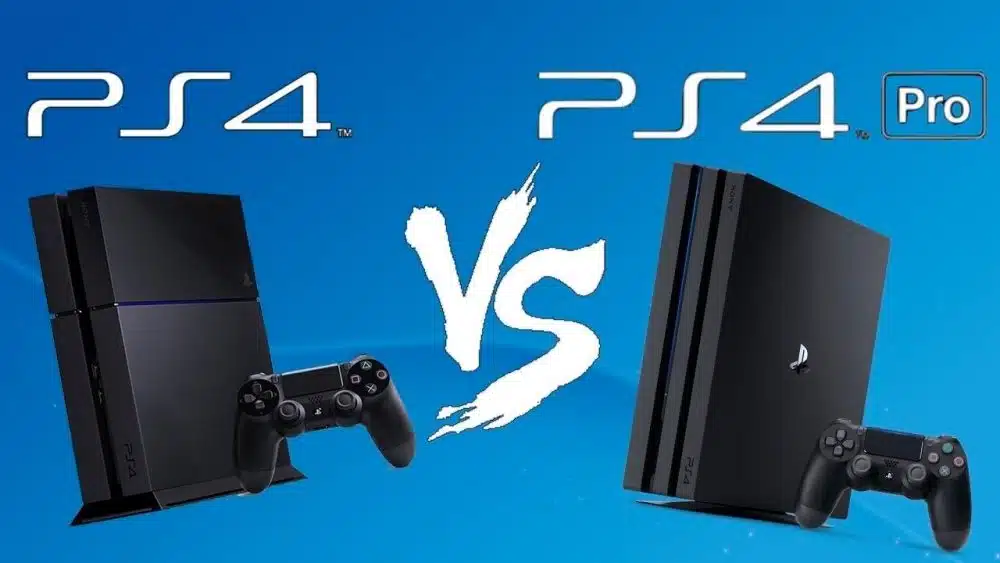
Regardless of the version of PlayStation you choose, you can’t go wrong with either one. Playing PS4 games on any of these options will give you a different experience based on where you are playing and what additional devices you have connected to your console.
However, to help you get a better idea, we will discuss PS4 and PS4 Pro differences in this post.
Pros of PS4 Pro
- Everything looks great when you play games in 4K and HDR.
- PlayStation VR is best on this PS4.
- Game performance is better than a base game. PS4
Cons of PS4 Pro
- Noticeably bigger:
- Can get quite loud during intense sessions of gameplay
Pros of PS4
- Whisper quiet
- Inexpensive
- Fits just about anywhere
Cons of PS4
- Frame rate is inferior in comparison
- No 4K support
PlayStation 4 stock issues
Everywhere, the PlayStation 4 is hard to come by because of the epidemic. If you do, expect to pay much more than the original manufacturer’s suggested retail price. You’ll have to weigh the benefits of paying $100 more than the normal retail price for a console. We wouldn’t pay more than $350 for a PS4, in our opinion. The PS4 Pro is a great option if you need a new system and can get one for less than $500. It’s also possible to save money by acquiring a pre-owned or refurbished console.
PlayStation 4 vs. Pro: What’s the difference?
Before we start discussing PS4 and PS4 Pro differences, we would like to let you know that PlayStation “slim” models have also been released by Sony in the years after the original model’s first introduction. These consoles were formerly branded somewhat differently upon launch in order to distinguish them from their predecessors. This is no exception since the thinner models often give more of a physical than a functional difference. The PlayStation 4 Pro makes the biggest difference in terms of features and performance, but even then, the difference isn’t tremendous unless you have a 4K TV that supports HDR.
More than you would imagine, that final part is critical. Adding HDR means that the colors in every part of the games you play are more brilliant and realistic. This is in contrast to an increase in the resolution from 1080p (commonly called Full HD) to 4K. These panels, when paired with 4K resolution, will look stunning in games with a lot of open space and countryside.
Power consumption is the most significant functional change between the PS4 and the PS4 slim. It seems amazing when compared to the previous PS4’s 250w maximum, however, most benchmarks show that the new PS4’s maximum power demand is a mere 165 watts. At its heaviest, the PS4 used an average of 150 watts of electricity and never reached the 250 watts maximum.
The “slim” PS4 will use less power than the “normal” PS4 while doing the same things, even sitting idle. Parental benefits include lower power bills when kids keep their PS4s on all day since they’re playing a critical portion of their game.
PS4 Pro features a CPU and a GPU that are almost twice as powerful as the original PS4 console. The PS4 Pro has an improved version of the HDMI standard, but there is no noticeable change in performance when it comes to visual output. “Boost mode” on the PS4 Pro allows games that previously struggled to sustain 30fps or 60fps on the ordinary PS4 to give a better experience with the PS4 Pro. To put it another way, this implies that PS4 Pro games that jerk or stutter when played on a standard PS4 will run more smoothly.
Finally, bear in mind that storage is critical for your PlayStation. Even if you purchase a disc for a PS4 game from the shop, it still takes up space on the hard drive. Storage is crucial since the games must be partly installed on the console before they can be played. PlayStation games that are purchased digitally might take up more space on the PlayStation’s internal hard drive. Some PS4 Pro models come with a 2TB storage option that you won’t have to purchase for a long time, compared to a PS4 that doesn’t come with such a choice.
PS4 vs. PS4 Pro: 4K and HDR on PlayStation
4K video streaming and better visuals are also available on compatible games with the PlayStation 4 Pro. PS4 Pro Enhanced visuals may be prominently marked on the box of games for PS4 Pro owners.
Because of a software upgrade from Sony, these consoles can display HDR images, but the HDR content given by most apps and games is only available to those who own the Pro version of the machine. For the most part, HDR is associated with either 4K or PS4 Enhanced content, none of which can be played on previous consoles with HDR capabilities.