


Today, clients are looking for immediate answers without needing to talk to an agent or submit a support form. A robust knowledge base is no longer a luxury but a necessity in the current era, where everything is digital. This empowers customers to resolve issues independently, reduces the burden on support teams, and helps businesses scale efficiently without compromising on service quality.
Salesforce Knowledge is widely recognized as a leading solution for building and managing knowledge bases. Its seamless integration with the Salesforce ecosystem makes it a smart choice for companies seeking to unify content across teams, partners, and customers. But to take things even further, solutions like AC Knowledge Management Enterprise offer advanced capabilities that extend Salesforce Knowledge with powerful features designed to maximize engagement, streamline article creation, and drive tangible results.
Why a Knowledge Base Matters in Modern Support
The landscape of customer support has changed dramatically in recent years. With a growing preference for self-service, users now expect to find help independently, anytime, anywhere. Companies that provide clear, easy-to-navigate knowledge resources not only meet these expectations but also reduce the number of incoming support requests.
A well-structured knowledge base plays a key role in deflecting cases before they even reach your support team. This helps reduce operational costs and ensures that agents can focus on resolving complex or high-priority issues. Ultimately, this leads to quicker resolutions, improved agent productivity, and higher customer satisfaction scores. The business impact is undeniable: fewer tickets, better experiences, and lower overhead.
Understanding Salesforce Knowledge Base
Salesforce Knowledge is the platform’s native tool for creating, managing, and distributing support content. The knowledge base in Salesforce allows organizations to centralize information and make it available across various channels—from service agents working on cases to customers browsing self-service portals.
The system supports structured content through customizable article types, enabling teams to format information consistently across use cases such as FAQs, how-to guides, and troubleshooting steps. Data categories help segment content by product, region, or user role, while workflows ensure articles go through appropriate authoring and approval stages before publishing. Visibility settings further allow organizations to control who can access each piece of content, be it internal users, partners, or the public.
Salesforce offers two interfaces for Knowledge: Classic and Lightning. While Classic served many businesses well in the past, most organizations are now adopting Lightning Experience for its modern interface, better performance, and expanded customization options. The transition to Lightning is not just about aesthetics—it reflects a broader shift toward more intuitive and scalable knowledge management.
Setting Up Your Salesforce Knowledge Base
Getting started with Salesforce Knowledge involves thoughtful planning around article creation and content structure. Using standardized templates and article types helps maintain consistency, while categories allow for better organization and easier navigation. A clear structure ensures that users, whether internal or external, can quickly find the information they need.
Permissions also play a critical role in maintaining quality and security. Assigning clear roles for authors, reviewers, and publishers helps maintain a streamlined editorial process. These access levels prevent unauthorized changes and ensure that content is accurate, reviewed, and approved before it goes live.
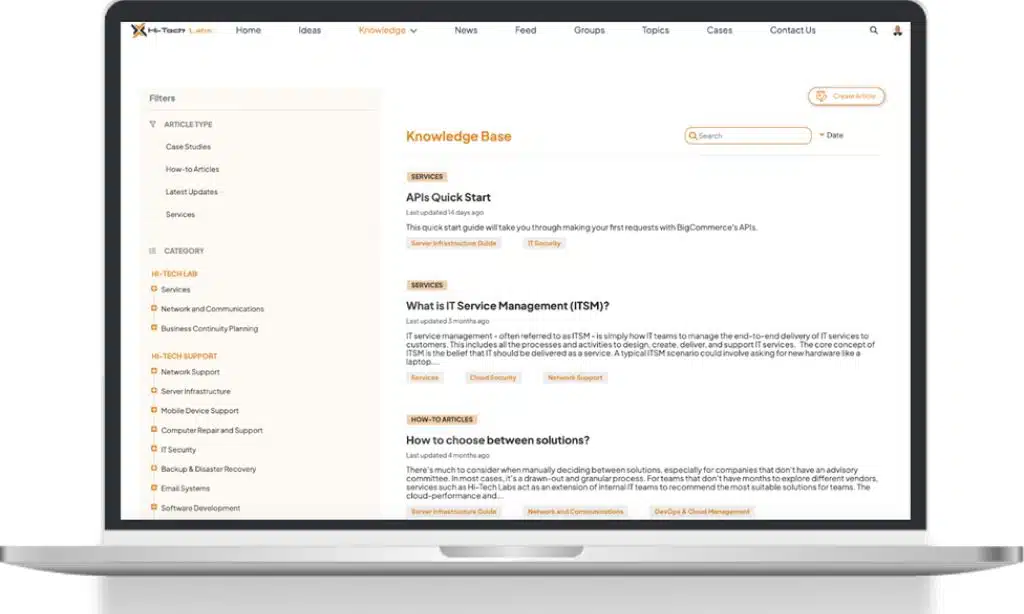
To extend the capabilities of Salesforce Knowledge, AC Knowledge Enterprise delivers a clean, intuitive interface that significantly enhances the user experience. One of its standout features is the advanced navigation system, which includes collapsible article sections and anchor links, making it easy for users to browse structured manuals, step-by-step guides, and long-form content without getting lost. In addition to its user-friendly design , the app offers powerful enhancements such as the ability for community users to draft articles directly within Experience Cloud and submit for approval. This streamlines content contribution from customers and partners. The platform also supports article subscription for real-time updates and incorporates voting tools for quick, meaningful feedback. Altogether, these features create a dynamic, collaborative knowledge base that adapts to the needs of its users.
Best Practices for Knowledge Management Success
A successful knowledge base stays current and relevant. Scheduling periodic content reviews is essential to ensure articles don’t become outdated or inaccurate. Listening to user feedback—whether through ratings, comments, or support interactions—can highlight which topics need refinement or clarification.
Searchability is equally important. Using clear data categories, thoughtful tagging, and intuitive filters helps users find the right content faster. When users can’t locate what they need, they’re more likely to submit a support ticket, undermining the self-service model.
To encourage engagement, create opportunities for feedback and interaction. Allowing users to rate articles, leave comments, or suggest updates transforms your knowledge base from a static resource into a living system shaped by its audience. On the technology front, tools like Einstein Recommendations can personalize content suggestions, making it easier for users to discover relevant articles. Additionally, AC Knowledge Management Enterprise offers a case deflection wizard that is designed to help reduce the number of support cases by allowing users to navigate through FAQs and find relevant knowledge articles before they submit a support case.
Using Knowledge to Enhance Customer Support
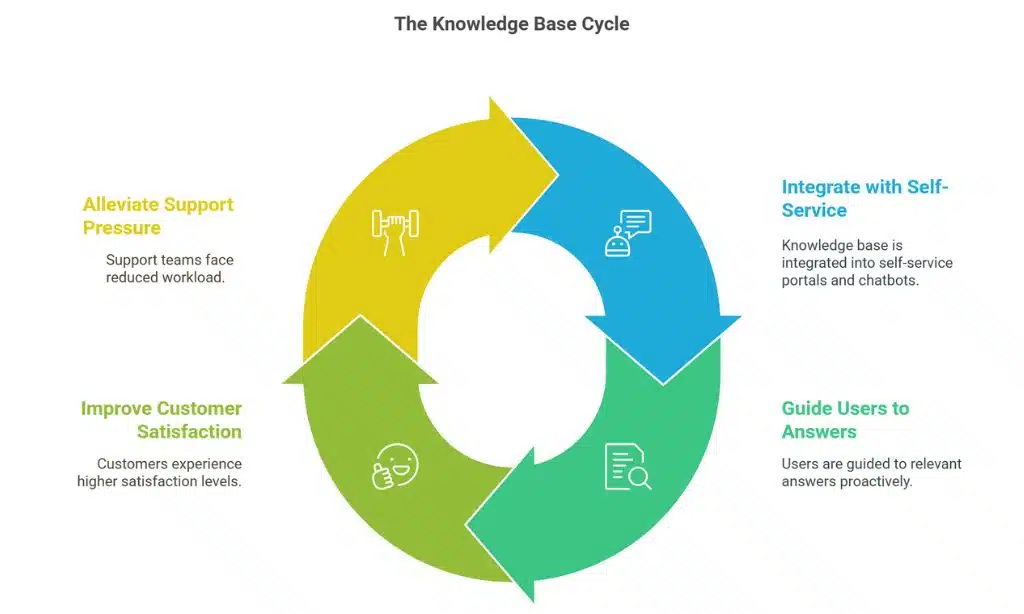
An effective knowledge base isn’t just a resource—it’s a catalyst for improved service delivery. Integrated into self-service portals and chatbots, it can guide users to relevant answers before they ever contact support. This proactive approach not only improves customer satisfaction but also alleviates pressure on support teams.
Inside the Salesforce platform, agents benefit from suggested articles as they create or work on cases. These real-time recommendations streamline workflows and equip agents with the right information at the right moment, leading to faster, more consistent resolutions.
Artificial intelligence plays a crucial role here, especially in reducing average handle time [AHT]. Smart search tools and predictive article recommendations help both users and agents find answers faster. Organizations using AC Knowledge Management Enterprise have reported up to 70% case deflection, thanks in large part to its powerful article wizard, rich analytics, and enhanced user experience features that guide readers to the most relevant content.
Advanced Features & When to Consider an Enhancement
While Salesforce Knowledge provides a strong foundation, growing support operations often require more advanced capabilities to stay ahead.
AI-powered recommendations help personalize the user experience and improve findability across platforms. Multilingual support is essential for global businesses, ensuring content is accessible in multiple languages with appropriate localization. Automation features such as smart authoring tools or review reminders help streamline the content lifecycle, ensuring the knowledge base stays accurate without overwhelming administrators.
If your organization is looking for a smarter, more user-friendly way to manage knowledge content, AC Knowledge Management Enterprise is worth serious consideration. Its sleek, intuitive interface supports easier navigation of complex content, especially for structured manuals and detailed guides. Features like collapsible sections, in-article anchor links, and advanced filtering helps users find the right information faster, whether they are employees, customers or partners. For content creators, the solution simplifies article creation in Experience Cloud and provides deeper engagement insights through built-in feedback analytics. With streamlined processes and a thoughtfully designed user interface, it delivers an elevated experience for both end-users and administrators.
Driving Adoption Across Teams
Even the most sophisticated knowledge base won’t deliver results if teams don’t use it. Driving adoption starts with thoughtful onboarding. Tailored training sessions by role can help teams understand not just how to use the system, but why it matters to their daily work.
Incentivizing engagement also makes a difference. Recognizing content contributors, assigning knowledge champions, or introducing light gamification can boost participation and maintain momentum. A culture of sharing and collaboration ensures your knowledge base continues to grow and evolve.
It’s equally important to track adoption metrics such as article views, usage during support cases, and user feedback. These insights help identify friction points and highlight where additional training or adjustments are needed.
Measuring ROI of Your Knowledge Strategy
To justify ongoing investment in your knowledge base, you need to measure its impact. Key performance indicators include case deflection rate, article effectiveness, and average time to resolution. These metrics paint a clear picture of how well your content is supporting users and enabling agents.
From a financial perspective, the gains are just as compelling. A strong knowledge strategy reduces ticket volume, shortens training time for new hires, and boosts operational efficiency across the board.
AC Knowledge Management Enterprise adds another layer of value by offering built-in analytics. You can track user behavior, deflected cases, and article performance directly within Salesforce, providing the data you need to optimize your strategy and demonstrate return on investment continuously.
Takeaways
A thoughtfully designed and consistently maintained knowledge base can transform your support operations. It empowers customers, accelerates agent workflows, and delivers measurable business value.
Whether you’re building your knowledge base from the ground up or looking to scale your existing efforts, Salesforce Knowledge provides a solid starting point. And with the added capabilities of AC Knowledge Management Enterprise, you can turn a good implementation into a truly exceptional one, equipped to meet the evolving needs of your users and your business.
























