Ever sat down to make a video or a batch of images and realized you had no idea which AI tool to open first? I’ve been there more times than I’d like to admit. Two platforms kept coming up in my search: ImagineLab Art vs Pollo AI. Both make images, videos, and more. Yet they work in very different ways.
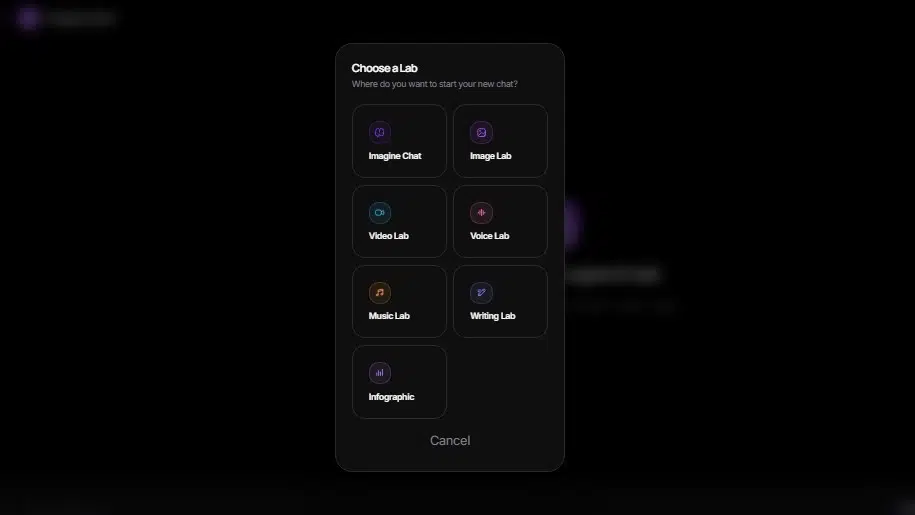
ImagineLab.art runs as a creative operating system with seven labs: Image, Video, Voice, Music, Writing, Infographic, and Imagine Chat. All of them share one EDT token system, and the company plans to grow to ten labs soon.
When I signed up for free, I got 50 EDT tokens with no credit card required. My outputs came without watermarks, and I could use them commercially.
Pollo AI takes a different route. It works as an all-in-one video and image generator dashboard with over a dozen leading models, including Veo 3, Kling 3.0, Sora 2, Hailuo AI, and Runway. Pollo AI claims over 10 million users and a 4.4 trust score.
It also packs consistent character tools, an effects library with AI Hug and AI Kissing presets, and in-tool video editing.
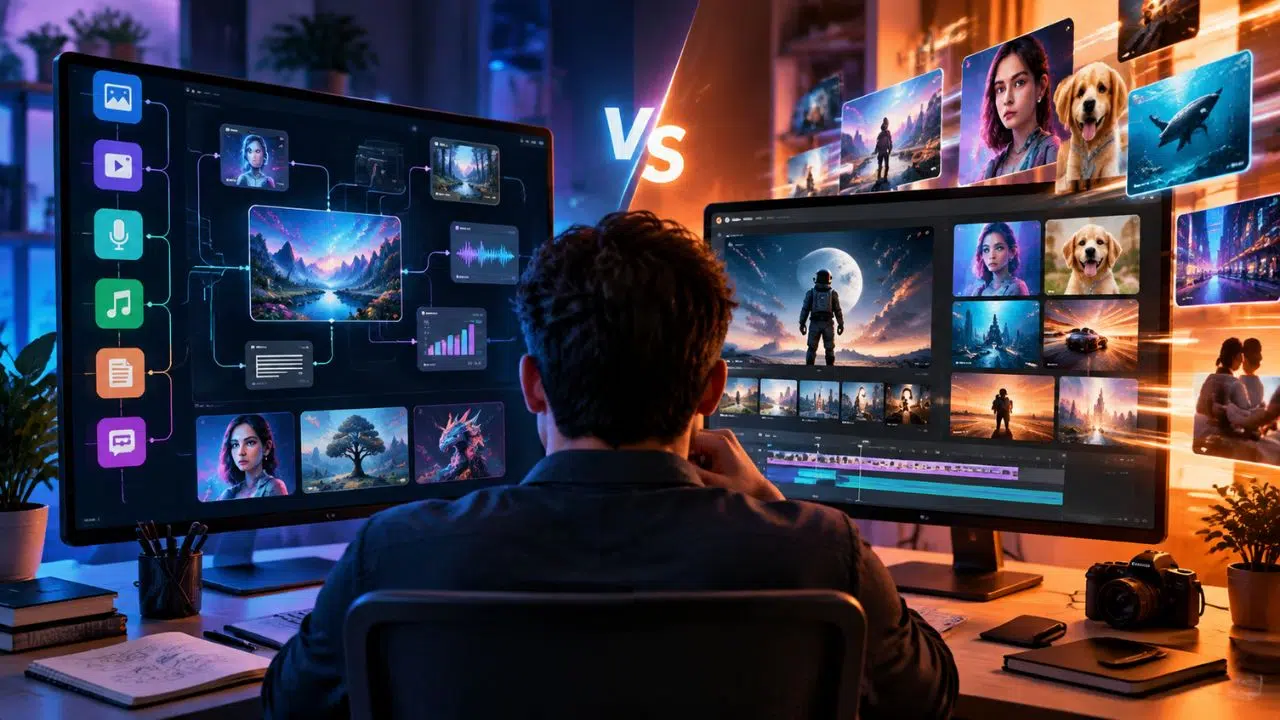
So ImagineLab Art vs Pollo AI is a real choice. One gives you granular control through node-based workflows. The other gives you fast creation through an integrated multi-model setup.
ImagineLab Art vs Pollo AI: Core Differences
ImagineLab art works as a detailed creative operating system where I build projects through node-based workflows and control every step. Pollo AI works as a rapid creation hub where I make social media content, AI artwork, and video generation with simple, quick processes.
ImagineLab art: A Granular Creative Operating System
ImagineLab.art feels like a creative workshop with seven specialized labs working together. Each lab handles one type of job, from Imagine Chat to Image Lab, Video Lab, Voice Lab, Music Lab, Infographic Lab, and Writing Lab.
Three more labs are on the way. This setup lets me pick what I need for a project without digging through tools I don’t want.
One thing I really liked: a single token system called Editorialge Digital Tokens, or EDT, covers every lab and media type. No confusion about different payment systems for different tools. New users get 50 EDT credits free after verified signup, and no credit card is needed to start.
Each lab treats its creative task as its own domain, and the lineup looks like this:
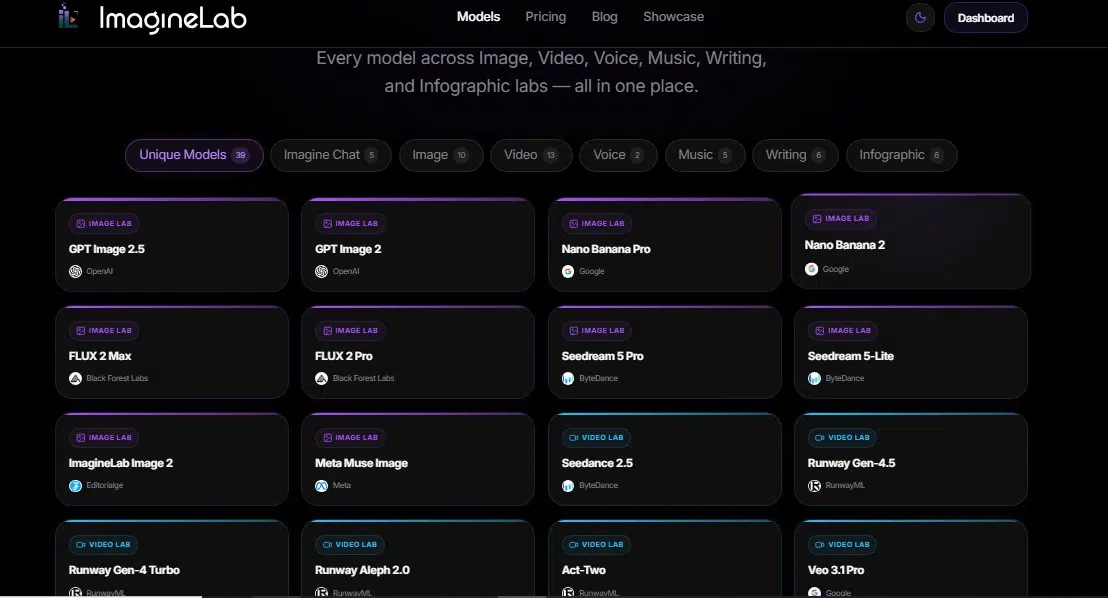
- Image Lab: Visual content creation with models like Stable Diffusion, Ideogram, Recraft, and Flux AI, plus artistic styles such as watercolor, neon, and color pencil.
- Video Lab: Video generation and editing with Runway, Kling 2.0, Vidu AI, Pixverse, Luma Ray, and Hailuo AI.
- Voice Lab and Music Lab: Audio production, composition, and sound design.
- Writing Lab and Infographic Lab: Text content and visual data presentations.
This compartmentalized approach means I focus on one creative workflow at a time instead of juggling platforms. I can build social media content, product photography, and AI artwork from one dashboard without switching services.
The security verification process protects my work from malicious bots, and the platform uses Cloudflare for extra protection. That step exists for a reason. Per Cloudflare Radar’s 2025/2026 traffic data, bots make up roughly 35 to 58 percent of measured web traffic depending on the method used, with Cloudflare putting bots at 57.5 percent of HTML requests as of mid-2026. When a platform hands out free credits at signup, filtering automated traffic keeps those credits going to real people.
Pollo AI: A Rapid All-in-One Creation Hub
Pollo AI works like a creative Swiss Army knife for content makers who want speed without losing quality. It bundles video models such as Veo 3, Kling, and Seedance into one dashboard, so I never jump between tools.
The platform targets non-designers and keeps things simple. I can generate content in minutes using text prompts and images. Over 10 million users have registered, and the platform earned a high trust score of 4.4 on review sites.
I wanted to check that number myself. According to Pollo AI’s Trustpilot review page (2026 data, over 5,200 reviews), the platform holds a 4-star rating, and roughly 92 percent of reviewers give it 4 stars or higher. A minority do flag billing and credit-balance disputes, so watch your credit balance closely before you subscribe.
In my testing, Pollo AI cut video animation time and costs by roughly 70 percent compared to traditional methods. The integrated multi-model approach lets me switch between AI algorithms without leaving the workspace, which keeps my creative workflow fast and smooth.
What impressed me most was how it handles image and video production without making me learn complex software. A simple text prompt produced options in seconds. The dashboard shows every tool in one place, so I move from image generation to video editing without friction. Mobile app access lets me create on the go, which saves me hours each week.
The free tier lets you test features before spending money, and paid credit packages scale as you grow. Speed comes with tradeoffs, though.
ImagineLab Art vs Pollo AI: Features and Tools Comparison
Choosing the right tool means looking at how each platform actually works day to day. ImagineLab.art gives me granular control through node-based workflows, while Pollo AI moves fast with its all-in-one approach to images and videos.
ImagineLab art: Node-Based Workflow and Advanced Customizations
ImagineLab art runs on a node-based workflow that puts creative control in my hands. The process is simple to follow:
- Select a lab.
- Describe your idea in everyday language.
- Refine the prompt with AI assistance.
- Choose from 38 available models.
- Set options like aspect ratio and duration, then generate.
This step-by-step approach means you don’t need to speak fluent AI jargon to create professional work. The advanced customizations let me tweak everything from video length to model selection. I can also preview costs before generating anything, thanks to the unified EDT credit system, so no surprises hit my wallet.
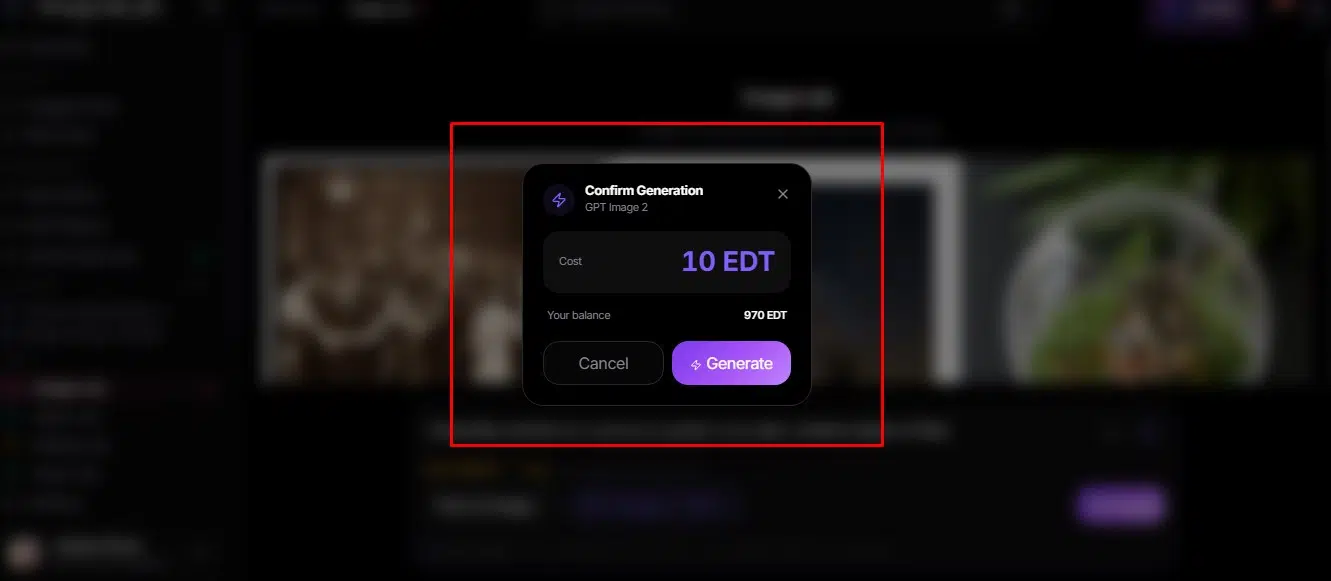
The platform handles the technical side without making it feel overwhelming. Outputs come without watermarks and work for commercial use, which matters if you’re building a business around your creative workspace. The node-based approach lets me stack tools and models together into complex workflows that would take hours to set up elsewhere.
I tested image and video generation across multiple labs, and the quality stayed consistent. The JavaScript-powered interface responds fast, and the user experience feels thoughtful rather than cluttered. Each setting gives immediate feedback about how it changes the final result.
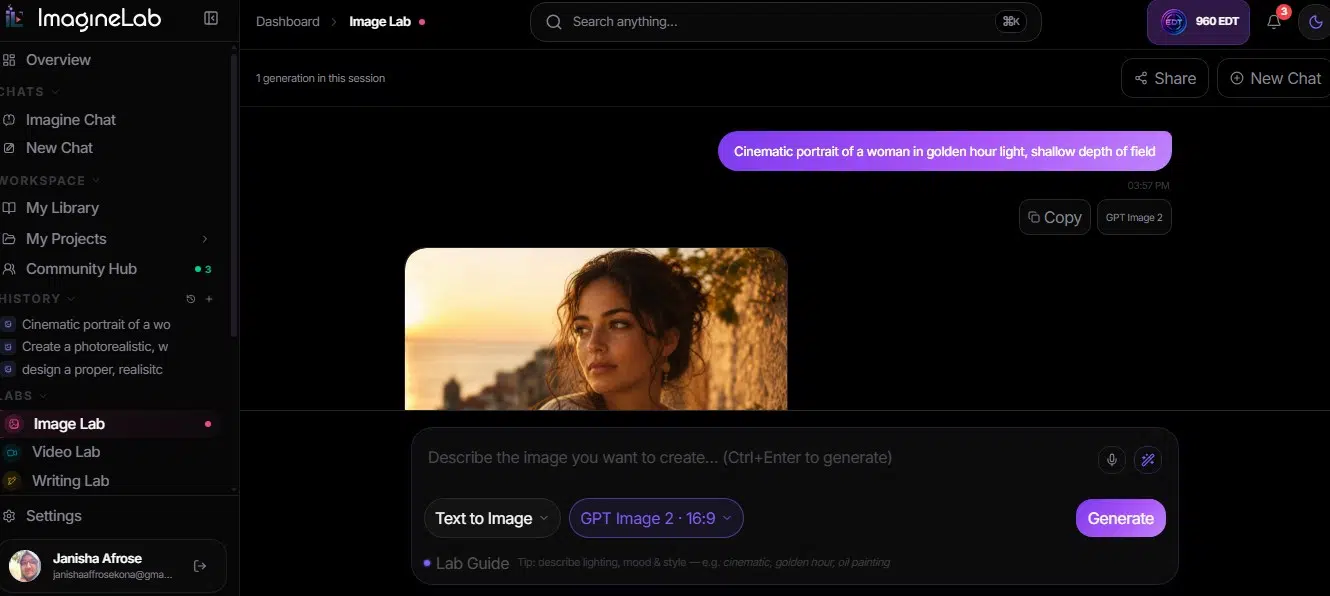
Token economics for mixed workflows also proved predictable. Here’s what a typical month might look like for a small creator:
| Task | Quantity | EDT Each | EDT Total |
|---|---|---|---|
| Images | 10 | 67 | 670 |
| Short videos | 4 | 35 | 140 |
| Songs | 2 | 8 | 16 |
| Monthly total | 826 EDT (about $11.82 at $0.0143 per EDT) |
A small creator running mixed tasks hit about 826 EDT in a month, roughly twelve dollars. Tokenized billing can be predictable when you can see the math up front.
Pollo AI: Integrated Multi-Model Approach for Quick Creation
Pollo AI brings multiple AI art generators into one dashboard, which saves me from juggling separate subscriptions. I can compare different AI image generator outputs side by side and pick the best result without switching tabs or websites.
Dall-e, Imagen 4, and other leading models sit right there together. Generate an image, then convert it into a video with the same tool. The in-tool editor handles trimming clips, adjusting pacing, and swapping segments without opening external software. This integrated approach cuts my workflow time dramatically.
The video effects library shows how fast creative work can happen. In seconds, I applied presets like:
- AI Hug and AI Kissing
- Ghibli-style animation
- 360-degree rotation
- Trending templates that apply complex effects without complicated settings
Consistent character tools keep faces and objects stable across video scenes, which matters when building longer sequences. The free tier gives room to test, and paid credit packages scale with your needs. This approach to AI video generator tools removes the barriers between ideas and finished work.
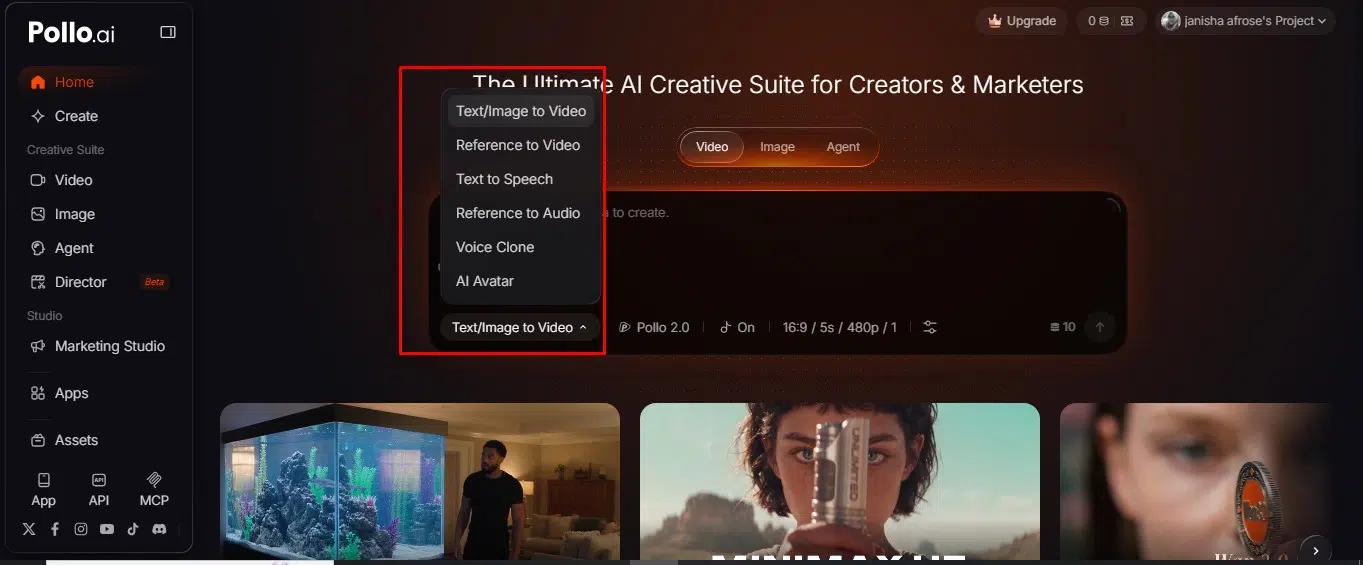
ImagineLab Art vs Pollo AI: Image and Video Generation Capabilities
Both platforms make images and videos, but they take different paths. One splits the jobs into separate labs, and the other connects them in one smooth workflow.
ImagineLab art: Specialized Labs for Images and Videos
ImagineLab art’s strength is, it splits its creative tools into two main labs. The Image Lab offers three primary modes: text-to-image, image-to-image, and AI editing like background removal. Template options such as “Neon Dystopia” and “Minimalist Product Shot” help me jumpstart projects.
Why bundle so many image models? Each one earns its spot. Based on 2026 AI image generator comparisons from independent testers (Gradually.ai and Recraft’s own technical blog), Ideogram stands out for rendering text inside images, while Recraft v3 is the only major model in that group with native SVG vector output. So I reach for Ideogram on text-heavy designs and Recraft for logo-style or product graphics, rather than guessing.
The Video Lab covers text-to-video, image-to-video, and video-to-video with 13 models for different styles and resolutions.
| Video Lab Setting | Options |
|---|---|
| Duration | 2 to 10 seconds |
| Aspect ratios | 16:9, 9:16, and 21:9 (depends on the model) |
| Starter templates | “Underwater Photography,” “Epic Space Battle” |
I can also work with DALL·E and other supported models through the node-based workflow system. That granular control over creative workflows sets it apart from faster all-in-one hubs. Templates mean I spend less time hunting for features and more time making what I actually want.
Pollo AI: Seamless Image-to-Video Conversion
Pollo AI’s image-to-video generator works with JPG and PNG files at a minimum of 300 x 300 pixels. Turning a still image into an animated video takes three steps: upload the image, type a text prompt, and generate the result to share.
You can adjust the aspect ratio, duration, and number of outputs per session. The tool handles video creation differently than listings on sourceforge.net or slashdot.org might suggest, and the workflow moves fast in real conditions.
Here’s one test I ran:
- Uploaded a 1024×1024 PNG product image for a 6-second promo clip
- The three-step flow finished in 48 seconds on a desktop session
- Got 3 variations, each 6 seconds, in 16:9
- Watermarked previews arrived in the low-priority queue within 2 minutes
So I had three ready-to-review clips in under a minute while the watermarked versions queued for full render. Wink, a lighter tool within the Pollo AI ecosystem, adds unblurring, retouching, frame rate changes, and video upscaling for polishing outputs after creation.
That combination lets me polish work without switching apps or dealing with Kling AI’s separate workflows. A basic still image becomes dynamic video in minutes, not hours.
ImagineLab Art vs Pollo AI: Supported AI Models and Integrations
Each platform connects to different AI models, and this choice matters a lot. ImagineLab.art pulls from Stable Diffusion, DALL-E, and Midjourney. Pollo AI works with multiple generation tools that talk to each other, like cookies sharing data across websites, keeping everything fresh and connected.
Models Available in ImagineLab.art
ImagineLab.art’s library holds 38 models across 11 providers. This new tech platform covers everything from text to video generation.
- GPT 5.6 delivers advanced language processing for creative prompts and detailed descriptions.
- Claude Sonnet 5 gives fast, intelligent responses when I need quick creative direction.
- Claude Opus 5 offers deeper reasoning for complex projects and detailed storytelling.
- Gemini Flash 3.5 processes information quickly, so ideas come without lag.
- Seedance 2.5 generates video at 24 EDT per second with smooth, high-quality motion.
- Hailuo 3 creates video at 31 EDT per second, my fastest video generation option.
- Alibaba’s HappyHorse 1.1 produces video at 24 EDT per second with a distinct visual look.
- Veo 3.1 Pro charges around 93 EDT per second for premium, professional-grade video.
- ElevenLabs integration handles audio and voice generation with natural-sounding output.
- RunwayML tools bring video editing and AI-powered visual effects into the platform.
- Black Forest Labs models support specialized image creation with distinct artistic styles.
Models and Tools Used by Pollo AI
Pollo AI gives me access to over 50 advanced video models, which offers real range for projects. These tools work together smoothly in one place.
- Sora 2 delivers advanced video generation right in the workspace. One warning here: per 2026 AI video model tracking reports from Lushbinary and ModelsLab, OpenAI deprecated Sora 2 on April 26, 2026, and the Sora 2 API shuts down on September 24, 2026. If Sora 2 access is your main reason for picking Pollo AI, check for a replacement before you pay.
- Midjourney integration produces impressive images I can turn into videos on the same dashboard.
- MiniMax H3 Max handles complex video tasks with speed.
- Veo 3.1 offers specialized video capabilities across multiple project types.
- Kling AI adds another powerful video generation model for different styles.
- Runway Gen-3 provides advanced editing features I combine with generation tools.
- DALL-E 3 creates diverse images that convert to video through Pollo’s integrated system.
- Wink features multi-model video generation, so I pick the best tool for each task.
- Built-in audio generation adds voiceovers and sound design without external software.
- Avatar and lip-sync features match mouth movement to scripts automatically, saving hours of manual editing.
- Nano Banana rounds out the toolkit with extra video generation capacity for high-volume projects.
ImagineLab Art vs Pollo AI: Pricing and Subscription Plans
Budget shapes the decision, so let’s compare what each platform costs. ImagineLab.art stacks monthly fees against what you get, while Pollo AI hands you free credits first, then charges for extra power.
ImagineLab Art’s Tiered Subscription Options
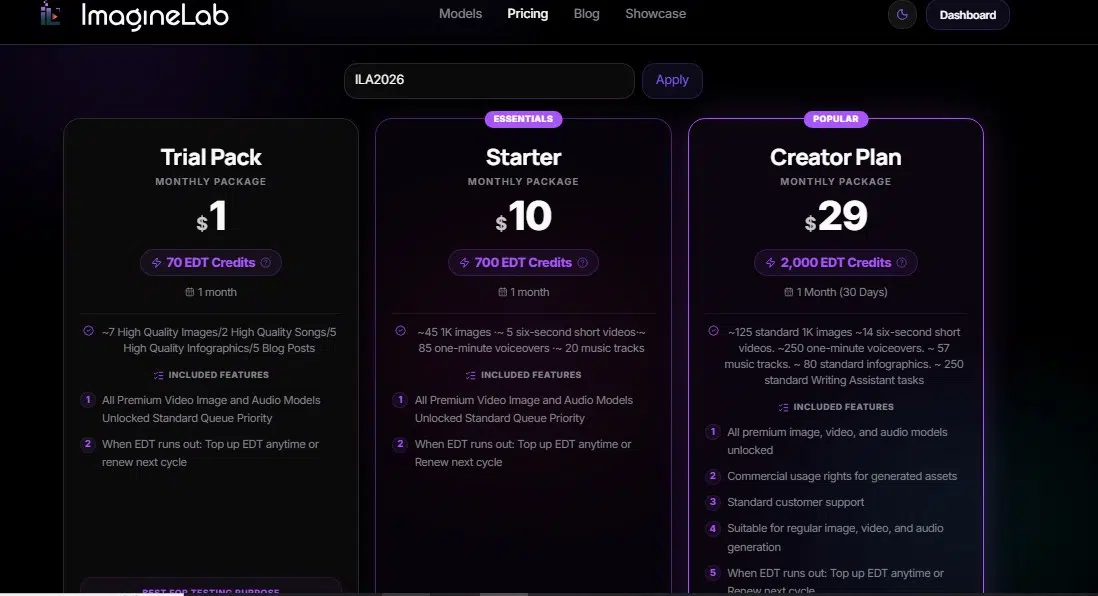
ImagineLab art’s pricing offers real flexibility for creators at different stages. The platform charges in EDT (Editorialge Digital Token) units, priced at roughly $0.0143 per token. A 500 EDT package costs $7, which keeps the entry point low.
Monthly and yearly plans let me pick what fits, and I can buy extra EDT credits whenever needed. A 7-day money-back guarantee takes the pressure off if the service doesn’t match your workflow.
Costs scale based on what you create:
| Output | Model | EDT Cost | Approx. Price |
|---|---|---|---|
| One image (lower-cost model) | Various | 10 EDT | $0.15 |
| 6-second video clip | Veo 3.1 Lite | 100 EDT | $1.5 |
| Full song | Music 2.6 | 180 EDT | $2.7 |
These new tech tools give me control over spending while I use powerful creation features. The node-based preview shows exact costs before I commit to a generation.
During one content build for a 5-second Kling v3 Standard video, the team estimated 100 EDT at first. The node-based preview showed the exact cost as 35 EDT instead, and with each EDT mapped to $0.0143, the interface displayed $0.50 instantly. That preview dropped our estimate from 100 EDT to 35 EDT before we spent a thing.
Payment options include Stripe, PayPal, Mercury, UPI, and bKash, which opens doors for creators across South Asia and beyond.
Pollo AI’s Free Tier and Paid Credit Packages
I started with Pollo AI’s free tier and got hooked right away. The free option gives 10 to 20 credits that refresh daily when you check in, which feels like a gift that keeps giving.
Free outputs carry watermarks, and rendering sits in a low-priority queue, but you can still create without spending a dime. This tier works well for testing whether the video generation tools fit your workflow before you commit money.
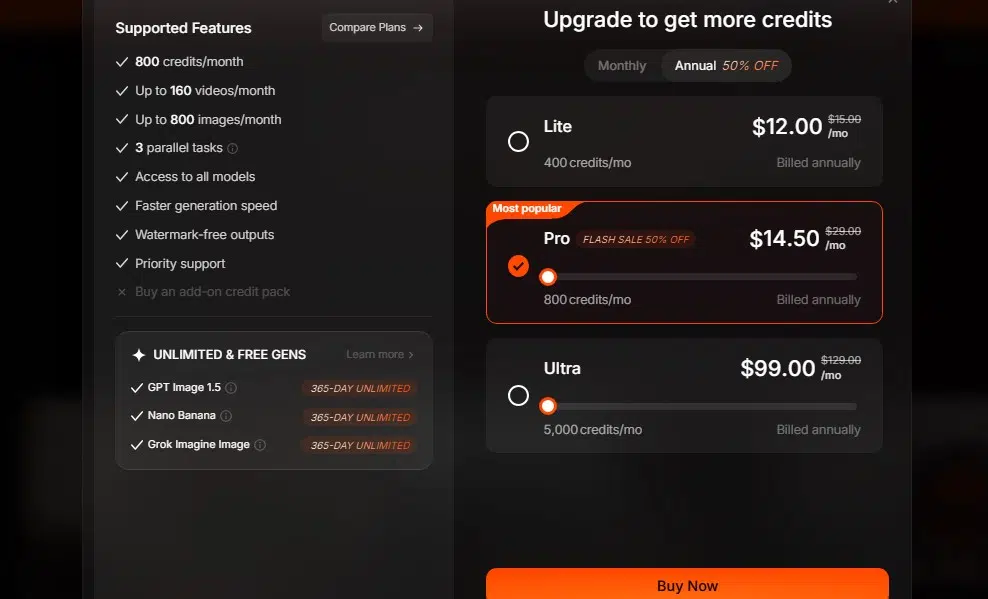
Once I wanted more power, the paid tiers looked like this:
| Tier | Price | Credits | What You Get |
|---|---|---|---|
| Lite | About $10/month annual, or $15/month | 300 | Watermark-free outputs; roughly 30 videos on budget-tier models |
| Pro | $29/month | 800 | Priority rendering, multiple generations at once; around 80 videos on in-house models or 10 to 25 on premium models |
| Ultra | From $139/month | 5,000 | Maximum capacity for serious creators |
Subscription credits don’t roll over each cycle, but add-on credits you buy stay put and never expire, though they’re non-refundable. The platform also accepts refund requests within 3 days if you change your mind about a subscription.
Final Words
Both platforms deliver serious creative power, but they serve different creators.
ImagineLab art gives me a granular node-based system with seven integrated labs, 38 models from 11 providers, and watermark-free outputs for commercial use. Pollo AI offers rapid all-in-one creation through a single dashboard with over a dozen leading models, character consistency tools, and built-in video editing.
My choice comes down to workflow style. I pick ImagineLab.art for precision control and transparent EDT credit management, or Pollo AI for speed and preset effects like AI Hug and Ghibli-style animation.
Free credits from either platform cost nothing, so testing both shows which fits your creative process. The real question in ImagineLab.art vs Pollo AI isn’t which platform wins overall, but which one matches how you actually work.
Sign up for both free trials, then build something with the tools that feel right in your hands.
Frequently Asked Questions on ImagineLab Art vs Pollo AI
1. Which platform gives you more tools, ImagineLab.art or Pollo AI?
I’d say Pollo AI packs in more tools, with image, video, and audio features all under one roof. ImagineLab.art keeps things simpler and puts most of its focus on image creation.
2. Is ImagineLab.art easier to use than Pollo AI?
Yes, I find ImagineLab.art easier for beginners, since it has fewer buttons and menus to learn.
3. Which platform is better for making videos?
Pollo AI wins here. It turns text and photos into short clips and offers many video models to pick from, while ImagineLab.art doesn’t offer the same depth for video work.
4. Which platform gives you more value for your money?
That depends on what you need. If you only work with images, ImagineLab.art can save you money, but if you want video and more, Pollo AI is worth the extra spend.