


You want to know database query optimization, but you cannot figure out where to start. Your database runs slow, and pages load like molasses. Users get frustrated and leave your site. The problem usually hides inside your queries. Bad queries waste time and drain your server power. They make everything feel sluggish and broken.
Here is a fact that might surprise you. Studies show that poor query performance causes up to 40 percent of database problems. The good news is that you can fix most of these issues yourself. Grab a cup of coffee, and let’s go through it together. I will show you everything you need to know.
How To Optimize Your Database Queries For Performance: Indexing
Indexes act like a library card catalog. They help your database find data fast instead of scanning every single row.
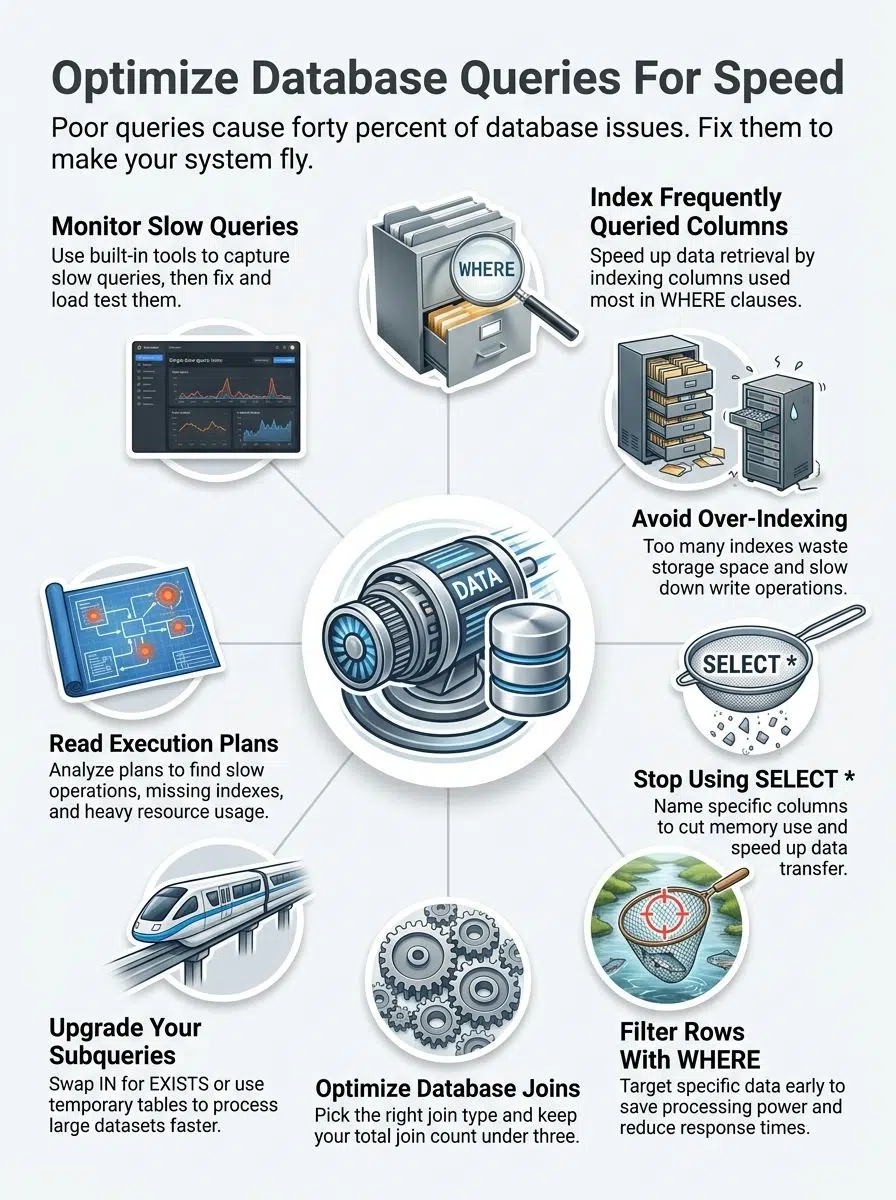
Create indexes on frequently queried columns
Data from a 2026 Fortified Data study shows that slow queries waste 21 minutes per employee daily in the US. Creating indexes on frequently queried columns is the easiest way to get that time back.
- Find your top filters: Identify which columns appear most often in your WHERE clauses.
- Target join operations: Add indexes to columns that join tables together.
- Use composite indexes: Create these when multiple columns appear together in your queries frequently.
- Check cardinality: Avoid indexing columns where most values repeat because it wastes space.
For a popular tool like PostgreSQL, standard B-tree indexes speed up exact matches and range queries instantly.
Avoid over-indexing to reduce overhead
You have learned how to add indexes, but now you need to know when to stop. Too many indexes slow down your database like a car carrying too much heavy cargo.
Every single index takes up storage space and slows down write operations. Your database must update every index whenever you insert or delete data. This overhead can ruin your optimization efforts fast.
“Storage costs in environments like AWS US-East add up quickly when you over-index. A bloat of unused indexes increases your monthly bill and hurts insert speeds.”
Focus on quality rather than quantity. Start by indexing columns that appear frequently in WHERE clauses. Then, monitor your execution plans to drop the ones that collect dust.
Write Efficient SQL Queries
Writing efficient SQL starts with being intentional about what data you actually need. You want to avoid grabbing everything and sorting through it later. Pulling only the columns you require cuts down on memory use and speeds up data transfer.
Avoid SELECT and specify only required columns
Pulling every column from your tables uses precious resources. Grabbing only the data you need makes your system run faster.
A recent 2026 performance report highlighted that unnecessary data transfer spikes CPU usage and network costs. Here is how to keep it lean:
- Name your columns: Specify exact names instead of using the SELECT asterisk.
- Reduce memory consumption: Select only what the application needs right now.
- Lower network traffic: Moving fewer columns means less data travels across your network.
- Improve indexing: Your database uses indexes better when queries target specific data.
Use WHERE clauses to limit rows
WHERE clauses act as your first line of defense against retrieving bad data. They filter rows at the source so your database works less.
- Add WHERE conditions to target specific data sets instead of pulling entire tables.
- Filter on indexed columns whenever possible to speed up the engine lookup.
- Exclude unwanted records with NOT conditions to reduce the result size.
Many developers make the mistake of using functions directly on indexed columns inside the WHERE clause. This forces the database to evaluate each row individually.
A solid tip from Reddit’s SQL community is to calculate your date ranges in the application code first. Then, you can pass the exact dates directly to the query for a much faster response.
Optimize Joins
Joins can make or break your query speed. Picking the right join type transforms slow processes into lightning-fast data retrieval.
Use appropriate join types
Different join types serve different purposes. Picking the right one makes a massive difference in your response time.
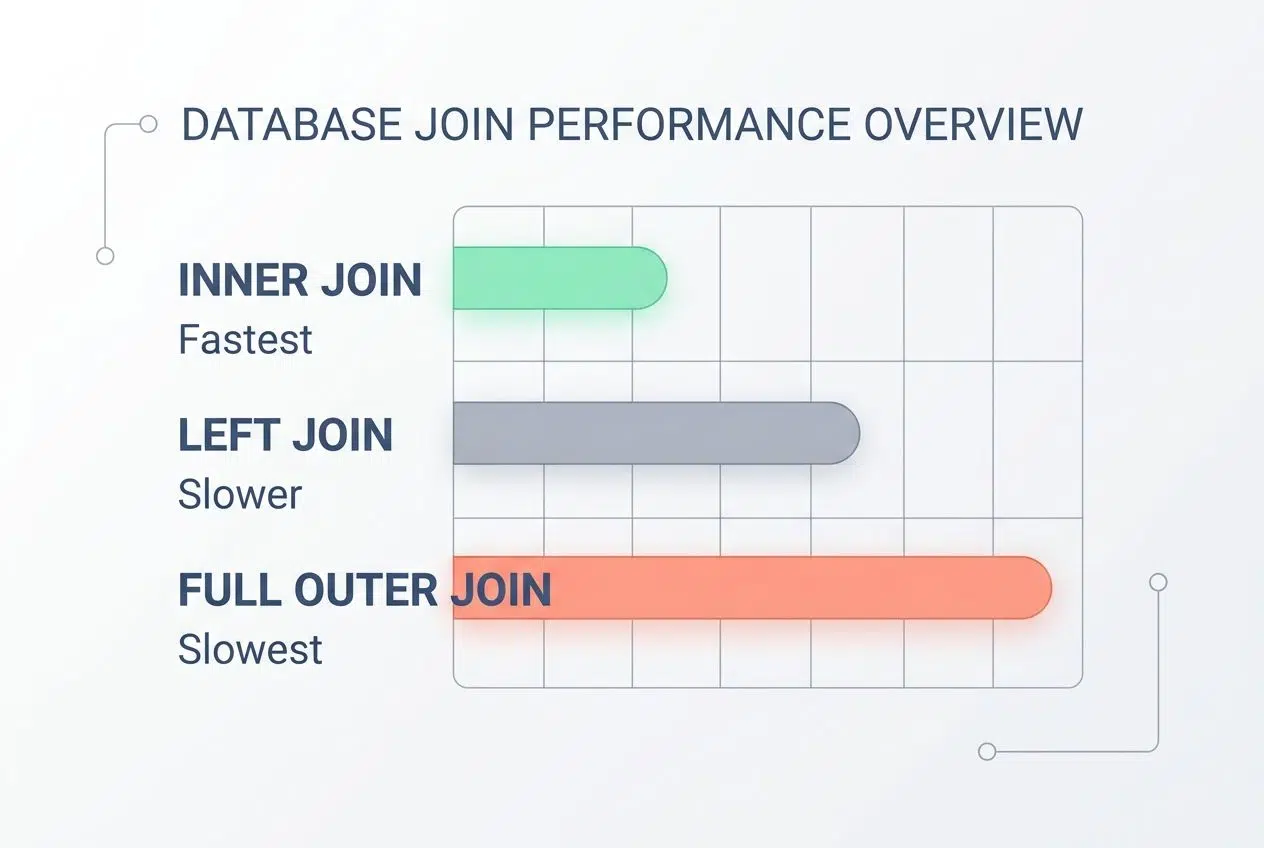
| Join Type | How It Works | Performance Impact |
|---|---|---|
| INNER JOIN | Returns only matching rows from both tables. | Fastest. Filters data early and reduces memory load. |
| LEFT JOIN | Keeps all rows from the first table, adds matching data. | Slower. Use only when you need complete data from one side. |
| FULL OUTER JOIN | Grabs all rows from both tables. | Slowest. Avoid this unless you truly need every single record. |
Your query tuning strategy should always match the join type to your actual goal. Running a massive FULL OUTER JOIN when an INNER JOIN works is a huge waste of time.
Minimize the number of joins in a single query
Joins connect tables together, but stacking too many of them slows everything down. Each joins your database to compare rows across multiple tables. Your execution plan will show this strain immediately. Cutting back on joins means faster response times and much lower server costs.
You can achieve this by testing a few different methods:
- Denesting your data first.
- Using temporary tables.
- Restructuring your SQL steps.
Your database performs best when you keep joins lean and purposeful. Try to aim for three joins or fewer in a single query. Breaking one complex query into two simpler ones is a smart strategy.
Improve Subquery Performance
Subqueries can slow down your system like a traffic jam during rush hour. You need to make them run faster to keep users happy. Small changes to how you write these create big speed improvements.
Use EXISTS instead of IN for subqueries
Using EXISTS beats IN when you work with subqueries. The IN operator checks if a value matches any item in a list, and it scans the entire list every single time.
EXISTS works differently because it stops searching the moment it finds one match. Your database works faster because it avoids looking through unnecessary rows.
Think of it like searching for your keys. You stop looking once you find them! You do not keep checking every pocket after they are in your hand.
Let’s say you need to find all customers who placed orders. Using EXISTS tells your database to hunt for just one matching order per customer. The response time drops noticeably because the system skips building a full list.
Replace subqueries with temp tables if possible
Temporary tables usually beat subqueries when your task gets complex. Subqueries run inside your main query, meaning your database processes them repeatedly. Temp tables store data once. Your main query then pulls from that stored data cleanly and quickly.
“Many US developers using SQL Server leverage Common Table Expressions (CTEs) to temporarily hold data during complex calculations. This is a massive time-saver.”
This swap cuts down on resource management waste and speeds up data retrieval. You just create a temp table, fill it with results, and join it to your main query.
Large datasets benefit the most from this optimization strategy. Running a subquery that filters millions of rows multiple times drains your resources quickly.
Monitor and Analyze Query Performance
You need to spot slow queries before they tank your entire system. A slow application can quietly cost millions in lost revenue, especially during peak US shopping seasons like Black Friday.

Use query execution plans
Query execution plans show you exactly what your database does when it runs a task. These plans reveal where operations slow down and what changes help them run faster.
Tools like PostgreSQL 17 feature an advanced EXPLAIN ANALYZE command. It shows exactly what the optimizer expected versus what actually happened.
- Review estimated costs: Look at the estimated cost percentage for each operation.
- Spot sequential scans: Identify scans that read entire tables instead of using indexes.
- Check join methods: See if your database uses efficient hash joins for large data sets.
- Compare versions: Run different query versions to measure direct performance improvements.
Identify and fix slow-running queries
Execution plans show you what happens inside, but finding the actual problem queries takes detective work. You need to spot which ones drain your resources.
A 2026 industry report from Atera noted that just one poorly optimized query can grind your entire application stack to a halt. E-commerce sites can lose up to 7 percent in conversions for every single second of delay.

“Tools like Datadog and New Relic are incredibly popular in the US for monitoring these bottlenecks. Datadog features Database Monitoring (DBM) that links query metrics directly to application slowdowns.”
Count the number of joins in your slow queries to see if they are working too hard. Examine subqueries and replace them with temporary tables if possible.
Test your fixes on a separate server before deploying them to production. This ensures you solve old problems without creating new ones.
Closing Thoughts
Database performance tuning is a continuous practice, not a one-time chore. Your queries need regular attention, just like your car needs oil changes.
Learning database query optimization improves response times and cuts down on expensive server costs. You will find that small tweaks to your SQL statements and indexing strategies add up fast. Load testing helps you catch these problems before your customers even notice them.
Performance improvement comes from staying curious about how your database actually works under pressure. Your data retrieval speed directly impacts your business success.
Execution plans show you exactly where slowdowns happen so you can fix them with confidence. Take the time to analyze your queries and measure the results. The effort you put into SQL tuning today saves you massive headaches tomorrow.
Frequently Asked Questions (FAQs) on Database Query Optimization
1. Why do my database queries run slowly sometimes?
Your queries crawl when they scan full tables without indexes, which can be up to 100 times slower than indexed searches, according to database performance benchmarks. Tighten your WHERE clauses and add indexes to frequently searched columns to speed things up.
2. How can I make my database queries faster?
Select only the columns you actually need instead of using SELECT, which can cut query time by up to 50 percent in typical workloads. Add indexes where you filter and join most often, and use WHERE clauses to narrow results early.
3. What are common mistakes when writing SQL statements for performance?
Many developers skip optimizing their JOIN conditions or forget to add proper indexes, which a 2023 Stack Overflow survey identified as a top cause of slow queries. Letting duplicate records accumulate and using SELECT when you only need a few columns also drags performance down.
4. Can changing how I write queries really boost performance?
Absolutely! Simple tweaks like putting your most selective filters first or avoiding leading wildcards in LIKE searches can improve response times by 30 to 70 percent based on query complexity. Think of it as decluttering your search path so the database finds what you need faster every time.






















