

Listen to the Podcast:
Many users don’t know it, but not only is it possible to run Windows on a Mac, but it’s also relatively easy if you have some experience in the matter, so you shouldn’t miss out on the opportunity to take advantage of those features that set these operating systems apart. But how can you run Windows on a Mac?
The two solutions that exist in this type of situation are the ones that we will mention:
- Run Windows inside a virtual machine on a Mac with an Apple Silicon M1, M2, or similar chip
- Run Windows by installing it or via an ISO image on a Mac with an Intel chip and Boot Camp
That is, no matter what model of Mac you have, you will always be able to run Windows alongside macOS.
Can You Run Windows on a Mac M-series?
This is one of the main questions we receive from users, and the answer is yes, you can. Since Apple switched to ARM-based proprietary chips with the arrival of the M1 in 2020, it’s already possible. On the other hand, it is impossible to launch the Windows version that would be installed on a standard PC.
The thing is, mainstream processors from Intel and AMD use a different processor architecture. We are talking about x86. So, until 2020, these machines were compatible with “standard” Windows. That is precisely why we said that you can still use that version if you have an older computer.
At the time, we had already explained how to install Windows 10 on your Mac with the Boot Camp assistant. So this time, we want to focus on how to run Windows on modern Macs with M1 and M2 chips.
How to Run Windows on Modern Macs with M1 and M2 Chips?
You can install Windows 11 on a virtual machine or VM with an Apple Mac Silicon. A virtual machine is an application that emulates a computer, enabling the installation of an entire operating system, such as Windows or Linux, within the current desktop environment, in this case, MacOS.
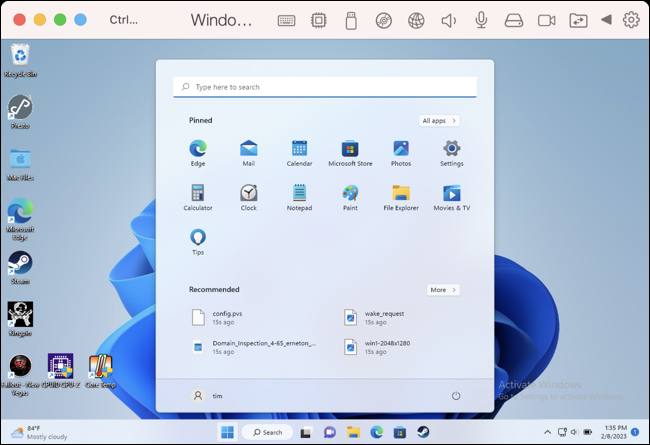
Installing Windows in a VM is the only option some have, but that doesn’t mean it doesn’t have benefits. Of course, by installing Windows inside MacOS, you won’t have to reboot your system to run it. Although it is not the most direct way, it is the most reliable to have Windows 11.
In our tests, we found a reasonably fluid Windows experience on Mac, which has very little to envy that of Windows computers from the factory to the point that most applications work without screen freezes, which is indispensable for demanding users.
Related Read: Touchscreen MacBook Pro in 2025
Continuing with the advantages, you can dedicate one to Windows if you have multiple monitors. Likewise, you’ll have to sacrifice too much disk space upfront but just enough to make it work.
Lastly, as a Mac owner, you should know that Windows running in the background eats up battery life, but it’s nothing dramatic, so you can run it alongside MacOS without fearing that battery life will drop too much.
Windows Virtual Machine with Parallels
Parallels Desktop is probably the easiest way to get Windows on ARM up and running on your Mac.
You have to download the program from the official website of Parallel and create a new machine with the free trial available. When making the virtual machine, tap Get Windows 11 from Microsoft, which will take care of everything. As it has been specially developed for this purpose, the application is ideal for not wasting so much time.
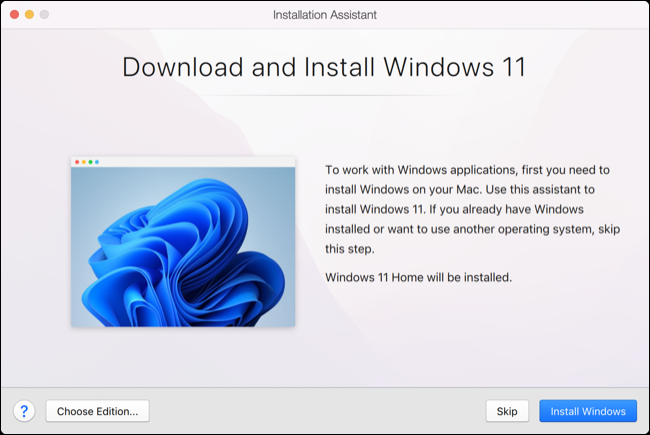
For those who are not too familiar with it, it must be said that Parallels is a premium application, quite expensive, by the way. Still, it will offer you spectacular Windows functionality on macOS. Remember that you will need a Windows license, although you probably already have one.
Another good news is that you can use it to install Linux distributions like Ubuntu quickly.
Windows Virtual Machine with VMware
Likewise, you can run Windows on your Apple Mac Silicon with VMware Fusion, which is free. Download the program from the VMware Official link, sign in with a personal account, and go to VMware Customer Connect. Within it, download VMware Fusion Player 13m, install it and enter the key you will receive in your email.
The process to set up VMware Fusion 13 with Windows 11 on ARM is not as straightforward as it is on Parallels Desktop. First, you must download Windows 11 on ARM Insider Preview.VHDX from Microsoft, then convert it to VMDK using qemu, a free app available through Homebrew. After that, you must create a custom VIM in VMware Fusion using the Windows 11 preset.
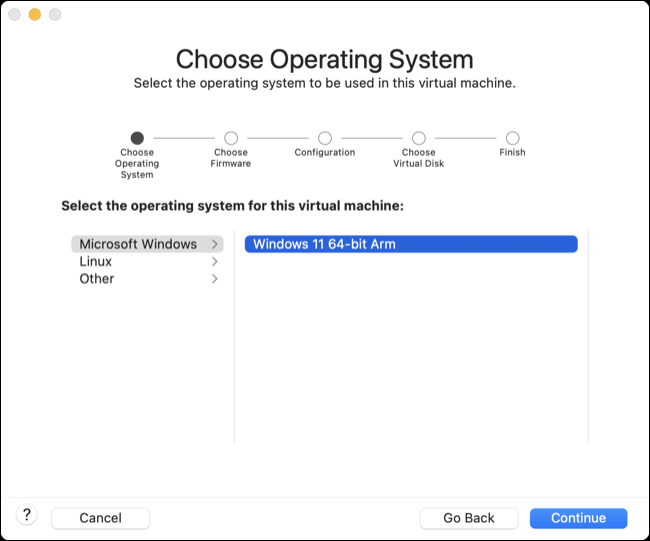
You will have created a file, which you will launch to begin the final installation of Windows 11 on macOS.






















