

In today’s digital landscape, user engagement is the key to a website’s success. A highly engaged audience means lower bounce rates, longer session durations, and ultimately, better conversions.
If you run a WordPress site, leveraging the best WordPress plugins to increase website engagement can help you keep visitors interested and coming back for more.
But with thousands of plugins available, how do you choose the right ones? This article breaks down the 10 best WordPress plugins to increase website engagement, explaining their features, benefits, and why they are essential for boosting user interaction on your site.
Additionally, we will provide key details, real-world applications, and tables to help you choose the right plugins.
What Makes a WordPress Plugin Effective for Engagement?
Website engagement refers to how visitors interact with your site. It includes metrics such as:
- Bounce Rate – The percentage of visitors who leave after viewing only one page.
- Session Duration – The amount of time users spend on your site.
- Pages Per Session – The number of pages a user visits in one session.
- Click-through Rate (CTR) – How often users click on links or CTAs.
The best WordPress plugins to increase website engagement help improve these metrics by making your site more interactive, visually appealing, and user-friendly.
Key Features to Look for in Engagement Plugins
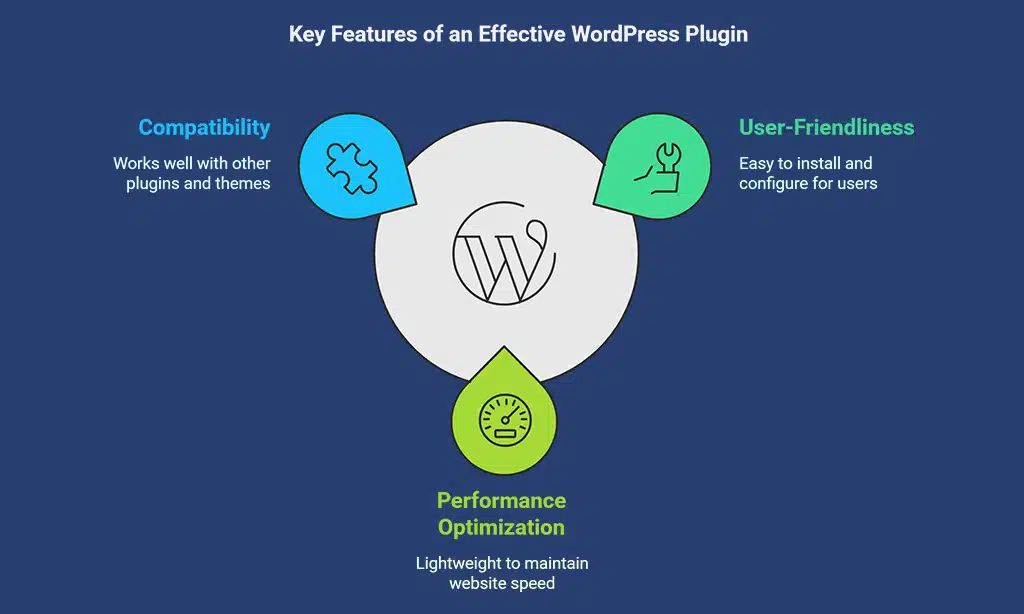
When selecting plugins, prioritize those that offer:
- User-Friendliness – Easy to install, configure, and integrate.
- Performance Optimization – Lightweight to avoid slowing down your website.
- Compatibility – Works seamlessly with other plugins and WordPress themes.
- Mobile Responsiveness – Ensures a smooth experience on all devices.
10 Best WordPress Plugins to Increase Website Engagement
Before diving into the specific plugins, it’s important to understand how the right tools can transform your site. Leveraging the best WordPress plugins to increase website engagement helps create a dynamic, user-friendly environment that keeps visitors active and invested in your content.
Whether through interactive forms, social sharing, or performance optimization, these plugins enhance the user experience and drive greater engagement.
1. WPForms – Best for Interactive Forms
WPForms is an intuitive, drag-and-drop form builder that enhances engagement through interactive forms. Whether you need contact forms, feedback surveys, or registration forms, WPForms makes it easy to create professional-looking forms without coding.
Key Features:
- Conversational forms for a better user experience.
- Smart conditional logic to personalize responses.
- Integration with email marketing tools.
Why It’s Great:
- Encourages user interaction through polls, surveys, and feedback forms.
| Feature | Benefit |
| Drag-and-Drop Builder | Create forms easily with no coding |
| Conditional Logic | Show/hide fields based on user input |
| Mobile-Responsive Forms | Works flawlessly on all devices |
2. Thrive Leads – Best for Lead Generation
Thrive Leads helps in growing email lists with engaging opt-in forms and pop-ups. A well-optimized opt-in form increases lead conversions and keeps users engaged with personalized offers.
Key Features:
- A/B testing for form optimization.
- Exit-intent technology to capture abandoning visitors.
- Mobile-friendly pop-ups and slide-ins.
Why It’s Great:
- Keeps visitors engaged by offering valuable content in exchange for email subscriptions.
| Feature | Benefit |
| A/B Testing | Test different opt-ins to maximize conversions |
| Exit-Intent Popups | Capture users before they leave |
| Lead Segmentation | Target audiences with personalized offers |
3. Elementor – Best for Interactive Design
Elementor is a powerful page builder that allows users to create visually stunning and interactive pages without coding. It transforms static pages into dynamic experiences that boost engagement.
Key Features:
- Drag-and-drop interface.
- Motion effects and animations.
- Mobile-optimized design.
Why It’s Great:
- Engaging page layouts reduce bounce rates and improve user experience.
| Feature | Benefit |
| Live Editor | See changes in real-time |
| Custom Widgets | Add sliders, buttons, and forms easily |
| Pre-Made Templates | Design pages quickly without effort |
4. Tawk.to – Best for Live Chat Support
Tawk.to provides a free live chat solution that allows real-time visitor communication. Engaging directly with visitors via chat increases trust and customer satisfaction.
Key Features:
- Live chat support with automated responses.
- Visitor tracking for personalized interactions.
- Mobile app for on-the-go customer service.
Why It’s Great:
- Keeps users engaged through instant support and chat-based interactions.
| Feature | Benefit |
| Live Chat | Instant engagement with visitors |
| Chatbots | Automate responses to FAQs |
| Visitor Tracking | Understand visitor behavior |
5. WP Rocket – Best for Performance Optimization
WP Rocket is a caching plugin that significantly improves website speed and performance. A fast website retains visitors, reduces bounce rates, and improves engagement.
Key Features:
- Page caching for faster loading times.
- Lazy loading for images.
- Minification of CSS and JavaScript files.
Why It’s Great:
- Improved loading speed keeps visitors on-site longer.
| Feature | Benefit |
| Page Caching | Enhances website speed |
| Lazy Loading | Loads images only when needed |
| Code Minification | Reduces file sizes for faster loads |
6. MonsterInsights – Best for Analytics & Engagement Tracking
MonsterInsights connects your WordPress site to Google Analytics for better user behavior insights. Understanding how visitors interact with your content helps improve engagement strategies.
Key Features:
- Real-time tracking and custom reports.
- User behavior analytics for content optimization.
- E-commerce tracking for sales data.
Why It’s Great:
- Helps you understand what keeps visitors engaged and optimize accordingly.
| Feature | Benefit |
| Real-Time Data | Track visitor actions instantly |
| Custom Reports | Get insights tailored to your site |
| Behavior Analysis | Improve content based on insights |
7. Smash Balloon – Best for Social Media Integration
Smash Balloon enables seamless integration of social media feeds, allowing real-time updates and engagement with visitors directly on your WordPress site.
Key Features:
- Customizable social media feeds for Facebook, Instagram, Twitter, and YouTube.
- Auto-updating content to keep visitors engaged.
- Social proof elements to build trust and credibility.
Why It’s Great:
- Keeps users engaged with fresh, interactive content from social platforms.
| Feature | Benefit |
| Auto-Updating Feeds | Displays latest social media posts instantly |
| Custom Layouts | Matches site design seamlessly |
| Multi-Platform Support | Works with major social media networks |
8. Better Click to Tweet – Best for Social Sharing
Better Click to Tweet encourages visitors to share key takeaways from your content, boosting engagement and expanding your reach.
Key Features:
- Easy-to-add tweetable quotes within blog posts.
- Customizable CTA text to maximize clicks.
- Shortcode integration for seamless usability.
Why It’s Great:
- Encourages social shares and increases traffic from Twitter.
| Feature | Benefit |
| Clickable Quotes | Makes content shareable instantly |
| Customizable CTAs | Boosts social engagement rates |
| Shortcode Support | Easy to use anywhere on the site |
9. RafflePress – Best for Giveaways & Contests
RafflePress is the ultimate plugin for running viral contests and giveaways, driving user engagement and increasing site traffic.
Key Features:
- Drag-and-drop giveaway builder.
- Viral sharing features to maximize contest exposure.
- Fraud prevention mechanisms to ensure fair entries.
Why It’s Great:
- Encourages participation and incentivizes user engagement.
| Feature | Benefit |
| Viral Giveaway Tools | Increases audience reach and engagement |
| Social Media Entry | Boosts social following |
| Fraud Detection | Ensures fair participation |
10. Related Posts by Jetpack – Best for Content Recommendations
Related Posts by Jetpack helps reduce bounce rates by displaying relevant content suggestions to visitors.
Key Features:
- AI-powered recommendations based on visitor behavior.
- Customizable display settings for a seamless user experience.
- Mobile-friendly design to ensure engagement on all devices.
Why It’s Great:
- Keeps visitors exploring your site longer by suggesting relevant content.
| Feature | Benefit |
| AI-Powered Content | Recommends personalized articles |
| Customizable Design | Matches website aesthetics |
| Mobile-Friendly | Works on all devices |
How to Choose the Right Plugin for Your Website?
Ask yourself:
- Do you want more comments, shares, leads, or longer session durations?
- Which engagement metric do you aim to improve?
Plugin Compatibility & Performance Impact
- Always test plugins before full implementation.
- Check for conflicts with existing plugins.
Wrap Up
The right plugins can transform your WordPress site into a highly engaging platform. From live chat tools to social media integrations and performance boosters, these 10 best WordPress plugins to increase website engagement will help keep your visitors engaged and coming back for more.
Final Thoughts
- Experiment with different plugins to see what works best for your audience.
- Monitor engagement metrics using MonsterInsights.
- Encourage visitors to share their favorite engagement plugins in the comments.
By implementing these powerful plugins, you can create an engaging, high-retention website that stands out in the crowded digital landscape.























