

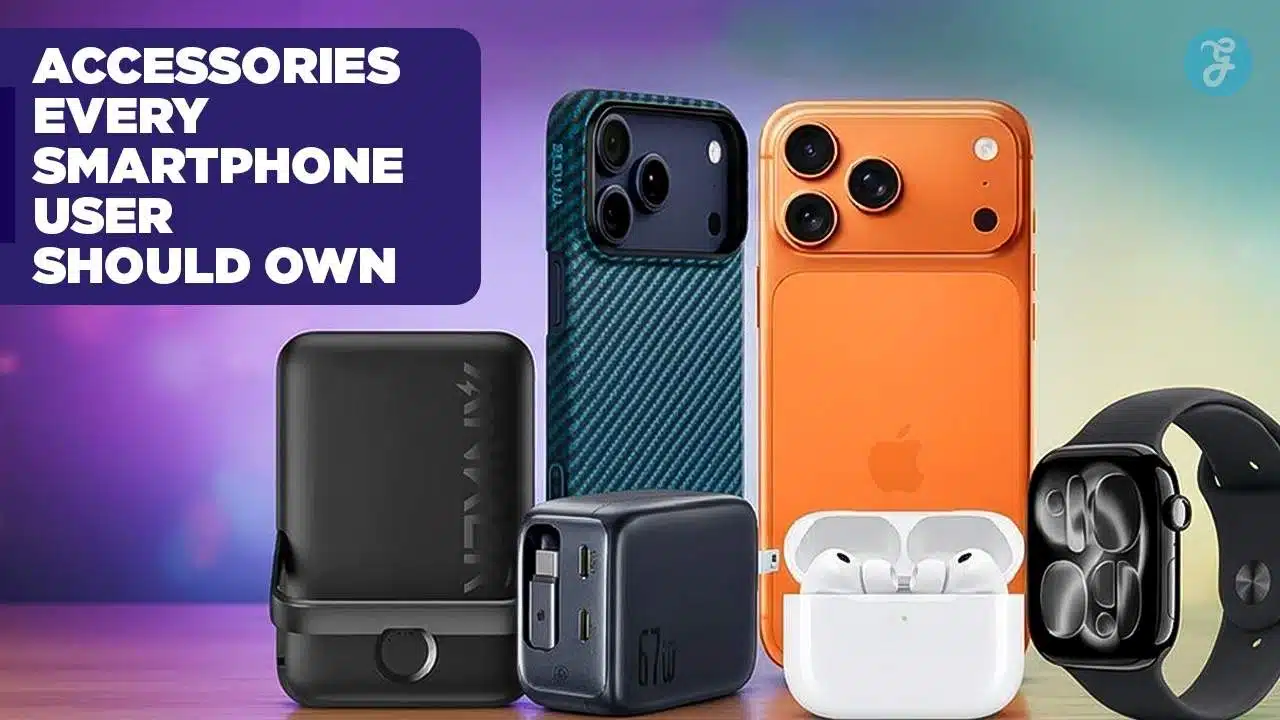
Your smartphone is likely the most powerful tool you own, yet most of us only scratch the surface of what it can do. Whether you are rocking the latest flagship or holding onto a reliable classic, the Best Smartphone Accessories can fundamentally change how you interact with your device—transforming it from a fragile glass slab into a content creation powerhouse, a mobile office, or an immersive entertainment center.
The landscape of mobile gear has shifted dramatically in late 2024. We have moved past simple plastic cases and slow chargers. The new standard is defined by Qi2 (universal magnetic charging), GaN (Gallium Nitride) efficiency, and AI-enhanced audio. If you are still carrying a tangled mess of cables or a brick-sized power bank, it is time for an upgrade.
Key Takeaways: At a Glance
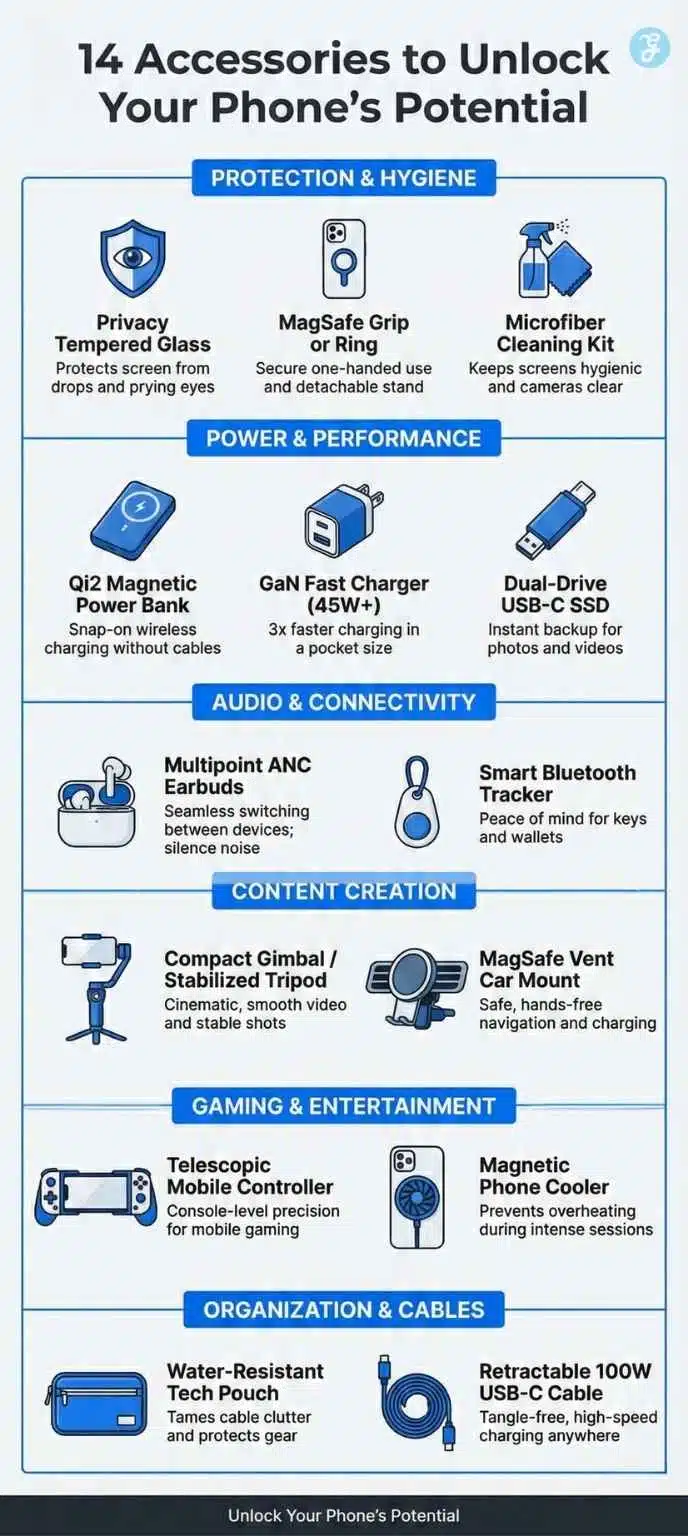
| Category | Must-Have Accessory | Why You Need It |
| Protection | Privacy Tempered Glass | Protects your screen from drops and prying eyes on public transit. |
| Power | Qi2 Magnetic Power Bank | Cable-free charging that snaps onto the back of iPhones and new Androids. |
| Speed | GaN Fast Charger (45W+) | Charges phones 3x faster than old bricks; compact enough for pockets. |
| Audio | Multipoint ANC Earbuds | seamless switching between laptop and phone; silence noisy commutes. |
| Storage | Dual-Drive USB-C SSD | Instant backup for 4K videos without paying for cloud subscriptions. |
Building the Ultimate Mobile Kit: More Than Just Add-Ons
When you unbox a new smartphone today, you are essentially holding an incomplete device. Manufacturers have slowly stripped away the essentials—chargers, headphones, and adapters are gone from the box—leaving you with just the handset and a cable. To truly get your money’s worth out of a flagship device, you need to complete the package yourself.
But this isn’t just about buying “stuff.” It is about curating a toolkit that solves the three biggest bottlenecks of modern mobile usage: fragility, battery anxiety, and input limitations.
The good news is that the “walled gardens” of tech are crumbling. With the universal adoption of USB-C across both iPhone and Android, and the rise of the Qi2 wireless standard, the accessories you buy today are more versatile than ever. They won’t just work with your current phone; they will likely work with your laptop, your tablet, and your next phone, too.
We have curated this list based on real-world utility, dividing the Best Smartphone Accessories into four critical pillars:
-
Protection: Because a cracked screen ruins the experience instantly.
-
Power: Because a dead phone is just an expensive paperweight.
-
Connectivity: Because audio and tracking should be seamless.
-
Creation: Because your phone is likely your primary camera.
Let’s start with the most critical category: keeping your device safe and clean.
I. The Essentials: Protection & Hygiene
Before we talk about performance, we must talk about longevity. Screens are expensive, and repairs are inconvenient. These first few items are the “insurance policy” every user needs.
1. Tempered Glass with Privacy Filter
A standard screen protector is good, but a privacy glass protector is a game-changer for modern life. We use our phones for banking, confidential emails, and personal chats in crowded spaces like subways or coffee shops.
-
How it works: These protectors use “micro-louver” technology. When you look straight at the screen, it is crystal clear. However, anyone trying to glance from a side angle (beyond 30 degrees) sees only a black screen.
-
Technical Spec to Look For: Ensure it is rated 9H Hardness for scratch resistance and has an Oleophobic Coating to repel fingerprints.
2. A “MagSafe” Compatible Grip or Ring
Smartphones are getting heavier and larger. The “Pro Max” and “Ultra” models are nearly impossible to use one-handed without risking a face drop. The old adhesive PopSockets are outdated because they block wireless charging.
-
The Modern Solution: Magnetic rings. These snap directly onto the magnets inside newer iPhones (MagSafe) or Qi2-compatible Android cases. You get a secure grip for scrolling and a kickstand for watching videos, but you can instantly pop it off when you need to charge wirelessly.
-
Why it’s a winner: It offers the security of a ring holder without the permanent commitment of adhesive.
3. Microfiber Cleaning Kit (The Unsung Hero)
Your phone carries more bacteria than a public toilet seat. That is a gross but true statistic. A dedicated cleaning kit isn’t just about hygiene; it’s about performance. Smudged camera lenses are the #1 cause of blurry “soft” photos that look terrible.
-
What to buy: Look for a compact “mist and wipe” integrated tool—a small rectangular bottle wrapped in a microfiber cloth. It fits in a pocket and keeps your $1,000 screen looking brand new.
II. Power & Performance: The “Always On” Gear
Battery anxiety is the modern user’s biggest stress. The industry has moved away from silicon-based chargers to Gallium Nitride (GaN) and magnetic wireless charging.
4. Qi2 Magnetic Power Bank (10,000mAh)
The days of holding a power bank in one hand, your phone in the other, and a cable dangling between them are over. Qi2 is the new global standard (based on Apple’s MagSafe) that brings magnetic alignment to the broader market.
-
Why it matters: These power banks snap magnetically to the back of your phone. They align the charging coils perfectly every time, reducing heat and improving efficiency.
-
Capacity Sweet Spot: Aim for 10,000mAh. This provides roughly 1.5 to 2 full charges for most modern flagships while remaining slim enough to slide into your pocket while attached to the phone.
5. GaN Fast Charger (45W – 65W)
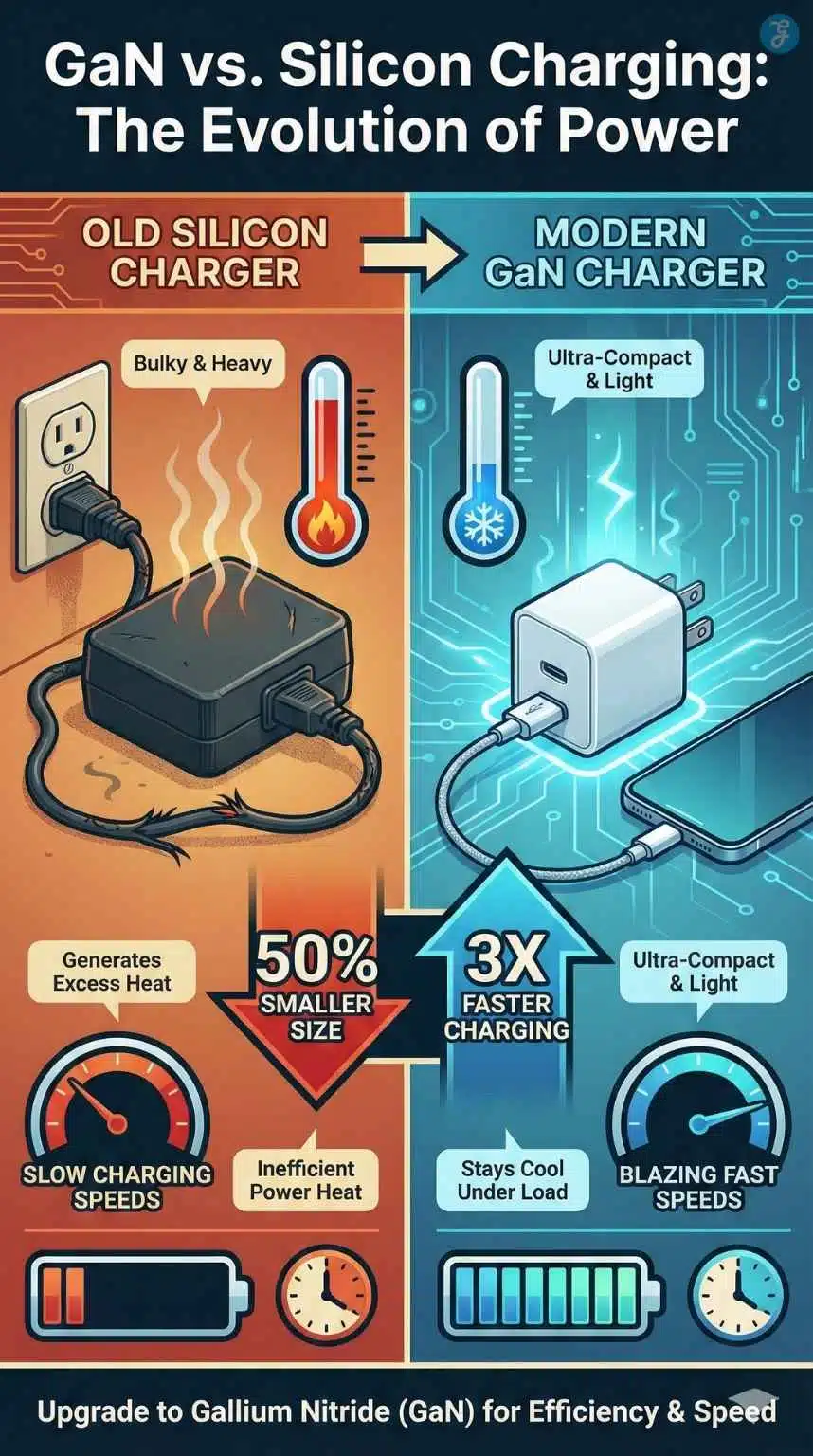
If you are still using the 5W cube that came with your old phone, you are wasting hours of your life. Gallium Nitride (GaN) technology has allowed chargers to shrink in size while handling massive power loads without overheating.
-
The Benefit: A single, tiny GaN charger can fast-charge your phone (0% to 50% in 20 minutes) and is powerful enough to charge a MacBook Air or tablet.
-
Feature to Check: Look for PPS (Programmable Power Supply) support. This is crucial for Samsung and Pixel users to get the maximum “Super Fast Charging” speeds that standard chargers won’t trigger.
| Feature | Old Silicon Charger | Modern GaN Charger |
| Size | Bulky, heavy brick | Compact, pocket-friendly |
| Heat | Gets hot quickly | Stays cool under load |
| Efficiency | ~85% efficient | ~95% efficient |
| Versatility | Phone only | Phone, Tablet, & Laptop |
6. Dual-Drive USB-C Stick / Portable SSD
With phones now shooting 4K and even 8K video, internal storage fills up instantly. Cloud storage is convenient but expensive and requires a fast internet connection.
-
The Solution: A dual-drive flash drive (USB-C on one end, USB-A on the other) is the ultimate backup tool. You plug it directly into your phone’s charging port, move your massive video files over in seconds, and then plug it into your computer to edit.
-
Speed Standard: Ensure it is at least USB 3.2 Gen 1 for fast transfer speeds.
III. Audio & Connectivity: The “Smart” Experience
7. Multipoint Noise-Canceling Earbuds
In 2025, Active Noise Cancellation (ANC) is not a luxury; it is a requirement for focus. But the feature that truly separates good earbuds from great ones is Multipoint Connectivity.
-
What it does: This allows your earbuds to connect to two devices simultaneously—your laptop and your phone. You can be watching a video on your laptop, and if a call comes in on your phone, the audio automatically switches over. No buttons, no settings menus.
-
Top Picks: Look for brands that support LE Audio (Low Energy) for better battery life and LDAC/aptX codecs for high-resolution sound.
8. Smart Bluetooth Tracker
This is peace of mind in a coin-sized plastic disc. Whether it’s an AirTag (for iOS) or a Google Find My Device tracker (for Android), this accessory uses the billions of phones around the world to help you locate your lost items.
-
Use Case: Attach one to your keys, slip one in your wallet, or hide one in your backpack.
-
Pro Feature: The latest trackers support UWB (Ultra-Wideband) technology. This allows “Precision Finding,” where your phone points an arrow on the screen directing you to the exact inch where your keys are hiding under the sofa cushion.
IV. Content Creation: For the Modern Storyteller
9. Compact Gimbal / Stabilized Tripod
If you have ever wondered why some influencers’ videos look cinematic while yours look shaky, the answer is stabilization. A simple selfie stick doesn’t cut it anymore.
-
The Upgrade: Modern smartphone gimbals (3-axis stabilizers) now fold down to the size of a banana. They use motors to counter your hand movements, creating buttery-smooth footage.
-
AI Features: Most come with apps that feature “Active Track,” where the gimbal automatically physically rotates to keep you in the center of the frame as you move around the room—perfect for solo creators and cooking videos.
10. MagSafe Vent Car Mount
Driving with your phone in your lap is dangerous and illegal in many places. A quality car mount is essential, but avoid the clunky mechanical clamps.
-
The Best Choice: A magnetic (MagSafe/Qi2) vent mount. You simply hold your phone near it, and it snaps securely into place.
-
Why specific to vents?: Dashboard adhesives melt in the summer sun, and windshield mounts obstruct your view. Vent mounts keep the phone cool (crucial when running GPS and charging simultaneously) and keep the screen easily visible without blocking the road.
V. Gaming & Entertainment: The Mobile Console Experience
With processors now powerful enough to run console-quality games (like Death Stranding or Resident Evil), your phone is effectively a portable PlayStation or Xbox. However, touch controls are clumsy and block the screen. To unlock this potential, you need dedicated gaming gear.
11. Telescopic Mobile Controller
Stop tapping on the glass. A telescopic controller expands to clamp onto your phone (connecting via USB-C for zero latency), turning it into a Nintendo Switch-style handheld.
-
Why it’s essential: It provides physical triggers, joysticks, and buttons. This gives you a massive competitive advantage in shooters like Call of Duty Mobile and makes RPGs genuinely enjoyable to play.
-
Top Feature to Look For: “Passthrough Charging.” This allows you to charge your phone through the controller while you play, so you never run out of battery during a boss fight.
12. Magnetic Phone Cooler (Peltier)
High-end gaming generates massive heat, causing your phone to “throttle” (slow down) to protect itself.
-
The Fix: A magnetic (MagSafe/Qi2) cooling fan. Unlike old fans that just blow air, modern Peltier coolers actively refrigerate the back of the phone, keeping the processor icy cold and the frame rates high.
| Feature | Standard Touch Controls | Mobile Controller + Cooler |
| Precision | Low (fingers block the screen) | High (physical joysticks) |
| Comfort | Poor (hand cramps) | Excellent (ergonomic grips) |
| Performance | Throttles/Lags after 20 mins | Sustained max performance |
VI. Organization: Taming the Tech Mess
You now have a charger, a power bank, a drive, and earbuds. Throwing them loose into a backpack is a recipe for scratches and lost dongles. In 2025, the “Tech Pouch” is as essential as the backpack itself.
13. Water-Resistant Tech Pouch
This is a dedicated organizer bag that nests inside your main carry.
-
Why it’s essential: It creates a “mobile desk.” When you sit down at a cafe or on a plane, you pull out just this one pouch, and you have your entire workstation ready.
-
Internal Layout: Look for “origami-style” pockets that expand to fit bulky items (like the charger) but flatten when empty. High-visibility interiors (orange or light grey) are a pro tip—they make it impossible to lose a black cable in a dark bag.
VII. The “One Cable” Solution
In the “Essentials” section, we mentioned chargers, but the humble cable has seen a massive upgrade this year.
14. Retractable 100W USB-C Cable
The days of dealing with 6-foot cables tangling in your pocket are ending. The trend for 2025 is the flat, retractable cable.
-
How it works: It coils neatly into a small plastic disc when not in use. You pull both ends to extend it to the exact length you need.
-
Why it’s a must-have: It eliminates cable clutter entirely.
-
Crucial Spec: Ensure it is rated for 100W or 240W. Many cheap retractable cables only handle slow charging. A 100W rating guarantees it can charge your laptop just as fast as your phone.
Buying Guide: Technical Specs to Watch For
When shopping for the Best Smartphone Accessories, marketing terms can be misleading. Here is your cheat sheet to ensure you are buying quality:
-
Cables: Look for “Braided Nylon” exteriors. They last 10x longer than the standard rubber cables that fray at the ends. Also, check the wattage rating; a cable must be rated for 100W to future-proof it for laptops.
-
Wireless Charging: Always look for the “Qi Certified” logo. Cheap, uncertified knockoffs can overheat your battery and degrade its health over time.
-
Cases: “Military Grade Drop Protection” is a loose term, but look for cases that use Polycarbonate (PC) for the hard outer shell and Thermoplastic Polyurethane (TPU) for the shock-absorbing inner liner. This hybrid construction is superior to single-material cases.
Frequently Asked Questions (FAQ)
1. Is fast charging (GaN) bad for my phone’s battery health?
No. Modern smartphones are smart enough to regulate the power they receive. Even if you use a 100W GaN charger on a phone that only supports 25W, the phone will only “pull” the 25W it needs. GaN chargers are actually safer because they run cooler than older silicon chargers.
2. Do MagSafe accessories work with Android phones?
Yes! While MagSafe was invented by Apple, you can buy “Magnetic Rings” or specific cases for Samsung, Pixel, and other Android phones that add the magnetic array to the back. This makes them fully compatible with magnetic wallets, stands, and chargers.
3. What is the difference between a cheap screen protector and a branded one?
The difference lies in the “Oleophobic Coating” and the glass tempering process. Cheap protectors feel sticky and collect fingerprints instantly. High-quality ones feel just as smooth as the original screen and resist shattering much better upon impact.
4. Can I use my laptop charger to charge my phone?
Yes, as long as it is a USB-C charger. Thanks to the USB-PD (Power Delivery) universal standard, your phone and laptop can share the same power brick without any risk of damage.
5. Why do I need a specialized cleaning kit? Can’t I use water?
You should never spray water directly onto a phone, even if it is water-resistant. Water can seep into the speaker grills. Furthermore, household cleaners (like Windex) can strip away the protective coating on your screen. Specialized screen cleaners are alcohol-free and designed to clean without damaging the chemical coatings.
The Bottom Line: Elevate Your Daily Driver
We often spend over $1,000 on a smartphone only to limit its potential with a frayed cable and a scratched screen. Investing in the Best Smartphone Accessories isn’t just about buying gadgets; it’s about protecting your investment and unlocking the features you paid for.
If you only buy one item from this list today, make it a GaN Fast Charger. The difference in daily convenience—getting hours of power in just minutes—is something you will notice every single day.






















