


End-to-end encryption used to be the gold standard for secure messaging. Today, it’s just the starting line of the best secure messaging apps.
While many popular apps lock the text of your messages so hackers can’t read them, they still quietly collect your “metadata”, data about who you are talking to, when, how often, and from where. Think of it this way: if a messaging app knows you consistently text a specific divorce attorney at 2:00 AM, it doesn’t need to read the actual messages to know exactly what is going on in your life.
To find a truly private messenger, you have to look behind the curtain. Does the app demand your phone number? Does it rely on a centralized server that a government could subpoena? Who actually owns the company?
Here are the 10 best secure messaging apps, ranked from uncompromising, metadata-free anonymity all the way down to mainstream options that come with hidden privacy trade-offs.
1. SimpleX Chat
Most private messaging apps assign you a random ID number to avoid using your phone number. SimpleX Chat takes it a massive step further: it uses no user identifiers at all.
- The Privacy Pitch: You connect with contacts using single-use QR codes or temporary invitation links. Because you have no global profile or ID on their network, there is absolutely nothing to link back to your real-world identity.
- Best For: Extreme metadata protection and complete, untraceable anonymity.

2. Session
Session functions like a hybrid between a traditional messenger and the Tor browser. It doesn’t ask for a phone number, email, or name; instead, you generate a randomized “Session ID.”
- The Privacy Pitch: Session routes your messages through a decentralized “onion routing” network of global nodes. This obscures your IP address so thoroughly that not even the servers relaying your messages know who is talking to whom.
- Best For: Users who want to hide their IP address and avoid relying on centralized servers entirely.
3. Briar
Briar wasn’t just built for privacy; it was built for survival. It’s designed for activists, journalists, and anyone operating in areas with heavily monitored or unstable internet access.
- The Privacy Pitch: It doesn’t use central servers. When you are online, messages sync directly between devices via the Tor network. When the internet goes down, Briar can sync messages locally via Bluetooth and Wi-Fi mesh networks.
- Best For: Censorship resistance, offline messaging, and communicating during internet blackouts.
4. Olvid
Olvid is a rising European alternative that mathematically guarantees metadata privacy. It strips away the need for a central user directory entirely.
- The Privacy Pitch: You don’t need a phone number, email, or a centralized contact list. Olvid encrypts the metadata itself, meaning the network simply cannot see your social graph or who you communicate with.
- Best For: Professionals and privacy advocates who want a polished, enterprise-grade app without sacrificing their metadata.
5. Threema
Based in Switzerland, a country boasting some of the strictest privacy laws in the world, Threema has a long, proven track record in the privacy community.
- The Privacy Pitch: You generate a random Threema ID simply by moving your finger across your screen. It is a paid app, which fundamentally removes any financial incentive for the company to harvest or monetize your data.
- Best For: Workplaces, professionals, and everyday users willing to pay a small one-time fee for guaranteed privacy out of the box.
6. Signal
Signal remains the gold standard for everyday, practical privacy. It uses the heavily audited Signal Protocol, which guarantees the security of your message contents.
- The Privacy Pitch: Signal operates as a non-profit, meaning no ads and no data harvesting. However, it still requires a phone number to register. This inherently ties your account to a real-world identity, which limits total anonymity.
- Best For: The absolute safest default for messaging friends and family. It is incredibly secure, just not entirely anonymous.
7. Element
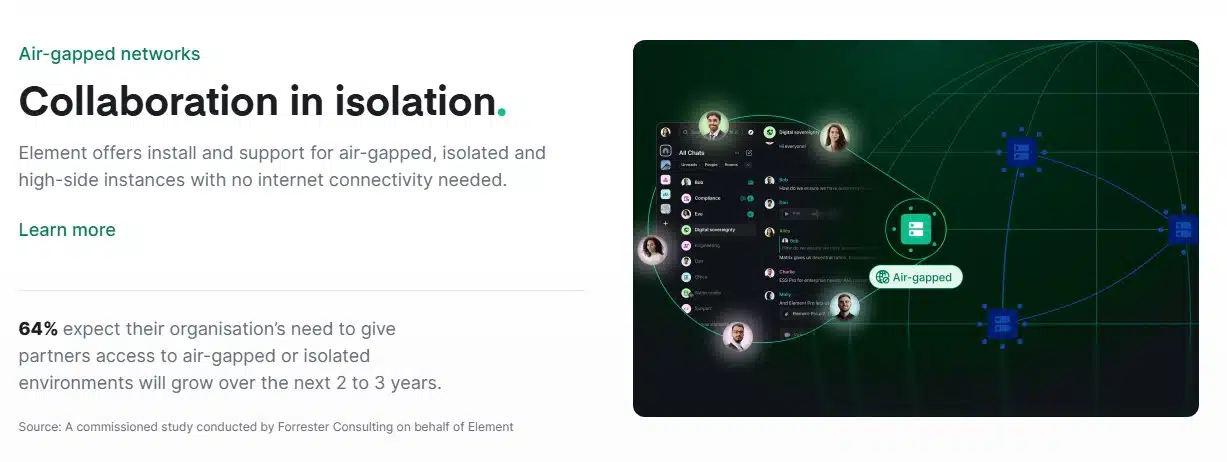
Element is the flagship client for the Matrix protocol, a decentralized and federated communication network.
- The Privacy Pitch: It works a lot like email. You can host your own private Matrix server or use Element’s public ones. You don’t need a phone number, and all private chats are end-to-end encrypted by default.
- Best For: Tech-savvy teams, developers, and organizations that want to self-host their own communication infrastructure.
8. Wire
Wire is highly regarded in the corporate security space as a tightly secured alternative to Slack or Microsoft Teams.
- The Privacy Pitch: It offers strong end-to-end encryption and is fully open-source. However, to seamlessly sync conversations across multiple devices, Wire collects slightly more metadata (like a list of whom you communicate with) than Signal or Threema.
- Best For: Corporate collaboration, secure team messaging, and remote workplaces.
9. WhatsApp
WhatsApp uses the exact same encryption protocol as Signal. The actual contents of your messages and calls are fully locked; not even Meta can read them.
- The Privacy Pitch: While your messages are completely secure from outside hackers, your privacy is compromised by Meta’s business model. WhatsApp collects a massive amount of metadata, including who you talk to, your location data, device information, and IP address.
- Best For: General security against third-party interception, but a poor choice if you want to avoid corporate data harvesting.
10. Telegram
Despite its widespread reputation as a “secure app,” Telegram is fundamentally flawed if you are looking for strict privacy.
- The Privacy Pitch: Telegram does not use end-to-end encryption by default. Standard chats and group messages are stored on Telegram’s cloud servers, meaning the company holds the encryption keys and can theoretically read your messages. Only device-specific “Secret Chats” are fully encrypted.
- Best For: Large public channels and fast cross-device syncing, but it should never be used for highly sensitive conversations.
The Bottom Line on Digital Privacy
Choosing the right messaging app comes down to understanding what you are trying to protect.
If you just want to stop tech companies from reading your private texts to serve you targeted ads, Signal is the perfect, easy-to-use solution. But if you need complete anonymity, where neither the app, the servers, nor your internet provider knows who you are talking to, you need to ditch the phone number requirement entirely and move toward decentralized tools like SimpleX or Session.
Privacy isn’t just about having something to hide; it’s about maintaining control over your own digital footprint. Upgrade your default messenger today, and take that control back.
Frequently Asked Questions About the Best Secure Messaging Apps
1. Does end-to-end encryption mean I am completely anonymous?
No. End-to-end encryption (E2EE) only protects the content of your message so third parties can’t read what you wrote. Anonymity requires hiding your actual identity, which usually means using an app that doesn’t require a phone number and actively masks your IP address.
2. Why is requiring a phone number a privacy risk?
Your phone number is tied directly to your real-world identity, your credit card (via your phone bill), and often your physical location. If a secure app requires a phone number, you are trusting that company not to link your private chats to your public, real-world identity.
3. Is Telegram actually safe to use?
For general chatting and following public news channels, yes. But for strict privacy, no. Because standard Telegram chats are not end-to-end encrypted by default, your messages live on their cloud servers. If those servers are ever hacked or subpoenaed, your chat history is at risk.
4. If WhatsApp is encrypted, why do privacy experts dislike it?
Experts criticize WhatsApp because of metadata harvesting. Meta (its parent company) can’t read your texts, but they track your contact list, your location, how often you open the app, and what devices you use. They use this behavioral data to build a profile on you for targeted advertising.
5. What does “decentralized messaging” actually mean?
Traditional apps like WhatsApp and Signal rely on central servers owned by the company to route your messages. Decentralized apps (like Session, Element, and Briar) distribute this routing across a global network of independent nodes or directly between users. This means there is no single central server for hackers to attack or governments to shut down.






















